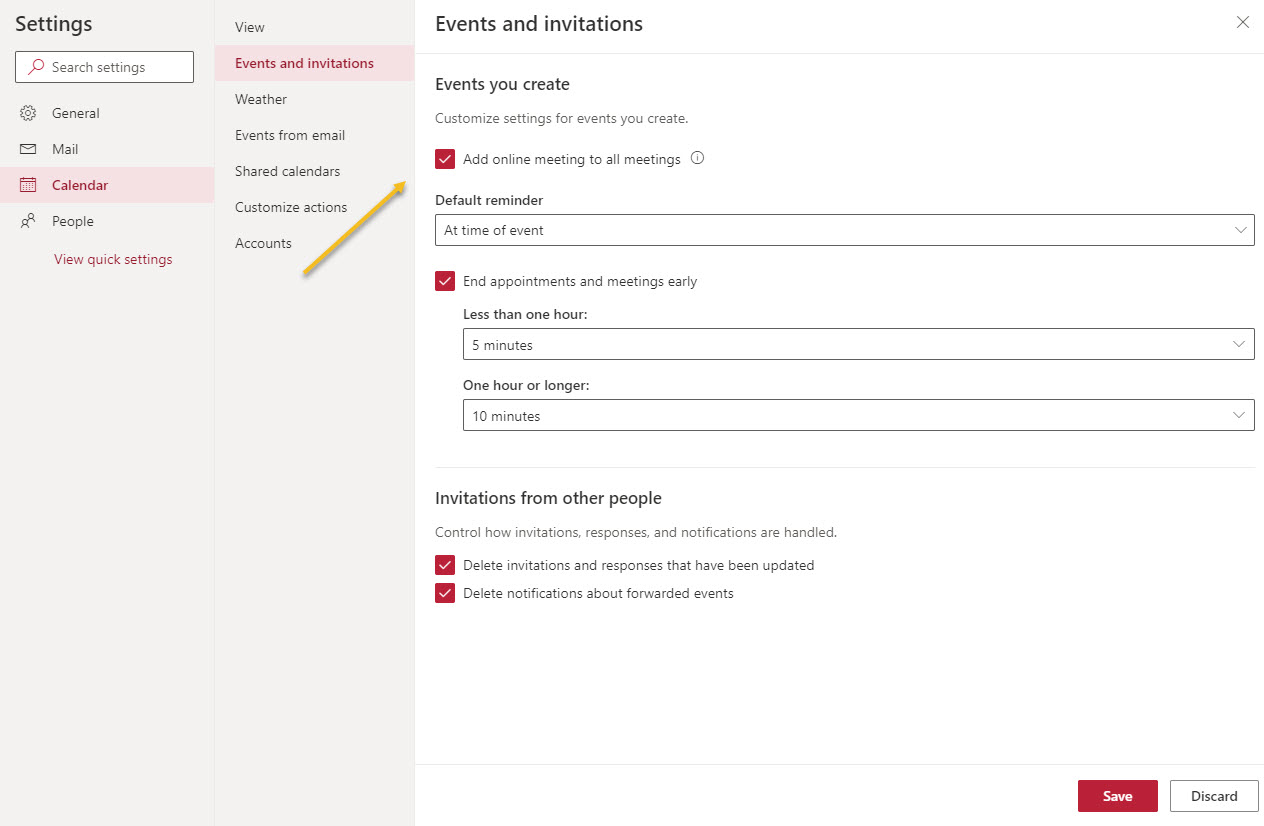
OWA calendar settings include the option to make online meetings the default. You can control whether online meetings are the default at an organization and mailbox level. Outlook desktop relies on system registry settings to know if online meetings should be created. An add-in loaded is loaded automatically to insert the neceessary data to make a meeting online if necessary.
Following some recent criticisms of how some ISVs use FUD to convince Office 365 tenants that they need backup services, AvePoint asked Office 365 for IT Pros to debate the issues. We go toe-to-toe on Wednesday, October 7 at 10 AM EST in a free online debate. Come along and join the fun.
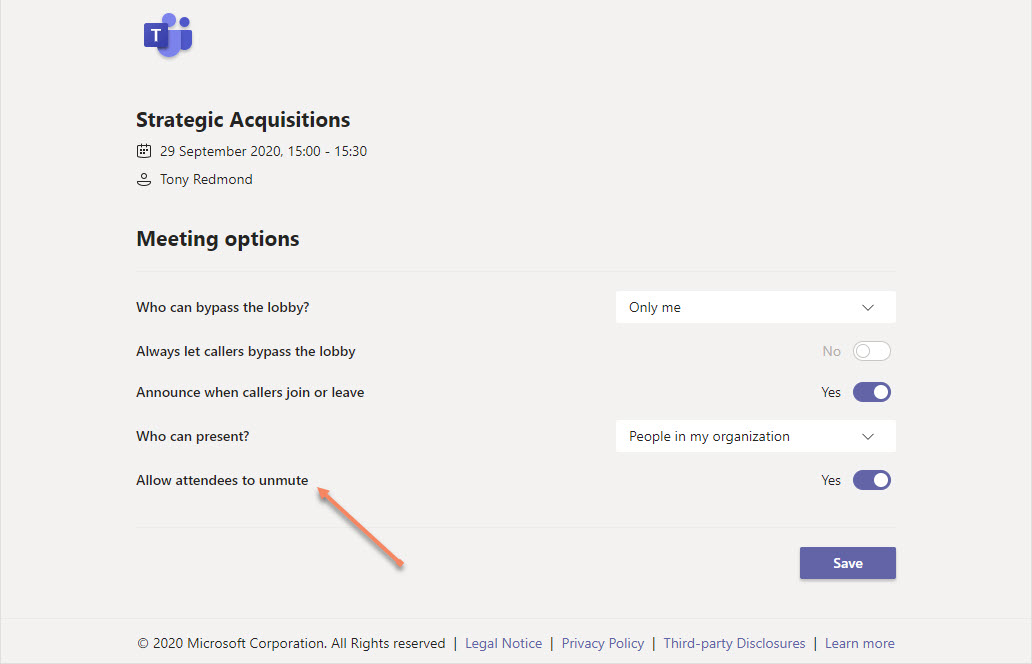
Microsoft Teams allows meeting organizers to control if attendees can unmute themselves during meetings with a new control introduced in October 2020. The new control is likely to be more popular in education settings than in the corporate world, but sometimes it’s nice to be able to take control and stop someone speaking.
Microsoft has updated task labels in the Office 365 Planner app to make the labels more accessible and obvious (and therefore more useful). Changes due to arrive soon include an increase in the number of labels from six to 25, more intelligent attachments, and an upgrade to the Teams integration to allow tasks be created from chats and conversations.
The ability to create new Teams using customizable templates is now rolling out to Office 365 tenants. Microsoft provides 13 out-of-the-box templates and tenants can add their own to meet their needs. Microsoft thinks that templates will help standardize the design of Teams and drive best practice. Time will tell.
The October 2020 update is available for Office 365 for IT Pros, the most comprehensive and up-to-date coverage of Office 365 and its applications available for tenant administrators and solution architects. Subscribers can download the book from Gumroad.com (EPUB/PDF) or Amazon (Kindle). Please download and use the latest update to ensure that you work with the latest news.
Microsoft announced that Teams meetings will support breakout rooms in Q4 2020 for commercial, education, and GCC Office 365 tenants. The new feature allows up to 50 sub-meetings (breakout rooms) to be created from a meeting. The meeting organizer can then assign people to rooms, which then host discussions. The rooms can be started and closed as needed, and participants in each room can share information with each other just like a regular Teams meeting.
Exchange Online supports dynamic distribution lists, a great way to address sets of recipients found by resolving a filter against the directory. In this example, we explore how to create a dynamic distribution list to address mailboxes marked as preferring a specific beverage. It might even be useful some day!
SharePoint Online now boasts the Add shortcut to OneDrive feature, which is a very useful way to assemble a set of points to important SharePoint folders in OneDrive. While Microsoft Search can find documents and Delve can display a set of documents added to boards, being able to find all your important folders in OneDrive for Business is a very effective way to have fast access to your most important files.
At the Ignite 2020 virtual conference, Microsoft ISV Code Two Software demonstrated a new Outlook API to make email signature management easier across all Outlook clients. The Signature API supports web add-ins that work on all Outlook platforms to allow users to select which corporate email signature to apply before sending messages. The new API should be available at the end of 2020 and we can expect updates from multiple ISVs in the email signature management space to exploit the new capability.
Outlook for Windows has supported Microsoft 365 Groups since 2015. The developers chose a seen/unseen model for Groups, but now Outlook has switched to a read/unread model, meaning that the unread counts for Groups can suddenly seem much higher than before. It’s a one-time change that aligns Outlook desktop with OWA and Outlook Mobile and there’s an easy way to set all unread items to be read. But you might want to tell people that this change is coming!
The Active Directory schema includes a drink attribute. This didn’t make the transition to Azure AD, but you can use one of the custom attributes to make drink show up on Microsoft 365 profile cards. This might not seem like a good use of your time, but it’s actually an illustration of how to put the Microsoft Graph Explorer tool to good use.
Version 3.1 of the Exchange Online Management PowerShell module is now available for download from the PowerShell Gallery. The new release contains many useful enhancements including support for managed identities in Azure Automation.
Apple allows iOS14 users to select a different email app to be the default. The switch to Outlook is easy, and you can also pin Outlook to the Home Screen to make it easier and faster to access the app. Remember to check for users running iOS12 because Microsoft no longer supports these devices are for Outlook updates. Fortunately, PowerShell helps to find devices running iOS12 by checking their mobile device connection status.
Microsoft has launched version 1.1.6 of the PowerShell module for Teams (MicrosoftTeams). The new module makes the Skype for Business Online connector unnecessary because it contains the New-CsOnlineSession cmdlet needed to create a new session to use the cmdlets used to manage Teams policies.
Microsoft publishes notifications about new Office 365 functionality in the Microsoft 365 message center. Sometimes the dates advertised for the delivery of the new software are pushed out when Microsoft updates the original notifications. All of which means that tenant administrators need to spend a little time tracking updates to make sure that they’re prepared when Microsoft eventually delivers.
We bet you never knew about the importance of app pill counts. Well, the badge counts shown by apps like Teams are guides for users to know when new information is available. It’s important enough for Teams to invest in a new Teams Badge Count service to improve the accuracy of the new item counts shown to users. Here’s what’s happening.
You can easily add people from outside your Office 365 tenant to the membership of Teams, but some oversight of who those people are and what teams they join is probably needed. This PowerShell script shows how to find records in the Office 365 audit log and figure out if they relate to the creation of new guest accounts before sending email asking to justify the addition of the new account.
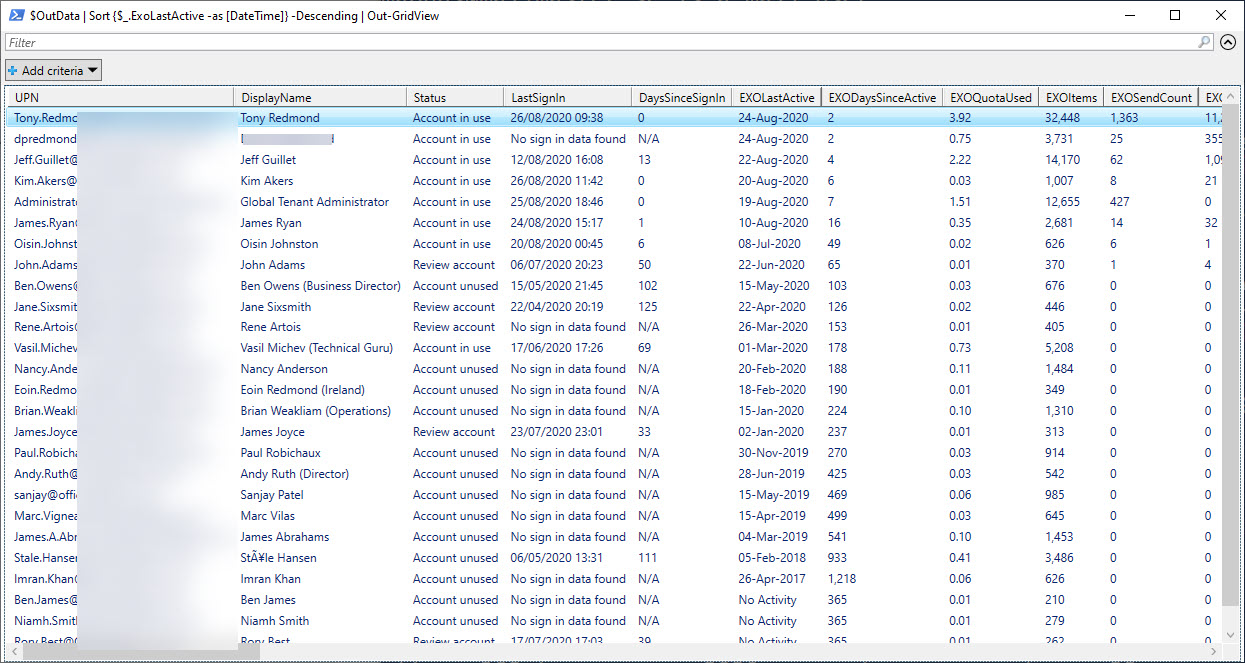
PowerShell hash tables are very efficient at retrieving data, which is just what’s needed when thousands of Office 365 accounts need processing. Our script to analyze usage data extracted from the Microsoft Graph was turbo-charged when we replaced list objects with hash tables, all of which makes it much easier to identify underused Office 365 accounts and save some money on licensing spend.
A preview of a new migration API for Teams is with ISVs. The API is to migrate data from other chat platforms (Slack is the obvious target) to Teams. There’s still no news about solid APIs for tenant to tenant migration or backup and restore for Teams. Microsoft is really interested in moving people off competitor platforms to Teams. It seems they are less interested in doing some of the heavy lifting involved in tenant management and restructuring.
Adding a New conversation button to the Teams client user interface might seem like an insignificant UI tweak. However, keeping replies with their topics is important because it helps users find information and helps compliance searches assemble full conversations. Not many would think about how a UI change affects compliance and eDiscovery searches, but we do…
Sometimes the videos uploaded to Microsoft Stream need some post-production work. You can replace a video with a new file and keep some but not all of its attributes. The operation is straightforward and easy, but be sure to keep a copy of the original video just in case you need to revert to it.
The Microsoft Teams Praise app is used to acknowledge the achievements of people. Different badges exist to highlight various ways people contribute to teams. Now you can create custom badges and publish them for use in the Praise app. All sorts of interesting ideas come to mind. How artistic can you be?
The Office 365 for IT Pros eBook includes many PowerShell examples, and while we mostly concentrate on illustrating the principles of how PowerShell is used to solve problems, we do care about performance. Which is why we’re always interested in finding ways to speed up our code. This this article we explore how to use the Where method to replace the Where-Object cmdlet to filter objects. The good news is that it’s an easy way to get better code performance.
Microsoft Planner is able to work in offline mode when disconnected from the network. In this article, we describe what the browser client can and cannot do when it’s not connected. The thing is that Microsoft hasn’t told anyone that Planner can work offline. No blog, no documentation, and no Office 365 notification. Isn’t that strange?
After a long delay to make adjustments, Teams is adopting the common file sharing mechanism used by Microsoft 365 applications. After being delayed, the roll-out starts in mid-March and should be complete in mid-April. 2021. With Teams in the fold, we can say that sharing is done consistently across Office 365, which can’t be a bad thing.
Microsoft has spruced up the Teams meeting pre-join screen to gather all the settings that participants can use to configure their audio and video for a meeting. The browser interface is slightly different because browsers don’t support background effects. The new screens are better than before and are a good example of how to apply rationalization and simplification to UX design.
Files for the September 2020 update of the Office 365 for IT Pros eBook, the only always-updated book available for Office 365, are now available. Subscribers can download their updates from Gumroad.com or Amazon Kindle.
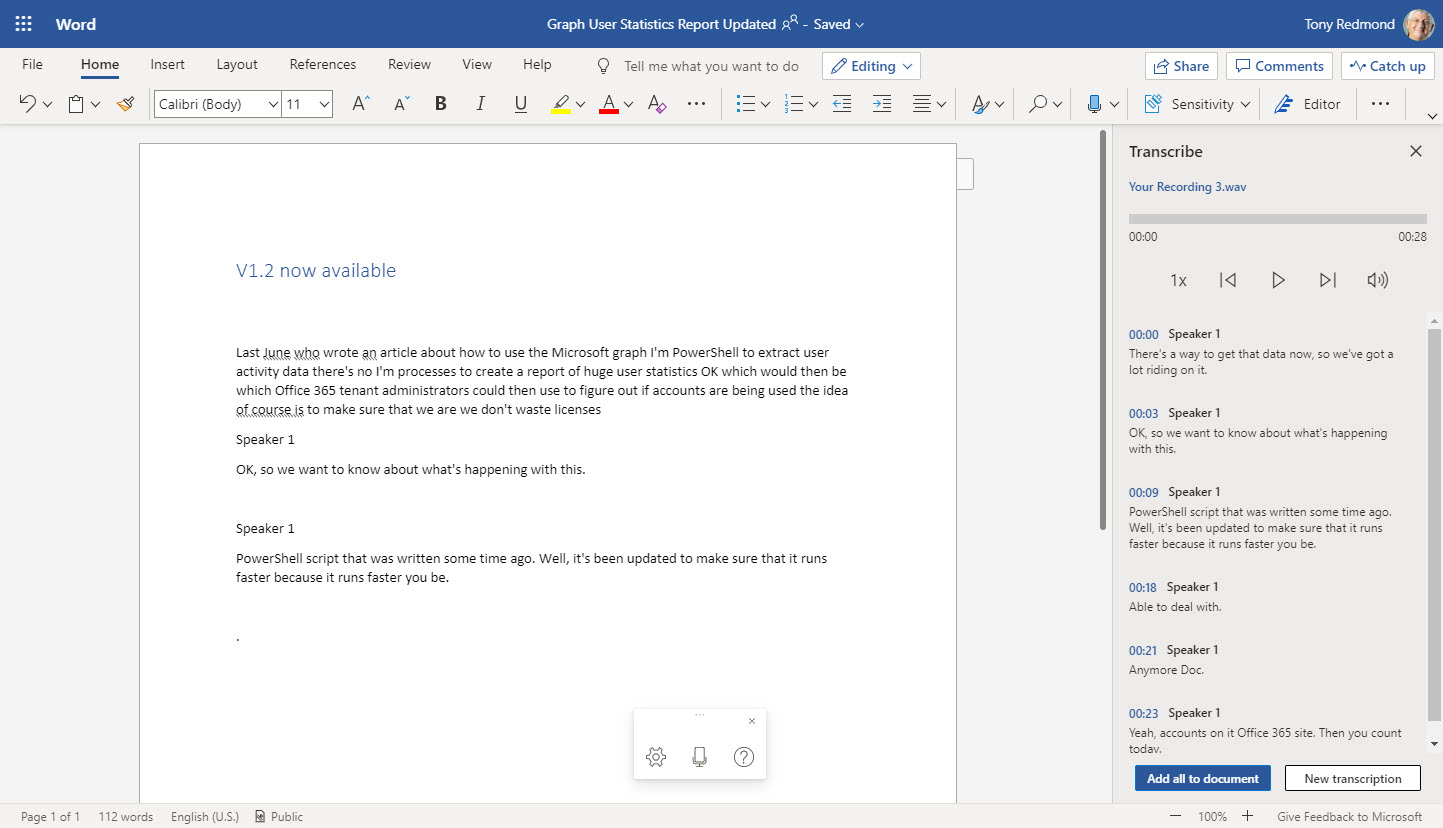
Word Online now boasts the ability to generate transcripts by listening to meetings or conversations and feeding the recording to Azure Cognitive Services. While the thought of using voice-generated text might seem strange at first, Word’s ability to capture text through dictation or transcription is surprisingly good.
Office 365 usage data for several workloads is available through the Microsoft Graph. A PowerShell script is available to grab Graph data and use it to figure out if accounts are in active use. V1.2 of GetGraphUserStatisticsReport.PS1 is available in GitHub and should be better performing when processing thousands of accounts.
A recent change to Teams search means that matching files are included in the autosuggested list generated as users type in search terms. It’s a small but good change. The files data comes from SharePoint Online sites the user can access and their personal OneDrive for Business account.
Microsoft 365 Groups are used by applications like Teams and Yammer. The PowerShell Get-UnifiedGroup cmdlet finds groups, but can it find the groups enabled for Teams and Yammer? Here’s some idle musing on the topic which might or might not interest you.
A change made to an Office 365 retention policy for Teams personal chats in the KPMG tenant removed data for 145,000 users. That’s unfortunate, and it underlines the need for admins to understand how retention policies work. Maybe the people involve did and it was a simple slip that could happen to anyone, but perhaps it will cause tenant admins to reflect on how they make changes to organization configurations.
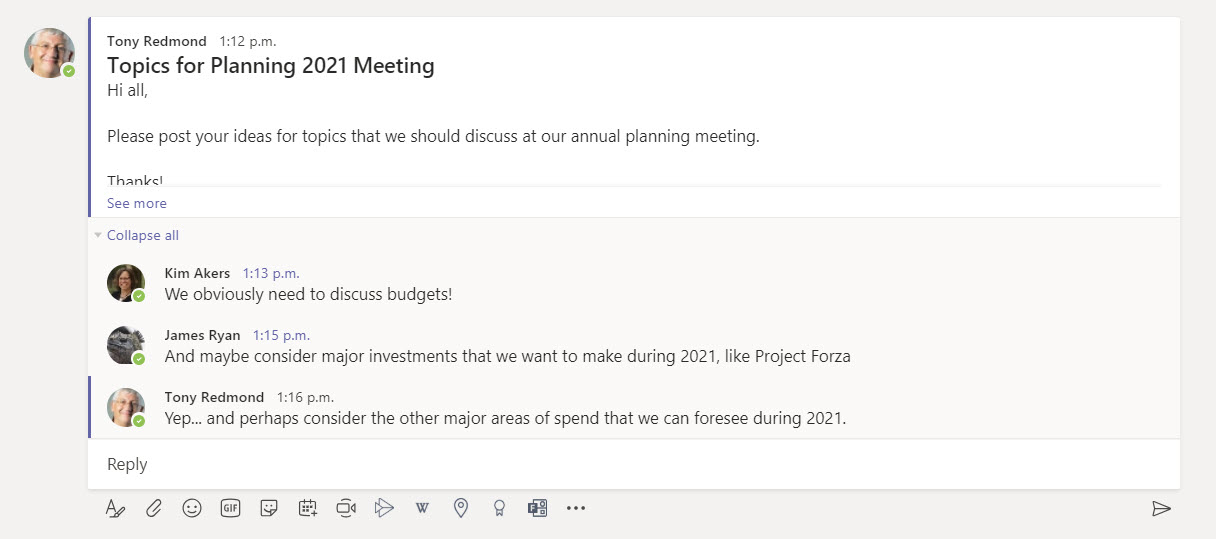
Teams channel conversations are composed of threads formed by base topics and replies. Unfortunately, the Teams client UI makes it easy for users to add topics when they should post replies. The good news is that the Teams development VP at Microsoft has admitted that something needs to be done. That, and a positive response to a User Voice request, makes us think that something will happen soon.
Office 365 Tenants need to stop people using Internet Explorer. On November 30, Teams stops support for IE11; nine months later, the rest of the Microsoft 365 apps cease support. According to Microsoft, the only browser in town is the new Edge (which has an IE mode), but most will keep on using Chrome, Firefox, Brave, or Safari as they do today.
Some recent small changes in Teams will make users happy because the product’s fit and finish is improving. Speaker attribution for live captions makes conversations easier to follow and faster updates from Exchange mean that out of office notifications and change in presence states are picked up faster. These aren’t earthshattering changes, but they do make Teams more pleasant to use.
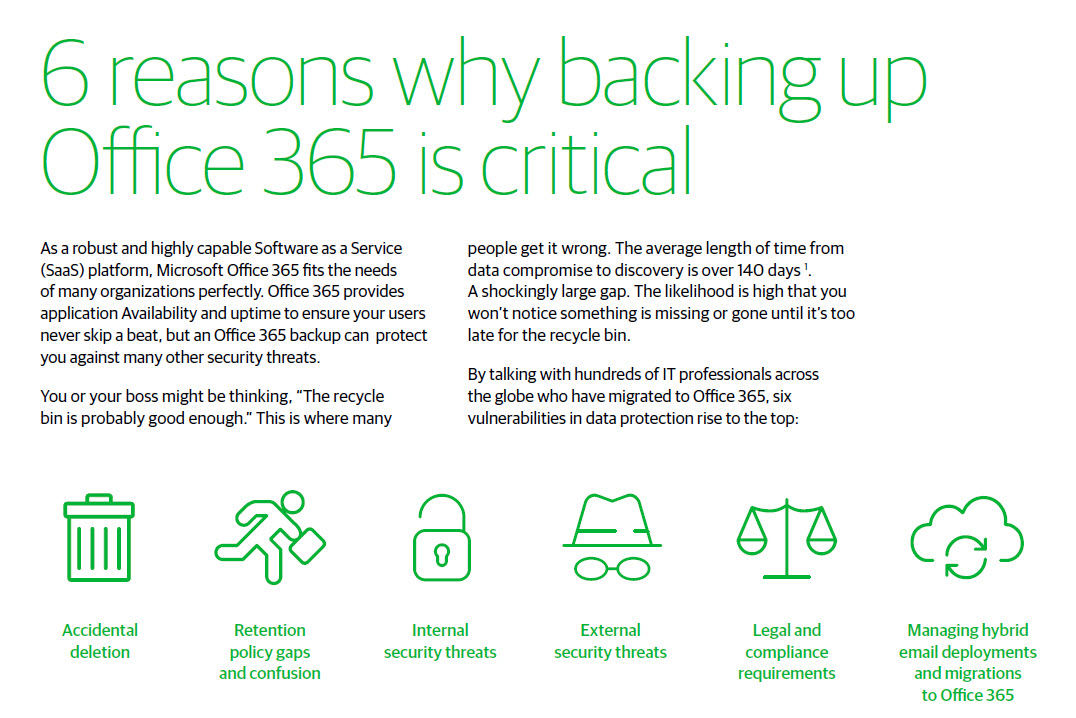
The need (or not) for a backup solution for Office 365 data is hotly debated. Although good reasons can exist for buying a backup service, some of the reasons advanced by backup vendors are classic FUD (fear, uncertainty, and doubt). A recent report issued by a major backup vendor contains some points that deserve close examination. Here’s what we think.
Power Automate (Flow) can forward email from Exchange Online mailboxes to external recipients. This isn’t a great idea if you want email kept within the control of your data governance framework. Power Automate now inserts x-headers in the email it sends, which allows the use of transport (mail flow) rules to detect and reject these messages if required.
Office 365 notification MC220283 says that Microsoft has retired support for organizations to audit Sway activities. In other words, no more Sway events in the Office 365 audit log. This might or might not be a problem for your tenant, depending on how much use you make of Sway and if you have the necessary licenses. But the real problem is the lack of communication before Microsoft removed the feature. That’s not good.
In a surprise update, Microsoft announced that Teams meetings now use persistent background effects. Once you choose an effect, Teams will use it in meetings when video is enabled. It’s a small but nice change that will help users. We need more of this kind of update across Office 365.