The addition of Autocorrect for messaging is a small but important change for Teams messaging brings Teams up to speed with the other Office applications. It’s taken Teams a little longer than it perhaps should have to support Autocorrect and the implementation is not as functional as it is in Outlook, but that’s not a reason to overlook the update.
Teams now includes weaponized file protection and malicious URL protection to make sure that people don’t share bad files or URLs in chats or channel conversations. Given that a user can post a message to up to 50 channels at one time, it obviously makes a heap of sense to check that any files or URLs that people share in chat or channel conversations are safe and not malicious.
The need for more nuanced responses to Teams chat and channel messages can apparently be met through multiple emoji reactions instead of a basic one-emoji response like a smile or thumbs up. In any case, users can add up to 20 emojis in response to Teams chat and channel messages. The possibilities of what 20-emoji combinations might communicate are endless, or so it seems.
Teams has added the ability to use slash commands (shortcuts) to the message compose box. Although the feature seems useful, I wonder about its potential usage. The fact is that people are pretty accustomed to how they compose message text and other options are available to add Loop or code blocks or set their online status, so why would they use the slash commands in the message compose box?
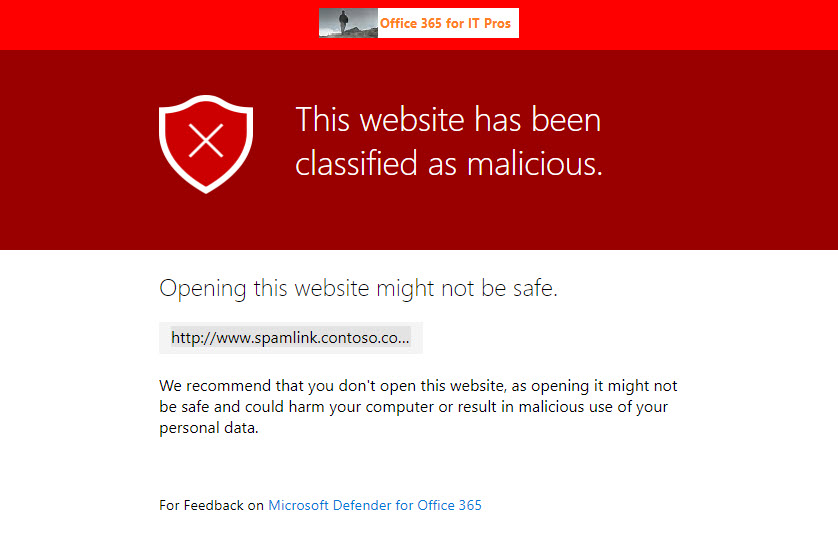
The Safe Links capability in Microsoft Defender for Office 365 is now generally available to protect Teams messages in chats and channel conversations, and even in web site links pinned as a channel tab. Most bad links flowing into an Office 365 tenant will continue to arrive by email, but this new capability closes off a gap where users are tempted to make a poor decision to share a malicious link through Teams.