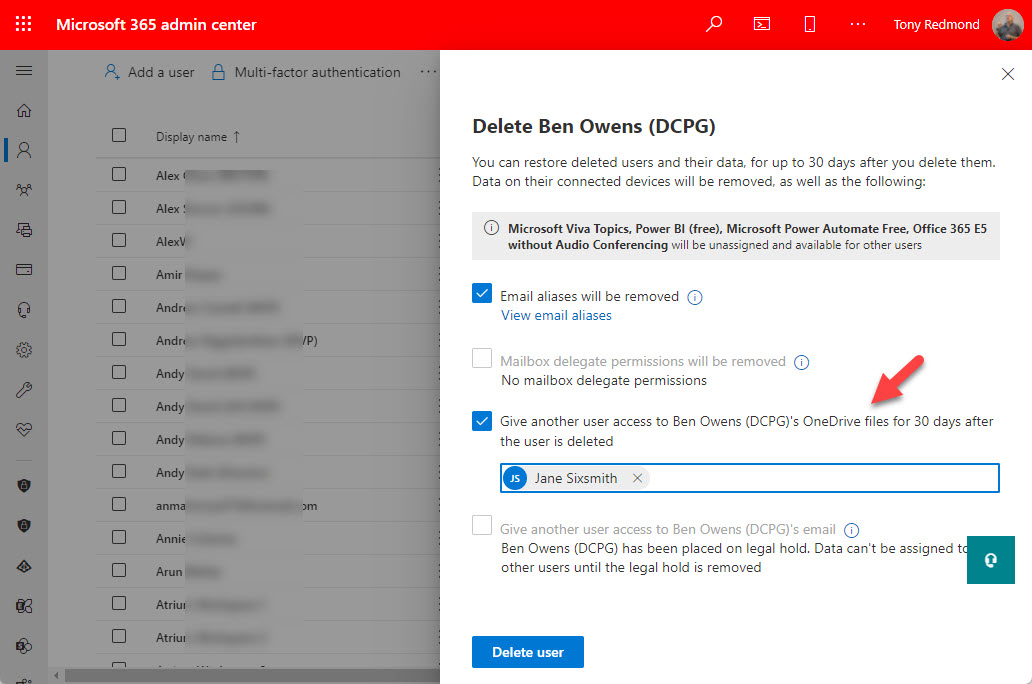
When employees leave a Microsoft 365 tenant, they might leave a user-owned Loop workspace behind which contains some valuable information that the organization wants to retain. Two years or so after announcing that a workflow to handle user-owned workspaces was coming, Microsoft is rolling out the update to tenants worldwide. The process is manual, but not much automation is possible to review and preserve workspace content.
Whiteboard is the latest Teams-enabled app to use OneDrive for Business for its storage. It’s unsurprising and it’s a trend likely to continue, and it creates an administrative challenge in terms of how to handle deleted Microsoft 365 user accounts. The suggested approach of having a designated user review the information and retrieve what’s important is OK for documents but doesn’t work for app-linked content. Retention policies are a better option.
Announced at Fall Ignite 2021, the first implementation of Microsoft Loop components is in Teams chat. This functionality is available in preview and it’s very usable, providing everyone in the chat uses the right client and is enabled for preview. In this article, we review the functionality available through loop components and how the fluid files for the components are stored and shared.