Copilot memory is a term that refers to different things, including Copilot communication memory, a method to use the Graph to personalize responses for users. The idea is to use all the sources of information available through the Graph as Copilot responds to user prompts in Microsoft 365 apps instead of limiting sources to whatever the app works with. It’s a good idea, providing the Graph sources are accurate.
In late August, Microsoft plans to release the Copilot summarize email thread feature in Outlook clients without the need for a Microsoft 365 Copilot license. This news might seem surprising, but it’s simply a matter of business. If Microsoft doesn’t make basic AI features available in Outlook, ISVs (including OpenAI) will fill the gaps with add-ons. And that might make it harder to sell Microsoft 365 Copilot licenses.
After a report to the MSRC about some missing file data from Copilot audit records, Microsoft fixed the problem and audit records now contain details about the SharePoint Online files reviewed by Copilot to construct answers to user prompts. Having solid audit and compliance data is a good thing, unless you’re a lawyer charged with defending an eDiscovery action who might be asked to produce the files.
Microsoft 365 Copilot users can generate audio overviews from Word and PDF files and Teams meeting recordings stored in OneDrive for Business. Copilot creates a transcript from the file and uses the Azure Audio Stack to generate an audio stream (that can be saved to an MP3 file). Sounds good, and the feature works well. At least, until it meets the DLP policy for Microsoft 365 Copilot.
Agent governance is the framework that allows tenants to deploy agents safely, securely, and under control. A new ISV offering from Rencore helps to fill some gaps in Copilot agent governance that currently exist in what’s available in Microsoft 365. It’s good to see ISV action in this space because the last thing that anyone wants is the prospect of Copilot agents running amok inside Microsoft 365 tenants.
Among the blizzard of Copilot changes is one where Outlook can summarize attachments. That sounds small, but the feature is pretty useful if you receive lots of messages with “classic” (file) attachments. Being able to see a quick summary of long documents is a real time saver, and it’s an example of a small change that helps users exploit AI. Naturally, it doesn’t work with Outlook classic.
Microsoft will launch the aiInteractionHistory Graph API (aka, the Copilot Interaction Export API) in June. The API enables third-party access to Copilot data for analysis and investigative purposes, but any ISV who wants to use the API needs to do some work to interpret the records returned by the API to determine what Copilot really did in its interactions with users.
Some sites picked up the Microsoft 365 Copilot penetration test that allegedly proved how Copilot can extract sensitive data from SharePoint Online. When you look at the test, it depends on three major assumptions: that an attacker compromises a tenant, poor tenant management, and failure to deploy available tools. Other issues, like users uploading SharePoint and OneDrive files to process on ChatGPT, are more of a priority for tenant administrators.
Copilot usage data can be pretty sparse, but it’s easy to enhance the data to gain extra insight into how Microsoft 365 Copilot is used within a tenant. In this case, an administrator wanted to have department and job title information available for each Copilot license holder, so we combined the Copilot usage data with details of Entra ID user accounts with Copilot licenses to create the desired report.
At Ignite 2024, Microsoft said that Copilot for Microsoft 365 tenants would benefit from SharePoint Advanced Management (SAM). What does that mean? Well, it doesn’t mean that Copilot tenants get SAM licenses, which is what many expect. It does mean that SAM checks for Copilot before it lets tenants use some, but not all, of its features. Read on…
Microsoft 365 Copilot will soon introduce a feature to fix spelling and grammar errors with one click. At least, that’s the promise when Microsoft delivers the new feature in late April 2025. It seems like a good idea to do everything with a single pass to generate error-free text that the user can accept or reject. Quite how well this works in practice remains to be seen.
Restricted Content Discovery (RCD) is a solution to prevent AI tools like Microsoft 365 Copilot and agents accessing files stored in specific sites. RCD works by setting a flag in the index to stop Copilot attempting to use files. RCD is available to all tenants with Microsoft 365 Copilot and it’s an excellent method to stop Copilot finding and reusing confidential or sensitive information.
Microsoft has given the Copilot for Outlook UI a revamp to make the UI easier to use. The new UI is certainly better and reveals the option to rewrite as a poem. Not that sending poetic emails will make much difference to anyone, but the revamp proves once again that good design makes a difference. Overall, the new UI is a sign that Copilot is maturing after its hectic start.
The DLP policy for Microsoft 365 Copilot blocks access to sensitive files by checking for the presence of a sensitivity label. If a predesignated label is found on a file, Copilot Chat is blocked from using the file content in its responses. The nicest thing is that the DLP policy prevents users knowing about sensitive information by searching its metadata.
The Facilitator agent can make sense of the messages posted to a Teams chat and summarize the discussion and extract to-do items and unanswered questions. It’s a very practical tool that allows chat participants to focus on the ebb and flow of a conversation instead of pausing to take notes. A Microsoft 365 Copilot license is required before you can use AI Notes in Teams chat.
Some people get great results from AI tools like Microsoft 365 Copilot. Others struggle to make Copilot useful. As an article by a Microsoft product manager points out, the reason might be the way we use Copilot. If you don’t give Copilot the right data to work with and don’t ask the right questions through well-structured prompts, there’s no prospect of good answers.
The Microsoft 365 Copilot Chat app is the free to use chat app available to commercial Microsoft 365 customers. The free chat app now supports Copilot agents, including agents that are grounded against Graph data (on a pay-as-you-go metered basis). The free chat app is highly functional, and Microsoft hopes that it will convince customers to buy the full-fledged Copilot.
The slew of product announcements at the Microsoft Ignite 2024 conference included lots about AI and Copilot. This article covers some of the more interesting announcements for Microsoft 365 tenants for Teams, SharePoint Online, and Purview. Many of the new features need high-end licenses or add-ons, but that doesn’t mean that the issues addressed by the technology should be ignored.
Copilot errors in generated text can happen for a variety of reasons, including poor user prompts. If the errors end up in documents, they can infect the Graph and become the root cause for further errors. Over time, spreading infection can make the results derived from Graph sources like SharePoint Online unreliable. Humans can prevent errors by checking AI content thoroughly before including it in documents, but does this always happen?
In MC877369, Microsoft announced the availability of three Copilot usage reports in the Graph usage reports API to track usage of Copilot for Microsoft 365 in the apps enabled for Copilot, like Outlook, Excel, Word, PowerPoint, Loop, etc. The data available in the Copilot usage reports isn’t very informative and you might be better off using audit records to analyze what’s happening.
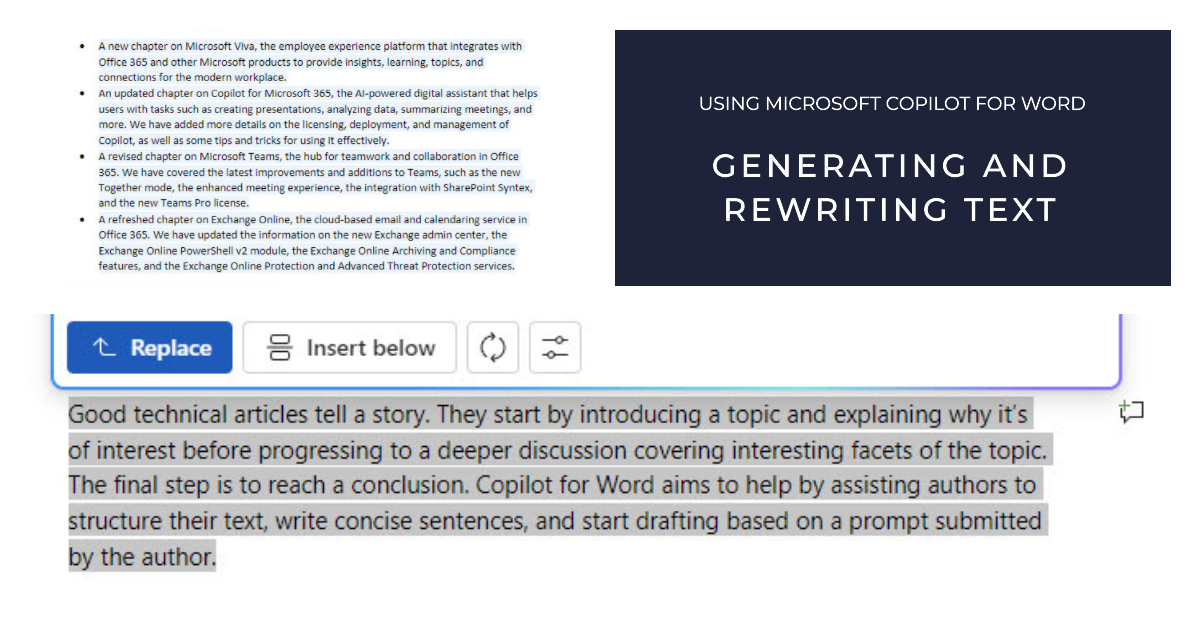
Copilot for Word is an application-specific implementation of Microsoft 365 Copilot. Amongst its capabilities, Copilot can generate and rewrite text. In this article, I explore the experience of interacting with Copilot for Word to generate text that could be used for articles and to rewrite paragraphs from real articles.
Microsoft has described the compliance support from Purview solutions for data generated by Microsoft 365 Copilot prompts and responses. There’s nothing earthshattering in terms of what Microsoft is doing, but it’s good that audit events and compliance records will be gathered and that sensitivity labels will block Copilot access to confidential data.
Microsoft 365 tenants with eligible licenses can use Bing Chat Enterprise (BCE). It’s a great way for users to become accustomed to dealing with AI prompts and generated results. First, users can discover how well-structured prompts generate better results. Second, they can see how a lack of care in reviewing results might get them into trouble because of AI-generated errors.
At a September 21 event in NYC, Microsoft announced that the Microsoft 365 Copilot digital assistant will be generally available to enterprise customers on November 1. Quite how many customers will be willing to cough up for license upgrades and $30/month Copilot subscriptions will soon be seen. The advent of the Copilot Lab to help users come to grips with building good prompts to drive Copilot is an excellent idea, but the focus on Monarch as the sole Outlook client might become a blocking factor for some.
Microsoft has decided to remove the Reuse Files feature from Word. They haven’t said why this is happening, but 8t might be linked to the launch Copilot for Microsoft 365. “AI-Lite” features like Reuse Files don’t add a huge amount of value and possibly cloud the message about AI in Microsoft 365. The truth is that we don’t know why Microsoft is removing Reuse Files from Word. Will they do the same in Outlook and PowerPoint?
A Microsoft 365 Copilot session for partners didn’t reveal much new about the technology, but it did emphasize software, prompts, and content as core areas for implementation projects. Building good queries is difficult enough for normal searches, so how will people cope with Copilot prompts. And are the data stored in Microsoft 365 ready for Copilot? There’s lots to consider for organizations before they can embrace Microsoft’s digital office assistant.
Microsoft 365 apps now boast a simplified sharing experience. In other words, Microsoft has overhauled and revamped the dialogs used to create and manage sharing links. This is the first real change in the area since 2020-21. It’s a good time to make sharing easier for people because the introduction of Microsoft 365 Copilot means that overshared files and folders will be exposed.