The Copilot inference and evaluation policy controls if users can ask Copilot in Teams to evaluate the emotions of other meeting participants. It sounds creepy that meeting participants can ask Copilot how someone is feeling based on their contributions to a meeting, but AI is happy to answer unless blocked by policy. Maybe blocking big brother monitoring should be the norm rather than an exception?
The scheduled retirement of Delve on December 16, 2024, meant that Microsoft had to create a new way for users to update their profile settings. The new method has now appeared in Microsoft Search, and it will spread to other workloads (like OWA) where users can access and update their profile. The new mechanism is welcome, but it’s still too difficult to customize user profiles within a tenant.
Microsoft’s announcement of the Viva Goals retirement came as a complete surprise to the customers using Viva Goals to implement the OKR methodology for their organization. From Microsoft’s text, it seems pretty clear that Viva Goals just didn’t succeed in winning sufficient customers to warrant ongoing development. The outcome is that Microsoft cut its losses and will retire Viva Goals.
Generative AI tools are nice to have, but the LLMs used by these tools must come from somewhere. The impact of generative AI on technology websites is very real and will have a far reaching effect if websites close due to reduced traffic and revenues. How will the LLMs used by generative AI refresh their knowledge base if websites don’t create that information for them (for free)?
The slew of product announcements at the Microsoft Ignite 2024 conference included lots about AI and Copilot. This article covers some of the more interesting announcements for Microsoft 365 tenants for Teams, SharePoint Online, and Purview. Many of the new features need high-end licenses or add-ons, but that doesn’t mean that the issues addressed by the technology should be ignored.
In February 2025, Microsoft will begin enforcing a mandatory MFA requirement for the Microsoft 365 admin center. All connections to the Microsoft 365 admin center must pass an MFA challenge. The move is to increase the percentage of Entra ID user accounts protected by MFA. This article explains what’s happening and outlines how to gain insight into who might be affected by the change.
A reader asked how to find emails with sensitivity labels. Everyone knows that you can find SharePoint files protected by sensitivity labels, but what about emails? MAPI properties exist that hold details of sensitivity labels. These properties are promoted to Microsoft Search, and this allows features like end-user searching through the Microsoft 365 app and Outlook to work. But the best way to find emails with sensitivity labels is to use a Purview content search.
Copilot errors in generated text can happen for a variety of reasons, including poor user prompts. If the errors end up in documents, they can infect the Graph and become the root cause for further errors. Over time, spreading infection can make the results derived from Graph sources like SharePoint Online unreliable. Humans can prevent errors by checking AI content thoroughly before including it in documents, but does this always happen?
Copilot Pages are part of the September 2024 Copilot Wave 2 announcement. They’re a good way to capture the text generated by Copilot in response to a prompt. Each Copilot page is a Loop component stored in a SharePoint Embedded container. Figuring out how to manage these containers will take a little time, especially as Microsoft hasn’t yet delivered the APIs needed to do the job.
The Delve browser app retires on December 16, 2024. It’s time to check if the change will affect how people interact with user profiles in Microsoft 365 tenants. A new “user profile experience” is due to arrive in November that should allow people to update details in their profile. Hopefully, the new experience will include photo updates, which have long been a problem area for Microsoft 365 apps.
The Maester tool is a great way to get a security assessment for a Microsoft 365 tenant. Being able to create custom Maester tests makes it even better. In this article, we explain how to create a custom Maester test that reads the Entra ID Groups policy to report if users are allowed to create new Microsoft 365 groups (and teams).
Unsurprisingly, Microsoft announced the deprecation of the Revoke-SPOUserSession cmdlet for November 2024. The cmdlet is replaced by the Revoke-MgUserSignInSession cmdlet, which works across Microsoft 365 rather than just SharePoint Online. All of this happened while the 2nd annual PowerShell Script-Off happened at TEC 2024 and competitors struggled with what to do to secure a user account for an ex-employee.
TEC 2024 (aka “The Experts Conference”) takes place on Oct 1-2 at the Loews Arlington Hotel. TEC is a great conference for many reasons, notably the intensely practical nature of the coverage technology receives during conference keynotes, sessions, and workshops. If you’re looking for a high-quality event to attend in 2025, put TEC 2025 on the list.
A new Entra ID photo update settings policy aims to cure the mish-mash of existing settings controlling how user profile photos are updated in Microsoft 365. The new policy is based on a Microsoft Graph resource. Work is needed to update clients to respect the policy settings and take over from current controls, like the OWA mailbox policy.
After reaching 50% deployment and on track to general availability, Microsoft decided to withdraw the Copilot catch up feature. Catch up shows a set of cards in a carousel to highlight documents and other items that Copilot believes are of interest to the user. It’s like the insights surfaced in other places within Microsoft 365, such as Office applications, Viva Insights, and Delve.
The Usage Reports Graph API is now generally available, which means that it’s fully supported. In other news, a Graph API is available for Microsoft 365 Backup, The news demonstrates once again how widely the Graph APIs are used with Microsoft 365 and why tenant administrators should acquire some knowledge about how the Graph works.
HVE and ECS are two competing Microsoft Cloud Email Services. At least, they seem to compete. In reality, HVE and ECS serve different target audiences. HVE is all about internal email services for apps and devices while ECS is for high volume external mailings like customer newsletters. We tested both services by sending subscription reminder notifications to Office 365 for IT Pros readers.
Microsoft is removing license assignments from the Entra admin center. From Sept 1, new license assignments are done in the Microsoft 365 admin center. In other news, a new Self-service trials and purchases page is coming to the Microsoft 365 admin center to control the ability of users to purchase self-service licenses or use trial licenses.
MC837081 announces that the Microsoft 365 admin center is to lose its ability to send password in email after updating a user account. It’s the right thing to do because sending passwords in email is bad practice and encourages people to treat passwords with less respect than they should. The long-term solution is to move away from passwords, but it will take time before Microsoft 365 is passwordless.
The Microsoft FY24 Q4 results delivered solid growth in Microsoft Cloud revenues. No new numbers were given for Office 365 or Teams users, possibly because of a slowdown in new user acquisition. We learned that Teams Premium now has more than 3 million users, and that Copilot for Microsoft 365 is being used by more customers than ever before, but without real numbers it’s hard to say just how well things are going
In what seems to be a small change, team owners can rename general channels (naturally with ‘meaningful names.’ The change is more important than it seems because it’s associated with an effort to make users think about using channels as the basis for collaboration instead of always creating a new team. Being able to rename the General channel might make the channel more useful. After all, it’s just a regular channel.
From mid-July 2024, Teams will begin hiding inactive channels for users. The inactive channels can be unhidden, and users can opt out of the automatic process. The new clean up routine can be invoked whenever users want and if a mistake is made, it’s easy to unhide a channel. Given the number of channels in use, it’s likely that a few in everyone’s channel list are inactive and deserve to be hidden.
Office 365 for IT Pros 2025 edition, the 11th edition of the most comprehensive and in-depth book covering the Microsoft 365 Office servers, is now available. Office 365 for IT Pros subscriptions include a new 240-page book titled Automating Microsoft 365 with PowerShell covering PowerShell, Microsoft Graph APIs, and the Microsoft Graph PowerShell SDK. No Microsoft 365 tenant administrator should be without a copy of Office 365 for IT Pros!
The Teams Activity feed received two recent major changes. First, calendar notifications now show up in the feed. Second, the set of filters that were available are reduced to just two (mentions and unread). Reducing the filters is part of Microsoft’s effort to streamline the Teams 2.1 client and remove unnecessary screen elements. I guess it’s OK, and you can disable the calendar notifications to stop that annoyance.
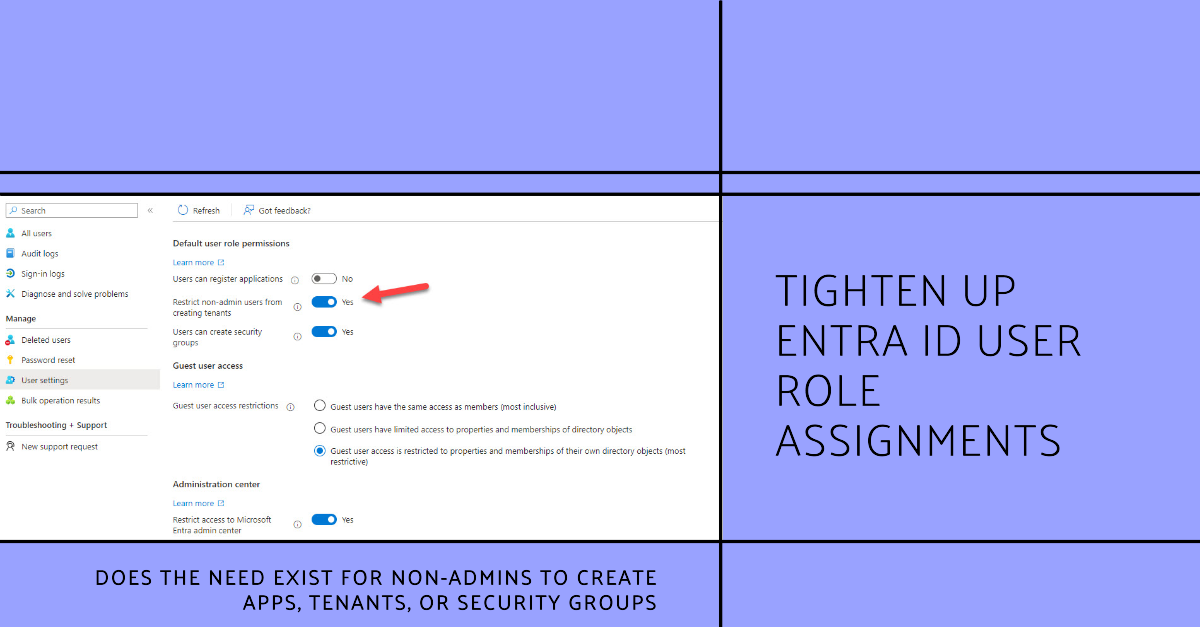
The user authorization policy defines user role permissions, or actions that non-admin users can take within an Entra ID tenant. The default settings are silly. I can’t think of good reasons to allow non-admin users to create new registered apps, tenants, or security groups. Why default settings allow these actions is a mystery, and it could be they’re just outdated.
The Microsoft FY24 Q3 results didn’t contain any new user numbers for Office 365 or Teams. However, we did learn that Copilot and Azure are popular words in the Microsoft lexicon. As usual, statistics were introduced without context, but investors won’t really care too much as Microsoft continues to generate tons of revenue at a healthy margin, especially from its cloud business.
The M365 Conference takes place in Orlando, FL from April 28 to May 2, 2024. I have two sessions, but my attempts to find sessions that cover all of Microsoft 365 failed because there’s no coverage of Entra ID and Exchange Online. Instead, the Microsoft priorities like Copilot, Viva, and SharePoint take front and center stage. I think that’s a pity, but maybe the reason is because speakers don’t submit sessions covering Entra ID and Exchange Online topics?
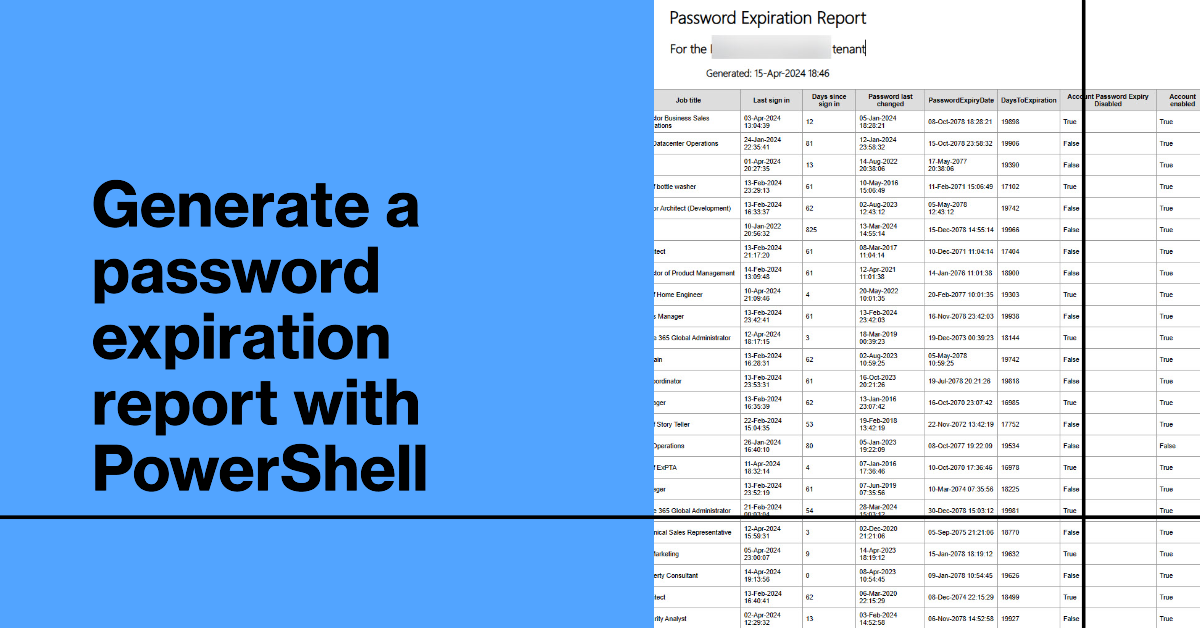
Although the trend is toward password authentication, many Microsoft 365 tenants still use passwords and some force users to change passwords regularly. This article explains how to create a password expiration report with PowerShell. The script caters for where a tenant password expiration policy is set for passwords to never expire. If anything else, it’s yet another example of how to extract information using PowerShell.
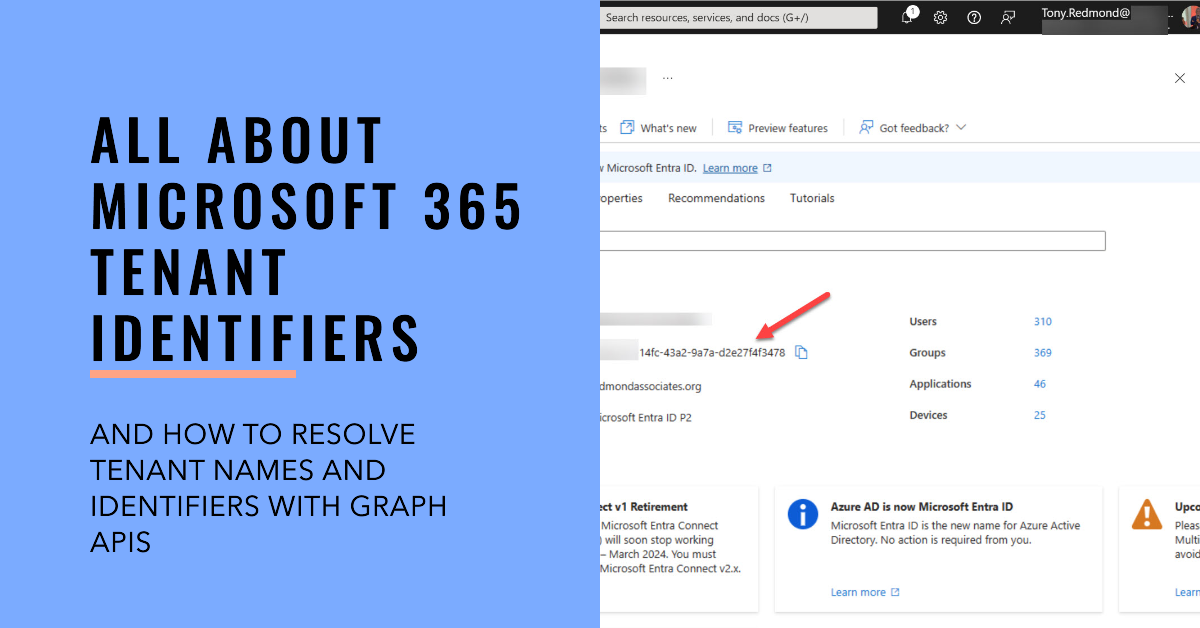
Every Microsoft 365 tenant has a tenant identifier, a unique GUID that’s used within the Entra ecosystem to identify a tenant and its objects. Much has changed since I last wrote about this topic in 2021, including the introduction of new Graph APIs to resolve tenant names to identifiers and vice versa.
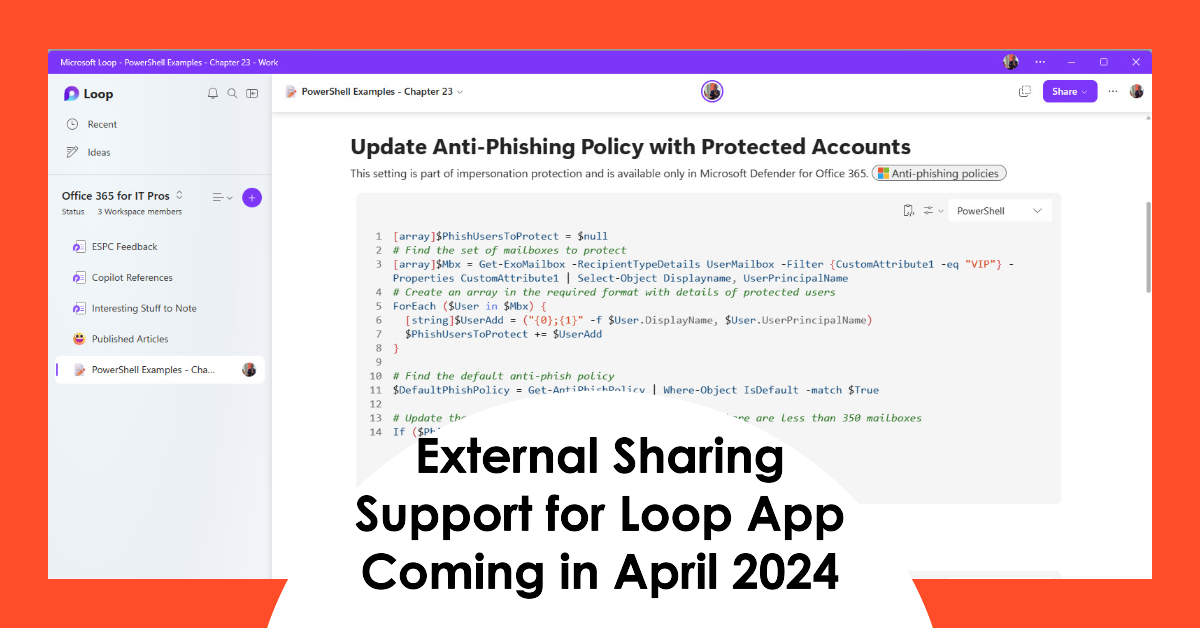
After the welcome announcement that the Loop app will support external access, thoughts might turn to figuring out who uses the app. Fortunately, it’s easy to answer the question by using data extracted from the unified audit log. Activity records tell us about both licensed user interaction and unlicensed user activity. It’s good to know what people are up to.
Message center notification MC734281 explains that Copilot for Microsoft 365 will get better grounding for Word, Excel, PowerPoint, and OneNote from April 2024. After the update, the apps will be able to ground user prompts by using Graph and web searches to find relevant information. Being able to generate accurate text seems like a good thing for an AI tool, and there’s no doubt that better grounding will help. But why is it appearing six months after the general availability of Copilot for Microsoft 365?
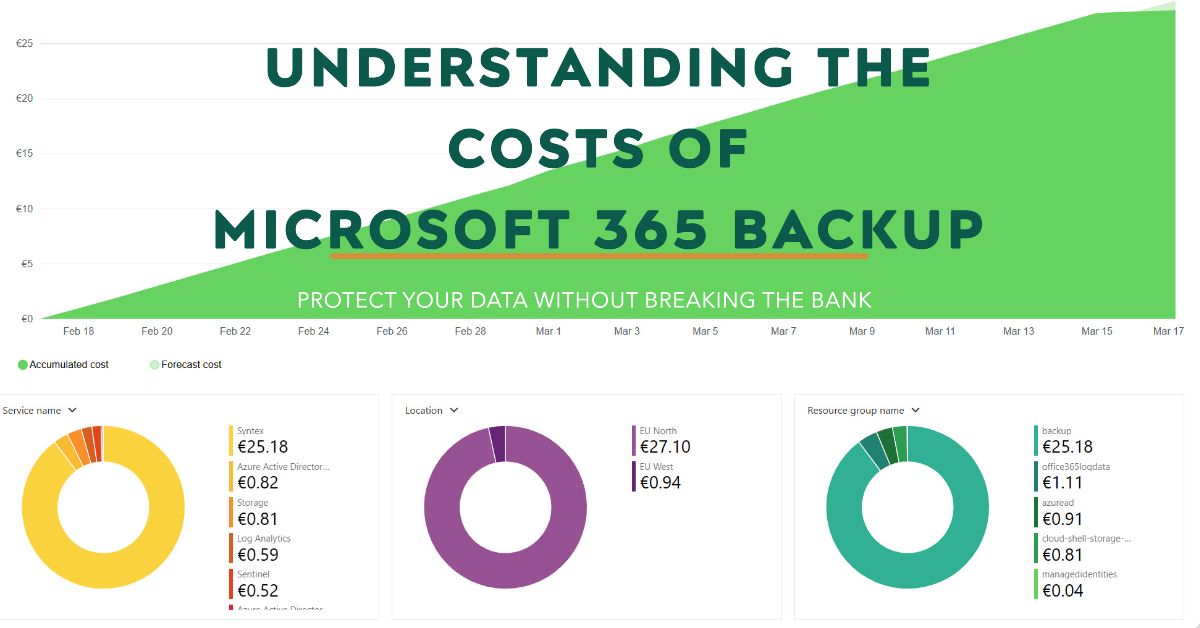
Microsoft 365 Backup costs are charged on a PAYG basis against an Azure subscription. You pay a flat fee of $0.15 per month per gigabyte of protected content. This article discusses calculating the sizes of protected data and reports the costs accrued over two months.
The Loop app is a powerful collaborative platform that has been handicapped up to now with a restriction on its External Sharing capabilities. That restriction is being lifted in a two-phase process starting in April 2024. Tenants without sensitivity labels will get the capability first followed by those that use sensitivity labels.
Microsoft has created an easy to use Microsoft 365 Backup solution. Its key feature is speed, including speed to restore data. I tested restores for Exchange Online (which worked) and SharePoint Online and OneDrive for Business (which didn’t). The lack of logging and error reporting when failures happen lead to frustration. Microsoft has some work to do to bulletproof this solution.
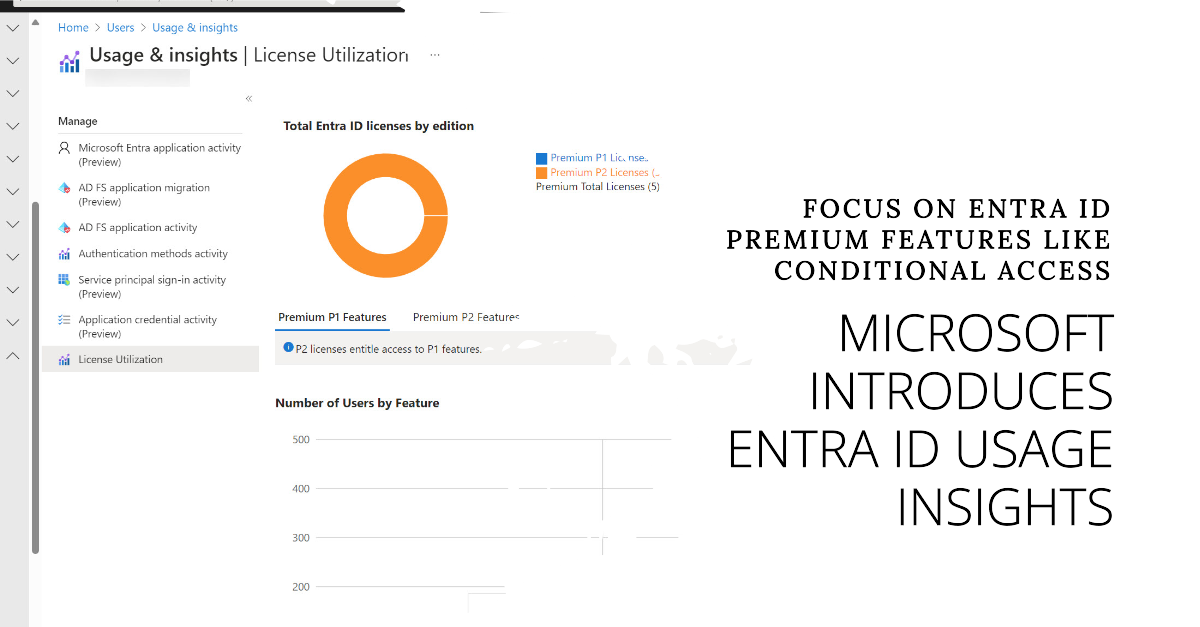
Microsoft has released the preview of the Entra ID usage insights for premium license consumption. This could be the harbinger of a more restricted licensing regime for Entra ID premium features such as conditional access. Putting any barrier in place to stop more accounts being protected by multifactor authentication seems like a bad idea. Let’s hope that this isn’t the case here.
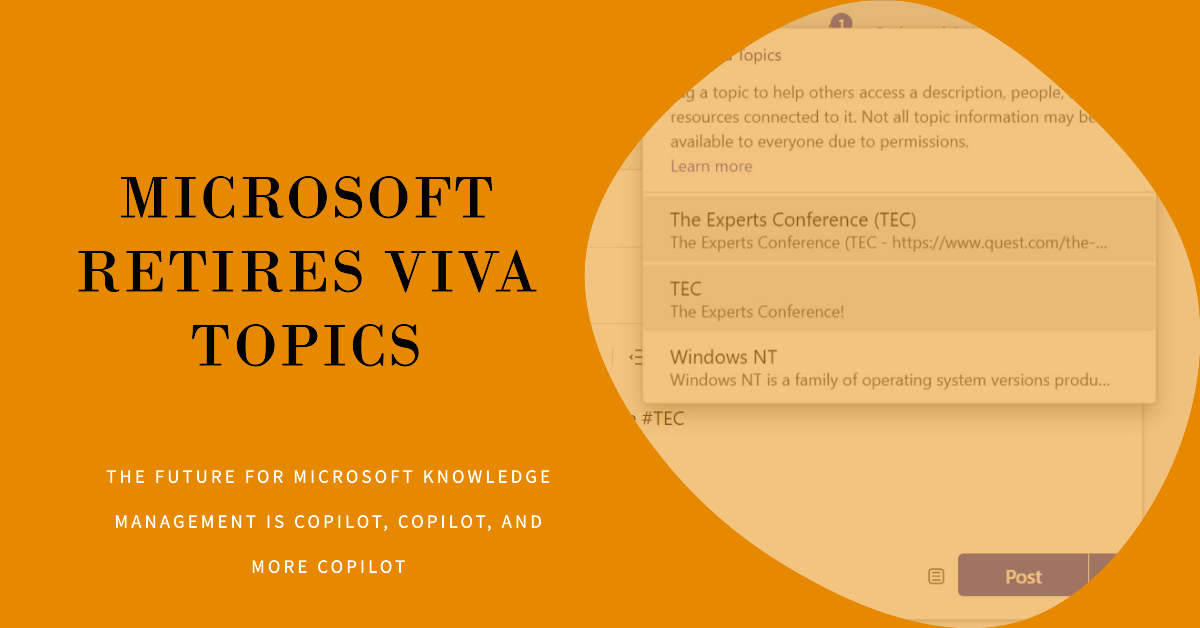
The Viva Topics retirement announced on February 22, 2024 is an inevitable side-effect of Microsoft’s ongoing focus on Copilot. It is difficult to argue against the retirement. Business, technology, and implementation factors stack up against Viva Topics. The future of Microsoft Knowledge Management is firmly in the grasp of Copilot.
Microsoft originally said that Copilot for Microsoft would only support the Monarch client. Now it turns out the Outlook Win32 Copilot support is coming. No formal announcement is available and Microsoft hasn’t shared when the support will turn up in an Office channel, but it’s good news that this deployment blocker is no more. And Teams has a new Copilot experience, so things are moving in the world of AI-powered assistants.
The latest version of the Microsoft 365 Licensing Report script includes code to generate cost analyses for the departments and countries assigned to user accounts. Everything works well if the properties of Entra ID user accounts are complete and accurate. Sometimes this isn’t so, and that leads to problems when attributing costs at a department or country level.
This article describes how to use the Microsoft Graph PowerShell SDK to retrieve and interpret Microsoft 365 message center posts with the intention of discovering what percentage of announcemengts end up being delayed (not being available at the predicted date). Teams makes lots of feature announcements and over 57% of those announcements are delayed.
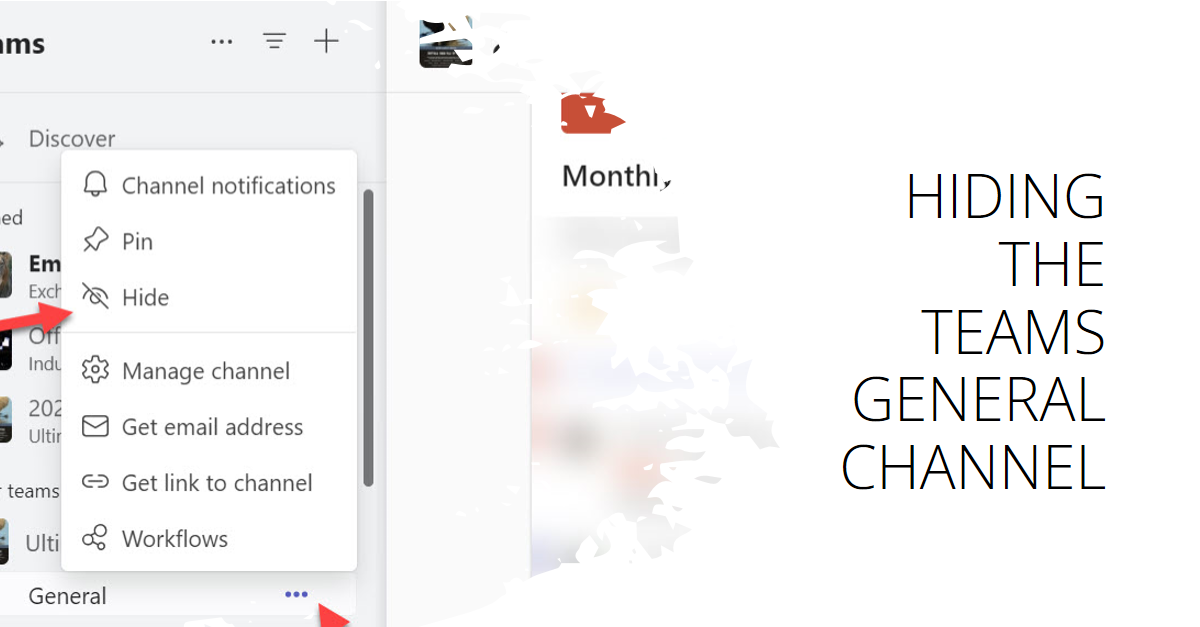
Message center notification MC711019 covers the ability to hide the General channel for a team, a feature designed to free up space in the teams and channels list. Team members (including guests) can decide if they want to see the General channel in their list. Because teams can have up to 1,000 channels, being able to hide the General channel is a useful change.