The Microsoft 365 admin center contains a new option to enable the Loop app for everyone in a tenant. The setting overrides a previous cloud policy used to control access to the Loop app. It’s the kind of change you’d expect to see as an app makes it way through preview to the point when it becomes generally available. In other Loop news, the Loop app is available as a PWA through the Microsoft Store.
A reader asked why some deleted Microsoft 365 user accounts appear to have assigned licenses. That seemed strange because licenses are freed up for reuse when accounts are deleted, so we took a look behind the scenes to find out why some deleted user accounts keep license information in their properties and some do not.
Microsoft 365 apps now boast a simplified sharing experience. In other words, Microsoft has overhauled and revamped the dialogs used to create and manage sharing links. This is the first real change in the area since 2020-21. It’s a good time to make sharing easier for people because the introduction of Microsoft 365 Copilot means that overshared files and folders will be exposed.
On July 31, Microsoft announced that Clipchamp for Work will roll out to targeted release Microsoft 365 commercial tenants in the next few weeks. Although it’s good that Microsoft 365 tenants will get a very capable video editor, the goodness of the announcement is reduced by the fact that Microsoft is not making Clipchamp for Work available for Office 365 enterprise SKUs. That seems like a great pity, but it’s all part of Microsoft’s plan to nudge customers toward Microsoft 365.
At the Inspire conference, Microsoft briefed their partners about the Microsoft 365 Backup and Microsoft 365 Archive products they plan to launch at some time in the future. Microsoft’s biggest advantage is their access to data and the speed at which they can process the information. Whether this gets people past the “all digital eggs in the Microsoft basket” issue remains to be seen.
Stream video playback in Teams chats and channels is now inline, meaning that the video plays direct without any need to call the Stream browser client. It’s a good update that makes watching Stream videos a very seamless experience. It would be nice if Microsoft can improve some other integration points where Stream and Teams touch because some of the other integration features don’t work so well. In other news, SharePoint Online is rationalizing how it stores user photos.
Microsoft’s FY23 Q4 results wrapped up another strong year for Microsoft Cloud revenues. The $111.6 billion (actual) and $121.2 billion (run rate) results continue a strong record of growth. In other numbers, Entra ID now supports over 610 million monthly active users and EMS has over 256 million. All in all, lots of use for the Microsoft Cloud.
Microsoft has announced that they will deliver Microsoft 365 Backup for Exchange, SharePoint, and OneDrive in public preview in late 2023. Microsoft has several advantages when it comes to access to data and ability to update APIs, but it also has to cope with the putting all eggs in one basket syndrome. We don’t know how Microsoft will charge for Microsoft 365 backup, but it’s likely to be on a consumption basis.
Up to now, the Microsoft Graph PowerShell SDK has not included a cmdlet capable of reporting the renewal dates for Microsoft 365 subscriptions. A new beta Graph subscriptions endpoint is a method to retrieve the renewal information. Even if you can’t use an off-the-shelf cmdlet, you can still get the data.
After discussion in 2022 about potential vulnerabilities for the AES128-EBC cipher used by Microsoft Information Protection (MIP), an August upgrade enables AES256-CBC protection for sensitivity labels and other MIP components. Some care is needed to make sure that Exchange Server and other on-premises solutions work properly with the new cipher, but transition for Microsoft 365 tenants should be seamless.
In this article, we discuss how to create a report of registered devices known to the Exchange mobile device management framework. Microsoft hasn’t made many changes to the way Exchange Online manages mobile devices connected to its mailboxes over the past few years and would prefer if organizations used Intune instead. But if you just want simple device management, Exchange delivers, and PowerShell reveals what devices are active.
When Microsoft released the preview of the Loop app, we figured out that Loop uses a special form of SharePoint Online to store its workspaces and pages. Now we know that Loop uses Syntex Repository Services (SharePoint Embedded), a new offering that allows apps to create storage partitions within SharePoint Online and use those repositories to store the files needed by the app. It’s still early days for both the Loop app and Syntex Repository Services (in private preview) and many operational details need to be explored, but the new offering is an interesting choice for app developers when it comes to deciding where to store their data.
Microsoft didn’t do a great job of announcing the side-by-side viewing feature for Microsoft 365 apps. It seemed like the only reason for the feature was to drive usage for the Edge browser. As it turns out, you can choose to have Microsoft 365 apps use a different browser, and the tools to do that are now available.
Microsoft 365 includes a framework to create, send, and manage organization messages to users. It’s a good idea, but the implementation is sadly limited. First, you’re restricted to messages that Microsoft wants administrators to send to boost consumption of the Office apps. Second, you can’t customize the text or the appearance of the messages. Last, the dashboard to manage organization messages is half-finished.
Microsoft Purview data lifecycle management (retention labels and policies) support Azure AD administrative units to scope the set of objects that compliance administrators can manage. Administrative units can be used with data lifecycle management, data loss prevention (DLP), and information protection (sensitivity labels). You’ll need Microsoft 365 E5 licenses (or equivalents) to manage the policies, but that shouldn’t be an issue for the kind of enterprise tenants Microsoft is targeting this functionality at.
The Word Send to Kindle option available in Word desktop and browser apps makes it easy to send documents in Kindle or PDF format to an Amazon account. Once the documents are transferred, they can be synchronized to any Kindle device owned by the account. Everything works well and the feature is welcome, even if it replicates functionality that has long been available outside Word. Including the feature in Word reduces friction for users, and that’s always a good thing.
The Microsoft 365 profile card (for OWA initially) lists the set of connected Viva Topics for a person. This only happens when the user has a Viva Topics or Viva Suite license. It’s an example of how Microsoft is building out the set of information available in user profile cards and embedding Viva Topics in as many places as possible. All good if you use Viva Topics!
Teams Wikis are rapidly approaching the point where they become unsupported. Microsoft has a migration utility to move wiki content to OneNote. This article covers how the migration works and what happens after Teams wiki content moves to OneNote.
Booming Microsoft Cloud revenues and the growth of Office 365 paid seats to 382 million are highlights of Microsoft’s FY23 Q3 results. Other interesting topics included Teams reaching 300 million monthly active users, EMS getting to nearly 250 million users and some hints about how Microsoft will charge for products like Microsoft 365 Copilot when the AI-powered software becomes available.
While working with SharePoint Online yesterday, an in-product ad for a Microsoft 365 conference popped up. This kind of in-product messaging is terribly distracting and not what you’d expect to happen in enterprise software. I have no idea why Microsoft is doing this, but if you don’t like it, please let them know.
Microsoft 365 tenants can select any of the verified domains for the tenant to send Microsoft 365 service messages instead of using the default domains. The update also allows tenants to choose a routable recipient (username) instead of the traditional “no-reply” address. Overall, this seems like a very easy change to implement that shouldn’t cause any problems.
On March 24, Microsoft announced new rules for licensing Teams Rooms Devices. Instead of being able to assign a user subscription license (like Office 365 E3), tenants must assign a Teams Rooms Pro or Teams Rooms Standard license to the room mailboxes used by devices. If they don’t, the devices won’t be able to connect after July 1, 2023. Microsoft suggests a script to find licensed room mailboxes. It’s OK, but we can make the script run much faster, which might just be important in the types of tenants that use Teams Rooms devices.
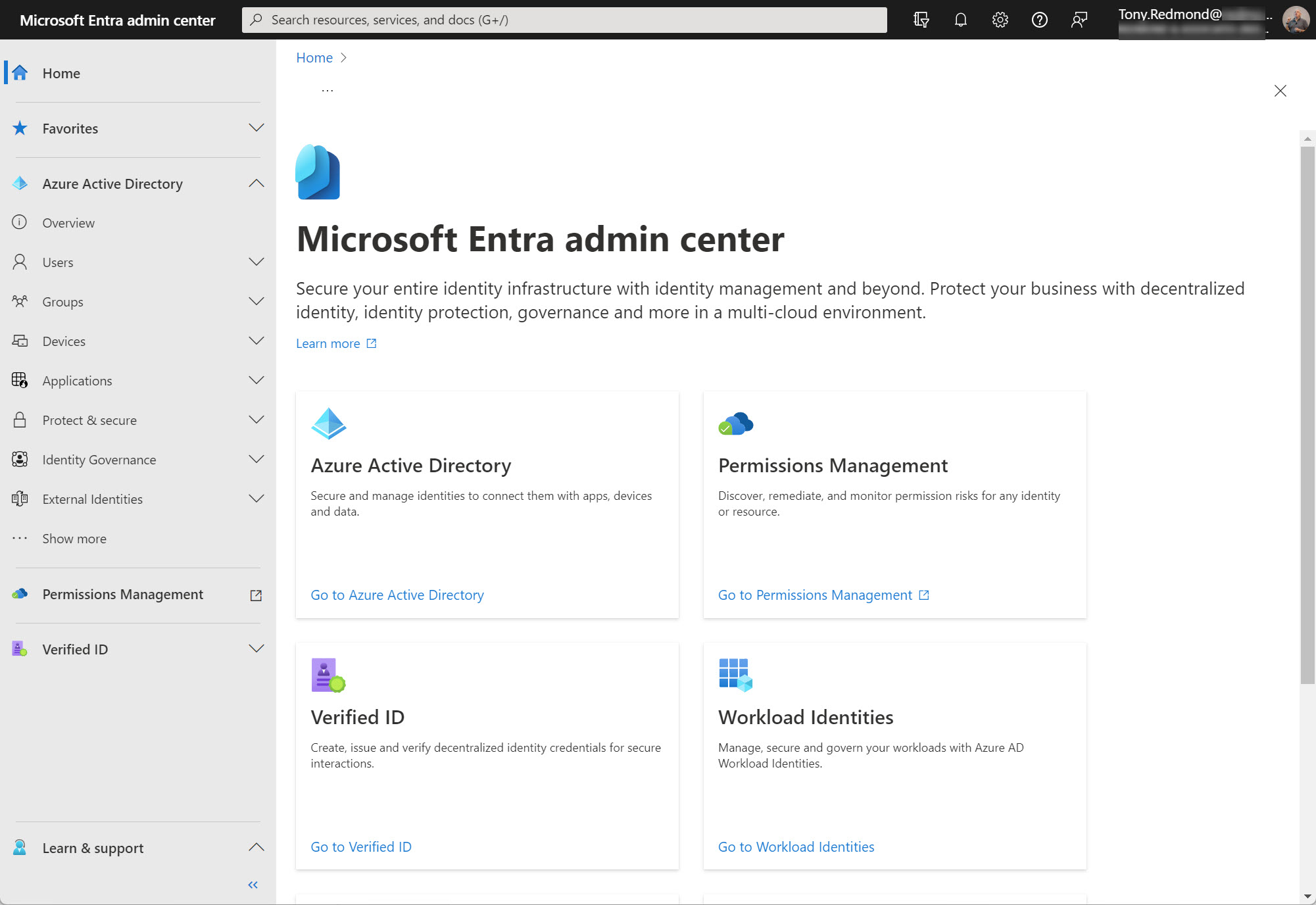
The changes in Microsoft 365 keep on coming thick and fast. Changes range from the introduction of fundamental new technology like Microsoft 365 Copilot to an update to a small product detail. In this case, the Azure AD admin center is moving to the Microsoft Entra admin center. Microsoft has its own reasons for making this change, which will ripple out across the community to affect content developers and trainers. Is that a problem? Only if you don’t respond.
SharePoint Online is embracing Azure AD more closely by forcing new tenants to use the integration between the two Microsoft 365 components. In addition, site sharing will use the Azure AD invitation mechanism instead of SharePoint’s own code. The changes make a lot of sense and shouldn’t cause much disruption for tenants. It’s a good reminder to check the relevant policies that control external access via Azure B2B Collaboration.
Microsoft continues to improve the sound quality available in Teams meetings with support for spatial audio and ultrasound howling detection (feedback echo). Spatial audio depends on the right equipment and aims to help you know who’s speaking in a meeting. Howling detection means that Teams detects when multiple people in a physical room join a meeting and suppresses audio to avoid a feedback loop.
The Azure AD sign-in frequency controls how often accounts must reauthenticate. Setting an unreasonably short value makes it more difficult for people to work because Azure AD constantly nags for credentials, including MFA challenges. I experienced the effect of such a policy last week and it wasn’t nice. Security policies need to be practical and pragmatic as well as effective.
Teams bulk policy assignment options include two features in the Teams admin center, batch jobs, Azure Automation and plain-old PowerShell. In this article, we examine the options in the Teams Admin Center to revert policy assignments back to the global (default) policy and a way to perform Teams bulk policy assignments for selected accounts. And we mention the other methods that exist which don’t involve the Teams admin center.
Microsoft uses machine learning in Outlook and Exchange Online to create the basis for what they call intelligent technology like suggested replies and text prediction. To generate the language models used to figure out how Outlook should respond to users, Microsoft needs to copy data from user mailboxes for processing. The data is removed and the results stored in user mailboxes once processing is complete. Is this an issue for Microsoft 365 tenants? It all depends on your view of how data should be processed.
Microsoft 365 pronouns for display in apps like Teams and OWA can now be enabled on a tenant-wide basis. Displaying pronouns is a topic that can cause strong feelings for some, so organizations should take their time and plan an implementation before rushing to deployment.
Microsoft is dropping lots of hints to the press about the imminent arrival of the new Teams client (V2.1), due to arrive in public preview in late March 2023. According to reports, the new Teams client will deliver better performance while using 50% less memory and making fewer demands for CPU. It all sounds great. With the new client coming into sight, it’s time to prepare Teams update policies to make sure that the right users get the new software at the right time.
The new Entra ID app property lock feature (in preview) prevents attackers updating the credentials for an Entra ID enterprise app so that they can get an access token and exploit the app’s permissions. This technique has been used in several attacks, notably the infamous SolarWinds exploit in 2021. The app property lock is not mandatory and it’s important to keep on checking the audit log to make sure that attackers don’t creep into your tenant.
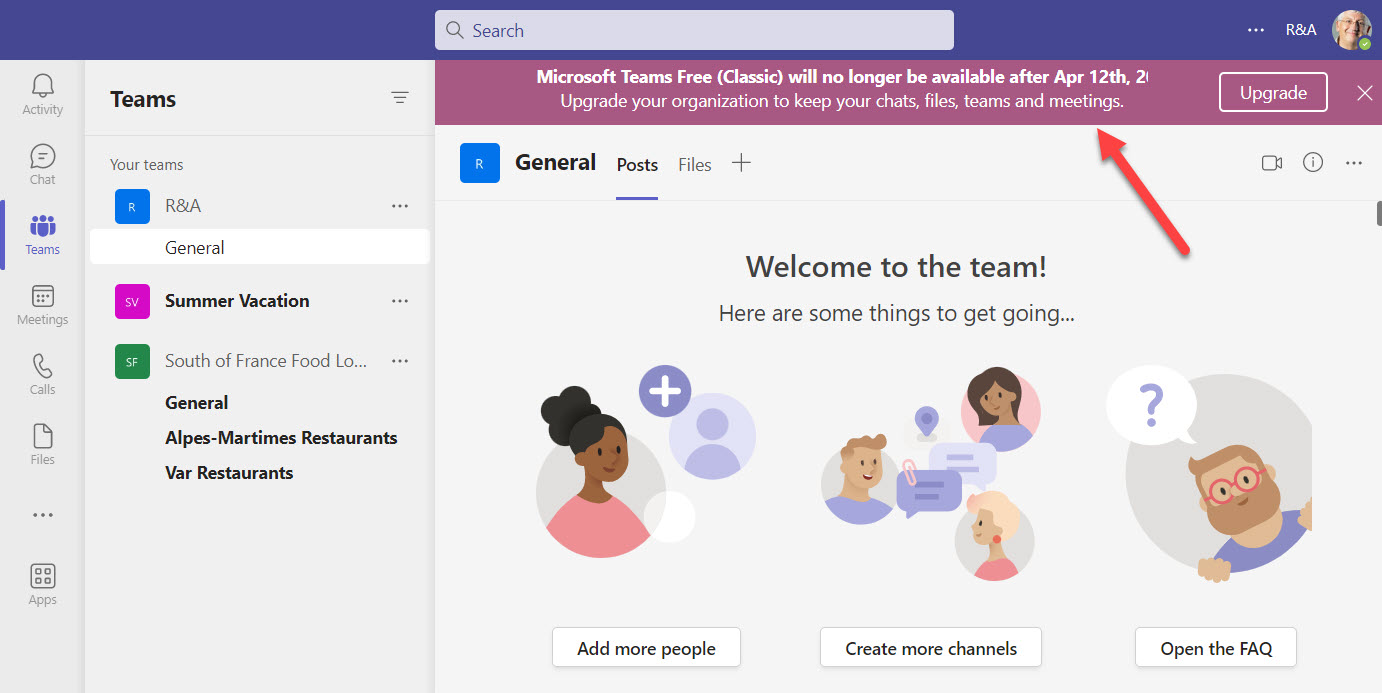
On April 12, 2023, Microsoft will retire the original version of Teams free introduced in 2018. If you want to stay using a free version, Microsoft has Teams for Home. However, the functionality isn’t the same and there’s no migration tools available to move from one platform to the other. In this kind of situation, it might just be time to bite the bullet and pay for Teams.
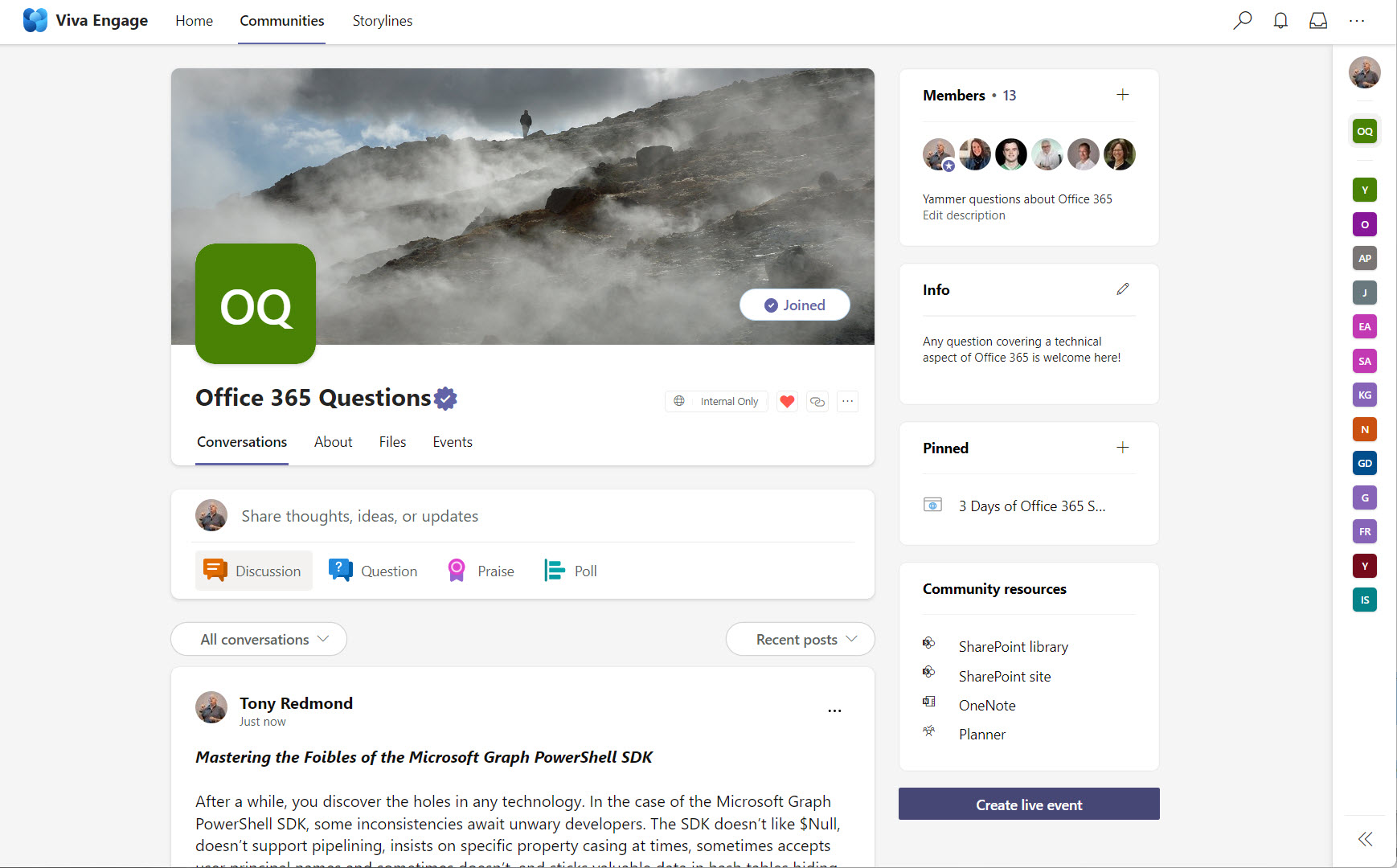
Microsoft announced that they will rebrand Yammer as Viva Engage. The decision isn’t surprising given the relative lack of success the Yammer brand has had within Microsoft 365 since its acquisition in 2012. The hope is that the now-renamed Yammer can forge ahead and be more successful under the Viva brand. Time will tell.
Every thirteen weeks, Microsoft shares some numbers as part of its quarterly results. The FY23 Q2 data included a new Teams user number (280 million monthly active users) and some clues that Office 365 is approaching 400 million paid seats – or maybe active users. You can never quite tell from the data Microsoft releases. One thing’s for sure. The cloud market is slowing in line with the general economy, which means that Microsoft needs to extract more money from each user to offset the slowdown in seat growth.
This article describes how to restore deleted Entra ID groups with PowerShell using cmdlets from the Microsoft Graph PowerShell SDK. Although options exist in the Microsoft 365 admin center and Azure AD admin center to restore deleted groups, it’s nice to have the option to do the same with PowerShell.
The Report a concern option is available in Teams personal and group chats when enabled in a messaging policy and the organization uses communication compliance policies. Microsoft creates a communication compliance policy automatically to process messages reported by users. The investigation process follows the same flow as for other communication compliance policies, even if the messages might vary a tad in terms of their content because it’s a very subjective decision by a user to report content. Overall, a nice feature to have.
Microsoft announced that they will pause sending the daily Viva Briefing messages to make improvements to the personalized content in the messages. No detail has been revealed about the kind of changes Microsoft is contemplating, so all we can do is write some PowerShell to show which mailboxes are currently enabled to receive the daily briefing.
Microsoft is adding a release status tag to its Microsoft 365 message center notifications to help administrators understand the roll-out progress of updates. Three status values are available: Launched, Rolling Out, and Scheduled. The acid test will be to see if Microsoft can accurately tag message center notifications with the correct value.
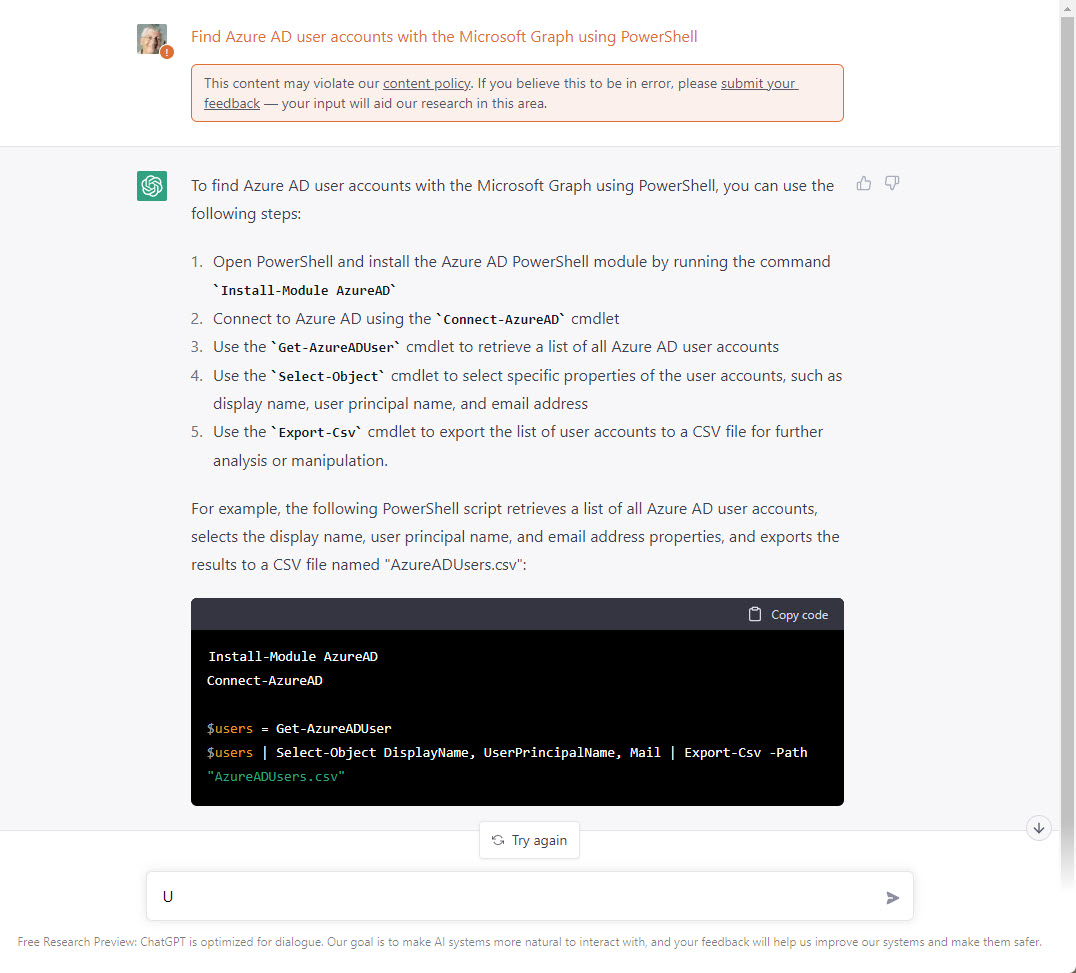
The ChatGPT project is an interesting and worthwhile examination of how artificial intelligence can generate answers to questions. However, the answers depend on the source material, and the signs are that ChatGPT isn’t great at answering questions about Microsoft 365.
A December 2 post by the Microsoft Graph development team clarifies how it plans to charge for some Microsoft 365 APIs. The three-tier model Microsoft plans to use is logical and the default will remain free access to customer data. However, the way Microsoft has communicated the introduction of a charging model for some high-capacity APIs is a model of how not to manage change.