SharePoint Online is a critical piece of the Microsoft 365 ecosystem. Its document management service is consumed by many apps like Teams, Yammer, and Planner. OneDrive for Business, the personal side of SharePoint Online, also contributes to SharePoint’s success with components like the synchronization client. Without SharePoint Online, Microsoft 365 would be a very different offering and a worse platform to work with.
Microsoft Cloud revenues reached $25.7 billion in Microsoft’s FY23 Q1 results. That sounds good, but it’s a slowing over the rate seen in previous quarters. It might be the case that the size of the installed base is not growing as quickly as it once did, but Microsoft is making sure that it extracts as much revenue as it can from its cloud customers. That’s a trend you can expect to continue
Hidden membership is supported for Microsoft 365 Groups and distribution lists. Hidden membership means that no one except members and admins can see who’s in a group. It’s a useful feature if you don’t want people poking around to find out who’s in a group or distribution list. One thing to be aware of is that once a Microsoft 365 group has hidden membership, it has it forever. Distribution lists on the other hand can flip between hidden and visible membership.
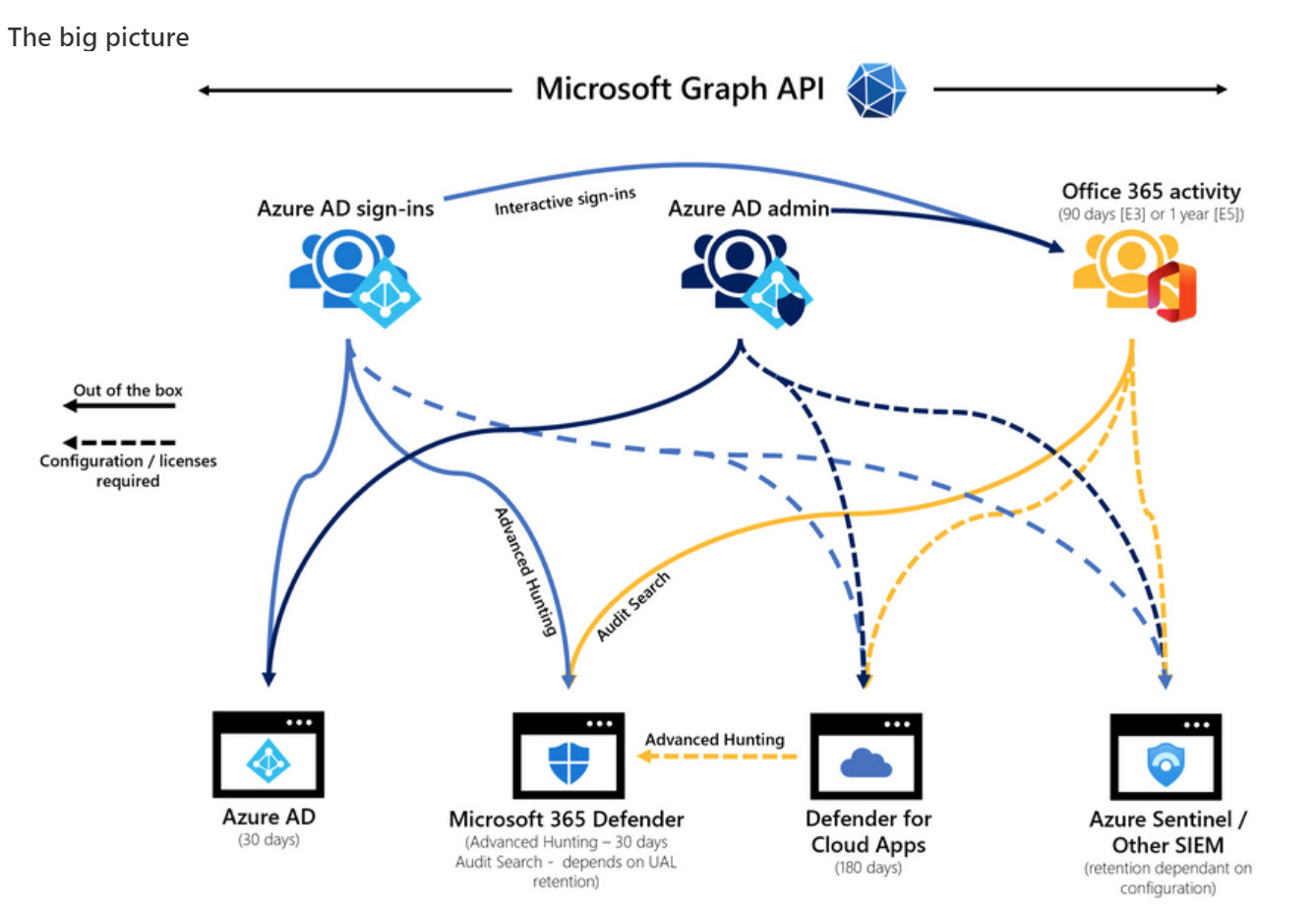
Microsoft DART (cybersecurity response team) published an interesting article about the essential sources of Microsoft 365 audit data used for forensic investigations. The Office 365 audit log gets a big mention and DART seems pretty impressed by the new audit log search that’s available in preview in the Purview Compliance portal. I’m not impressed by the performance of the new interface and will continue to use PowerShell. As it turns out, so will DART.
After debuting in summer 2021, the Microsoft Cortana Scheduler service will close on September 1, 2023. High cost and a lack of users are among the likely causes for Scheduler’s demise, but it wouldn’t be surprising to see it reappear in the future as part of a high-end Office 365 or Microsoft 365 bundle.
A new version of the Microsoft 365 user activity report PowerShell script is available. This version extends the activity lookback period to 180 days, which is helpful when assessing if user accounts are active when people might be on parental leave or sabbaticals.
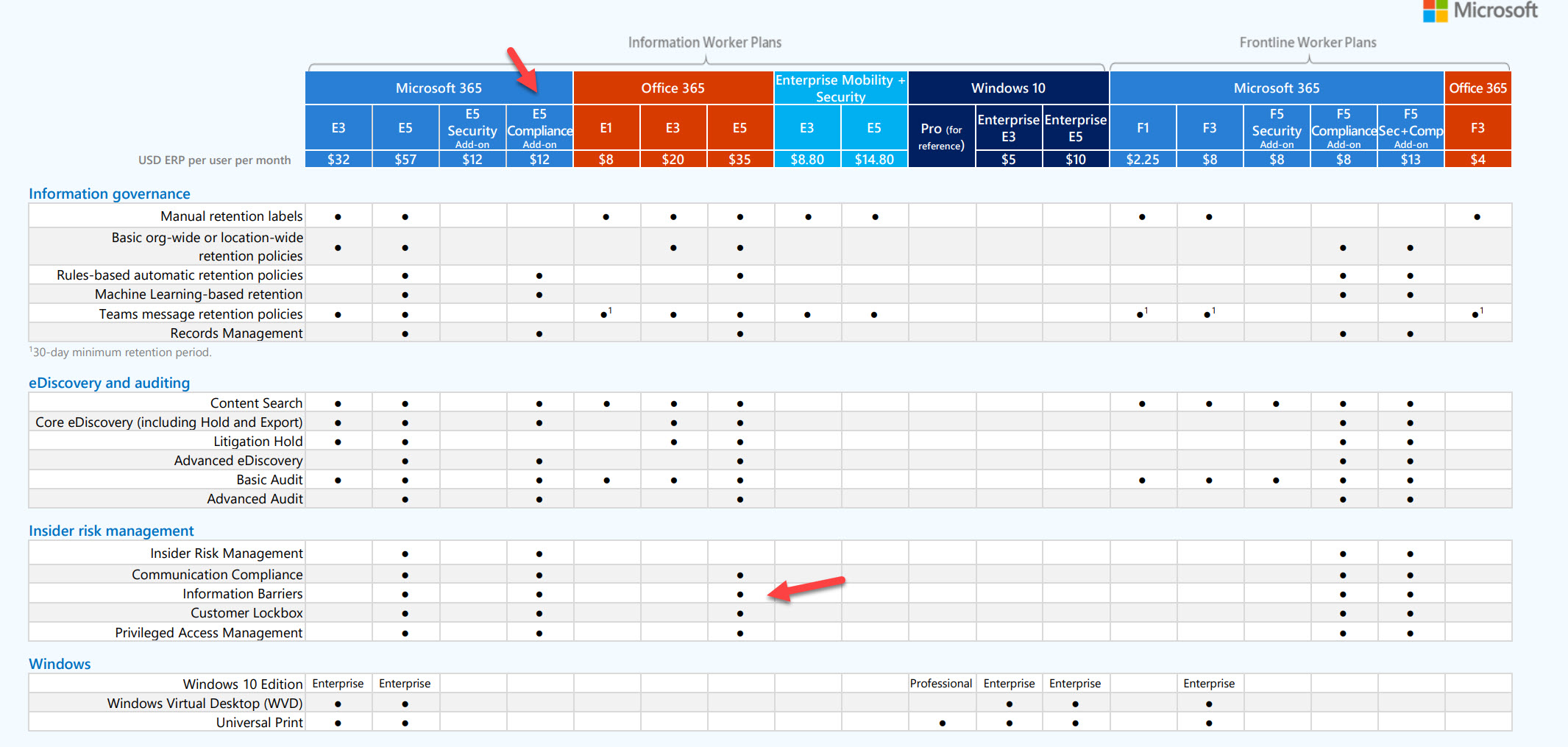
In a welcome move, Microsoft has revamped its guidance for Microsoft 365 compliance licensing, specifically for Data Lifecycle and Records Management. The new text is much clearer about when different licenses are needed to use a feature, which is goodness even if you disagree that a feature should need a high-end license. Now if only Microsoft could do the same for the rest of its documentation…
Microsoft has released 42 new sensitive information types (SITs) in preview. The new SITs cover credentials used in services such as Azure, GitHub, Amazon, and Google, and can be deployed in Purview solutions like DLP and auto-labeling policies.
Microsoft’s FY22 Q4 results didn’t reveal too much in terms of real numbers for Office 365 users, or usage of individual workloads like Teams or SharePoint Online. We do know that the Microsoft Cloud segment reached the landmark of $100 billion in annualized run rate ($91.2 billion actual). How much of that is down to Office 365? That takes some guesswork, but we’ve done our best.
A new Software Updates page in the Microsoft 365 admin center is intended to help tenant administrators keep an eye on what Office and Windows software people are using. As you’d expect, the page offers no details about non-Microsoft clients connected to Microsoft 365. That’s OK, except when work is needed to make sure that clients can cope with the effects of a massive change, like the October retirement of basic authentication for seven email connection protocols.
Some recent announcements will make it much easier to work with PDFs protected with sensitivity labels. Adobe is now bundling the MIP plug-in with the Acrobat installer and has plans to allow users to apply sensitivity labels within Acrobat. But the big news is the change in Office applications to generate protected PDFs when saving, exporting, or sharing protected documents, spreadsheets, and presentations.
Microsoft Loop components are available now in Teams chats and will soon become available in OWA. Loop components are a new way of collaborative working that some will find very attractive. However, under the covers, some compliance issues can block organizations from allowing the use of Loop components. This post explains the issues involved in eDiscovery and export of items containing Loop components.
Outlook users have been able to see LinkedIn profile information for several years. Now Teams chat has the same kind of LinkedIn connection to expose profile information of people you chat with. Because Teams is more internally-focused than email is, the integration might be less useful than it is in Outlook. Then again, you might need to find out some information about people you work with!
Microsoft is rolling out the necessary bits to applications to support the Microsoft 365 web app account switcher. The account switcher allows users to move between accounts in different Microsoft 365 tenants, or to their personal Microsoft Services (MSA) accounts for apps like Outlook.com and OneDrive (consumer). The account switcher works, but only when all the necessary code is available. When that happens, all should be well, but in the interim, maybe it’s wise to wait.
Microsoft’s FY22 Q3 results disclose a ton of success for the Microsoft Cloud, with revenues now approaching an annualized run rate of $100 billion. We got a new number for Office 365 users too and learned that Microsoft has 345 million paid seats for Office 365. Good progress too for Enterprise Mobility and Security and Azure Active Directory. All in all, great results.
On the surface, the Admin-Microsoft 365 Teams app seems to offer a lot of promise. However, its functionality is disappointing and anyway, do you really want administrators performing tenant management through Teams when they’re signed into their personal accounts? Some will like the app, but I’m not a fan.
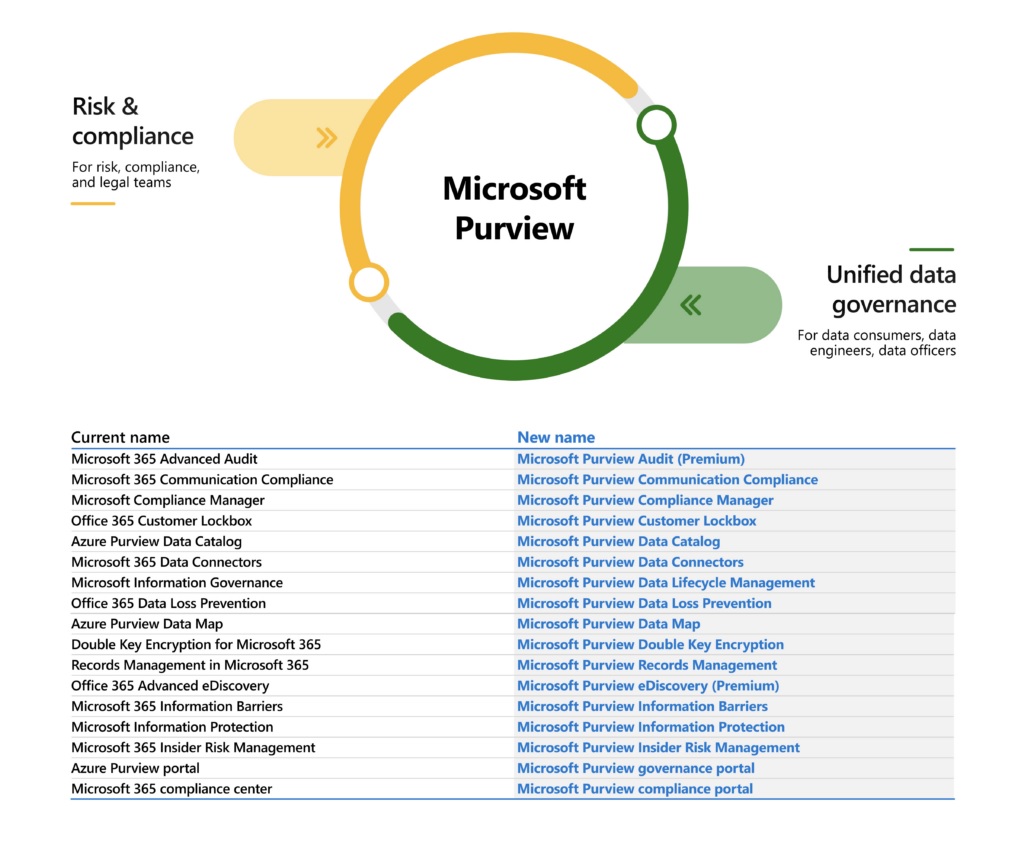
Microsoft marketing folks are no doubt very pleased with their latest branding success in introducing the Microsoft Purview suite. Others aren’t quite so thrilled, especially anyone who writes about technology and now has to update text to match the desires of the brand police. On the upside, there’s some good new functionality coming for different products in the suite.
A new Microsoft Graph query makes it easy to fetch per-team activity data for reporting. You can also fetch the data with the Microsoft Graph PowerShell SDK. The data goes back a maximum of 90 days and is at least two days old when you fetch it. Those facts are easy to live with. What’s not so good is that the activity data focuses exclusively on channel activity and avoids everything else which happens in Teams.
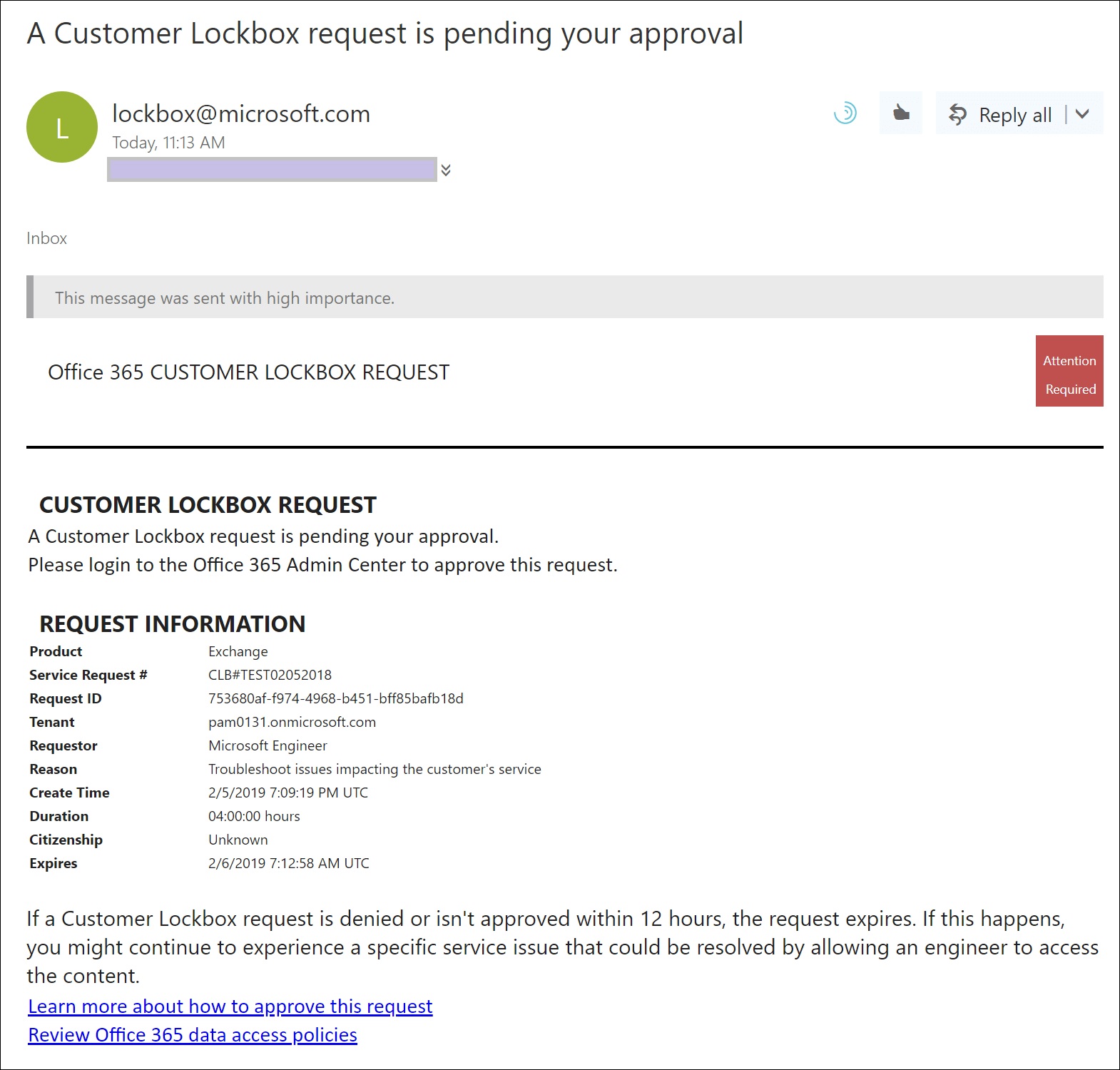
Microsoft is deploying an update to extend support for its customer lockbox feature to Teams user content, like chat or channel messages. Customer lockbox is part of the Office 365 and Microsoft 365 E5 products. It’s a useful control over the access Microsoft support personnel can get to user content, but it seems like this feature should be included in lower-cost products like Office 365 E3. Not that this will happen…
Microsoft has released the preview of an idle session timeout policy to control the automatic sign-out of Microsoft 365 web apps. Not every web app is covered, but those that are will be signed out automatically when one of the covered apps becomes inactive for a stated period in a browser session. At that point, Microsoft 365 signs out all the web apps and forces the user to sign in again. Sounds like a reasonable idea, and it replaces existing mechanisms available for OWA and SharePoint Online.
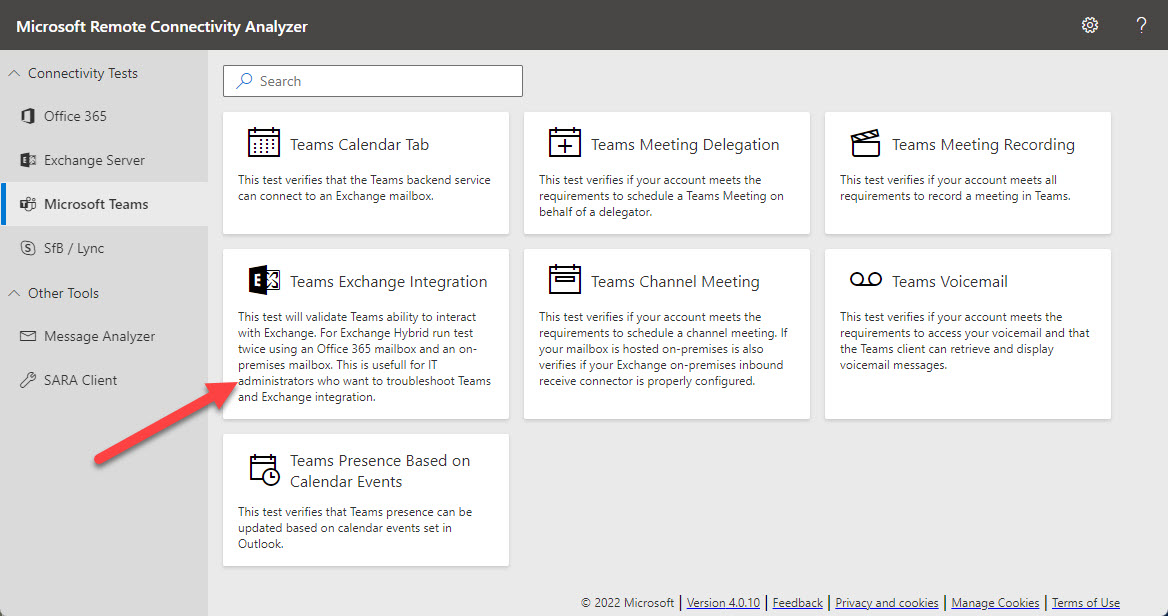
Microsoft’s Remote Connectivity Analyzer (MRCA) utility is now able to run diagnostics to check connectivity between Teams and an Exchange hybrid organization. MRCA was in the doldrums for several years because no one inside Microsoft had any interest in providing funding for its development and support. Now the utility is roaring back with a set of new tests covering different aspects of Microsoft 365. Recommended!
In a March 4 update, Microsoft announced that Microsoft 365 web apps will get a new account switcher to allow users to run multiple signed-in sessions and switch between the accounts seamlessly. Not every Microsoft 365 web app supports the new feature, with Teams being a notable miss, but there’s enough there to make this a very useful feature.
People insights is one of the three types of insights derived by the Microsoft Graph from signals gathered from user activity in Microsoft 365 apps. Some organizations don’t like to show people insights in the user profile card, and now you can update an organization setting to remove people insights from the card for all or just some users.
An update to Microsoft Search means that search results available in SharePoint Online and Office.com now include Outlook and Teams messages. Microsoft has also updated Microsoft Search in Bing to include Outlook messages. All in all, these changes make Microsoft Search the go-to location when you need to find mailbox and Teams messages.
The February 2022 update for Office 365 for IT Pros (2022 edition) is now available for subscribers to download. This is the 80th monthly update for the book, so you can say that we have accumulated some practice in producing monthly updates. Every month, we meet some surprises as we develop new content, amend existing text, or remove old material. It’s part of the joy of working on a book which evolves all the time, We’d appreciate if subscribers download the February update at their convenience… why use old text when an updated version is available?
Microsoft Cloud revenues hit $22.1 billion in Microsoft’s FY22 Q2 results announced January 25. Office 365 user numbers grew 16% year over year, but there’s no detail given about active users. Teams reached 270 million users, but we don’t know what segments these users fall into. We do know that Microsoft Viva has 1,000 paying customers, which could be deemed a disappointing outcome for a much-hyped solution.
Finding the age of a Microsoft 365 tenant isn’t an important administrative operation. However, understanding how to retrieve this information (if asked) is an interesting question, which is why we spent several hours playing around with PowerShell and the Microsoft Graph to figure out how to answer the question. It’s the kind of in-depth analysis we do all the time to build content for the Office 365 for IT Pros eBook.
The Microsoft 365 audit log holds all kinds of useful data, including events logged for SharePoint Online and OneDrive for Business file deletions. It’s easy to use PowerShell to search the audit log to find and interpret the events and create a report. Large tenants might need to export the audit data on a regular basis to an external repository to allow for long-term retention and analysis. We explain the principles of the process in this article.
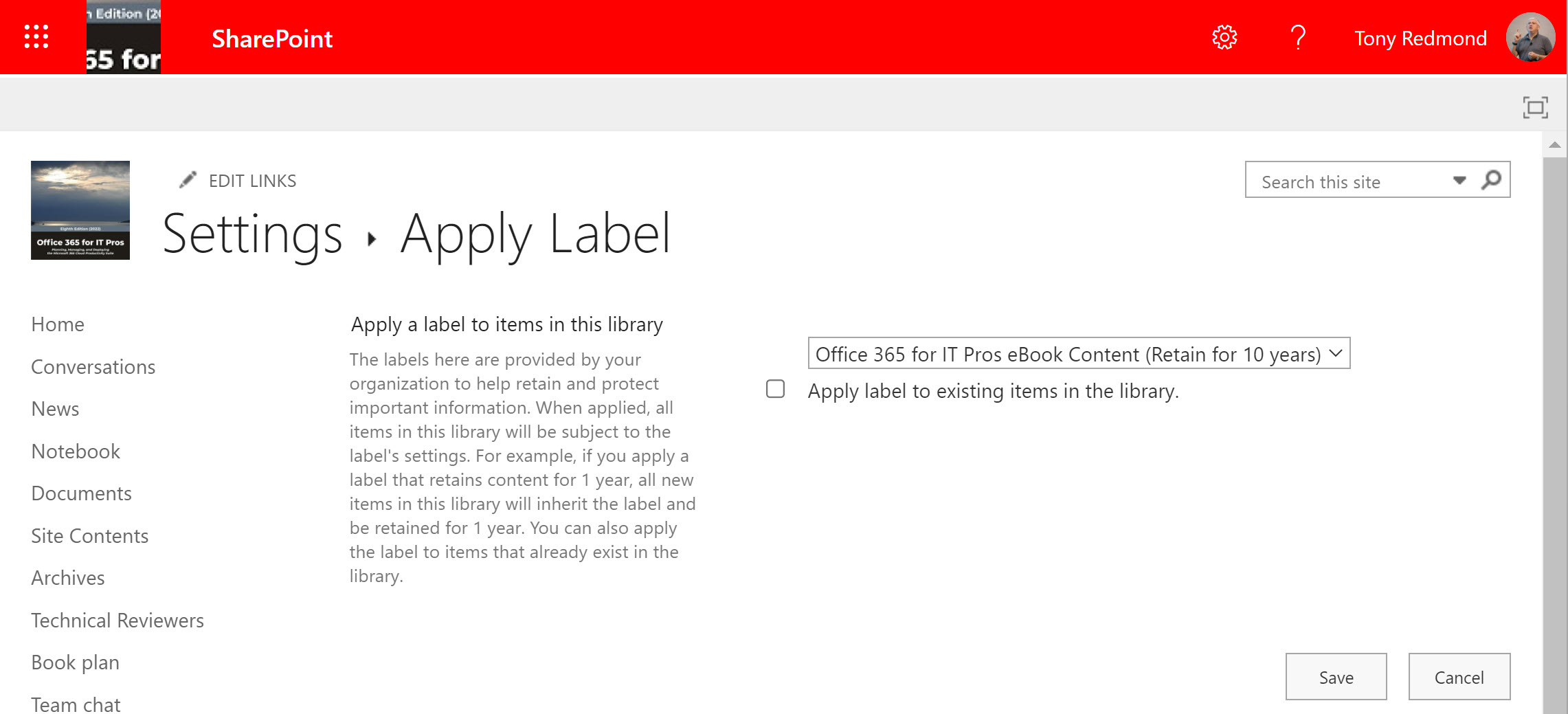
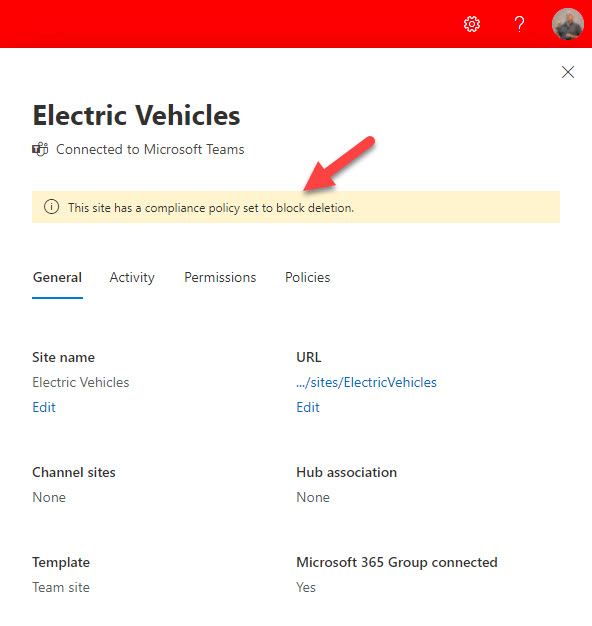
The ability to lookup a user, site, or group and report the Microsoft 365 retention policies applicable to the location is now available in preview. The new feature helps administrators understand what retention policies might block the deletion of a mailbox, site, or group, something that’s often difficult when multiple retention policies exist in a tenant. Although welcome, it would be nice if Microsoft could extend the feature to add some actions. Maybe that will come in the next version.
Microsoft enhanced a new 99.99% SLA for Teams Phone and Calling on December 1. The new SLA is backed with financial commitments for credit if Microsoft doesn’t meet its standards. All of this is very nice, as long as you understand how the SLA is calculated and what you need to do if problems happen to be in a position to make a claim.
Microsoft 365 informed network routing is now available, if you have the right Cisco SD WAN network gear in your datacenter. This is a set forward to help network controllers make better routing decisions for Microsoft 365 network traffic by providing application-specific quality of service metrics instead of using artificial probes to detect network issues. Sounds good, but will it make a difference to your Office 365 tenant? Read on…
Information barriers seem like a good idea. Implement policy-driven controls over who can communicate within a Microsoft 365 tenant. Microsoft is making the solution available to education tenants. In reality, they should spend some the engineering effort required to improve the current sad state of the information barriers solution. No GUI, horrible management, PowerShell with impenetrable errors, and a lack of visibility into how the solution works.
A reader asked how to find when Azure AD accounts received certain licenses. As it turns out, this isn’t as simple as it seems. PowerShell can tell use when user accounts are enabled with service plans, but to get dates for licenses (products or SKUs), we need to go to the Graph API, and those dates aren’t quite there yet. In any case, it’s an interesting question which deserves some exploration to see if we can find an answer.
The Microsoft Fasttrack portal includes a branding toolkit full of Microsoft 365 and Office 365 app icons which are very useful for internal communications. That’s an important point. While you might like to use the icons in external communications, like blog posts or presentations given at conferences, Microsoft doesn’t license their use for those purposes. But will Microsoft come after you if you slip a SharePoint or Teams logo into your next presentation. Probably not, as long as you use the icons tastefully.
To help you recover from the blizzard of Microsoft 365 information released at Fall Ignite 2021, here are some notes about features and functionality you might have missed. Like any list created by a conference (virtual) attendee, it reflects my interests and what I was looking for. Feel free to disagree on the importance of any or all of the topics discussed here… and suggest some of your own in the comments.
Microsoft’s comments about their FY22 Q1 results to market analysts covered lots about Teams and not much else about Microsoft 365. Is that a problem? Well, Teams is a barometer for the health of the Microsoft 365 ecosystem. If it’s doing well, then all the component parts are too. Although Microsoft didn’t give any new numbers for Office 365 or Teams users, strong growth in seats and revenue were reported. And Azure AD now has 500 million monthly active users.
Most Microsoft 365 tenants will have to manage the mailboxes of ex-employees. Retention policies are an excellent method to achieve this goal, if you remember to add mailboxes to a suitable retention policy before deleting their Azure AD account. In this article, we consider Microsoft’s recommendation to use a specific retention policy for inactive mailboxes and how to go about using such a policy.
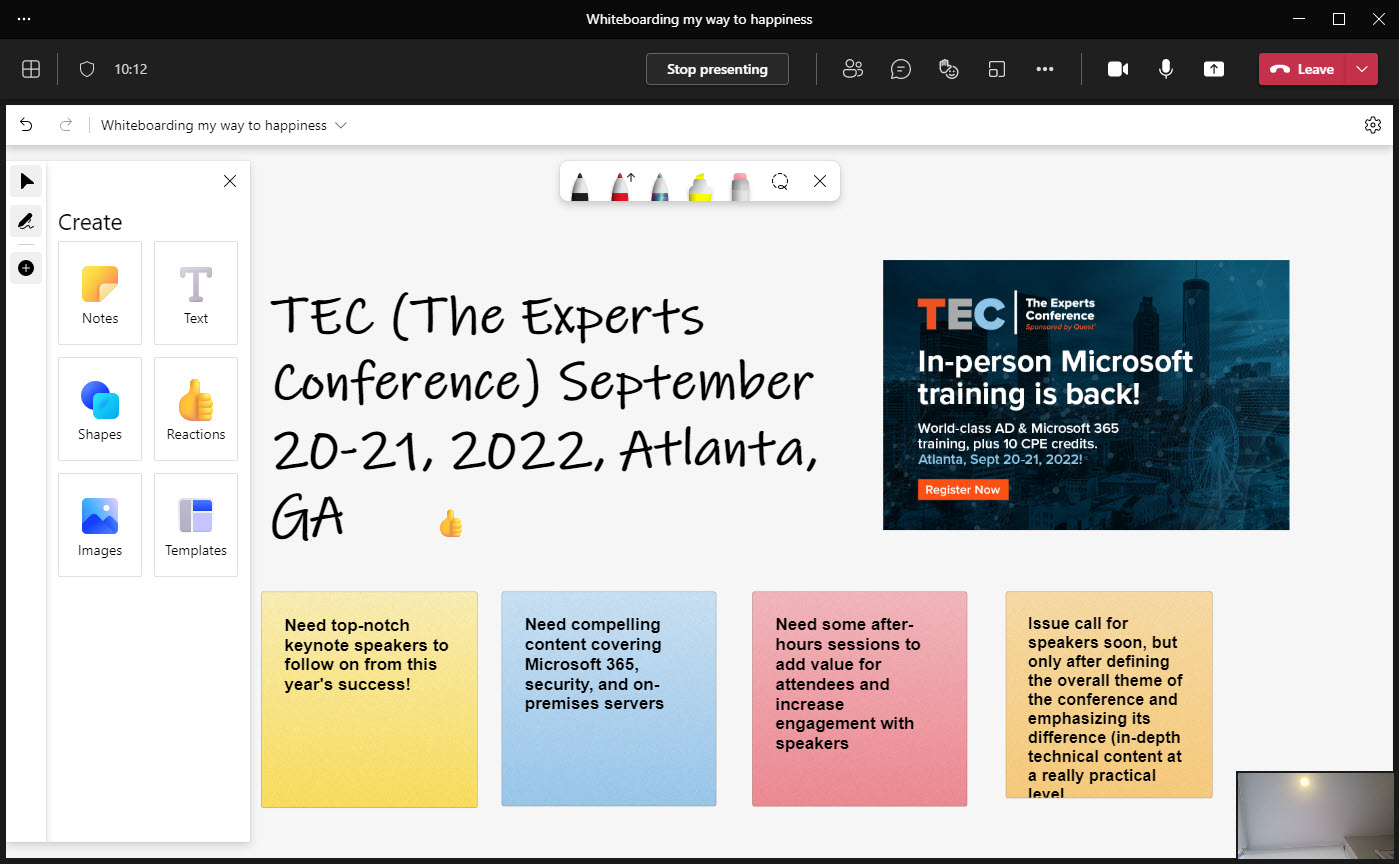
Microsoft has delivered a massive refresh for the Whiteboard app. Now available in Teams, browser, and Android clients (Windows native and iOS updates are coming), the update delivers many new features including reactions, importing graphics into whiteboards, and object alignment. A bunch of out-of-the-box templates can help people use Whiteboard in different scenarios, and if you’re looking for some digital smarts, there’s ink shape recognition to play with.
Microsoft is making a free 90-day trial of Microsoft 365 E5 Compliance licenses available to tenants who don’t yet have compliance licenses. The purpose is to allow organizations to test the advanced compliance functionality which requires Office 365 E5 or Microsoft 365 E5 licenses. Microsoft obviously hopes that organizations will be so delighted at the functionality that they sign up for E5 licenses in the long run. If you don’t want to run a test in your production tenant, you can achieve much the same effect by getting an E5 trial tenant and testing there.
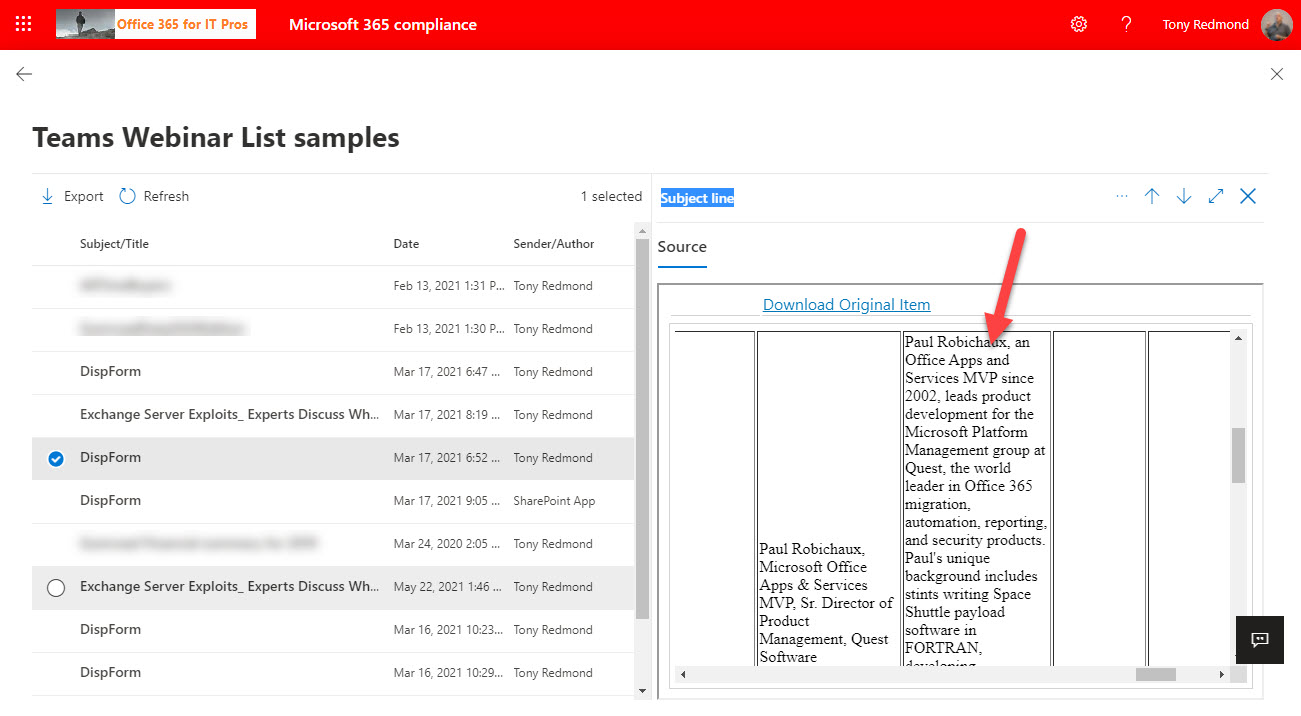
Teams-based webinars are a popular way of hosting events like product briefings or announcements. Behind the scenes, the Microsoft 365 substrate stores information about webinar speakers, attendance, and event details as lists in the meeting organizer’s OneDrive for Business account. The information stored in OneDrive is indexed and available for eDiscovery. It’s a great example of the Microsoft 365 ecosystem in action.