Following new support of Loop components for Teams channel conversations, it’s sad to discover that Loop component eDiscovery remains challenging two years after the first appearance of component technology in a Microsoft 365 application. eDiscovery can certainly find Loop components, but creating a seamless picture about their usage is harder than it should be.
Loop components have been available for Teams chat for nearly two years. Now they’re coming to channel conversations. The loop files generated for the components are stored in the channel folder of the SharePoint Online site belonging to the team. Once posted, every channel member can edit the Loop component.
The Office 365 for IT Pros eBook team is delighted to announce the release of the 101st monthly update (November 2023). Subscribers can download the updated files from Gumroad.com. The update covers many chapters and includes topics like the release of the new Teams client, which we learned on October 31 will become the only Teams client on March 31, 2024. Lots of ongoing change inside the Microsoft 365 ecosystem… Which is why a book like Office 365 for IT Pros is the only way to stay current!
A new Exchange Online organization setting postpones the implementation of roaming signatures for Outlook clients in a tenant. The setting only allows a postponement because Microsoft really wants all Outlook clients to use the signature data stored in user mailboxes. The extra time allows tenants that use PowerShell to manage OWA signatures to work as they did before roaming signatures came along and screwed things up.
An article last week discussed how to create SharePoint lists with the PnP.PowerShell module. In this article, we do the same with cmdlets from the Microsoft Graph PowerShell SDK. The results achieved with the Graph SDK aren’t as good as those gained with PnP.PowerShell. Some of the SDK cmdlets don’t function as expected and the resulting list is not as functional as the one generated by PnP. Oh well…
The MFCMAPI utility is of great help to Microsoft 365 tenant administrators who want to understand the data apps store in Exchange Online mailboxes. An on-premises mailbox stores email data, but in the cloud, Microsoft 365 apps use Exchange Online as a convenient place to store data that needs to be accessible to services like Search and eDiscovery.
In Microsoft’s FY24 Q1 results, they disclosed that the Teams number of users had reached 320 million monthly active users. That’s 80% of the overall number for Office 365 monthly active users. The two sets of numbers might not overlap precisely, but one thing’s for certain – Teams is driving a lot of growth and revenue for Microsoft.
The new Teams client applies AI to the creation of custom announcement images by invoking Designer to generate images either from scratch or based on your input. The new mechanism generates some nice images that can be extensively customized with Designer. It’s more complex than the way the Teams classic client handled custom announcement images, but the output is nicer.
This article explains how to create SharePoint lists using cmdlets from the PnP.PowerShell module. The original data comes from a script to create a Teams Directory in HTML and CSV format files. The CSV data is imported into SharePoint to populate a list in a communications site. Everything works very smoothly, which begs the question why this kind of import isn’t done more often. Perhaps it’s because people don’t know that it’s possible. They do now.
A setting in the Teams meeting policy controls whether users can access the meeting chat in meetings hosted by non-trusted external tenants. By default, the setting is On, meaning that users can participate in chat for any meeting they join in any tenant. If you have concerns about this aspect of meetings, turn the setting Off and define trusted tenants.
After updating a bunch of PowerShell modules, I was dismayed to find a PowerShell module clash caused by a dependency on the Microsoft.Identity.Client DLL. The Exchange Online management module wanted a higher version of the DLL than the one loaded by the Teams module, so the Connect-ExchangeOnline cmdlet barfed. It’s easy to understand the logic behind the problem, but it’s hard to understand why Microsoft let it happen.
An interesting discussion in the Microsoft Technical Community about limiting the teams privacy mode to private for new teams caused me to try out the principles. The idea works, with caveats, and I wonder if anyone will use it in production. It’s an interesting technique for using container management sensitivity labels that I’d never thought about before, so here it is.
Microsoft suggests that allowing every user to create new Microsoft 365 groups. That’s mad. Controlling group creation through policy settings is the only way to go. It will avoid group sprawl (or team sprawl) and avoid a lot of administrative effort that will otherwise be devoted to cleaning up the mess of unused and unwanted groups. This article explains how to update policy settings to control group creation using cmdlets from the Microsoft Graph PowerShell SDK.
Like any mail-enabled object managed by Exchange Online, distribution list proxy addresses determine if Exchange can deliver messages to an object. Sometimes the proxy addresses aren’t correct or need adjustment, such as in the case when an organization wants to make sure that all distribution lists have primary SMTP addresses from a specific domain. This article explains how to use PowerShell to adjust the primary SMTP address when necessary.
Microsoft 365 group display names longer than 120 characters will cause problems for Graph API requests attempting to fetch the groups. A workaround exists, which is to make the request an advanced query rather than a regular one. But the question really should be “who needs group display names that are longer than 120 characters?”
Everyone likes a bit of help from time to time, but the number and persistence of irritating Teams pop-ups has become a real pain in the rear end. Worst of all, there’s no way for administrators or end users to suppress Teams pop-ups, which keep on coming in an effort to bore end users to death. On a positive note, the new Teams client includes settings to allow users to choose the classic theme and revert to having channel posts display at the bottom of the screen instead of the top.
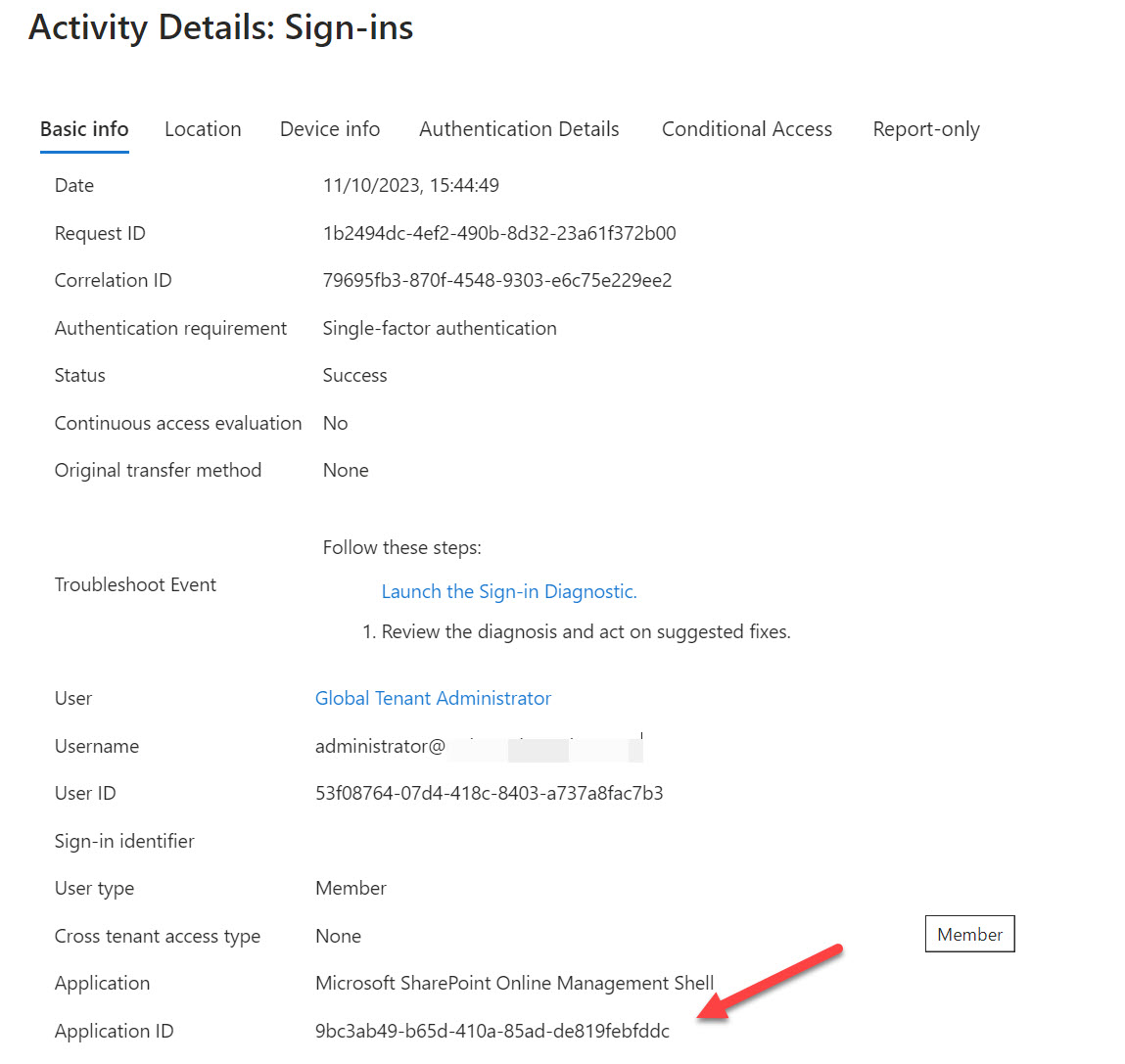
The question of how best to block PowerShell access for Microsoft 365 user accounts deserved some consideration. The answer lies in service principals for the enterprise accounts created by Microsoft to allow PowerShell modules to authenticate with Entra ID. By restricting access to an assigned security group, you effectively block access to anyone outside that group.
This article explains how to use PowerShell to remove licenses from disabled accounts, including some caveats such as not removing Exchange Online licenses. Organizations might want to do this to save money on Microsoft 365 license fees while an account is temporarily unused. Removal of Exchange Online licenses can result in the loss of a mailbox, and you don’t want that to happen if you’re disabling accounts just because someone is on a long-term sabbatical or other leave of absence.
This article explains how to use PowerShell to create dynamic Microsoft 365 groups (and teams) based on the departments assigned to Entra ID user accounts. Creating a new group is easy. The trick in team-enablement is to wait for the synchronization between Entra ID and Teams to finish before you go ahead. After that, it’s plain sailing.
Microsoft announced that they will deprecate the user photo cmdlets from Exchange Online from November 30, 2023. Microsoft Graph PowerShell SDK cmdlets replace the EXO cmdlets because user photo data is stored in Entra ID. Although inconvenient for those who need to update scripts, this is part of an effort to rationalize how Microsoft 365 handles user profile information.
Teams town halls are a new event type designed to host large audiences. Town halls will replace Live Events, which Microsoft will remove on September 30, 2024. If you’ve ever created a Teams webinar event, running a town hall will seem very similar. That’s because the two event types follow similar methods to set up and manage events. Microsoft still has some features to build into Town Hall to make it functionally equivalent to Live Events. These features will come in time.
Microsoft 365 tenants with eligible licenses can use Bing Chat Enterprise (BCE). It’s a great way for users to become accustomed to dealing with AI prompts and generated results. First, users can discover how well-structured prompts generate better results. Second, they can see how a lack of care in reviewing results might get them into trouble because of AI-generated errors.
The Teams 2.1 client uses a different folder and naming convention for custom background images. People who switch must move their images, so here’s a script to do the job by resizing images to meet Teams requirements, renaming the files to comply with the new naming scheme, and copying the files from the old to the new folder, It’s PowerShell, so you can change the code as you like.
An old script created to report quotas for user mailboxes provided the basis for email-based reporting of shared mailbox quotas. The old script used just Exchange Online PowerShell. This versions mixes Exchange Online and the Graph SDK and throws in some certificate-based authentication to boot to allow the script to send email from something other than the signed-in account.. It all comes together, using chunks of code from other scripts to speed up writing. It’s the PowerShell way…
The 100th update for the Office 365 for IT Pros eBook is available for subscribers to download. Like any Office 365 for IT Pros update, #100 is packed full of new information, insights, and ideas drawn from across the Microsoft 365 ecosystem. Things have changed enormously since the book first appeared in May 2015, but now we’re looking forward to the next 100 updates!
Outlook keeps on evolving. Two recent changes are the addition of a Find Related search option in the desktop client and a reminders pop-out window for the Monarch (preview) client. Find related is a nice way to accelerate searches for all items for a conversation or from a sender. The reminders pop-out window seems to be an idea borrowed from the Outlook classic client, but maybe it’s so much better when implemented for a browser client.
Microsoft announced that the Loop app will be licensed for four Microsoft 365 product SKUs (two for SME, two for enterprise). Preview users that don’t have one of the chosen licenses are unaffected, at least for now. The licensing decision doesn’t affect the use of Loop components in applications like Outlook and Teams chat, but it is part of a trend to license new functionality in Microsoft 365 rather than the older Office 365 products.
I was asked how easy it would be to write a PowerShell script to monitor new teams members and reject any additions that met specific criteria. Easy, we said, so we set to creating a script to interrogate the unified audit log to find new member events. Once that was done, it’s a matter of analyzing the events to find if we should reject the addition of any of the added members.
After writing a previous article about using PowerShell to analyze message trace data, I was asked about analyzing user (or mailbox) sending patterns to discover who’s sending email and where they’re sending messages to. As in many similar situations, PowerShell is a great tool to use because of its flexibility. This article explains how to generate a per-mailbox report of how many messages are sent and the percentage of internal versus external, plus the external domains the email goes to.
A reader asked how they could create dynamic administrative units for every department in their directory. A PowerShell script does the job, even if some constraints in how Entra ID processes membership rules means that the rules can’t be quite as precise as I would like them to be.
At a September 21 event in NYC, Microsoft announced that the Microsoft 365 Copilot digital assistant will be generally available to enterprise customers on November 1. Quite how many customers will be willing to cough up for license upgrades and $30/month Copilot subscriptions will soon be seen. The advent of the Copilot Lab to help users come to grips with building good prompts to drive Copilot is an excellent idea, but the focus on Monarch as the sole Outlook client might become a blocking factor for some.
It’s possible to use PowerShell to create a report detailing the SharePoint Online site URLs used with Teams. My first attempt used the Exchange Online module, but is the Graph any faster? As it turns out, not really. At least, not for interactive sessions using the Microsoft Graph PowerShell SDK (things are different when running SDK code using a registered app). I tried several approaches, but Graph permissions got in the way every time.
On September 19, 2023 Microsoft announced their intention to retire the Exchange Web Services API on 1 October 2026. The suggested replacement is the Microsoft Graph API. Microsoft acknowledges that some gaps exist that they need to close before EWS retirement happens, but one big issue they didn’t discuss is what happens to the backup products that currently use EWS to backup Exchange Online.
Soon after they launched Outlook Reactions in 2022, Microsoft received requests to disable the feature. Now you can by adding SMTP headers to messages. Outlook clients will be able to add the header to stop recipients reacting and organizations will be able to create mail flow rules to add the header to selected messages. It’s nice to have a way to disable reactions.
Entra ID includes a registration campaign feature to help organizations move users to stronger authentication methods like the Authenticator app. Running campaigns is a good thing, unless you decide to do it when the administrators are away from the office (like me) or users are unprepared. But it is time to get rid of SMS and voice responses to MFA challenges, so maybe you should schedule a campaign soon?
A Teams unified picker for fun content is now available in the Teams 2.1 client. The new picker replaces the existing options to add GIFs and stickers. I’m sure this update will be important to some people, but I’m more impressed by the change to improve the performance and reliability of synchronizing calendar updates between Outlook (Exchange Online) and Teams. All available soon.
For whatever reason, SharePoint Online doesn’t allow administrators to control the settings of document libraries. In particular, default sensitivity labels. It seems crazy that other Microsoft 365 workloads allow administrators to manage the settings of things like mailboxes, groups, plans, and teams, but SharePoint Online holds steadfast to not allowing administrators go deeper than a site. It would be nice to see consistency around administrator access across all workloads.
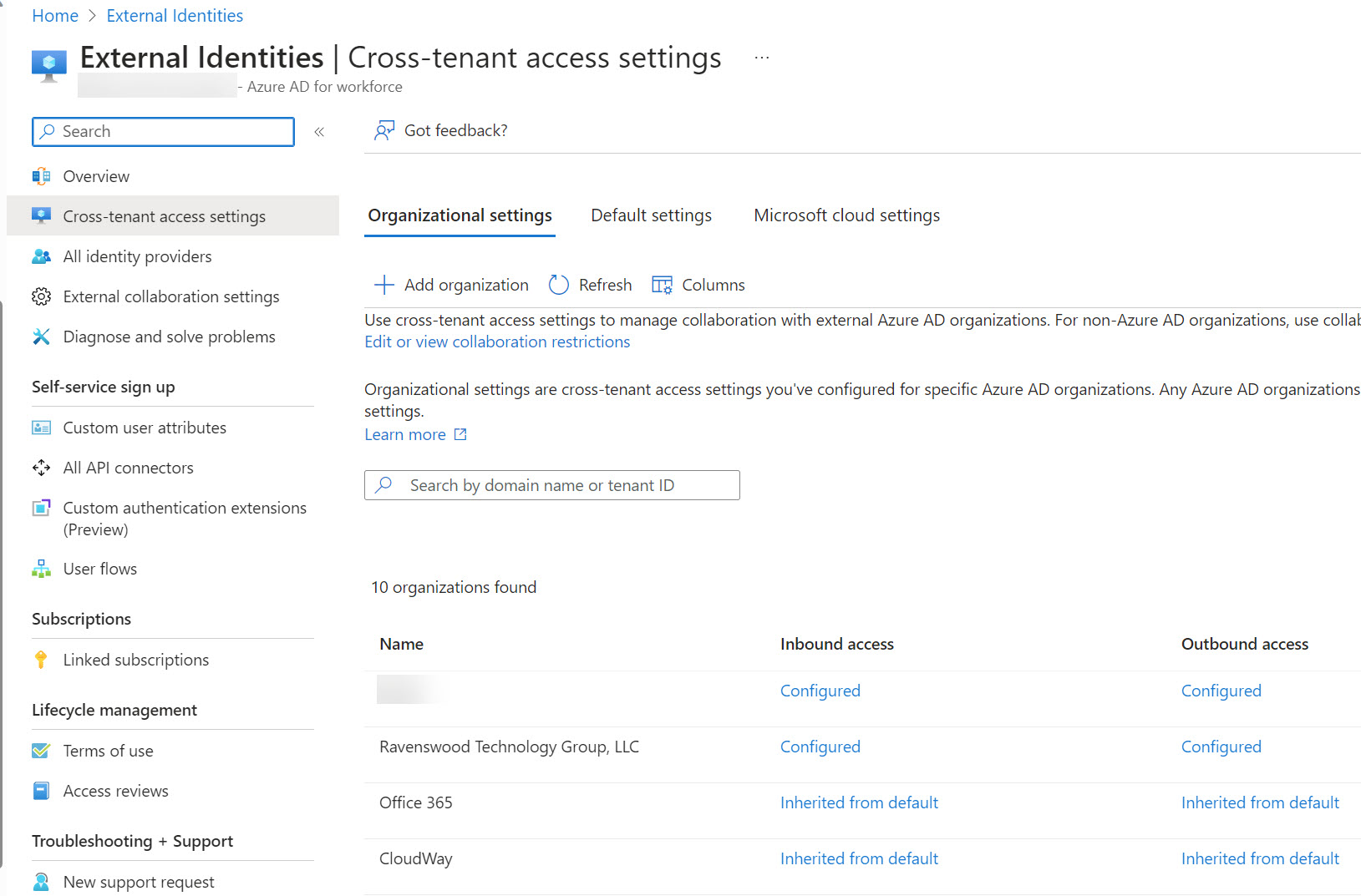
Microsoft announced three changes to Entra ID cross-tenant access settings that will improve how the settings work for large enterprise tenants in particular. One of the changes improves the blocking of Entra ID B2B Collaboration invitations extended to allow guest users access resources in a tenant. When Entra ID evaluates whether it should issue an invitation, it now takes the blocklist (if set) in the B2B collaboration policy and cross-tenant access settings into account. It’s the way things should have worked from the start.
Technical web sites are 10 a penny these days, and the content published on many is worth the same. Good sites dedicate resources to copy and technical editing, and that’s what makes a real difference in terms of article quality. If you’re in Atlanta for the TEC 2023 conference, come talk to us about writing for Practical365.com.
Recent details released about the Storm-0558 attack on sensitive U.S. agencies revealed the importance of the MailItemsAccessed event for forensic investigations. Luckily, after Microsoft was a tad embarrassed by the recent Storm-0558 attack, tenants with Office 365 E3 or Microsoft 365 E3 licenses can capture the MailItemsAccessed event for mailboxes without having to pay for Microsoft Purview Audit Premium. But you might have to do a little work to ensure that the right audit configuration is used for all mailboxes.