Two new features are available to Teams users. The Teams Owners automatic grouping (tag) allows users to address channel messages to the owners of a team (but not in private or shared channels),. Teams desktop clients catch up with their mobile counterparts by supporting suggested replies in 1:1 chats. Neither are particularly earthshattering features, but both are useful in their own way.
Microsoft Loop components are available now in Teams chats and will soon become available in OWA. Loop components are a new way of collaborative working that some will find very attractive. However, under the covers, some compliance issues can block organizations from allowing the use of Loop components. This post explains the issues involved in eDiscovery and export of items containing Loop components.
The Exchange Online name change for mailboxes will roll out at the end of May, 2022. The change only applies to new mailboxes, but its introduction creates some interesting challenges for PowerShell scripts that process mail-enabled objects, including some good side-effects. In this post, we discuss some of the issues we’ve already encountered.
The ImportExcel PowerShell module is a useful addition to any Microsoft 365 tenant administrator’s toolbox. Although standard cmdlets exist to interact with spreadsheet data, they are limited to CSV files and can’t exploit the full power of Excel in the way that ImportExcel can do, all without needing to install the Excel application on a workstation.
A leaked build of Project Monarch’s “One Outlook” client created some excitement last week, but when you examine the details of the client and what it can do, it’s really just a prettier version of OWA for Exchange Online. That doesn’t mean that Microsoft hasn’t done a bunch of software engineering to prepare the ground to accelerate progress toward the final client. Microsoft has also provided a way to block people using the client, with promise of an official beta soon.
October 1, 2022, is when Microsoft begins the final process of removing support for basic authentication for 7 email connection protocols from Exchange Online. The process will take several months to complete, and when it’s done, Office 365 will be a safer place that attackers will find more difficult to penetrate. But it’s time for tenants to prepare, if you haven’t already done so, and we highlight some critical points from Microsoft’s most recent post on this topic.
Outlook users have been able to see LinkedIn profile information for several years. Now Teams chat has the same kind of LinkedIn connection to expose profile information of people you chat with. Because Teams is more internally-focused than email is, the integration might be less useful than it is in Outlook. Then again, you might need to find out some information about people you work with!
A new control in the SharePoint Online configuration is available to enable or disable Microsoft Loop components in Microsoft 365 apps, just in time for their introduction in OWA and Outlook for Windows. However, before we get all excited, there are some important issues with loop components when exported in eDiscovery search results that might make tenant administrators ponder. Just a tad…
A new capability is available for users to post comments to Microsoft Stream videos stored in OneDrive for Business and SharePoint Online. By itself, this doesn’t sound like a great feature to have, but it means that Stream video and audio files are treated in the same way as other Office formats, and it delivers a feature available in other video platforms like YouTube and Facebook.
The Office 365 for IT Pros team is delighted to announce the availability of the May 2022 update. Subscribers can download the updated files from Gumroad.com or Amazon. Among the many improvements made this month was a big effort to remove typos and grammatical errors using Grammarly. This worked well, as long as sensitivity labels didn’t get in the way.
Microsoft is rolling out the necessary bits to applications to support the Microsoft 365 web app account switcher. The account switcher allows users to move between accounts in different Microsoft 365 tenants, or to their personal Microsoft Services (MSA) accounts for apps like Outlook.com and OneDrive (consumer). The account switcher works, but only when all the necessary code is available. When that happens, all should be well, but in the interim, maybe it’s wise to wait.
Microsoft’s FY22 Q3 results disclose a ton of success for the Microsoft Cloud, with revenues now approaching an annualized run rate of $100 billion. We got a new number for Office 365 users too and learned that Microsoft has 345 million paid seats for Office 365. Good progress too for Enterprise Mobility and Security and Azure Active Directory. All in all, great results.
A new sensitivity label setting is available (in preview) to control site sharing permissions for SharePoint Online sites. The new setting is an advanced setting, meaning that it can only be set using the PowerShell Set-Label cmdlet. It’s a welcome addition to the control sensitivity labels can exert over containers.
I’m not sure people use moderated distribution lists with Exchange Online all that much, but those who do might be frustrated by a client inconsistency between OWA and Outlook. OWA can expand the membership of a moderated distribution list; Outlook for Windows cannot. It’s a small point. Maybe Project Monarch will help…
On the surface, the Admin-Microsoft 365 Teams app seems to offer a lot of promise. However, its functionality is disappointing and anyway, do you really want administrators performing tenant management through Teams when they’re signed into their personal accounts? Some will like the app, but I’m not a fan.
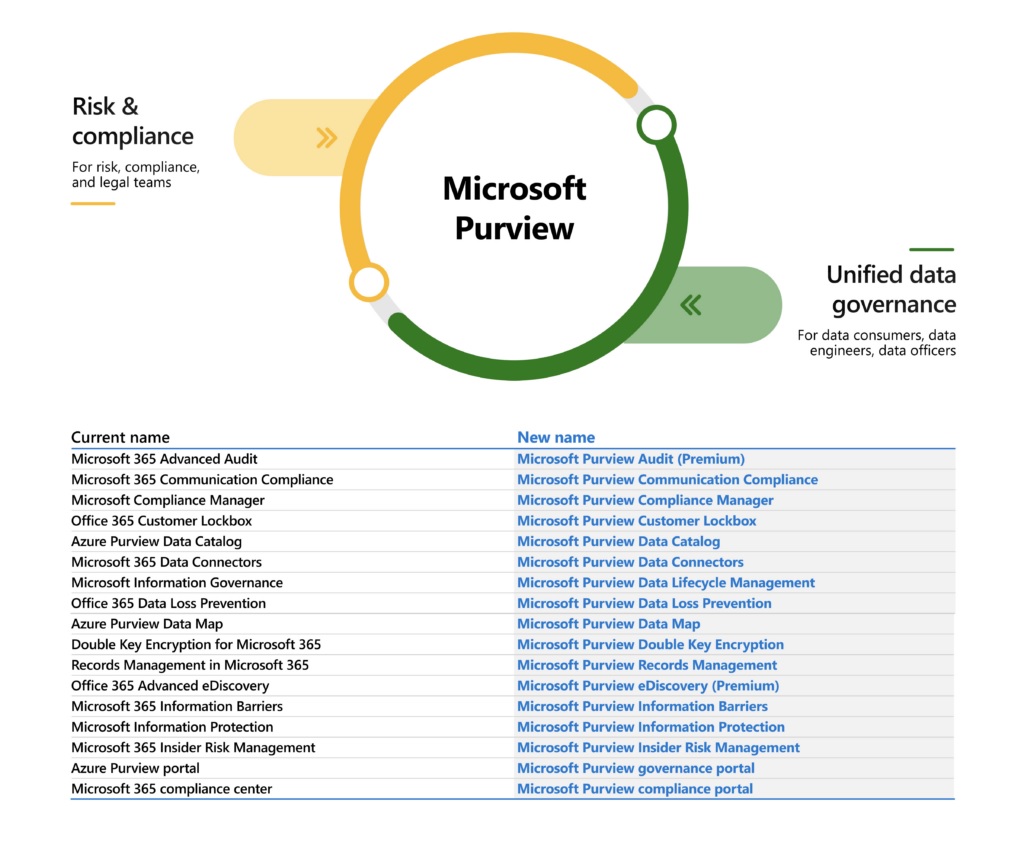
Microsoft marketing folks are no doubt very pleased with their latest branding success in introducing the Microsoft Purview suite. Others aren’t quite so thrilled, especially anyone who writes about technology and now has to update text to match the desires of the brand police. On the upside, there’s some good new functionality coming for different products in the suite.
Exchange Online plans to change the format of the Name and Distinguished Name mailbox properties. The idea is to make these properties unique and improve synchronization with Azure AD. It all sounds like a good idea, but these properties have been around in Exchange for a long time, and any change will surface in unexpected places – like the output of many Exchange cmdlets. Which is why Microsoft has paused the plan for further reflection.
Microsoft announced that OWA supports Viva Topics, meaning that users with Topics licenses can add topic cards to messages, and those who receive the messages will see topic cards if they also have licenses. Support is coming soon for topi cards in Teams chat. Being able to use topic cards in mainline applications increases the attractiveness of Viva Topics a lot. Whether it’s enough to convince more Microsoft 365 tenants to plunge into knowledge management with Viva Topics remains to be seen.
A new capability for Teams meetings allows streaming of content using RTMP to platforms like YouTube. To Microsoft’s credit, they’ve built a feature that even video novices can use. The possibilities to live stream in scenarios like webinars and product announcements are endless.
Time is running out for Office 2013. In April 2013, Microsoft won’t provide security updates for this venerable software any longer. It’s time to move, and if you’re a Microsoft 365 user, our recommendation is to use Microsoft 365 apps for enterprise because it’s the most functional version. If you can handle the change, it’s the right decision.
It’s a good idea for administrators to know when people archive or restore teams, just in case users lose access to private or shared channels. This article explains how to search the audit log to find records for these actions, extract the relevant data, find information about channels belonging to the teams, and create a report.
The Get-MailTrafficSummaryReport cmdlet gets a lot of praise in some quarters. I am not so impressed. The Exchange Online cmdlet is useful, but it’s now showing its age in a world when better data to create a view of user activity is available elsewhere, notably in the Microsoft Graph. This doesn’t mean that the cmdlet doesn’t do a good job; it’s just that it hasn’t received much love from Microsoft since 2015.
A management request came in to report email sent by some users to external recipients. Although you might not agree that this is the right thing for any organization to do, it’s very possible by exploiting the message trace information retained by Exchange Online for 90 days. As a bonus, we email the report generated from message tracing data to the requesting manager. Isn’t PowerShell just wonderful?
When a team owner or administrator archives a team, any shared or private channels in the team along with their SharePoint Online sites are archived and become read-only. This is fine if the team owner realizes the effect on these channels and their users, but problems might happen when team owners aren’t members of the channels and therefore don’t know of their existence. Unless of course they take the time to check using the Teams Admin Center or PowerShell, which is exactly what happens when archival occurs – or is it?
Finding and removing unused Exchange Online mailboxes used to be a good way to keep Office 365 licenses costs under control. Given the widespread use of Exchange Online as part of bundles like Office 365 and the effect of Teams on email for internal communication, looking for unused mailboxes might not be so important now. In any case, the techniques of looking for evidence of mailbox under-use are interesting and useful for tenant administrators to understand, which is why we have this article!
Sharing information generated by a PowerShell script running in Azure Automation can be a challenge. Some time ago, I wrote about creating an output file in a SharePoint Online document library. Here I explore how to do the job by posting to a Teams channel using two different methods.
Two new filters available for Teams video meetings promise to help participants look their very best. The brightness filter projects a soft light onto the face of participants while the soft-focus (aka Botox) filter reduces the effect of facial wrinkles and cease lines. Although no miracles are promised, the new filters should help everyone look a little better the next time they turn on video during a Teams call.
A new Microsoft Graph query makes it easy to fetch per-team activity data for reporting. You can also fetch the data with the Microsoft Graph PowerShell SDK. The data goes back a maximum of 90 days and is at least two days old when you fetch it. Those facts are easy to live with. What’s not so good is that the activity data focuses exclusively on channel activity and avoids everything else which happens in Teams.
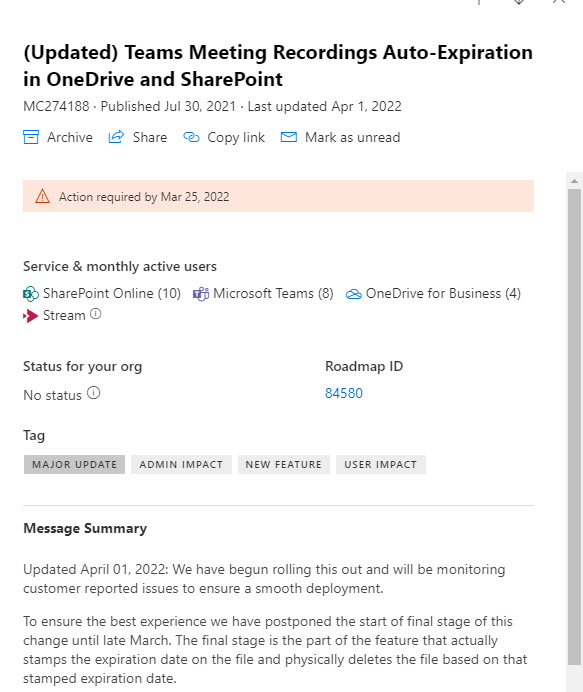
The message center notifications posted in the Microsoft 365 admin center are an invaluable source of information about change in a tenant. It’s curious that some administrators don’t think they have the time to keep abreast of the changes reported in these notifications. Microsoft is steadily improving the quality of what’s posted, but delayed features remain and issue.
The Office 365 for IT Pros eBook team is delighted to announce that the April 2022 update (#82 in the series) is now available for subscribers to download. This update includes a major revision for our PowerShell content as we start the process of removing Azure AD and MSOL examples and replacing them with the Microsoft Graph PowerShell SDK. Alongside all the other change happening inside Microsoft 365, we have plenty of updates to process.
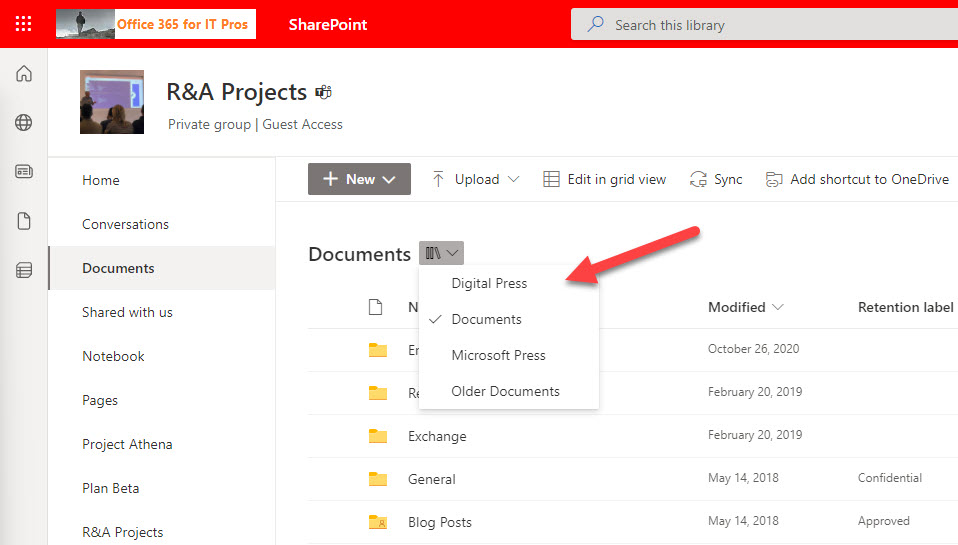
Sometimes useful features show up in a Microsoft 365 app long after they should have been there. This is the case of SharePoint Online’s document library dropdown menu, which is very helpful in navigating sites with multiple libraries. Unfortunately, not too many sites have multiple libraries because most are Teams-enabled and have a single library. Teams is another app where features show up after they should. The listing of the teams a user belongs to in the Teams admin center is a good example.
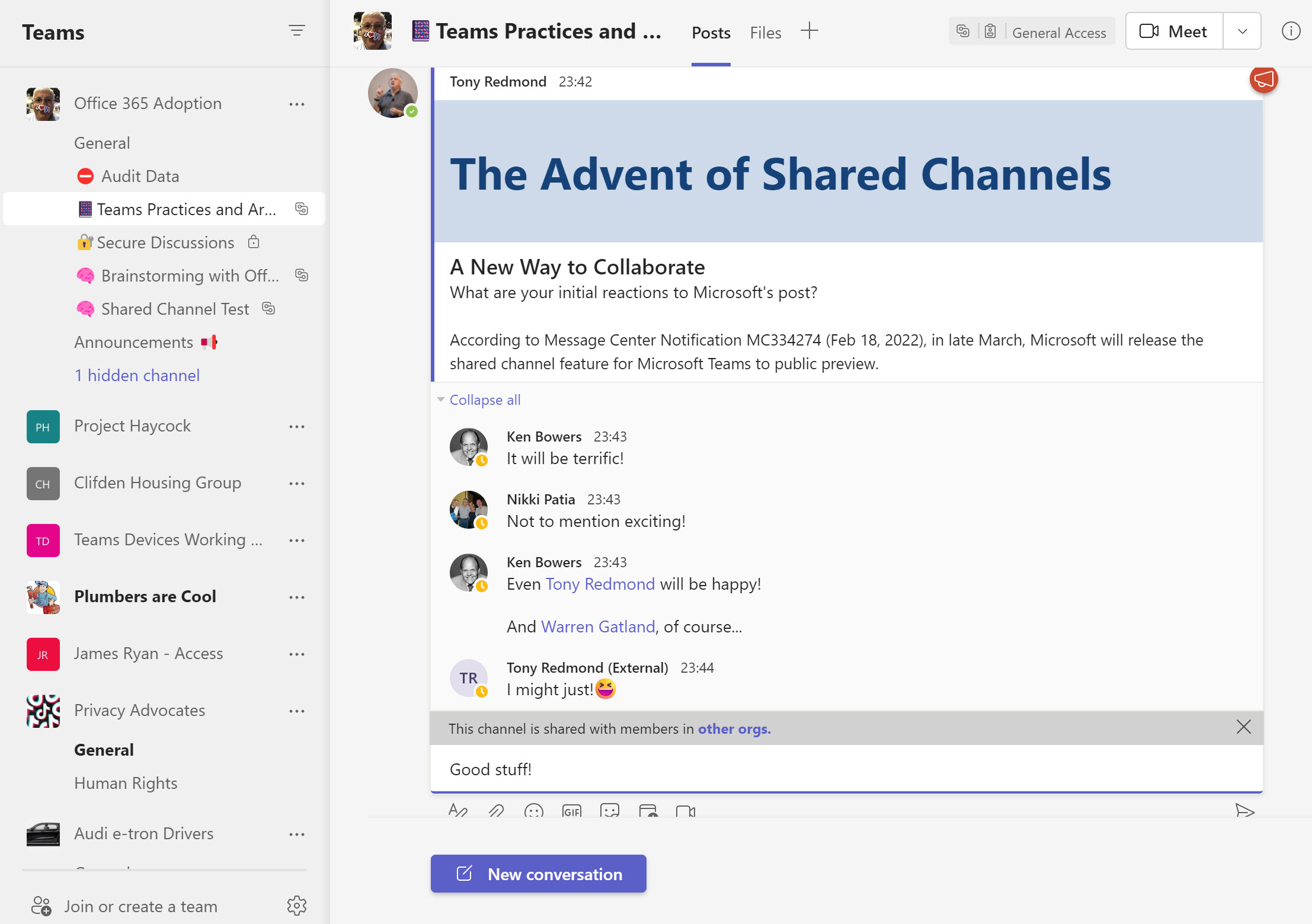
Teams shared channels are now in public preview, meaning that many organizations are trying them out to see how effective a means of collaboration these channels are. One of the administrative challenges of implementing shared channels for cross-tenant collaboration is knowing who uses the channels. An answer can be found in the Azure AD sign-in logs, but only after you go looking.
Assigning Azure AD roles to user accounts is the way users receive permissions to perform certain administrative actions. You can automate these assignments using cmdlets from the Microsoft Graph PowerShell SDK. That is, until the time comes to remove assignments.
The Microsoft Graph SDK for PowerShell includes cmdlets to create Entra ID Groups and manage those groups afterward. The cmdlets work and in some places they are screamingly fast compared to Exchange Online or Azure AD cmdlets. In other places, the cmdlets are a tad bizarre and expose a little too much of their Graph underpinnings. Oh well, at least after reading this article, you’ll know where the holes lie.
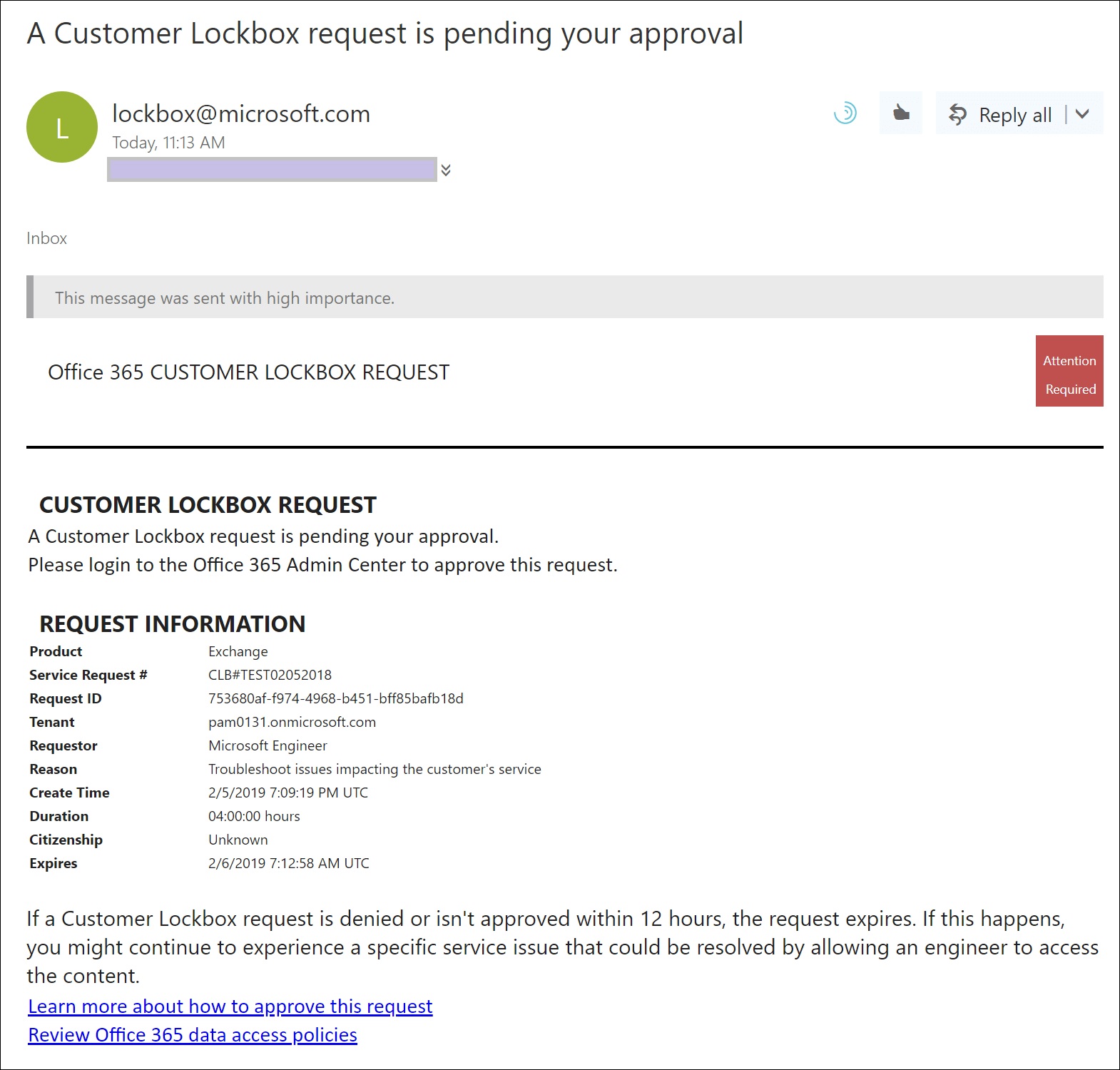
Microsoft is deploying an update to extend support for its customer lockbox feature to Teams user content, like chat or channel messages. Customer lockbox is part of the Office 365 and Microsoft 365 E5 products. It’s a useful control over the access Microsoft support personnel can get to user content, but it seems like this feature should be included in lower-cost products like Office 365 E3. Not that this will happen…
Microsoft has a preview of co-authoring support for protected documents edited on iOS and Android devices. It’s possible that you will never need to use the feature, but you’ll be glad that it exists if you do. In other mobile news, the Teams mobile client now includes calendar items in its search results.
With the demise of the AzureAD and MSOL PowerShell modules on the horizon, it’s time to figure out how to upgrade scripts to use cmdlets from the Microsoft Graph PowerShell SDK. This article books at basic account management and shows how to update, delete, restore, and find Entra ID user accounts using SDK cmdlets.
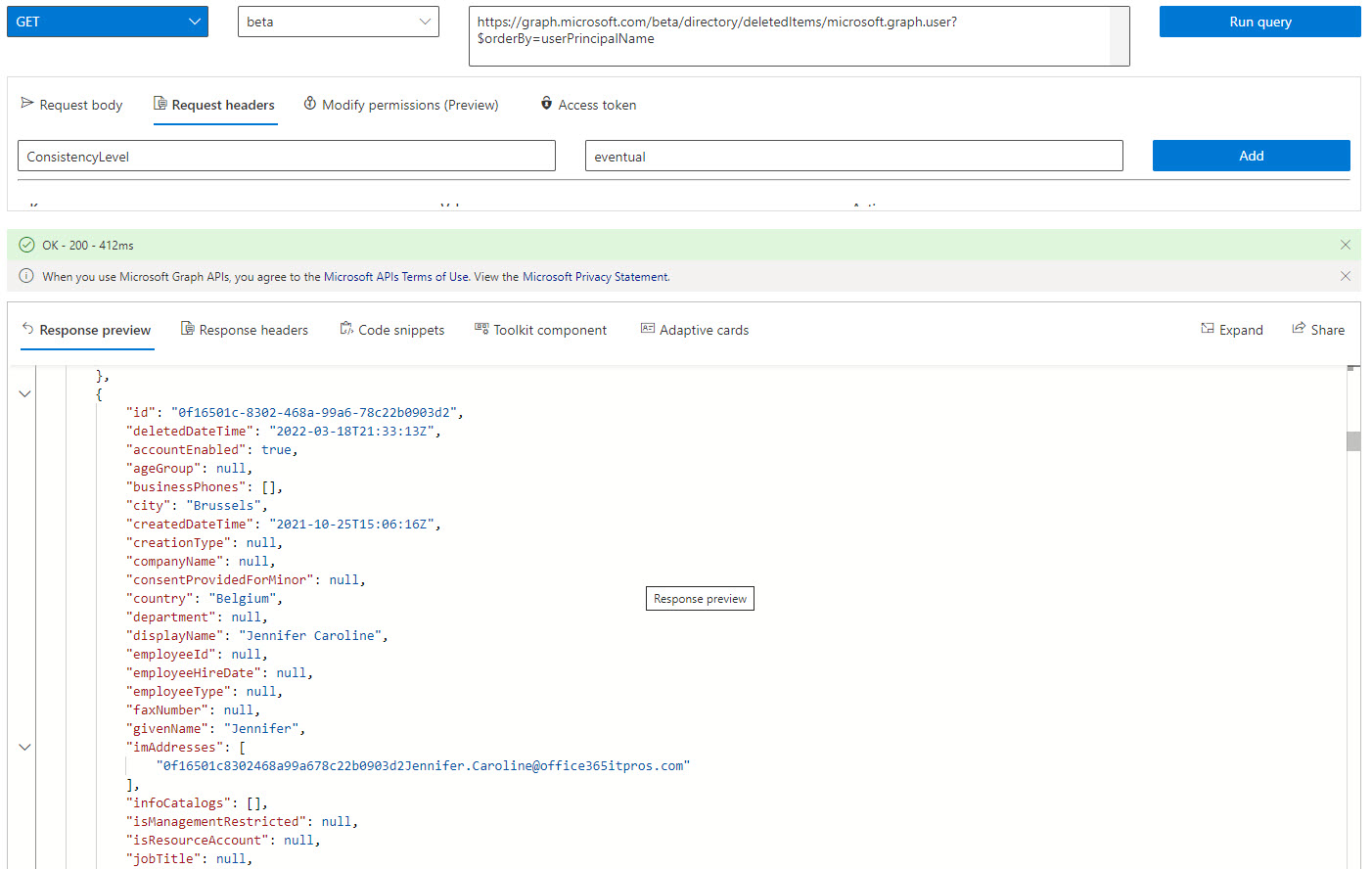
Microsoft has announced that it will be possible to recover a deleted service principal by the end of May. This is good news because it means that an accidental deletion can’t wreak the kind of havoc it can today. Microsoft hasn’t updated the APIs to manage soft-deleted service principals yet, but we can get an insight into what’s likely to happen by investigating how to manage deleted Entra ID accounts using cmdlets from the Microsoft Graph PowerShell SDK.
Microsoft has released the preview of an idle session timeout policy to control the automatic sign-out of Microsoft 365 web apps. Not every web app is covered, but those that are will be signed out automatically when one of the covered apps becomes inactive for a stated period in a browser session. At that point, Microsoft 365 signs out all the web apps and forces the user to sign in again. Sounds like a reasonable idea, and it replaces existing mechanisms available for OWA and SharePoint Online.
Microsoft intends to make the Exchange Online plus addressing feature available by default to all Microsoft 365 tenants after April 17, 2022. If you don’t want this to happen, you need to update the Exchange Online organization configuration to update the DisablePlusAddressInRecipients setting to True. After the opt-out 30-day period finishes, Microsoft will proceed with the deployment, so don’t say you weren’t warned!