Microsoft’s documentation for Planner limits raises more questions than it answers. Some of the documented limits are straightforward and easily understood. Others are just plain odd and bear no resemblance to what people see when they use the app. Microsoft’s writers have some work to do…
The transition of Whiteboard storage from Azure to OneDrive for Business is approaching its end. A set of updated clients delivered at the end of March 2022 should do the trick. However, storing newly-created boards in OneDrive is one thing. Migrating old boards and updating components like the Whiteboard Admin PowerShell app are another. We don’t know what’s happening there and Microsoft hasn’t published any guidance.
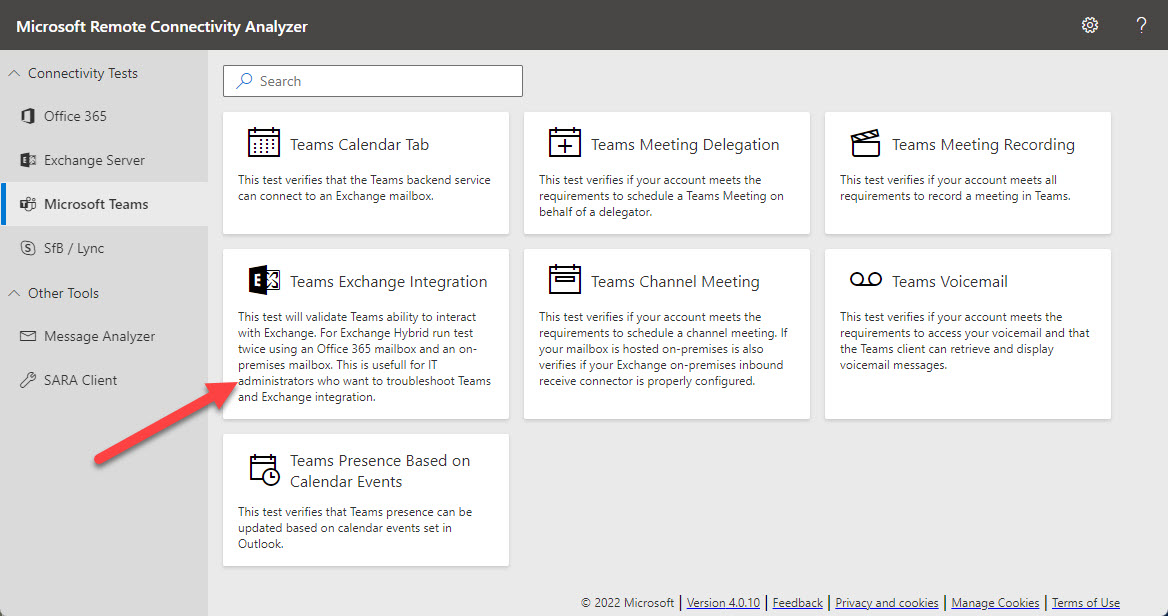
Microsoft’s Remote Connectivity Analyzer (MRCA) utility is now able to run diagnostics to check connectivity between Teams and an Exchange hybrid organization. MRCA was in the doldrums for several years because no one inside Microsoft had any interest in providing funding for its development and support. Now the utility is roaring back with a set of new tests covering different aspects of Microsoft 365. Recommended!
Microsoft is rolling out a new feature to allow users to move OneDrive shortcuts to shared or private folders. Although a nice upgrade, being able to move shortcuts is not the biggest OneDrive issue. What stops me using shortcuts is the clash between them and the OneDrive sync client. It seems like it should be an easy fix for Microsoft to apply, and when they do, I’ll happily move OneDrive shortcuts around.
In a March 4 update, Microsoft announced that Microsoft 365 web apps will get a new account switcher to allow users to run multiple signed-in sessions and switch between the accounts seamlessly. Not every Microsoft 365 web app supports the new feature, with Teams being a notable miss, but there’s enough there to make this a very useful feature.
Microsoft’s latest update for the roadmap item for Outlook roaming signatures puts general availability in July 2022, some two years after the original announcement. It’s a strange delay, even by the standards of the Outlook desktop development cycle. ISVs who make signature management software have used the delay to good effect to improve their products, so it remains to be seen what effect Outlook roaming signatures will have on that market.
With the upcoming deprecation of the Azure AD and Microsoft Online Services (MSOL) PowerShell modules, it’s time to upgrade scripts which depend on the cmdlets from these modules. In this example, we use the Microsoft Graph SDK for PowerShell to create a report for Azure AD accounts showing the authentication methods each account uses. The idea is to highlight accounts not protected by strong authentication so that administrators can help users to upgrade their protection against attack.
People insights is one of the three types of insights derived by the Microsoft Graph from signals gathered from user activity in Microsoft 365 apps. Some organizations don’t like to show people insights in the user profile card, and now you can update an organization setting to remove people insights from the card for all or just some users.
The March 2022 update for the Office 365 for IT Pros (2022 edition) eBook is now available for download by subscribers. Lots of things changed during February and are covered in this update. We expect more to come in March, including Teams shared channels. And by the way, seeing it’s March 1, new prices are now in force for Office 365 and Microsoft 365 licenses, so it’s a good idea to check what you use.
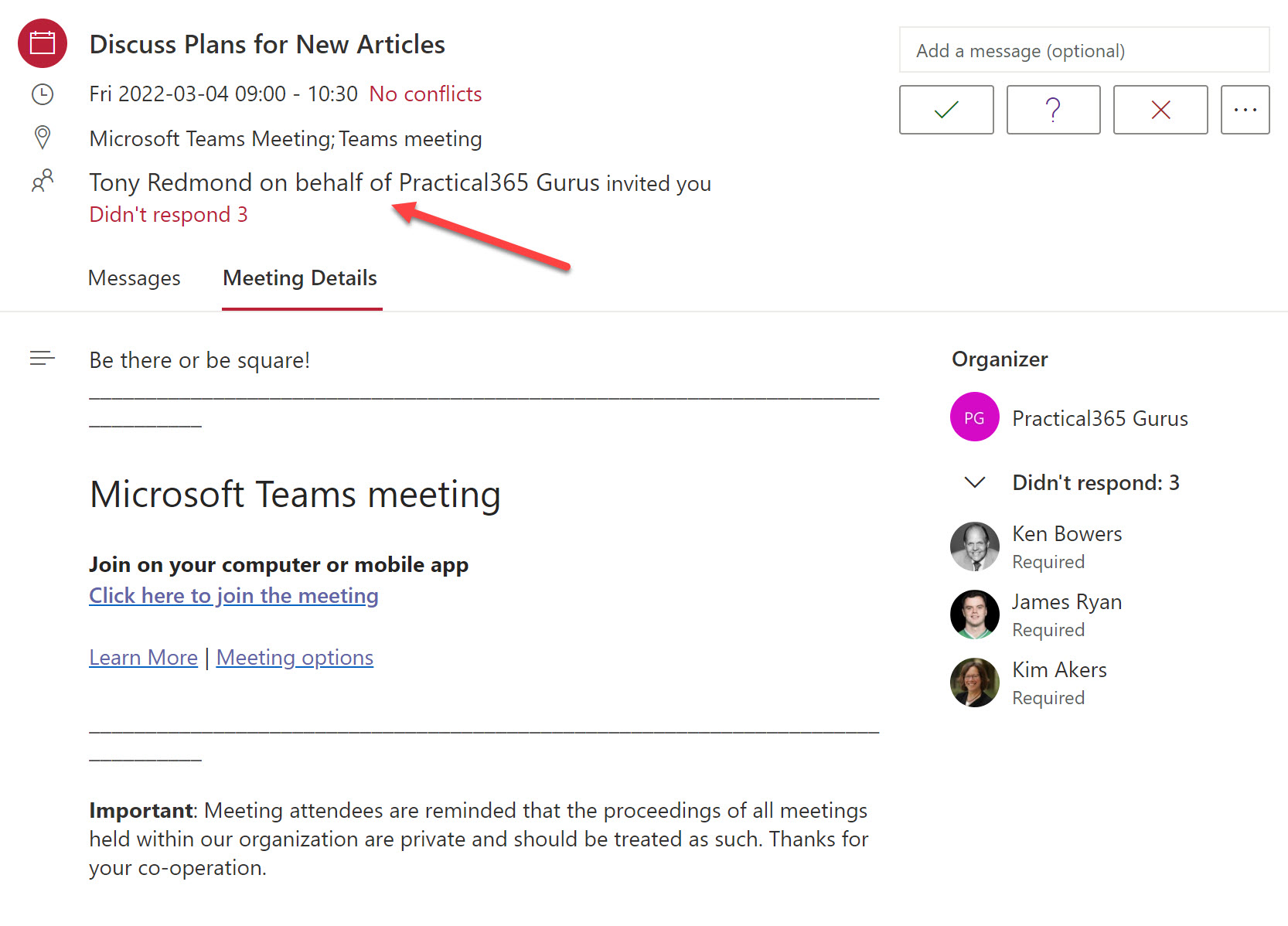
The Teams meeting co-organizer role helps to run smooth meetings, but co-organizers can’t do everything an organizer can. How to get around the limitations? Well, one way is to use an old technique to schedule important meetings using a special account. There might be others, but that’s the one described here.
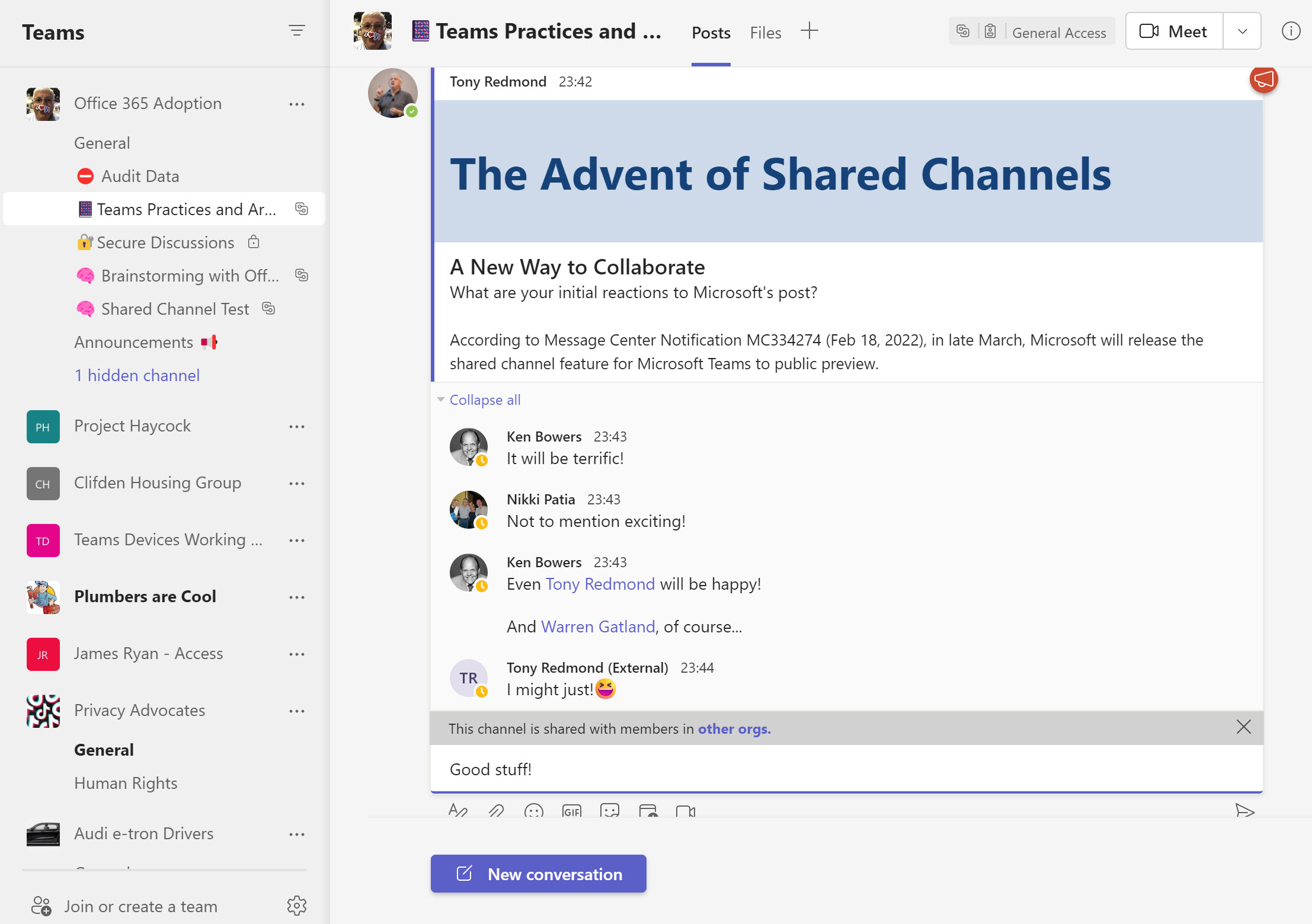
Teams Shared Channels will be available in public preview in March. Exciting as it is to get new functionality, shared channels come with their own challenges. For example, how do organizations deal with the fact that compliance processing occurs on the tenant which owns a shared channel? Backup is another challenge. Teams has always been complex to backup, but how will backup vendors handle the new channels?
Microsoft 365 Data Loss Prevention (DLP) policies have wide-ranging capabilities when it comes to rules and exceptions. One exception covers the various types of encrypted email that can pass through the Exchange Online transport pipeline. As it happens, three message types are supported, but who could have guessed that permission controlled means rights management?
By now, Microsoft 365 tenant administrators realize the need to understand how apps use consent to access Microsoft 365 data. App certification helps by reassuring tenant administrators that third-party apps meet certain criteria set by Microsoft. Achieving Microsoft 365 certification is the highest bar in the program. It’s just a pity that many of the apps now appearing in the ecosystem don’t achieve this level of app certification.
Delegates often process Outlook email for others. It’s a feature that works well. That is, until protected email arrives. Delegates shouldn’t be able to read protected email in other peoples’ mailboxes. But some versions of Outlook allow this to happen. If you want to be sure that delegates can’t access protected email, maybe you should consider using a dual-mailbox approach.
A new Microsoft Teams feature means that local time zone information appears on user profile cards. While it seem simple, the feature is very useful when arranging meetings because you know up-front about the working hours of your colleagues. It’s a detail that makes sense!
A post by the Exchange development group tried to explain why mailboxes have SharePoint Online proxy addresses. It’s all down to the Microsoft 365 substrate, which needs the proxy addresses to ingest digital twins from SharePoint Online into Exchange Online for use by shared services like Microsoft Search. The upshot is that you can’t remove a mailbox permanently without some background processes kicking in to make sure that SharePoint is taken care of.
Access tokens are an important part of accessing data using modern authentication through APIs like the Microsoft Graph. But what’s in an access token and how is the information in the access token used by PowerShell when the time comes to run some Graph queries in a script? In this article, we look behind the scenes to find out what’s in the JSON-structured web tokens issued by Entra ID.
Microsoft has released a new set of over 1,800 fluent Teams emojis for use in chats and channel conversations. Soon you’ll be able to use Teams emojis as reactions in chats. Teams emojis are different from Windows emojis, but you can use the Windows emojis in channel names to highlight and emphasize the reason why the channel exists. All in all, the new emojis are a good thing and will be popular with many users.
An update to Microsoft Search means that search results available in SharePoint Online and Office.com now include Outlook and Teams messages. Microsoft has also updated Microsoft Search in Bing to include Outlook messages. All in all, these changes make Microsoft Search the go-to location when you need to find mailbox and Teams messages.
The Entra ID Keep Me Signed In (KMSI) feature uses a persistent cookie to allow users close and reopen browser sessions without sign-ins. If you don’t want to use KMSI, you can update Azure AD company branding to remove the option. Users will then have to reauthenticate each time they start a browser session. The decision to disable or keep KMSI is highly tenant-specific and depends on how authentication happens.
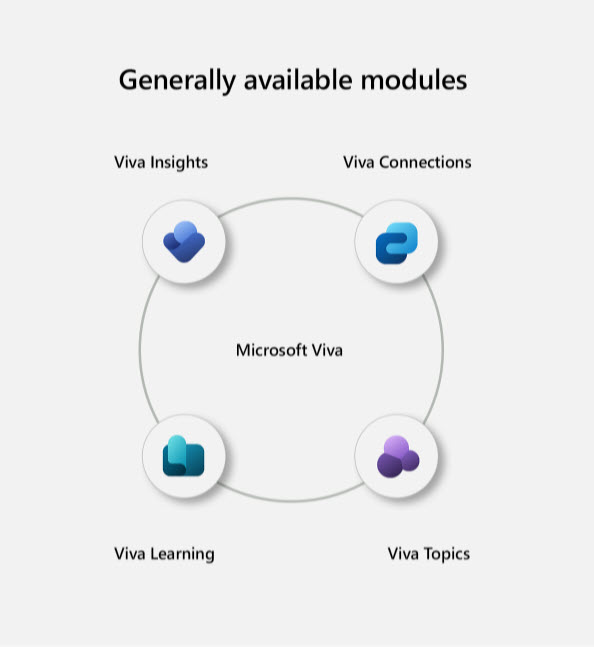
Microsoft says that its Microsoft Viva platform has ten million users after one year. That’s good, but does it mean success when measured against the user numbers for Office 365 and Teams? And how has the technology evolved during the year. All explained here.
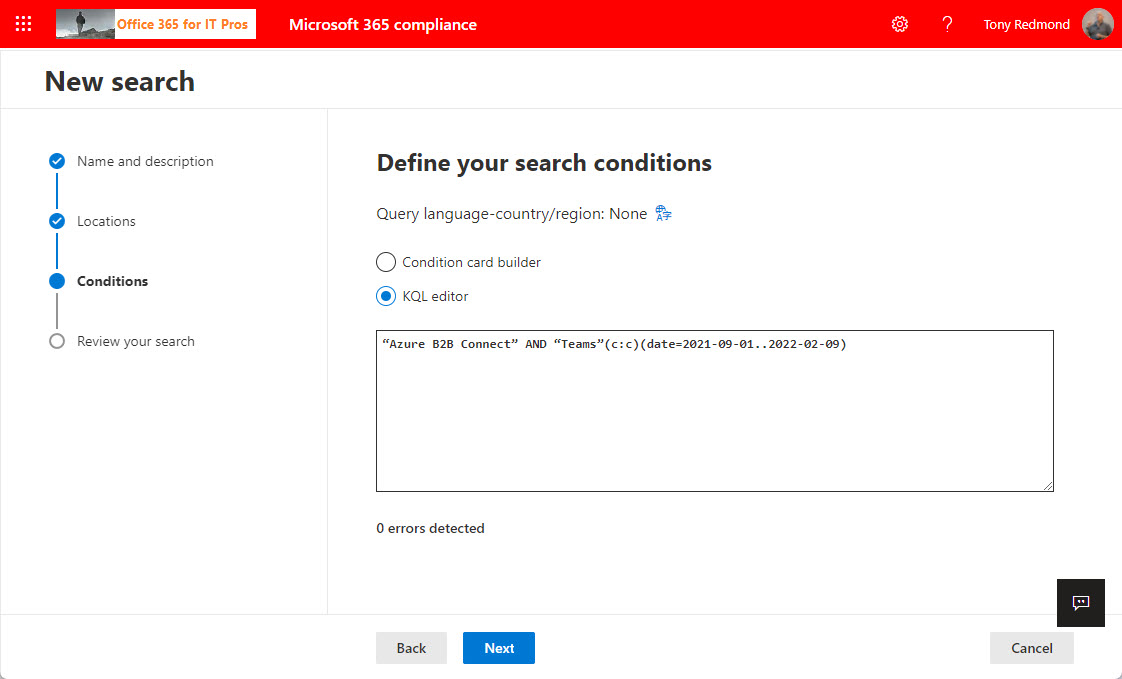
The KQL editor is a relatively new feature in Microsoft 365 that makes it easier to compose queries to find email and documents in content searches, core eDiscovery, and advanced eDiscovery. Although it’s not perfect, the KQL editor helps compliance managers to perfect queries and resolve syntax errors. Human intelligence is still needed to make sure that everything works!
The Microsoft 365 Groups expiration policy can remove inactive groups after a set period. This helps to clean up Entra ID, but the removal of a group might come as a surprise. To help remind administrators when groups will expire, we can use the Microsoft Graph PowerShell SDK to create a report of groups within the scope of the expiration policy and their next renewal dates.
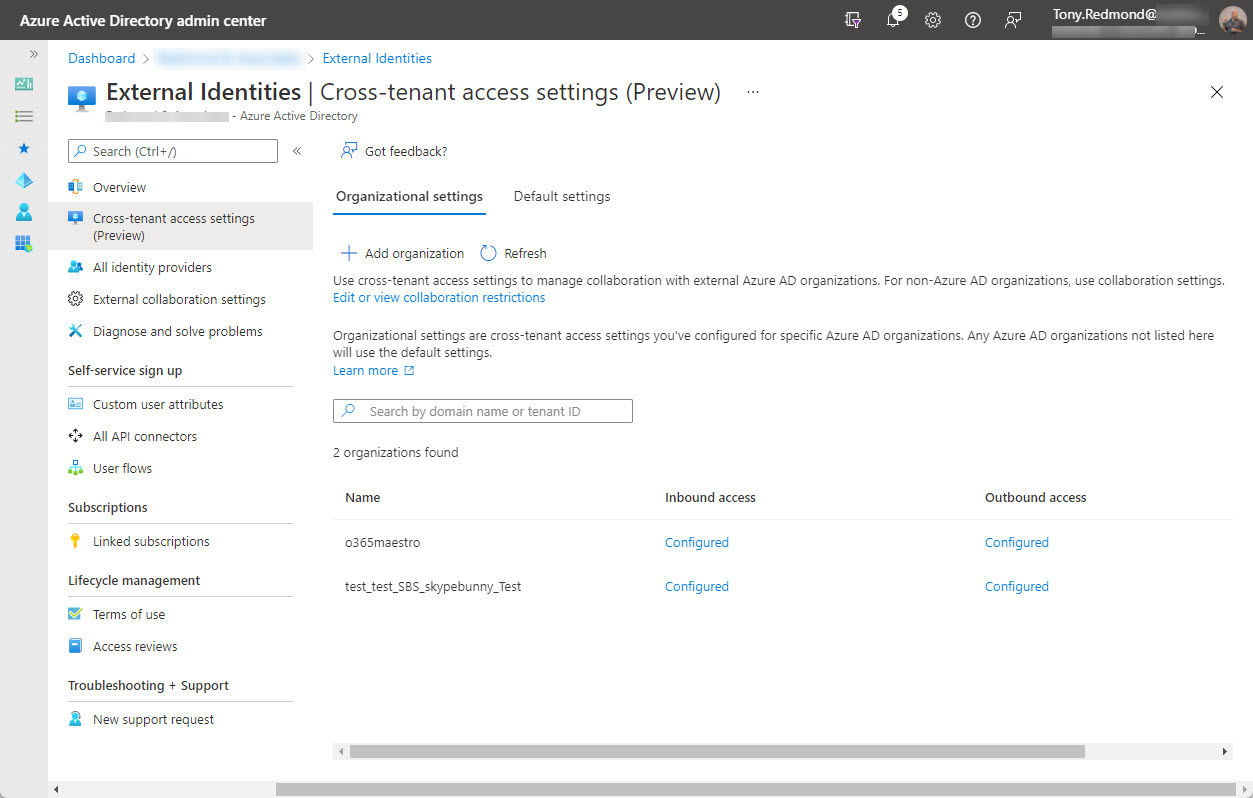
On February 7, Microsoft announced the preview of Azure AD cross-tenant access, a new capability to allow users obtain credentials in their home tenant and use these credentials to access resources in other Microsoft 365 organizations. Microsoft Teams Connect (aka shared channels) is likely the first app to use cross-tenant access, with public preview of that feature expected in March 2022.
Administrators can set a block policy on users to stop them deleting Planner tasks that they didn’t create. The feature isn’t well known, but might be useful in situations where plan owners want tight control over task deletion. Unfortunately, the implementation isn’t well finished and client user experiences are not what you’d like.
Microsoft Teams has a poor reputation for performance. People often suggest clearing the Teams cache is a good way to fix a variety of problems. That might be the case because hard experience proves that clearing the cache often helps. Microsoft says that signing out is enough to clear the cache, but others recommend removing local files from the workstation. Maybe no clear answer will emerge until we have a Teams 2.0 client, and that’s likely to come with its own oddities.
Service principal sign-in data from Entra ID is now accessible through a Microsoft Graph API. This means that you can analyze sign-in data to locate problem apps and remove old or unwanted service principals from your Microsoft 365 tenant. It’s time for spring cleaning!
Microsoft Lists is now available in a preview for users with Microsoft Service Accounts (MSA). The preview is tagged as a lightweight version of the enterprise capabilities available in SharePoint Online. When generally available, we might see this as a premium consumer offering. In other news, an opinion says that Lists should replace Planner. I disagree, and say why.
The February 2022 update for Office 365 for IT Pros (2022 edition) is now available for subscribers to download. This is the 80th monthly update for the book, so you can say that we have accumulated some practice in producing monthly updates. Every month, we meet some surprises as we develop new content, amend existing text, or remove old material. It’s part of the joy of working on a book which evolves all the time, We’d appreciate if subscribers download the February update at their convenience… why use old text when an updated version is available?
Users can configure Teams chat to use a comfy (default) or compact spacing. The new density setting works on desktop and browser clients. The idea is to help users make better use of screen space. I quite like the compact setting. For now, the new setting is available to preview users and will no doubt reach general availability in a matter of weeks.
SharePoint Online and OneDrive for Business will soon gain the ability to apply default sensitivity labels to document libraries. The feature is currently in preview and requires some complicated PowerShell to configure, but Microsoft is working on the GUI and expects to make the capability generally available later this year.
Microsoft announced the preview of the Send from Email Aliases feature on January 25. The only problem is that the same feature was released in April 2021. And OWA gained full support for it in October 2021. So why would Microsoft reissue an existing feature? They’re not saying, but I suspect it’s down to fixing some issues in the Exchange Online transport service to make sure that messages sent from an email alias work properly in every circumstance.
Microsoft Cloud revenues hit $22.1 billion in Microsoft’s FY22 Q2 results announced January 25. Office 365 user numbers grew 16% year over year, but there’s no detail given about active users. Teams reached 270 million users, but we don’t know what segments these users fall into. We do know that Microsoft Viva has 1,000 paying customers, which could be deemed a disappointing outcome for a much-hyped solution.
The Records management solution in the Microsoft 365 compliance center has some important controls for retention labels. Two new controls allow organizations to decide if they will allow users to unlock items assigned a record retention label. If they can’t, they won’t be able to update document contents or change an item’s metadata. This won’t suit all organizations, but it will make those which want locked down records management very happy indeed.
Outlook desktop couldn’t display actionable messages generated by Teams and Yammer properly while OWA and Outlook mobile could. It’s a small issue in the context of Microsoft 365, but it irritated me. I fixed the problem but don’t know how except that the Actionable Messages Debugger for Outlook might have been involved. Another day in the life of a Microsoft 365 tenant administrator…
Office 365 Message Encryption protection is not available for messages sent to dynamic distribution groups. It’s all to do with rights management licensing. However, if you need to protect messages sent to dynamic distribution groups, for instance to make sure that confidential messages are inaccessible to external recipients use a sensitivity label instead and assign the special tenant-wide permission to recipients.
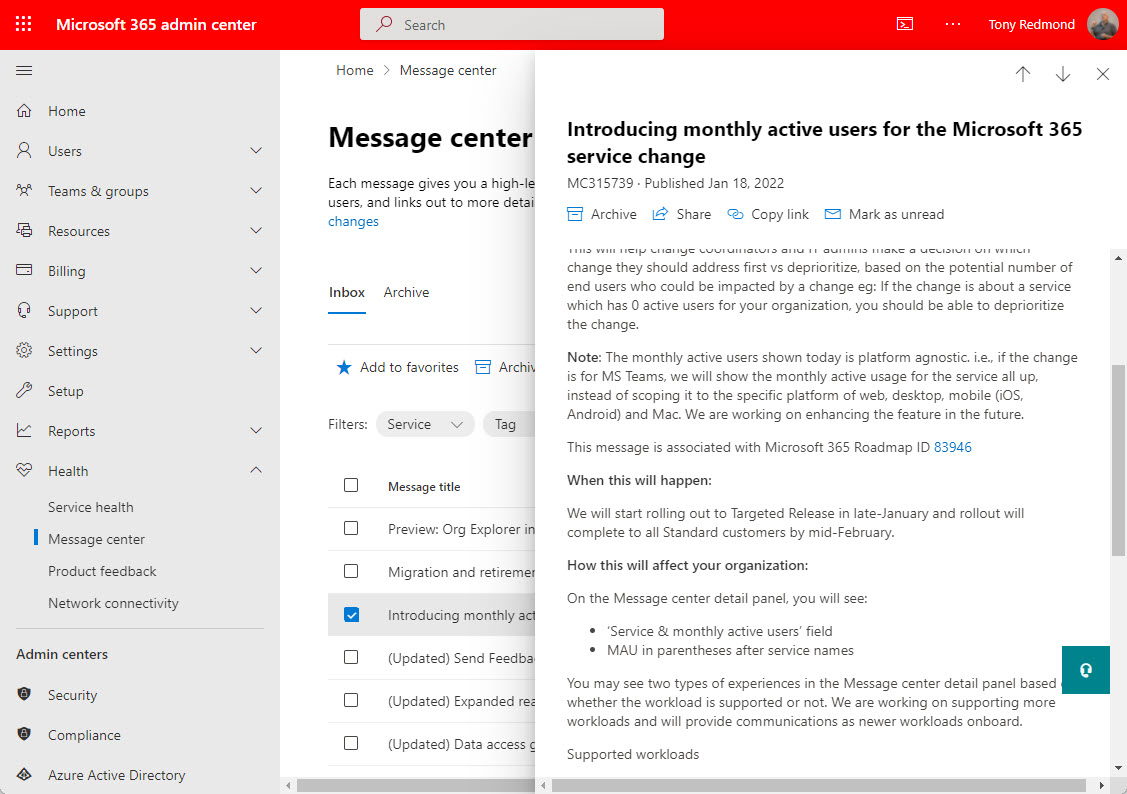
Message center notifications for service changes posted to the Microsoft 365 admin center will include monthly active user counts for affected workloads. That sounds good, until you realize some of the downloads incurred by depending on the Microsoft Graph Reports API as the source of user data. Still, it’s better than nothing and a welcome advance.
You might never need to use a break glass account, but if the need arises, you’ll be glad that you had the foresight to anticipate that bad things can happen and create a break glass account for your Microsoft 365 tenant. This article describes why you might want one or more of these accounts, their characteristics, some pitfalls to avoid, and how to check that the break glass accounts aren’t being used.
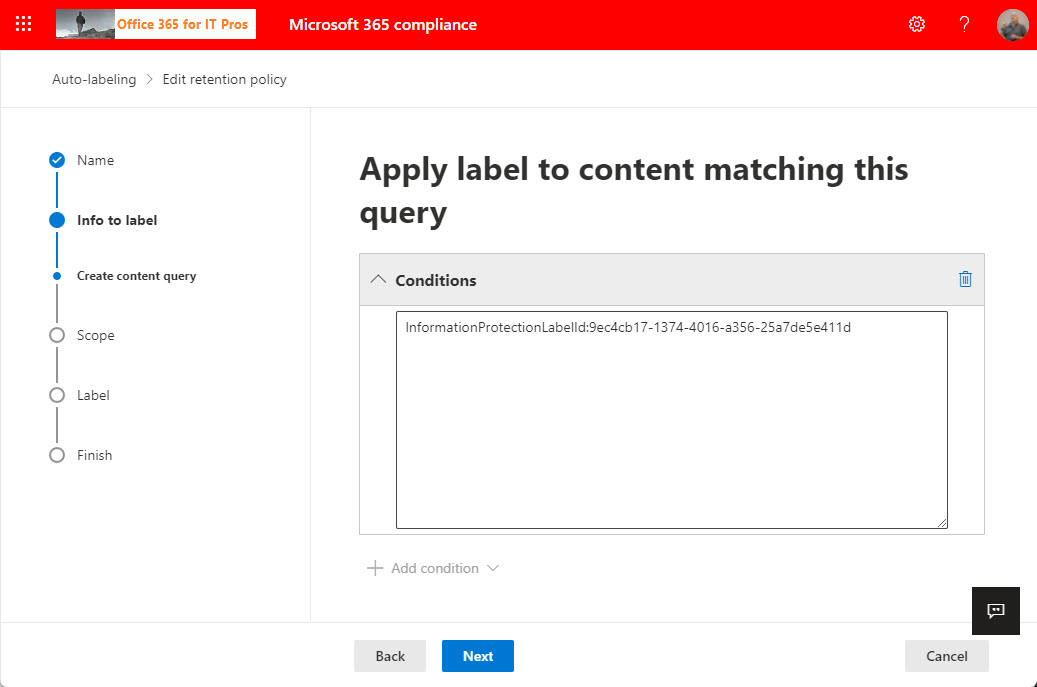
Microsoft 365 retention policies allow organizations to keep or remove content from workloads like Exchange Online and SharePoint Online. You can apply filters in retention policies, but Microsoft only supports this capability auto-label retention policies. You can go ahead and update a standard retention policy to add a content filter with PowerShell and the policy will work. The question is, how long will it work for before Microsoft changes something on the backend to stop the policy working?
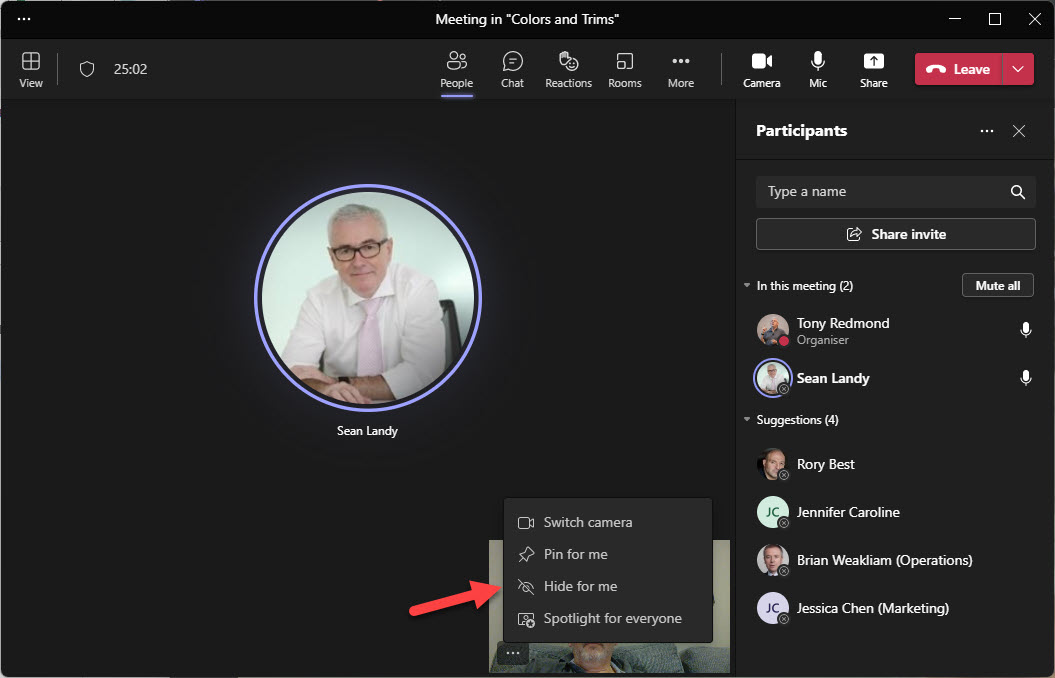
Two new features will help users enjoy Microsoft Teams meetings better. Or at least, improve the “user experience” by removing some irritations people currently have during meetings. The first allows users to suppress notifications arriving during meetings. The second hides a user’s video feed from their view to remove what seems to be a distraction for many. I’ve already disabled notifications for meetings. Maybe you should do the same?