Lots of news has emerged from Microsoft recently regarding the deprecation of the Azure AD PowerShell module and the older MSOL module. Although dates have slipped from the original June 30, 2022 deadline, the signs are that Microsoft will retire the modules in early 2023. However, the Azure AD and MSOL license management cmdlets will stop working on August 26, 2022, so that’s the immediate priority for script upgrades.
Teams tags appeared in early 2020 as a method to address subsets of a team membership in channel conversations. Microsoft doesn’t provide a method to report what teams use tags and what those tags are, but we can find out using the Graph APIs. In this article, we show how to use the Microsoft Graph PowerShell SDK to create a report of all teams which use tags, the names of the tags, and the team members assigned the tags.
With the upcoming deprecation of the Azure AD and Microsoft Online Services (MSOL) PowerShell modules, it’s time to upgrade scripts which depend on the cmdlets from these modules. In this example, we use the Microsoft Graph SDK for PowerShell to create a report for Azure AD accounts showing the authentication methods each account uses. The idea is to highlight accounts not protected by strong authentication so that administrators can help users to upgrade their protection against attack.
People insights is one of the three types of insights derived by the Microsoft Graph from signals gathered from user activity in Microsoft 365 apps. Some organizations don’t like to show people insights in the user profile card, and now you can update an organization setting to remove people insights from the card for all or just some users.
By now, Microsoft 365 tenant administrators realize the need to understand how apps use consent to access Microsoft 365 data. App certification helps by reassuring tenant administrators that third-party apps meet certain criteria set by Microsoft. Achieving Microsoft 365 certification is the highest bar in the program. It’s just a pity that many of the apps now appearing in the ecosystem don’t achieve this level of app certification.
A new Microsoft Teams feature means that local time zone information appears on user profile cards. While it seem simple, the feature is very useful when arranging meetings because you know up-front about the working hours of your colleagues. It’s a detail that makes sense!
Access tokens are an important part of accessing data using modern authentication through APIs like the Microsoft Graph. But what’s in an access token and how is the information in the access token used by PowerShell when the time comes to run some Graph queries in a script? In this article, we look behind the scenes to find out what’s in the JSON-structured web tokens issued by Entra ID.
The Microsoft 365 Groups expiration policy can remove inactive groups after a set period. This helps to clean up Entra ID, but the removal of a group might come as a surprise. To help remind administrators when groups will expire, we can use the Microsoft Graph PowerShell SDK to create a report of groups within the scope of the expiration policy and their next renewal dates.
Service principal sign-in data from Entra ID is now accessible through a Microsoft Graph API. This means that you can analyze sign-in data to locate problem apps and remove old or unwanted service principals from your Microsoft 365 tenant. It’s time for spring cleaning!
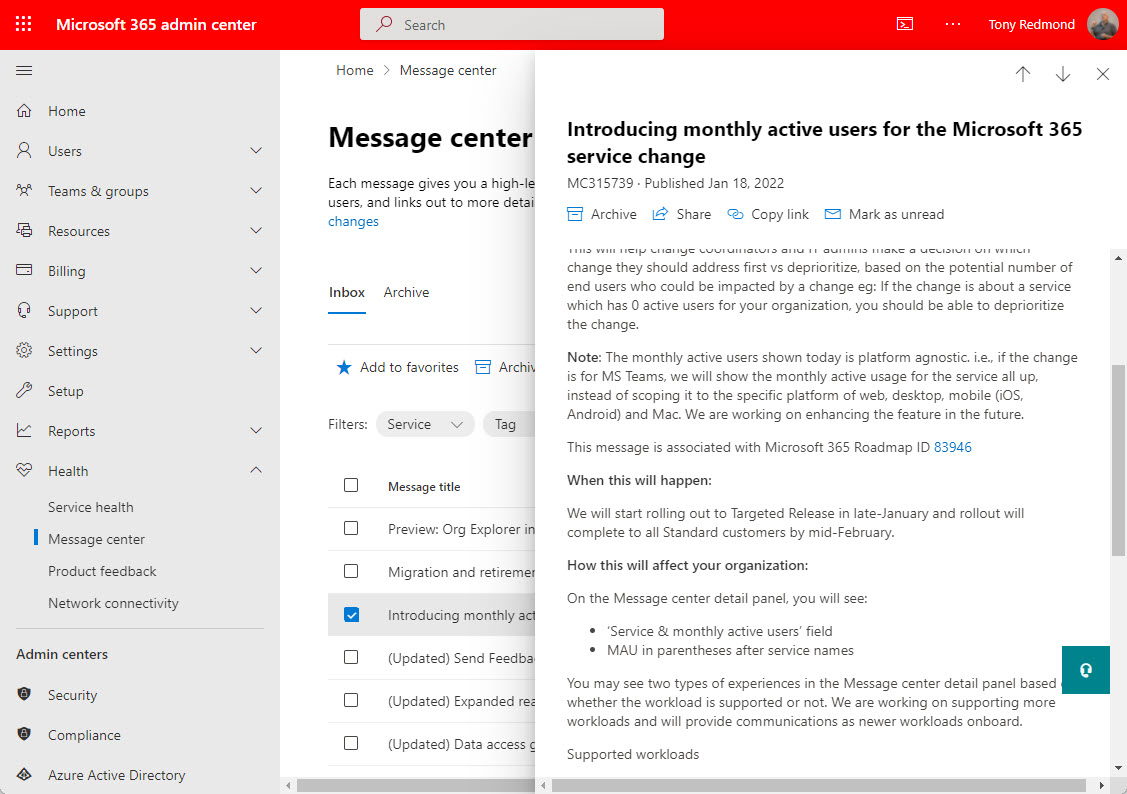
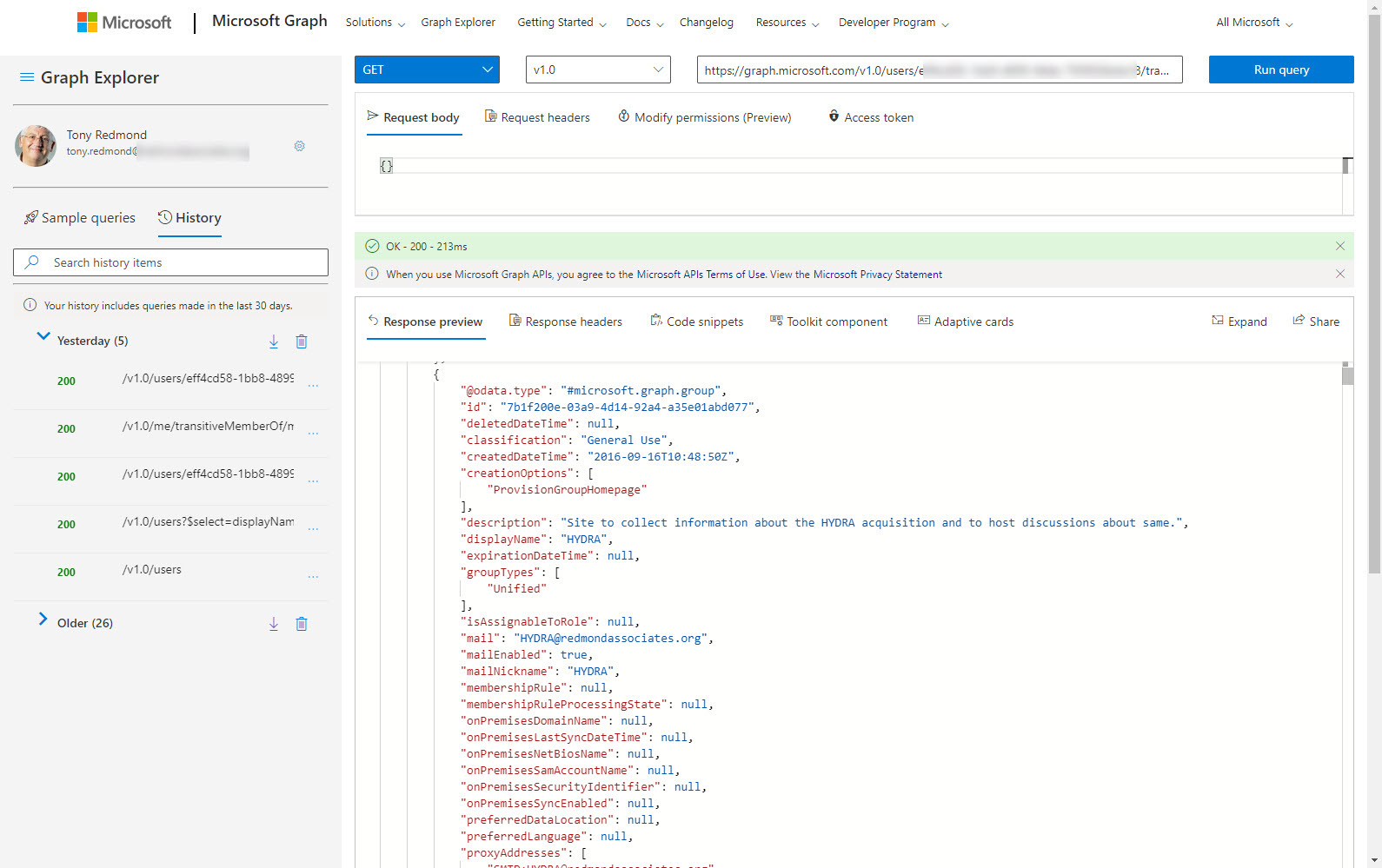
Message center notifications for service changes posted to the Microsoft 365 admin center will include monthly active user counts for affected workloads. That sounds good, until you realize some of the downloads incurred by depending on the Microsoft Graph Reports API as the source of user data. Still, it’s better than nothing and a welcome advance.
Finding the age of a Microsoft 365 tenant isn’t an important administrative operation. However, understanding how to retrieve this information (if asked) is an interesting question, which is why we spent several hours playing around with PowerShell and the Microsoft Graph to figure out how to answer the question. It’s the kind of in-depth analysis we do all the time to build content for the Office 365 for IT Pros eBook.
A new List Teams API is available in the beta version of the Microsoft Graph. In time, the new API might replace the existing methods used to fetch sets of teams for processing. For now, there’s no need to update any code as we wait for Microsoft to fully bake the new API. Maybe it will be more performant and functional in the future!
A Microsoft October 5 announcement gives a clear signal that Exchange Web Services is on a short runway to oblivion. The first step is the removal of 25 APIs on March 31, 2022. It’s all part of the master plan to get Office 365 tenants and ISVs to move to the Microsoft Graph APIs. This is a perfectly laudable ambition but it’s complicated because of the lack of suitable Graph APIs to handle the volume of Exchange data involved in scenarios like backup/restore and migration. Teams has a new Graph Export API, but it introduces consumption metering and charging. Is a new Exchange API coming and will it use the same charging mechanism? We live in interesting times…
The usage reports available in the Microsoft 365 admin center, Teams admin center, and other places now include anonymized user information by default. The new default became active on September 1, 2021 and the organization setting applies to any usage data generated by the Microsoft Graph usage reports API, which means that some scripts might create reports less interesting and useful than before. It’s a good change for privacy, but will organizations persist with the new default?
Microsoft has replaced the controls which disabled document insights in Delve with new Graph-based settings. However, you might still have a bunch of users with the Delve settings who need to migrate to the Graph settings. In this article, we explore how the settings work and how to query the Graph to find the set of users who disabled the setting in Delve. We can then use PowerShell to add those accounts to the group of disabled insights users for the Graph-based settings.
The message center in the Microsoft 365 admin center will soon use a new data privacy tag to highlight specific service updates to tenant administrators. No messages with the new tag have yet appeared, so it’s hard to know how Microsoft plans to use the new tag or what kind of attachments it will make available to administrators to help understand the sensitive data involved in data privacy. While we’re waiting, we took at look at the tags in use today and wrote some PowerShell to report which tag is most popular.
Many PowerShell scripts which access Office 365 data could do with a speed boost. Replacing cmdlets with Microsoft Graph API calls is one way to get extra speed. In this article, we take a PowerShell script to report the memberships users have of Microsoft 365 groups and replace some important cmdlets with Graph API calls. The result is a big speed increase.
The preview of a new app governance add-on for Microsoft Client App Security gives Office 365 administrators insight into Graph-based apps. The add-on depends on information gathered from Azure AD and MCAS to generate insights about apps and their usage, including highlighting apps which are overprivileged or highly privileged. Although you can do some of the auditing yourself, the add-on makes it easier. It’s a preview, so some glitches are present.
The latest update for the Teams admin center includes the ability to manage the permissions used by third-party apps to access data via the Microsoft Graph. The updates also include the ability to manage resource specific consent (RSC) for Teams apps. While third-party apps ate the obvious target, LOB apps created by tenants are managed in the same way.
The Active Directory schema includes a drink attribute. This didn’t make the transition to Azure AD, but you can use one of the custom attributes to make drink show up on Microsoft 365 profile cards. This might not seem like a good use of your time, but it’s actually an illustration of how to put the Microsoft Graph Explorer tool to good use.
PowerShell hash tables are very efficient at retrieving data, which is just what’s needed when thousands of Office 365 accounts need processing. Our script to analyze usage data extracted from the Microsoft Graph was turbo-charged when we replaced list objects with hash tables, all of which makes it much easier to identify underused Office 365 accounts and save some money on licensing spend.
A preview of a new migration API for Teams is with ISVs. The API is to migrate data from other chat platforms (Slack is the obvious target) to Teams. There’s still no news about solid APIs for tenant to tenant migration or backup and restore for Teams. Microsoft is really interested in moving people off competitor platforms to Teams. It seems they are less interested in doing some of the heavy lifting involved in tenant management and restructuring.
The Microsoft Graph collects huge amounts of signals about Office 365 user activity. Some of that data is used to generate insights into information that might be interesting to users. You can already disable insights in Delve, and now Microsoft allows you to disable insights elsewhere in Office 365. The downside is you’ve got to patch the Graph organization settings to limit insights, and that might just be outside the ability of the average tenant administrator. Unless they use the Graph Explorer to do the job.
Microsoft announced that Office 365 tenants can customize the user profile card, which is nice. The only thing is that an update to the Microsoft Graph is done to apply the customization. Most tenant administrations probably aren’t literate with Graph programming, so that presents a problem. Until you realize that the Graph Explorer can be used to do the job without you needing to write a single line of code.
It’s easy to retrieve storage data for SharePoint Online sites with PowerShell, but it’s faster with the Graph. Some disadvantages do exist, but it’s nice to have a choice. TheGraph is faster, especially with large tenants, but the SharePoint Online PowerShell cmdlets can deliver more data.
The Microsoft Graph gives programmers a RESTful interface to Office 365 data. Flow allows even non-programmers to automate tasks by combining building blocks of Office 365 data and actions. Put the two together and you can generate some impressive results. In this example, we combine Graph and Flow to create some nagging emails to admins to encourage them to improve the tenant’s Secure Score.