Microsoft has spruced up the Teams meeting pre-join screen to gather all the settings that participants can use to configure their audio and video for a meeting. The browser interface is slightly different because browsers don’t support background effects. The new screens are better than before and are a good example of how to apply rationalization and simplification to UX design.
Files for the September 2020 update of the Office 365 for IT Pros eBook, the only always-updated book available for Office 365, are now available. Subscribers can download their updates from Gumroad.com or Amazon Kindle.
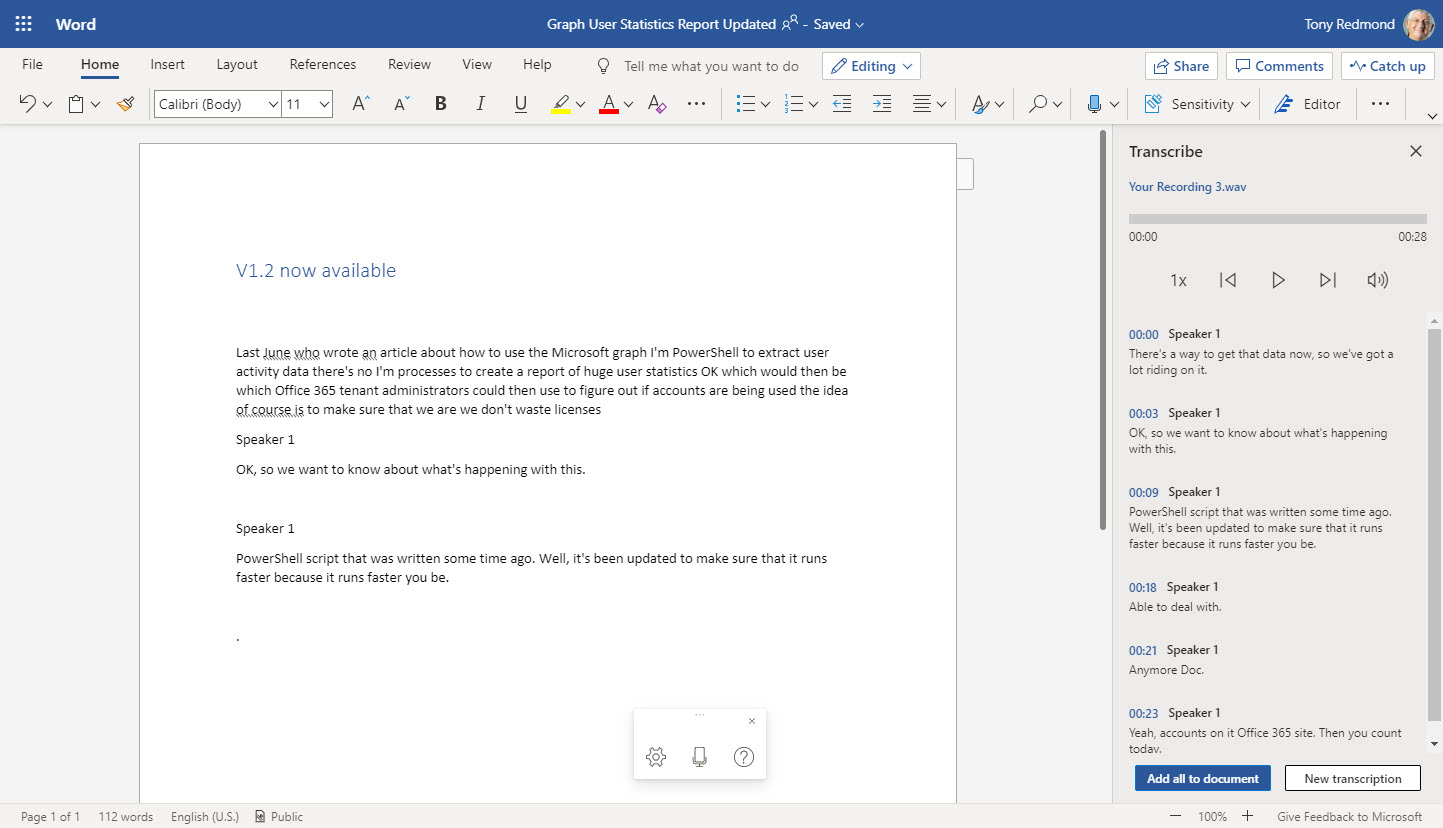
Word Online now boasts the ability to generate transcripts by listening to meetings or conversations and feeding the recording to Azure Cognitive Services. While the thought of using voice-generated text might seem strange at first, Word’s ability to capture text through dictation or transcription is surprisingly good.
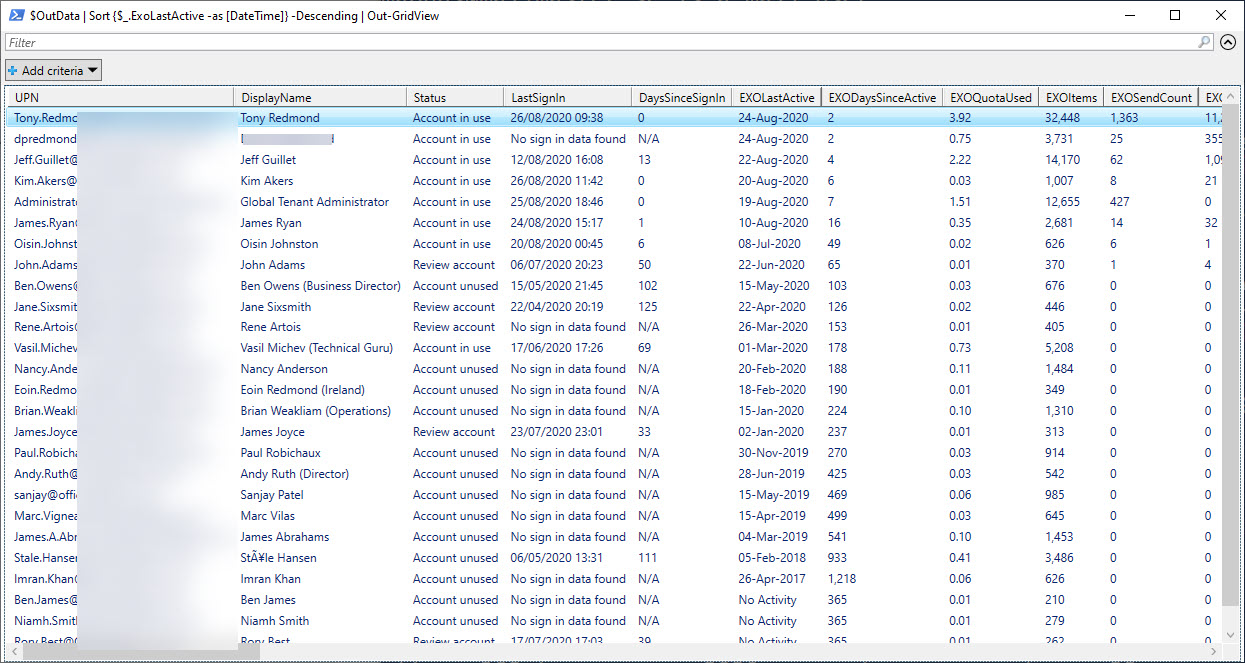
Office 365 usage data for several workloads is available through the Microsoft Graph. A PowerShell script is available to grab Graph data and use it to figure out if accounts are in active use. V1.2 of GetGraphUserStatisticsReport.PS1 is available in GitHub and should be better performing when processing thousands of accounts.
A recent change to Teams search means that matching files are included in the autosuggested list generated as users type in search terms. It’s a small but good change. The files data comes from SharePoint Online sites the user can access and their personal OneDrive for Business account.
Microsoft 365 Groups are used by applications like Teams and Yammer. The PowerShell Get-UnifiedGroup cmdlet finds groups, but can it find the groups enabled for Teams and Yammer? Here’s some idle musing on the topic which might or might not interest you.
A change made to an Office 365 retention policy for Teams personal chats in the KPMG tenant removed data for 145,000 users. That’s unfortunate, and it underlines the need for admins to understand how retention policies work. Maybe the people involve did and it was a simple slip that could happen to anyone, but perhaps it will cause tenant admins to reflect on how they make changes to organization configurations.
Teams channel conversations are composed of threads formed by base topics and replies. Unfortunately, the Teams client UI makes it easy for users to add topics when they should post replies. The good news is that the Teams development VP at Microsoft has admitted that something needs to be done. That, and a positive response to a User Voice request, makes us think that something will happen soon.
Office 365 Tenants need to stop people using Internet Explorer. On November 30, Teams stops support for IE11; nine months later, the rest of the Microsoft 365 apps cease support. According to Microsoft, the only browser in town is the new Edge (which has an IE mode), but most will keep on using Chrome, Firefox, Brave, or Safari as they do today.
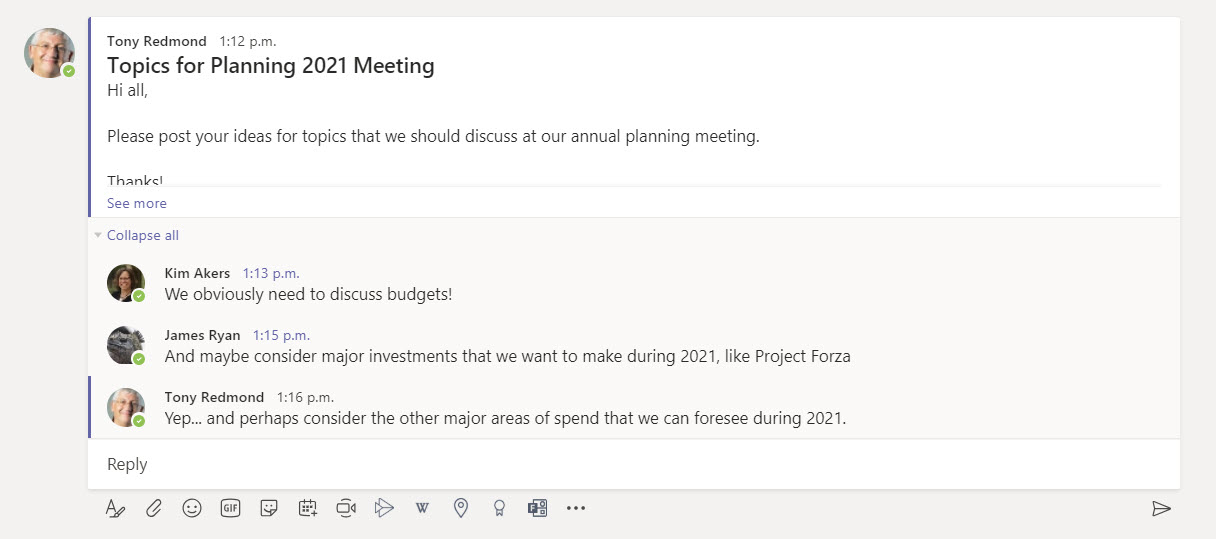
Some recent small changes in Teams will make users happy because the product’s fit and finish is improving. Speaker attribution for live captions makes conversations easier to follow and faster updates from Exchange mean that out of office notifications and change in presence states are picked up faster. These aren’t earthshattering changes, but they do make Teams more pleasant to use.
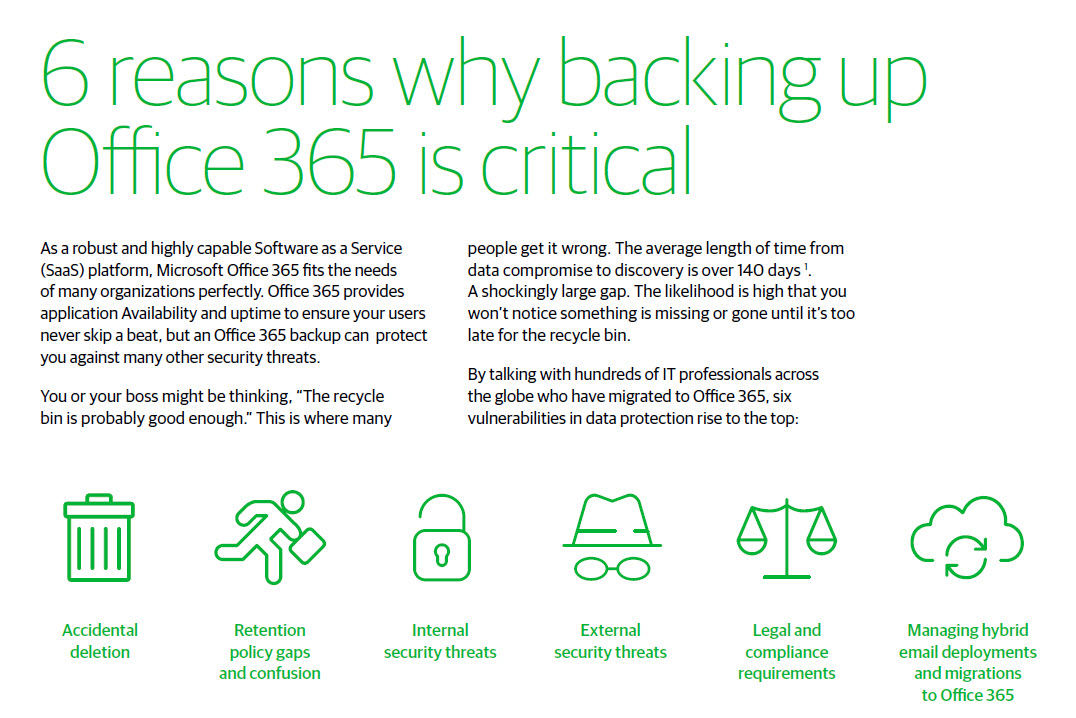
The need (or not) for a backup solution for Office 365 data is hotly debated. Although good reasons can exist for buying a backup service, some of the reasons advanced by backup vendors are classic FUD (fear, uncertainty, and doubt). A recent report issued by a major backup vendor contains some points that deserve close examination. Here’s what we think.
Power Automate (Flow) can forward email from Exchange Online mailboxes to external recipients. This isn’t a great idea if you want email kept within the control of your data governance framework. Power Automate now inserts x-headers in the email it sends, which allows the use of transport (mail flow) rules to detect and reject these messages if required.
Office 365 notification MC220283 says that Microsoft has retired support for organizations to audit Sway activities. In other words, no more Sway events in the Office 365 audit log. This might or might not be a problem for your tenant, depending on how much use you make of Sway and if you have the necessary licenses. But the real problem is the lack of communication before Microsoft removed the feature. That’s not good.
In a surprise update, Microsoft announced that Teams meetings now use persistent background effects. Once you choose an effect, Teams will use it in meetings when video is enabled. It’s a small but nice change that will help users. We need more of this kind of update across Office 365.
The Planner browser UI now displays a notice to users when someone else has changed tasks in a plan. This is useful, but it would be much better if Microsoft enabled support for the Office 365 audit log so that events happening in Planner flowed into the audit log. There’s no sign of that happening, despite requests for three years or more.
Exchange Online PowerShell is a critical automation tool for many Office 365 tenants. In 2021, Microsoft will remove basic authentication for PowerShell, so it’s time to change over to modern authentication. For scripts that run as batch or background jobs, that means converting to certificate-based authentication. In this post, we explore how to get the self-signed cert to glue everything together.
Exchange Online Protection puts problem messages into quarantine if it suspects that they contain spam, malware, or a phishing attempt. Instead of using the Security and Compliance Center GUI to work with quarantined messages, you can analyze details of quarantined messages with PowerShell to create some basic statistics and find messages that should be released.
Exchange Online Protection (EOP) quarantines suspicious messages to stop spam, malware, and phishing email arriving into Exchange Online inboxes. Administrators can review quarantined messages. Reviewing messages can find some problems, like messages that shouldn’t have been stopped. But reviews take time, and sometimes other stuff gets in the way, which means that quarantined messages expire without anyone ever asking the question “why.”
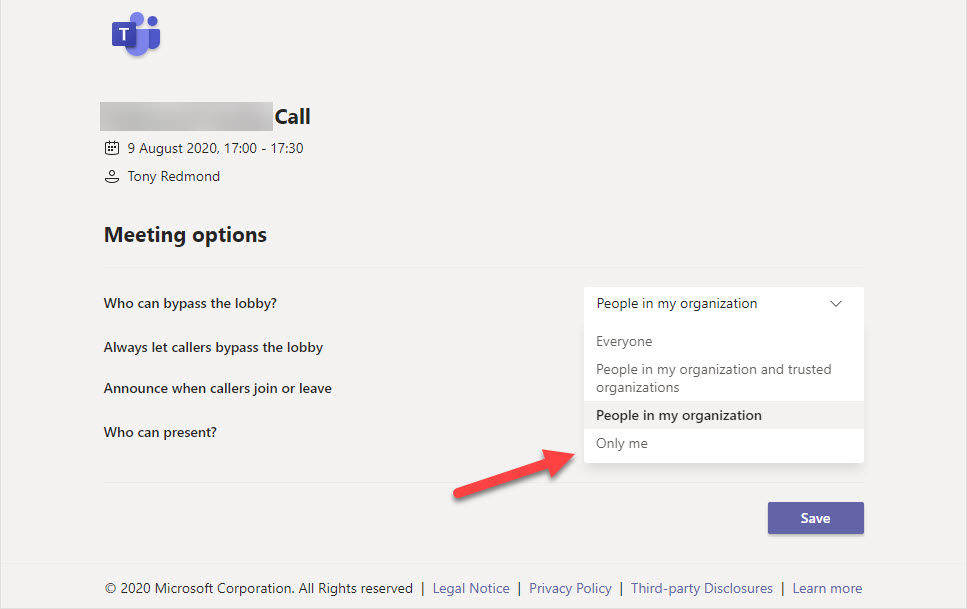
Microsoft has updated the Teams meeting policy to restrict automatic meeting joining (aka lobby bypass) to organizers. This is likely to be most popular with schools, but enterprirse will see value in being able to force participants to pass through the meeting lobby before joining in some circumstances. And remember, a meeting organizer can always change the settings before the meeting begins.
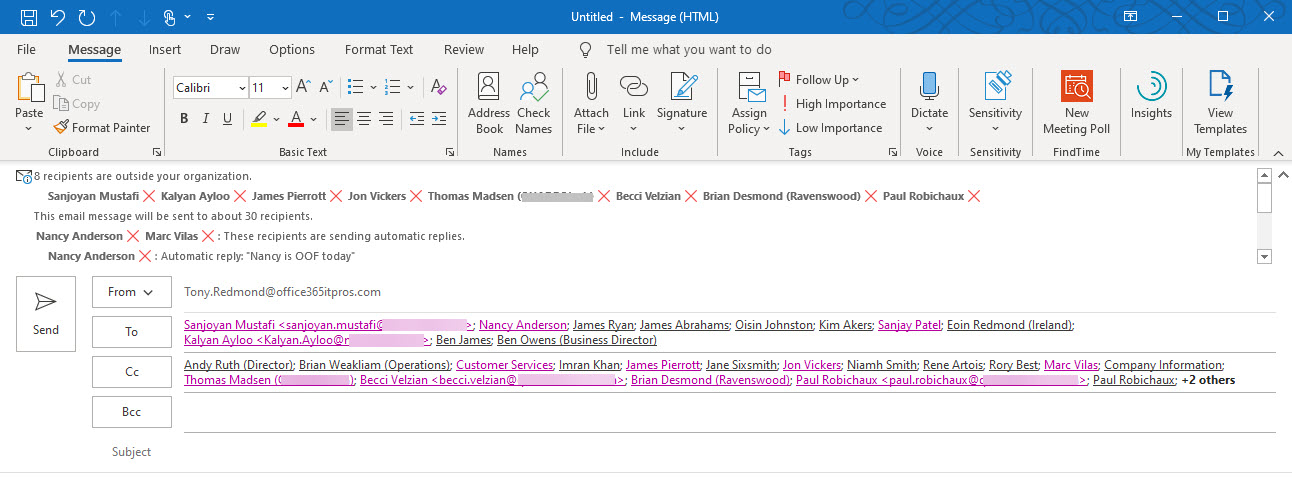
Exchange Online generates automatic MailTips to advise email creators that recipients are out of offce or the message is addressed to too many recipients. Custom MailTips for mailboxes, distribution lists, and other mail-enabled objects, including language-specific translations, give additional guidance to users as they create messages. Overall, MailTips are worth spending some time on to get right within an Office 365 tenant.
The Microsoft Graph collects huge amounts of signals about Office 365 user activity. Some of that data is used to generate insights into information that might be interesting to users. You can already disable insights in Delve, and now Microsoft allows you to disable insights elsewhere in Office 365. The downside is you’ve got to patch the Graph organization settings to limit insights, and that might just be outside the ability of the average tenant administrator. Unless they use the Graph Explorer to do the job.
Microsoft announced that Office 365 tenants can customize the user profile card, which is nice. The only thing is that an update to the Microsoft Graph is done to apply the customization. Most tenant administrations probably aren’t literate with Graph programming, so that presents a problem. Until you realize that the Graph Explorer can be used to do the job without you needing to write a single line of code.
Petri.com is running a free 1-day virtual conference on the topic of Microsoft Teams on August 12. All are welcome to attend. The jokes will be awful, the timing lousy, and the information insightful. That’s a pretty explosive mixture, delivered by experts (well, except me) packed full of knowledge. So much so that their heads swell on an ongoing basis…
Microsoft announced that the Azure AD Sign-in Activity Report for end users is now generally available. Good progress has been made since the preview, but some problems still persist. It’s fair to ask end users to review their sign-in activity, but to have a chance of catching problems, the data you ask people to review must be understandable by them, and sometimes the data in this report isn’t.
The Microsoft 365 admin center includes the ability to manage settings for the default Exchange Online authentication policy. You might have other policies to allow selective access with basic authentication to some protocols; these policies must be managed with PowerShell. Authentication policies are part of the journey to eliminate basic authentication from Exchange Online, now expected to happen in mid-2021.
The August 2020 update for Office 365 for IT Pros (2021 Edition) is now available. Subscribers can download the updated files from Gumroad,com. Kindle buyers can ask Amazon to make the update available to them. The August update includes changes to 18 of the 24 content chapters, which is pretty typical for the kind of change that happens inside Office 365.
Microsoft plans to post notices in OWA to tell end users that their Office 365 licenses include Outlook Mobile. The hope is that more people will use Outlook Mobile instead of EAS or IMAP4-based clients like the default iOS mail client. Notices will appear in OWA and later Outlook desktop, but the good news is that you can disable these notices with a simple change to the tenant’s organization configuration for Exchange Online.
OneDrive for Business accounts belonging to ex-employees can be reassigned to others during the deletion workflow, but orphan accounts can accumulate over time. This post describes a PowerShell script to find orphan OneDrive accounts and add a user to the site so that anything there can be retrieved.
Characterizing backup of Exchange Online mailboxes to PSTs as brain-dead might have been harsh, but it’s an accurate assessment of the worth of this idea. Plenty of cloud-based backup offerings exist that can process Exchange Online data more securely and at scale. If you want to backup Office 365, stay away from PSTs and use a different product, after asking some questions to ensure that the backups deliver the value you expect.
Exchange Online Protection monitors outbound email to pick up signs of potential compromise in Office 365 tenants. This can lead to EOP restricting a tenant’s ability to send outbound email and force the administrators to check for compromised accounts or connectors and other problems before contacting Microsoft Support to ask them to lift the restriction.
Exchange Online Protection monitors email traffic in and out of Office 365 tenants. When a mailbox exceeds limits, it might end up being restricted, such as in the case when the mailbox might be compromised. We tried to find out when Exchange Online Protection restricted mailboxes and what to do afterwards. Here’s what we discovered.
The Microsoft FY20 Q4 results included good news for its cloud segments with increasing activity, numbers, and revenue. Although we didn’t get new user numbers for Office 365 and Teams, Microsoft included some other interesting data about Azure Active Directory and EMS in its narrative.
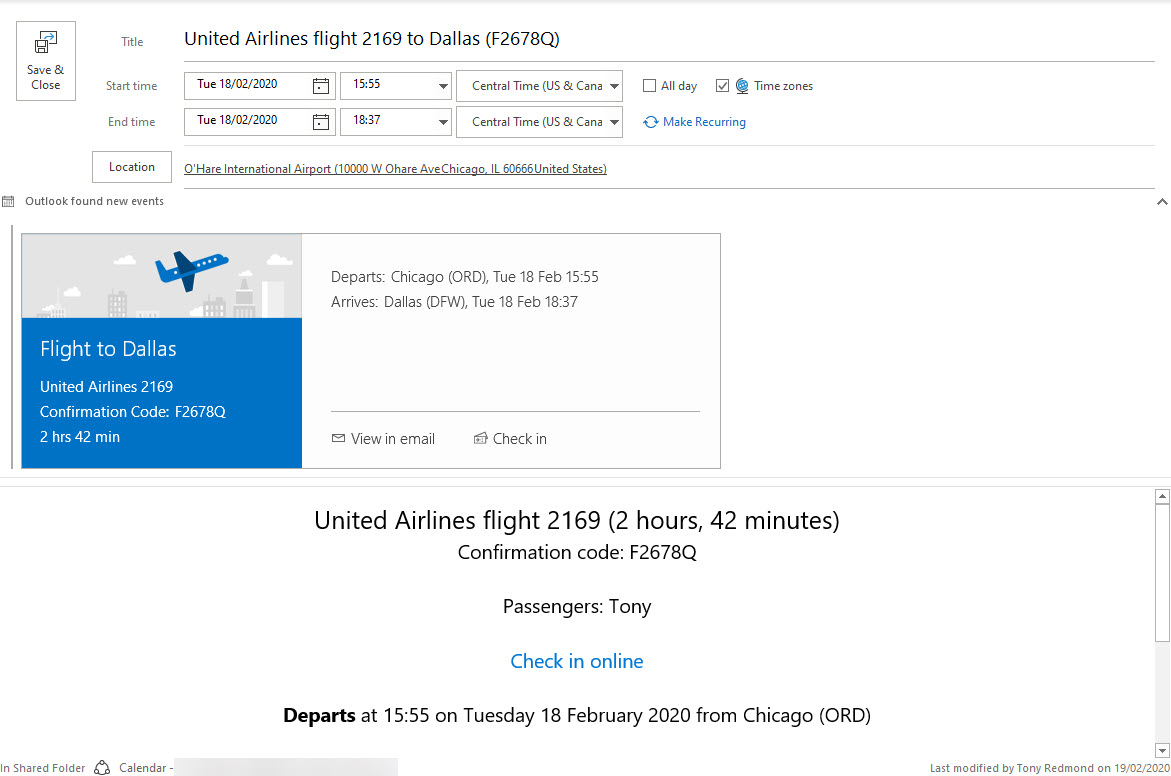
Exchange Online will soon drop processing email to create calendar events for things like restaurant reservations. The good news is that travel details are still supported, meaning that you won’t have to extract and enter details like flight numbers, departure times, and so on. And notifications for your Amazon deliveries continue too.
The Electron-based Microsoft Teams has a reputation of being a memory hog. Does the moniker fit? Well, it all depends on how you view how the Chromium memory model works. Some won’t like the way memory is grabbed to cache data while others will think it quite reasonable to use available memory in this way.
Microsoft posted a reminder that connections from Office 2013 will no longer be supported for Office 365 service from October 13, 2020. Microsoft won’t take any action to block legacy clients, but the writing is on the wall. Office 365 tenants need to decide how to replace Office 2013 by either upgrading to Microsoft 365 apps for enterprise (click to run) or switching to browser clients like OWA.
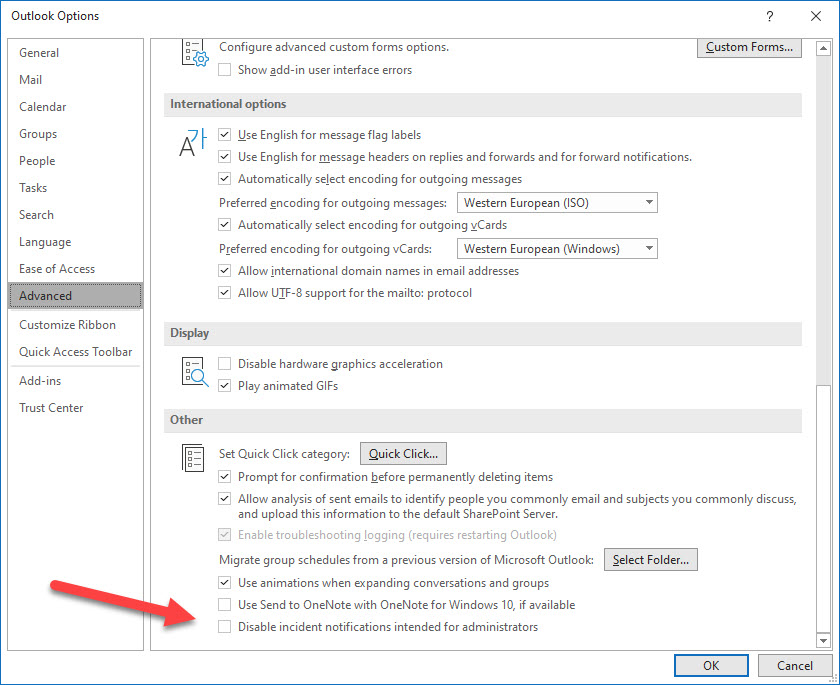
Outlook for Windows boasts a new admin notification panel where incidents affecting the Office 365 tenant show up. It’s an interesting idea, but you wonder if there aren’t more important things for the developers to work on, especially as many other ways exist for administrators to find out when problems happen.
Communications compliance policies scan user messages to detect violations of company or regulatory rules. A change introduces support for hybrid users whose mailboxes are on Exchange on-premises servers. The change might not pick up many new violations, but it does increase the coverage and stops some violations sneaking through, which is always a good thing.
The New Microsoft 365 Security for IT Pros eBook is now available from Gumroad.com. The book is modeled after Office 365 for IT Pros and covers the essential steps tenant administrators should take to secure and defend their organizations. Security is something that everyone involved in tenant administration needs to think about, so it’s good to have some solid advice from the pros.
The latest version of the Edge Chromium browser can read files protected by Office 365 sensitivity labels stored in SharePoint Online and Exchange Online. This might not be the feature that causes you to dump Chrome, but it’s very useful when your tenant uses sensitivity labels.
The Windows desktop client for Teams monitors text as users type chat and channel messages to detect if they switch language. And if they do, Teams can change language for spell checking. The code runs on the client and no data is transmitted back to base. It’s all very intelligent, but you should warn users that it might happen.