Microsoft is changing the SharePoint document library UI for sites used by Teams private channels to make sensitivity labels read-only and move a link into the command bar. That doesn’t sound so important, but it’s part of the preparation for the introduction of Teams Connect, aka Shared channels. It’s just a pity that the text of message center notification MC261534 was so confusing when it first appeared.
A preview for Sensitivity Labels show how they can use Azure AD authentication contexts and conditional access policies to protect SharePoint Online sites. Although you can link conditional access policies to sites with PowerShell, it’s a lot easier to make the connection through sensitivity labels. Any SharePoint Online site which receives a label configured with an authentication context automatically invokes the associated conditional access policy to protect its contents.
New PowerShell commands for sensitivity labels can configure default sharing link settings for SharePoint Online sites. Any site assigned a label configured for default sharing links inherits those settings within 24 hours. Also available is the ability to apply default sharing link settings at a per-document basis.
Licensing is everyone’s favorite topic. Combine it with information protection and governance and peoples’ eyes glaze over. Even so, it’s important to know what information protection and compliance features need which licenses as you don’t want to get into a position where something stops working because Microsoft enables some code to enforce licensing requirements. This post covers the basics of licensing and how Microsoft differentiates between manual processing and automated processing when deciding if a feature needs a standard or premium license.
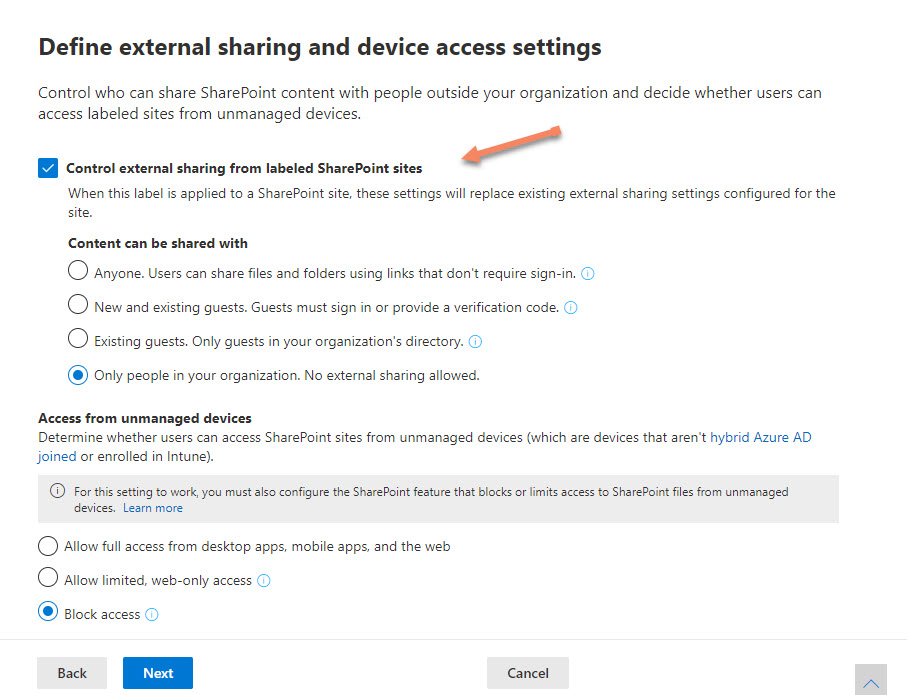
The latest update for sensitivity labels allows them to control the external sharing capability of SharePoint Online sites. It’s a powerful example of policy-based management in action and demonstrates just how useful sensitivity labels will be as Microsoft steadily builds out the set of controls available through labels.
Sensitivity labels are a great way to protect confidential documents stored in SharePoint Online. Sometimes the documents must be decrypted. This article explains how to build a PowerShell script which uses Graph API calls to navigate to a folder in a SharePoint Online document library and decrypt the protected documents found in the folder.
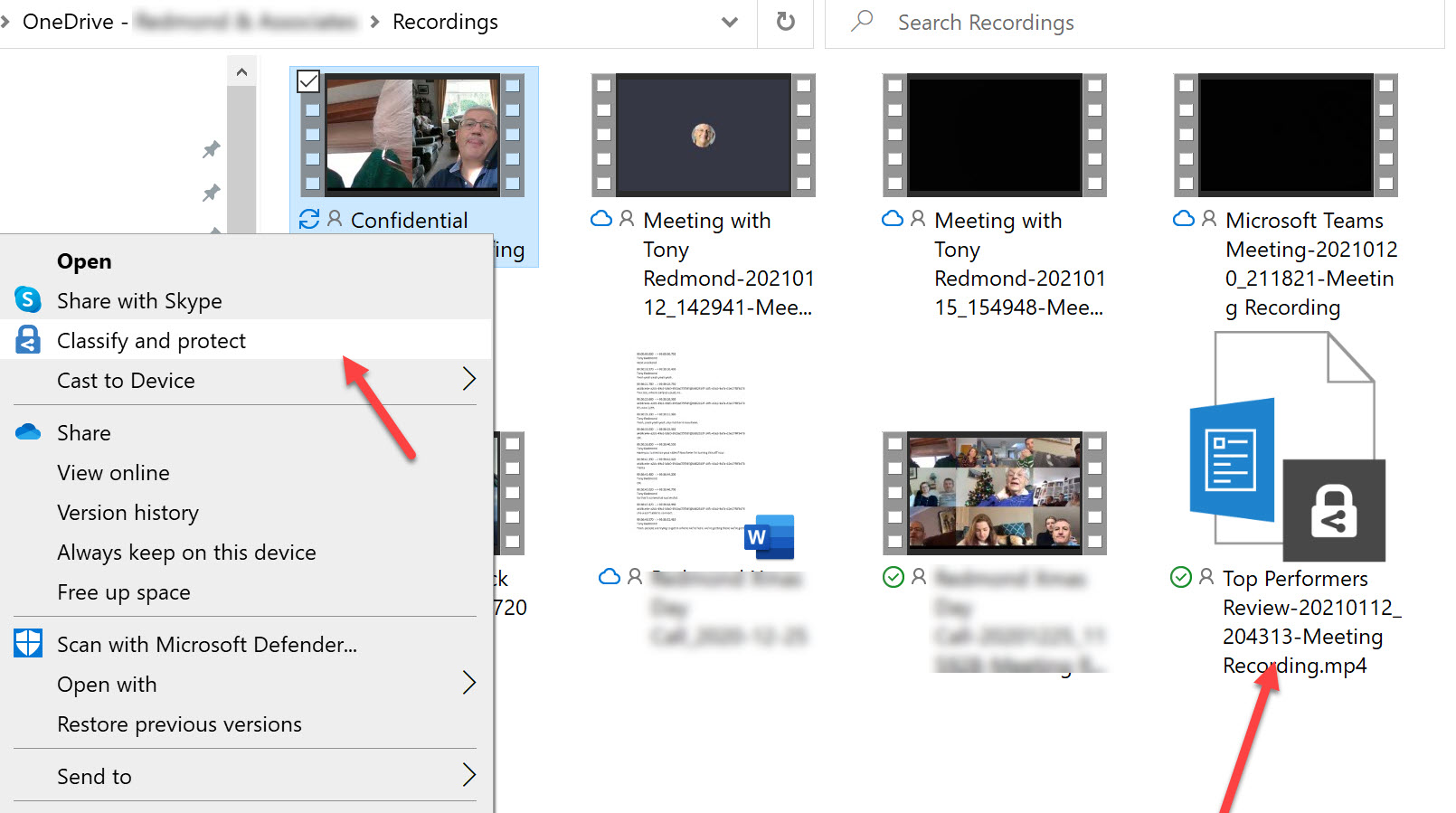
OneDrive for Business now stores Teams meeting recordings. You can protect files with sensitivity labels, but does this have any side effects for Teams? As it turns out, it does because the protective wrapper which encrypts the recording breaks the link to Teams. This might not be important if you need to protect a confidential recording and restrict access to a known set of users, but it’s something to consider before applying any labels.
Audit records are a great way to gain an understanding of what happens inside Office 365. We use PowerShell to report actions taken with sensitivity labels such as protecting files and containers. The latest development is the addition of support in the Microsoft 365 apps for enterprise (Office desktop) to log audit events when users interact with sensitivity labels. Unsurprisingly, more events are often logged by the desktop apps than their online equivalents.
The container management settings of sensitivity labels can now manage the external sharing capability of SharePoint Online team sites. The same settings as available in the SharePoint admin center or PowerShell can be applied through a label. Caching means that new settings in a label might not be picked up by SharePoint Online for up to 24 hours.
When you use an Office 365 content search to find items, the results from Exchange Online might include some encrypted attachments. A change means that the attachments can now be decrypted to make it easier for investigators to review the information. It’s a small but important change, just like the update to Edge which stops ClickOnce programs running unless an Edge setting is enabled. All good, clean, honest fun.
The latest version of the Edge Chromium browser can read files protected by Office 365 sensitivity labels stored in SharePoint Online and Exchange Online. This might not be the feature that causes you to dump Chrome, but it’s very useful when your tenant uses sensitivity labels.
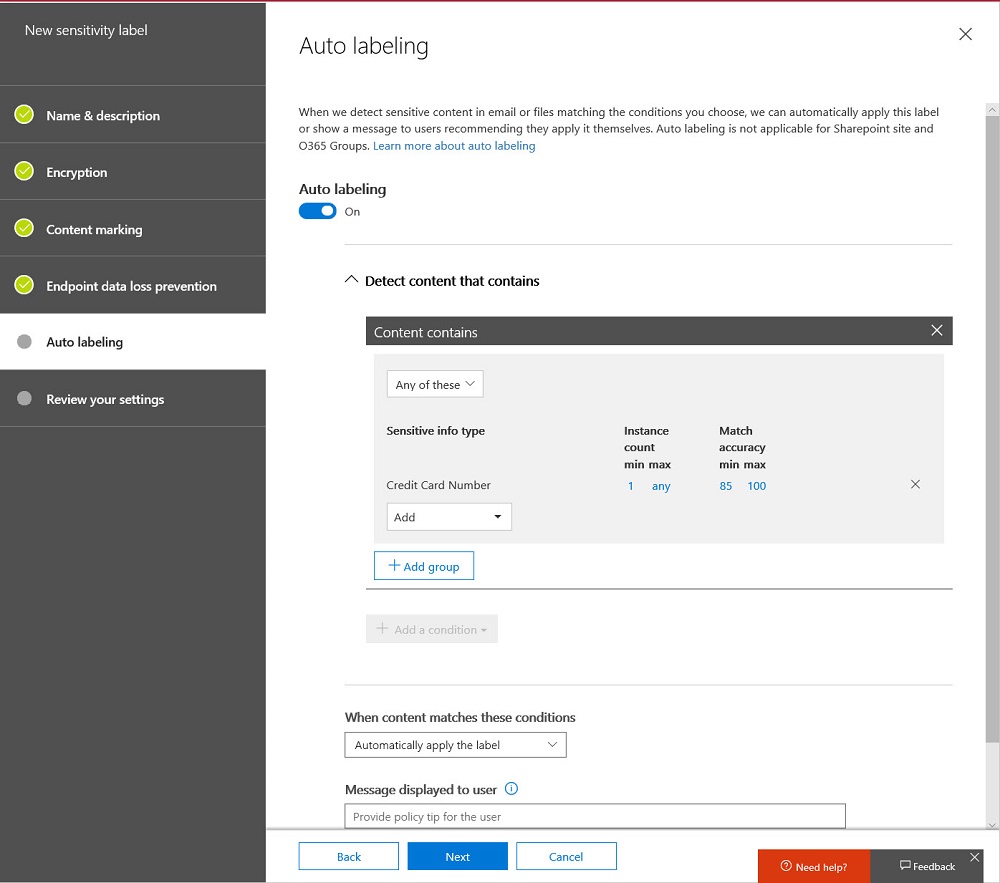
When you need to block external access to your most sensitive documents, Office 365 Data Loss Prevention policies and sensitivity labels combine to find and protect the documents. A really simple policy is enough to detect and block external access, and is covered by Office 365 E3 licenses. If you have E5 licenses, you can consider auto-label policies to find and protect sensitive documents at scale.
Power BI support for Office 365 sensitivity labels is now generally available. Inside Power BI, the labels are visual markers. Encryption is applied when Power BI objects are exported. The interesting thing is that the user who exports content doesn’t have the right to change the label.
Support for sensitivity labels is generally available for SharePoint Online. Users can apply labels to classify and protect documents, but a mismatch can happen between labels applied to documents and the sites where the documents are stored. When this happens, SharePoint Online emails site owners to tell them that a mismatch exists.
Microsoft has released the GA version of the Azure Information Protection client, which reads information about Office 365 sensitivity labels and policies from the Security and Compliance Center. It’s one more step along the path to making it easy for Office 365 tenants to protect their data. Work still has to be done, but at least we can see light at the end of the encryption tunnel.
Microsoft released an update for the unified labeling version of the Azure Information Protection client needed for Office 365 sensitivity labels, which now boast auto-label support. Solid progress is being made to move sensitivity labels to the point where they are considered to be generally available, probably later this year. In the meantime, pay attention to the premium features like auto-label which require more expensive licenses.
Microsoft announced that the Office 365 E3 and E5 plans will receive new Information Protection licenses. They’re preparing for the introduction of sensitivity labels and the increased use of encryption to protect access to content in Office 365 apps like SharePoint Online, Exchange Online, OneDrive for Business, and Teams. You don’t have to do anything to prepare for the new licenses, but it’s nice to know what they are and how the licenses are used.
A collection of news snippets loosely connected to different bits of Office 365 that really don’t justify a separate article. But the factoids are interesting all the same…
Making it easy to protect Office 365 content with encryption is great, but it has some downsides too. One of the obvious problems that we have is that encrypted documents in SharePoint and OneDrive for Business libraries can’t be found unless their metadata holds the search phrase.
Rights management and encryption are likely to be a much more common Office 365 feature in the future. Sensitivity labels makes protection easy for users to apply through Office apps. The downside is that protection makes content harder to access for some Office 365 and ISV functionality.
The availability of Azure Information Protection and Office 365 sensitivity labels allow tenants to protect important and confidential files. That’s nice, but it’s even better when you know what files are protected. Here’s how to use PowerShell to create a report about those files.
Azure Information Protection rights management templates now support the Any Authenticated Users permission to allow Office 365 users to share email and documents with anyone who can authenticate with Azure Active Directory or has an MSA account or uses a federated service.