Microsoft has extended the temporary increase in the limit for Live Events participants from 10,000 to 20,000 until June 30, 2021. The extended limit reflects the popularity of online events during the Covid-19 pandemic. After this point, you’ll need a Teams advanced communications license to organize a live event for more than 10,000 participants.
The standard Teams search function can unearth a lot of information in chats and channels. Using filters, precision searches, and contextual searches makes it easier to find what you need, even if you might have to learn some new tricks. But life is full of new experiences, and so is search.
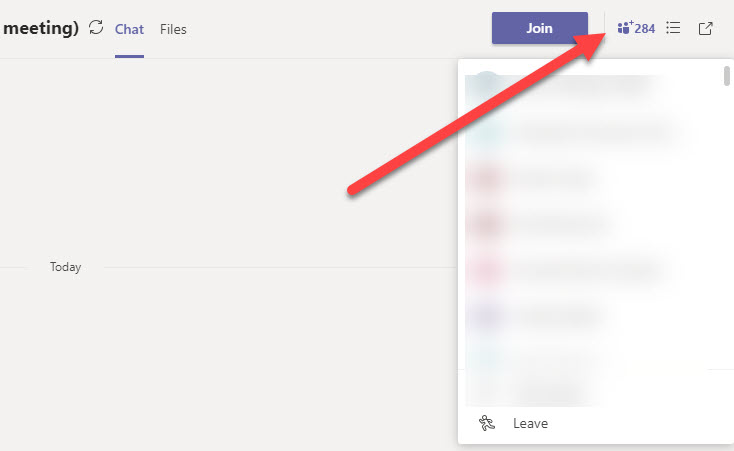
The new information pane available in Teams desktop and browser clients gives information about recent contributors and is the relocated home for system messages. You can certainly debate what makes someone a recent contributor as some of those listed don’t seem to be too active. Maybe it’s one of those AI algorithms that will be tweaked over time…
Teams meeting organizers can download a participant report to note who attends a meeting and when they were present. If you forget to download a report while the meeting is active, you’ll have to make up the attendance roster, and that would be a bad thing.
Because it sits on top of so many Microsoft 365 components, Teams is easily the hardest Office 365 workload to backup. You can try to backup Teams by copying its compliance records stored in Exchange Online, but that’s only a partial (and bad) solution that utterly fails to take the full spectrum of Teams data into account.
You can apply an Office 365 Sensitivity Label to control different aspects of Groups, Teams, and Sites. One of the settings controls whether guest users are allowed in group membership. We explain how to use PowerShell to search groups assigned a label to block guest access for existing guests, just in case you want to remove them.
Teams is removing system messages from the General channel in teams. System messages tell users about events like new members, but they’re really not that interesting, unless you’re fond of tracking the comings and goings of members, much like a noisy neighbor behind a curtain. Uncluttering the General channel is no reason to let it degrade, so keep it for important stuff and force conversations into other channels.
You can use Microsoft 365 Groups and distribution lists to schedule meetings in the Teams calendar app, but sometimes you can’t schedule meetings with Teams. That sounds odd, but it’s because of the way that Teams selects groups from the Exchange Online GAL to show to users in the “picker” control to select meeting attendees. You can make changes to have Teams show up in the GAL, but that might not be enough if you want everyone in the team to receive meeting invitations.
Microsoft is raising the limit for Teams meetings and group chats to 350 participants. The group chat limit was increased to 250 in early May. The new increase is temporary and Microsoft will review it in September to decide whether to keep it at 350. The update is already rolling out and should be available worldwide in mid June.
A new setting available in Teams meeting policies allows Office 365 tenants to have per-user control over who can present at meetings. You might want to do this to stop guests presenting. or to limit some people from inviting others to present. I’m not quite sure what the use case is, but no doubt some people will find great value in the new setting.
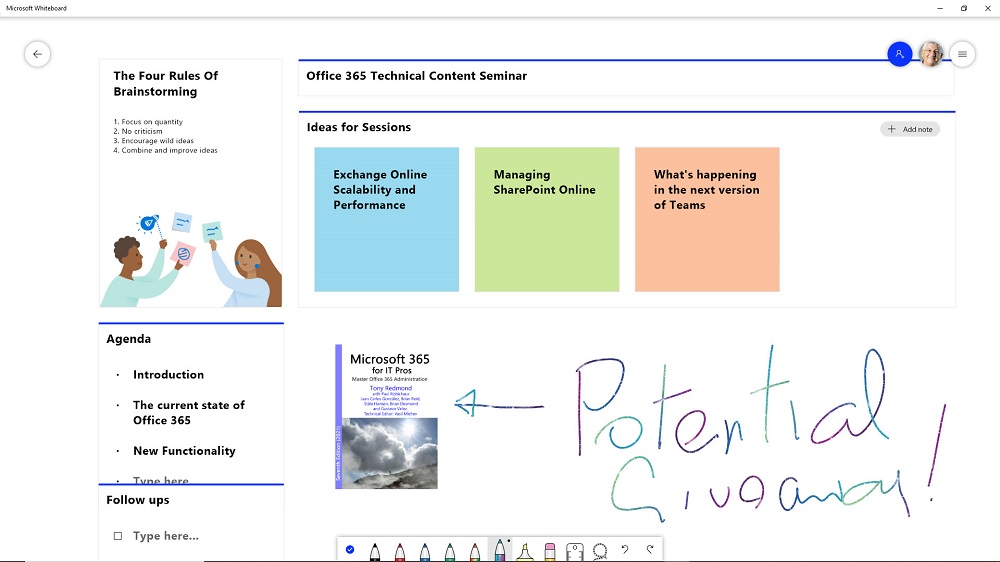
Whiteboard is a digital canvas application that can be loaded into Teams meetings to allow participants to share and develop ideas. The app available in Teams isn’t the most functional way to interact with Whiteboard, what whatever version you use can draw and sketch ideas to share with team members and other people within an Office 365 tenant.
For compliance purposes, the Microsoft 365 substrate captures copies of Teams messages in Exchange Online mailboxes. The compliance records are indexed and discoverable, which means that they can be found by content searches. However, Teams compliance records are imperfect copies of the real data, which is a fact that seems to have escaped many people.
An item in the Teams release notes tells us that analytics are now available for channels. You can find out how many topics and replies are posted within a channel. You’ll probably know what channels are in heavy use anyway, but seeing how little traffic some channels get is a good way of knowing that maybe your teams don’t need those channels.
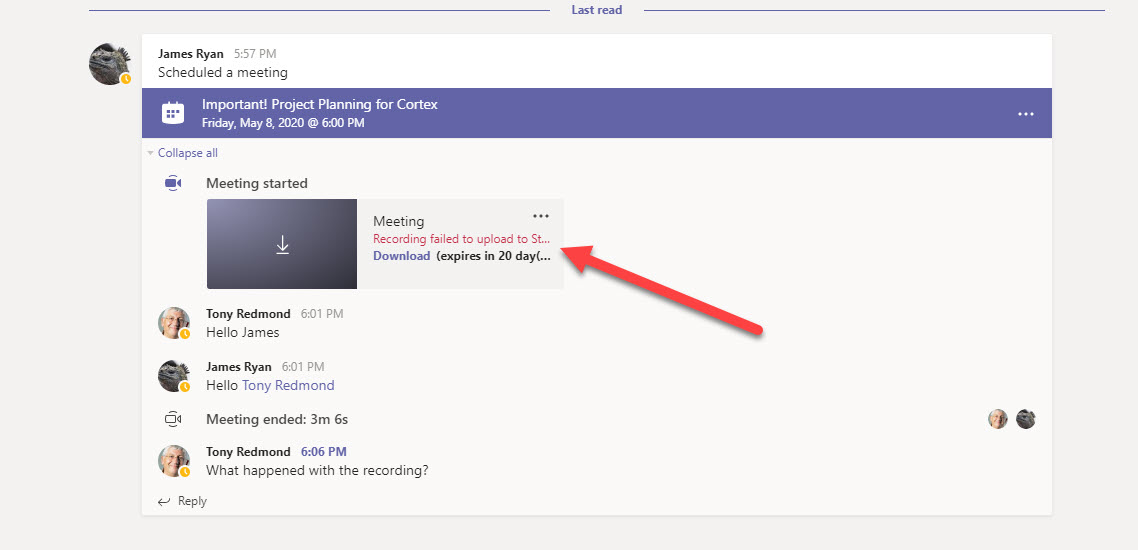
It’s very convenient to be able to record a Teams meeting and have the recording processed and stored in Stream. But what happens when the recording fails to be processed? Usually it’s because the account that starts the recording (the owner) doesn’t have a Stream license. Fortunately, the situation is easily rescued.
Microsoft has updated the Teams meeting policy to introduce a new control over video filters in Teams meetings. The VideoFiltersMode setting controls if people can use background blur and background effects, including the ability to upload custom images. A client update is needed to respect the new setting. It will come at the end of May.
Teams is a highly functional application that receives regular functionality upgrades. This post offers seven tips for making effective use of Teams from pinning important objects to making great video calls. All very practical and nothing too difficult to master.
Microsoft has announced that Stream will no longer create a people timeline in new videos it processes after June 1 and that the feature will be retired. The people timeline feature works well for videos taped in controlled conditions, like studios. It is less successful (and useful) for recordings of Teams meetings, which is where a lot of work for Stream comes from currently.
Microsoft announced on May 1 that the limit for Teams group chats is increasing from 100 to 250. The new limit will be available everywhere by mid-May. Nice as an expanded limit it, large group chats come with some notable decreases in functionality, like losing the ability to display user status messages or read receipts. In some cases, taking a conversation to a channel might be a better idea.
Microsoft reported that Office 365 now has 258 million paid seats (not the same as active users) and Teams has reached 75 million daily active users. That’s impressive growth, with Office 365 adding 58 million extra seats in the last six months. Teams has done even better, sprinting from 20 million to 75 million. The Office 365 infrastructure sometimes shows the strain of handling all the extra users, but some new functionality delivered recently helps.
The Teams Admin Center now includes a Manage Apps page to allow administrators to view the complete inventory of apps available to Teams. Administrators can decide if they want to make apps available to users via Teams app setup policies or block the installation of apps. Each app has a publisher and certification status, but not many apps have been through the full “Microsoft 365 certified” process, including many of Microsoft’s own apps.
In a surprise development, Microsoft announced that recording of Teams 1:1 calls is now available. Some limitations are present and the feature seems rushed, but perhaps this is because people working at home on confidential transactions need the feature, In any case, record away!
Microsoft is updating the Teams default meeting policy to enforce lobby entry for external users. Sounds good, but what does this mean? This post explains what happens and how Microsoft is able to update the default meeting policy for many tenants while not affecting the tenants who have customized their default meeting policy.
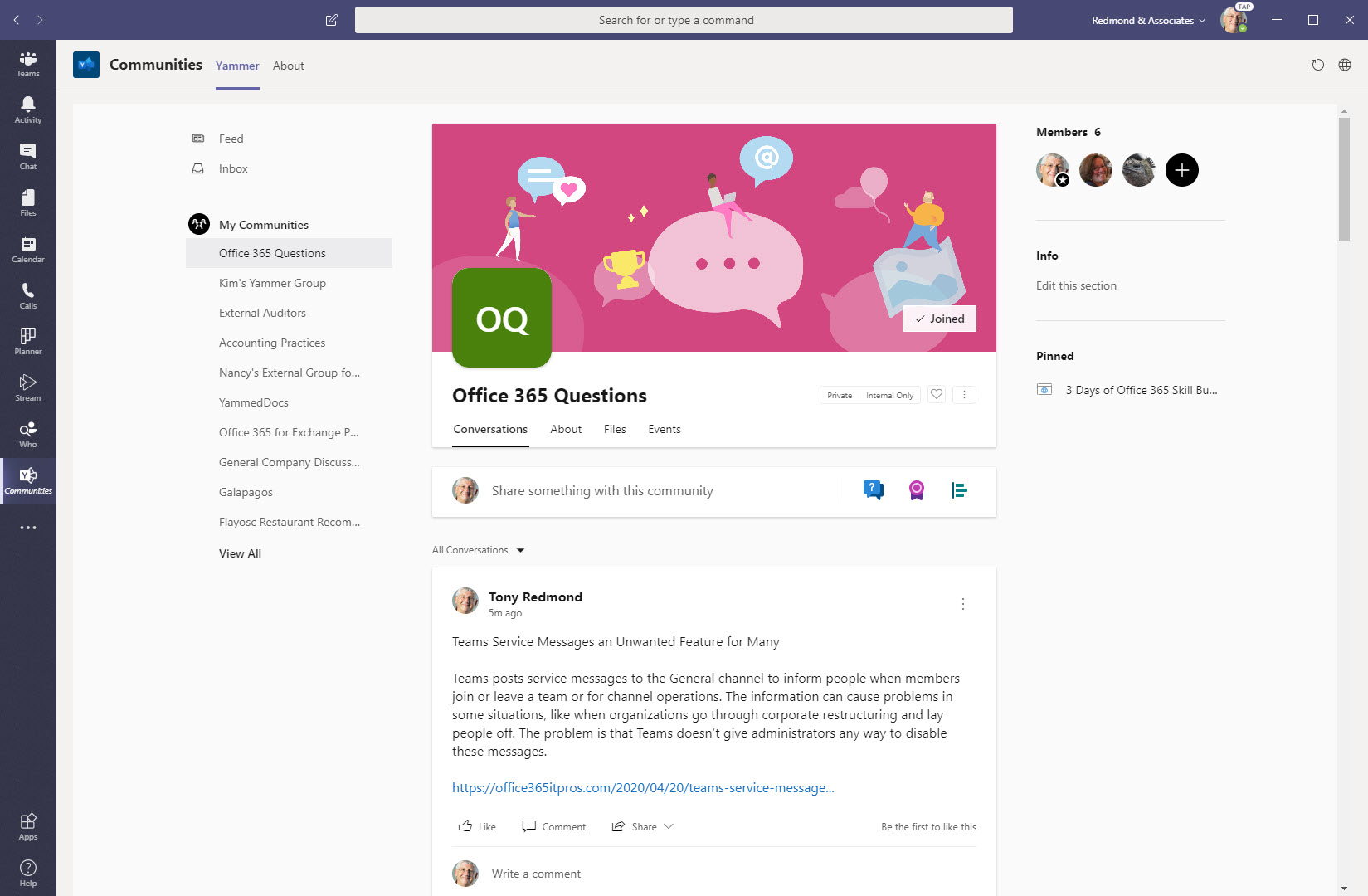
Microsoft has released the Communities app for Teams. The app integrates Yammer into Teams as a pinned app or in a channel tab. The pinned app mode is most functional, even if the channel mode includes a Share to Channel option. Overall, it’s a nice integration, which begs the question as to when the same might be done for OWA?
Teams posts service messages to the General channel to inform people when members join or leave a team or for channel operations. The information can cause problems in some situations, like when organizations go through corporate restructuring and lay people off. The problem is that Teams doesn’t give administrators any way to disable these messages.
Need to be noticed in a Teams meeting? You can now raise your hand (virtually) to attract the attention of meeting participants. No one might notice, but at least you’ve tried. To some, this might be a small feature. To others, like teachers facing large classes, it might be a real boon.
Recent developments sees the ability to stop Teams users updating their photos by enforcing controls in OWA mailbox policies. Organizers can stop Teams meetings without waiting for everyone to leave with a new End meeting option in the meeting menu. Both changes are rolling out.
On April 13, the Teams development group announced they will deliver a 3×3 video view for Teams meetings by the end of April. Further increases in the number of participants shown in meetings are being worked on. Corporate users might not see the value of an expanded view, but it will be welcomed in the education sector.
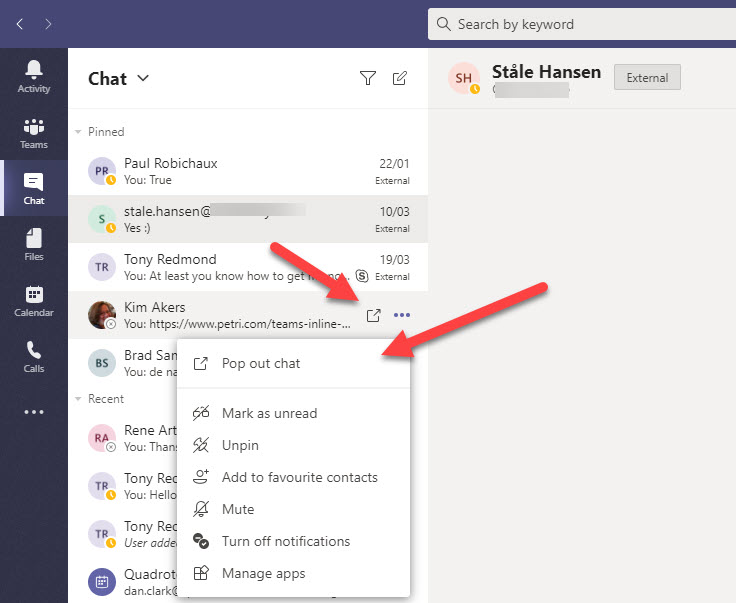
Teams supports pop-out windows for personal and group chats, including those with federated users and Skype consumer users. From June, Teams will support pop-out windows for meetings and calls too. Microsoft plans to roll-out the new meeting window slowly and users will have the choice to use the current or new implementation until August. At that time, pop-out windows for calls and meetings become the norm.
Teams Live Events are a form of Teams meeting that’s more structured than the regular gathering. You won’t use a live event for every meeting, but they’re very valuable for scenarios like company town halls, product announcements, and so on. It’s easy to create a live event and a little practice goes a long way to broadcasting solid performances.
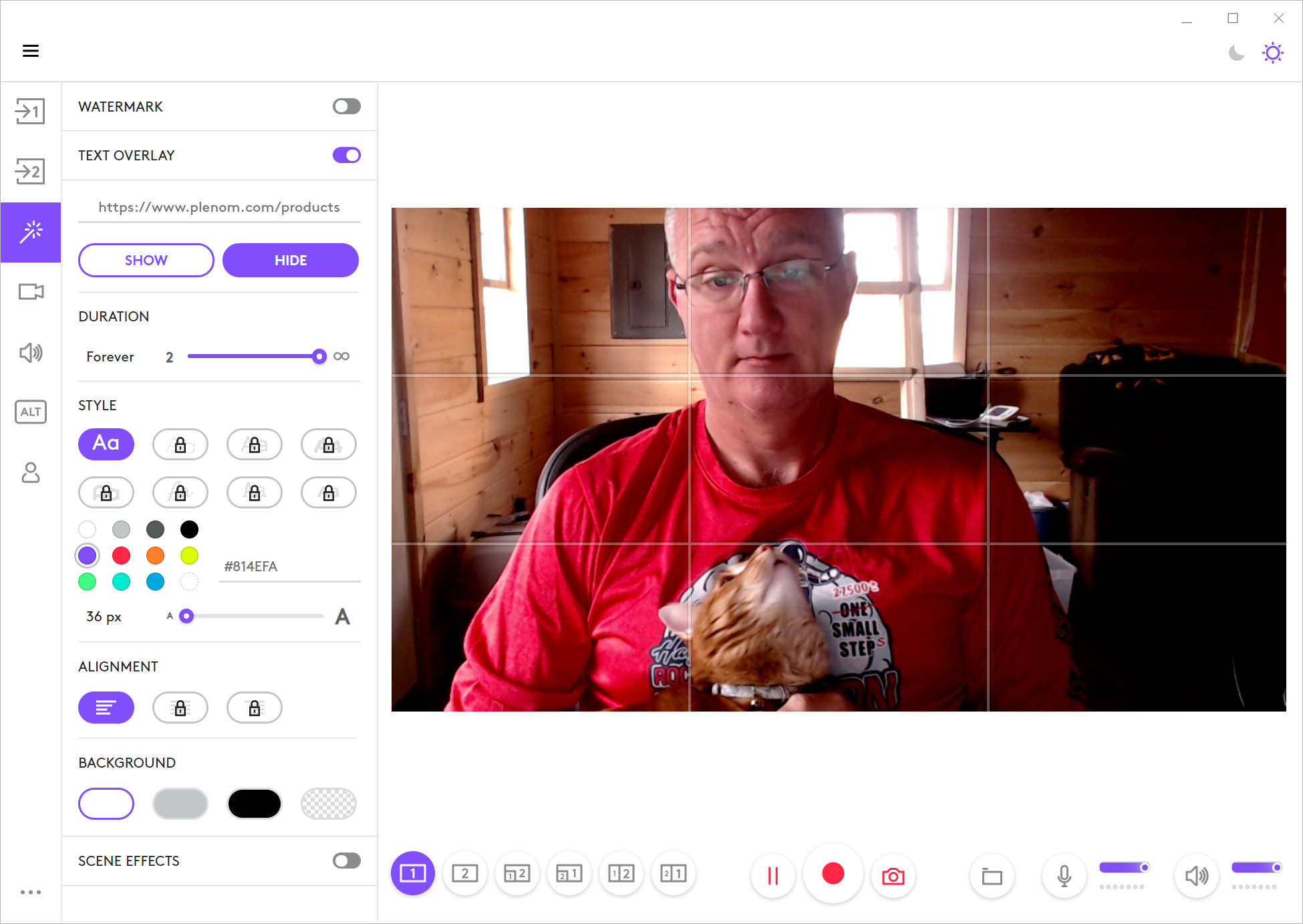
The Plenom Busylight is a small LED light that plugs into a USB port on your computer and changes color to reflect your presence status in Teams, Skype, Zoom, Jabber, or several other UC clients. It’s well worth the price to signal when you’re busy to people whom you share your home with.
Teams supports the selection of an image to use as the background for meetings. For now, you can choose from a set of images selected by Microsoft, but soon users will be able to upload their own images and use them in Teams meetings. While we wait for Microsoft to complete some work on admin framework to control image upload, a workaround is available to use custom images today.
Despite many hints that Teams will soon be able to use custom backgrounds in meetings, Microsoft hasn’t shipped the feature yet. Some users are trying out software like Snap Camera, and the experience is highlighting some issues that companies might face if employees use custom filters without guidance.
Teams makes it easy to schedule meetings for people to attend online. You can create meetings with Outlook or the Teams calendar app. Notifications go to those invited, but you can’t really invite a channel from a team. If you add a channel to a meeting, that’s where the online gathering takes place. So who gets notified then?
The swelling interest in Teams has driven interest in online meetings. The recording generated from Teams meetings end up in Stream, but how much storage is consumed by these recordings? Stream will tell you an overall figure, but you won’t know how much storage is consumed by individual videos or who’s taking up all the space.
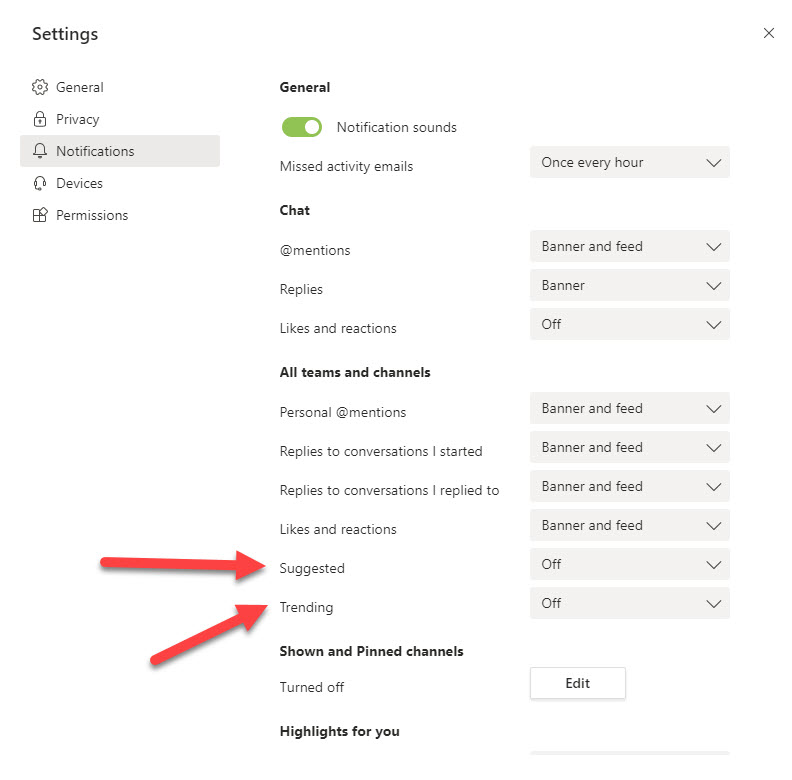
If you look at your Teams activity feed, you might notice some notifications automatically generated because “you might be interested.” The suggested and trending notifications are intended to drive user engagement, which is nice, but experienced users who already have a busy activity feed might want to disable these notifications.
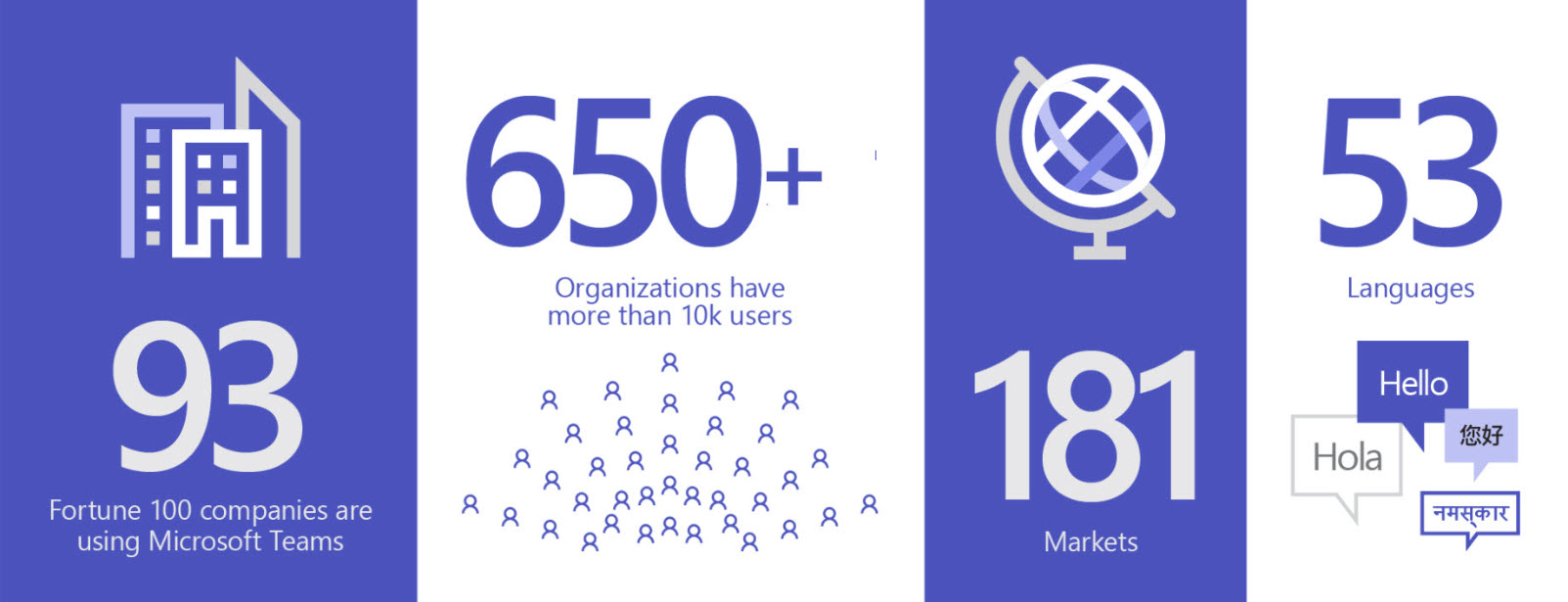
Microsoft says that the number of Teams daily active users is now 44 million, with 12 million of that growth coming in the last week due to the rush to work from home. Perhaps even more impressive is the growth in large deployments, with 650 companies now having 10,000 Teams users and 20 with more than 100,000.
Due to the impact of the Covid-19 virus, there’s been a huge upsurge of interest in using Microsoft Teams to work from home, especially for online meetings. Here’s a collection of practical tips about setting your company and personal network up for Office 365 and how to use Teams to run effective meetings collected from a March 18 gathering to discuss best practice about working from home with Teams.
The Teams user interface is being updated to allow non-English clients to be able to use @Team and @Channel mentions in local language and English. It’s a small but important point for those who work in a multi-lingual world. The Teams translate feature works pretty well too, even if you translate from one language to another and then to another.
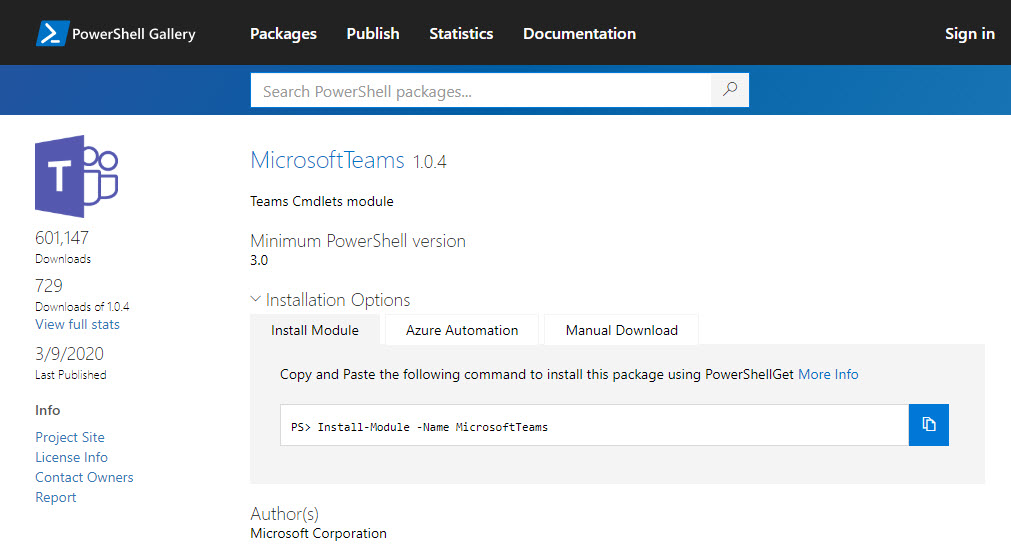
Microsoft released Version 1.0.4 of the Teams PowerShell module on March 9. The new module comes with some useful updates and is recommended for anyone working with Teams through PowerShell. And if cmdlets don’t do the job for you, there’s always the Microsoft Graph as you can combine PowerShell and the Graph to solve even more problems.
Teams and Skype consumer users can now chat together if the Office 365 tenant configuration allows. Text-only chats and VOIP calls are supported. Teams users have the opportunity to see what Skype consumers have to say before they accept a connection. It’s all part of making sure that Skype for Business Online users can move to Teams without losing connections.