The Microsoft 365 User Passwords and Authentication report now includes the last used date for authentication methods (when available). The new data is available through the Graph beta API for listing authentication methods and the equivalent Graph PowerShell SDK cmdlet. Another change that might break scripts is a new way to expose the created date for authentication methods. The changing sands of Graph programming…
Microsoft 365 Companion Apps are being deployed to Windows 11 PCs now. The apps don’t seem to add much if any value over standard Microsoft 365 apps like Outlook and OneDrive. With that thought in mind, we move to unclutter PCs by either blocking the installation of the companion apps or stopping the apps starting up to take over valuable toolbar space.
A recent report says that new Microsoft leadership wants to reimagine Outlook with lots of many AI features to make the client much more of an effective assistant. While this might be true, it doesn’t mean that New Outlook is dead. However, there’s a bunch of uninformed commentary out there alleging that Microsoft will change course dramatically. I think there is little chance that this will happen.
The Office 365 for IT Pros Team is happy to announce the availability of the November 2025 update. Subscribers can download the PDF and EPUB files for update #125 from Gumroad.com. In other news, we consider the lack of information provided at the Microsoft FY26 Q1 results and the quality of some reports that find their way onto the internet.
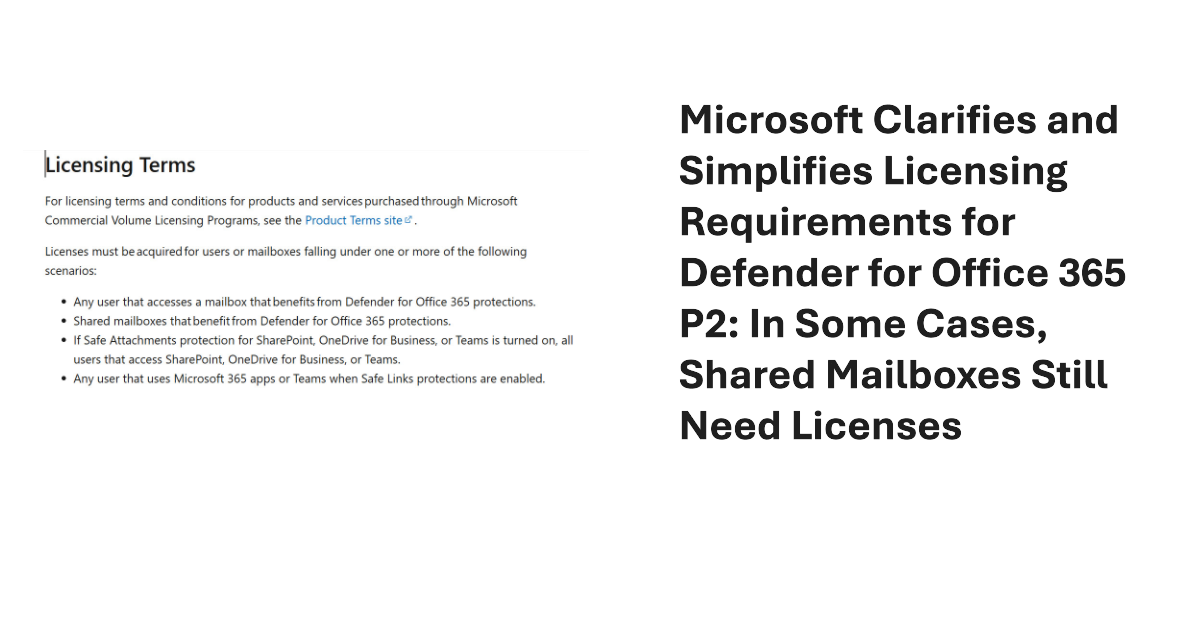
Some inconsistencies in the MDO P2 service description and licensing terms exposed a need for tenants to license every user and shared mailboxes. Microsoft has changed the service description and licensing terms to make them simpler. Mailboxes still need MDO licenses, but only if they benefit from MDO protection, including MDO P2 if that’s what they use. Tenant admins have some extra work to do to deploy policies. All explained here.
The site attestation policy is designed to require site owners to make a positive statement that the settings of their site, including its current membership, are accurate. The idea is that requiring site owners to attest that their site is still needed will force people to decide whether sites are still in active use and should be kept online. If not, the policy can move the sites into Microsoft 365 Archive.
Microsoft announced the modernization of grouping for sensitivity labels to a new “dynamic architecture.” It doesn’t take much to be more dynamic than the previous parent-child arrangement. Even if the announcement is a tad overhyped, it’s still goodness because administrators can now move labels between label groups in a way that wasn’t possible before. The new way of displaying labels should be everywhere in December 2025.
As is the way of the internet, the news that a feature to automatically set the Teams work location for users created a huge fuss about the prospect that managers would keep an eye on employees based on their location. Of course, this is all rubbish. The update automates an existing feature that no sane manager would use to monitor employees.
Teams stores information in a local state file, including encrypted access tokens. A report from a French company explained how to extract and use those tokens with the Graph API. Is this important? It could be if attackers manage to gain access to a workstation, but at that point you’ve got other problems, and maybe using code to decrypt some tokens is the least of your troubles.
Enterprise apps can come from a variety of sources. Most are Microsoft 1st party apps, and the rest are ISV apps. It’s easy to add an app without really intending to, which is a good reason to force users through the Entra ID app consent workflow when they want to add an app. Unhappily, I failed the test and added an app in a moment of weakness. Here’s what happened.
The Entra ID password protection policy contains settings that affect how tenants deal with passwords. Entra ID includes a default policy that doesn’t require additional licenses. Creating a custom password protection policy requires tenant users to have Entra P1 licenses. As explained in this article, once the licensing issue is solved, it’s easy to update the policy settings with PowerShell.
Entra ID is about to introduce passkey profiles, a more granular approach to passkey settings. The change is good, but you might like to check the current passkey settings to make sure that the values inherited by the new default passkey profile behave the way that you want. In particular, check attestation enforcement to make sure that the right kind of passkeys are used.
The November 2025 update for the Automating Microsoft 365 with PowerShell eBook is available online. Subscribers can download the new PDF and EPUB files from their Gumroad account. As always, the update features a mixture of new and updated information, some corrections, and removal of obsolete information. Look no further for guidance about using PowerShell with the Graph APIs to interact with Microsoft 365 data!
A new audio-only recording option for Teams meeting suppresses the video feed from meeting participants when generating the MP4 file for the meeting recording. The idea is to better preserve user privacy during recording playbacks. Few will miss the video stream because the audio is usually more important. The audio is also the basis for the meeting transcript, and that leads to AI-generated outputs like meetings summaries and action items.
Agenda auto-draft is a new feature for OWA and the new Outlook to help meeting organizers create a draft meeting agenda using AI. The Copilot-generated draft agenda contains an introduction and some bullet points created from the meeting subject. It’s not a make or break feature for Microsoft 365 Copilot. Some will like it, if they discover how to use agenda auto-draft.
If you can’t use managed identities, credential resources are a way to manage username and password credentials for Azure Automation runbooks. The Secret Management module is an alternative, and it’s a good option to manage credentials that are shared between interactive scripts and automation runbooks. This article describes how to use the Secret Management PowerShell module to fetch credentials stored in Azure Key Vault for use in an automation runbook.
A recent change has exposed the applications used by the My Sign-ins portal for use in conditional access policies. This article discusses the app-centric nature of Microsoft 365 and Entra ID and why it’s important that the newly-revealed set of applications are available for conditional access processing, just in case the Entra ID agents planned by Microsoft can’t optimize your policies.
One of the settings for sensitivity labels governs how long items protected by a label remain accessible (including offline access) before reauthentication. The default is 30 days, which is a good balance between security and avoiding users having to constantly reauthenticate to open protected messages and files. If necessary, tenant administrators can change the validity period to be anything from 0 to 65535 days.
OpenAI has launched a ChatGPT enterprise SharePoint Connector that allows organizations to synchronize files from SharePoint Online to ChatGPT. I could never understand why Microsoft 365 tenants allowed users to upload individual files from SharePoint or OneDrive to ChatGPT for processing. Using a connector to synchronize entire sites to ChatGPT makes even less sense, especially from a compliance perspective. I must be missing something!
The Copilot usage report Graph API is now generally available. Like the report APIs for the other workloads, the Copilot usage API helps to understand usage of some very expensive licenses. Even better, the usage data can be combined with data from other Microsoft 365 sources to produce interesting and valuable insights. All it takes is some PowerShell to knit everything together.
On Oct 14, 2025, Exchange 2019 and 2016 reach end-of-life and Exchange SE becomes the only supported on-premises Exchange server. In other news, we discuss Microsoft guidance for moving to cloud first identity, HVE and ECS and the extension of basic authentication support to September 2028, the introduction of auto-archiving for Exchange Online, and why Microsoft is deprecating the Contact object from Exchange Online.
Teams users can use emojis to create or rename chat section names. By incorporating emojis into section names, users create “visual anchors” to help navigate through Teams chats and channels. Sprinkling emojis around section names doesn’t really make me navigate any smarter, but it’s a feature that Slack has, so Teams can’t be left behind in the pretty interface stakes.
An update for Chromium 141 can affect the ability of SharePoint Online and OneDrive for Business to access offline content, including files and lists and lead to degraded performance. The change is designed to improve user privacy, but some Microsoft 365 apps need browsers to be able to access local files, notably for OneDrive synchronization. Prepare by upgrading the OneDrive Sync client and distributing a new policy to workstations.
What’s the best way to find SharePoint sites with the Microsoft Graph PowerShell SDK? Is the Get-MgAllSite cmdlet best or should you use the Get-MgSite cmdlet? Does it matter if you’re looking for one site or many sites? We explore the issue in this article by examining some reasons why you’d choose Get-MgSite and others that drive the decision for Get-MgAllSite.
New Graph APIs allow Entra administrators to restore a conditional access policy with a Graph request. This article explains how to list, restore, and permanently remove soft-deleted conditional access policies using Graph API requests run in PowerShell. Being able to restore conditional access policies removed in error closes a big gap, especially if agents might begin working on policies. Who knows what errors might happen in future.
Attackers might attempt to use social engineering to trick Teams users in compromise. Trusted indicators help users understand the status of external users with difficult visual markers. The idea is that users will see the marker and realize that they should be less trusting in their communications. Sounds good. But maybe securing external access for Teams with a comprehensive block list is even better?
Monthly update #124 for the Office 365 for IT Pros (2026 edition) eBook is now available. Current subscribers can download the updated PDF and EPUB files from Gumroad.com. An update is also available for the Automating Microsoft 365 with PowerShell eBook. Like every month, changes are made to many chapters in the book, so if you’re a subscriber, please download the files.
The Outlook events from email feature changes from January 31, 2026. Events will only be created if notifications support the properties for events defined by schema.org. Seeking consistency is a good idea, especially if it means that Outlook can process notifications sent by airlines, car hire companies, and other event providers in a way that doesn’t happen today. However, some disruption is likely.
Microsoft 365 Copilot Search can be extended by ingesting information from external sources through a Microsoft 365 Copilot Connector. In this article, we show how to configure the Enterprise websites prebuilt connector to ingest articles from the Office365ITPros.com and Practical365.com sites, and how Copilot Search presents that information in its results and summaries. It’s quick, easy, and seamless – so really pretty good!
On September 24, Microsoft announced that Anthrophic LLMs could be used with the Copilot Researcher agent and to build agents with Copilot Studio. Although it’s great to enable choice so that customers can choose the AI model they prefer, questions about data security, lack of support for compliance solutions, and adherence to standards like the EU data boundary will concern Microsoft 365 tenants.
With not a little hype, Microsoft launched the SharePoint Knowledge Agent on September 18. Getting some AI help to organize sites sounds good, but only if the assistance delivered by the artificial intelligence does something useful. In this case, the agent generated some moderately interesting results without ever reaching the level of AI magic anticipated (and reported) by some.
An assembly clash happens when a PowerShell module attempts to load a .NET assembly only to find that a different version is already loaded in the session. Unhappily, this kind of thing happens far too often with Microsoft 365 modules, which implies that there isn’t a great deal of coordination between different development groups. All you can do is to load modules in the right order.
A change to a Graph beta API meant that some data used to create the user password and authentication report was no longer available. A script update was required. The experience underlines the truth that developers should not rely on the Graph beta APIs because the APIs are prone to change at any time as Microsoft moves them along to become production-ready.
The Office 365 for IT Pros team is happy to announce the availability of the October 2025 update for the Automating Microsoft 365 with PowerShell eBook. Subscribers can download the latest PDF and EPUB files from Gumroad.com. In other news, a new eBook about Exchange Server Subscription Edition (SE) is available. It’s always nice to see new sources of knowledge open up!
The rollout of the Copilot Chat integration with the Microsoft 365 apps has started, with the intention of making it easier to use AI in peoples’ work. Nice as the integration is, the news that an Open in Word action button is coming (soon) to allow content generated by Copilot to be edited in Word is even better. And we round out the week with a note about a change to the domain used by Teams.
Guest account management should be a part of every Microsoft 365 tenant administrator’s checklist, unless the tenant has no guests. That’s possible but given the way that workloads like Teams and SharePoint Online create new guest accounts, the average tenant is likely to have quite a few guests. The question is how to manage guests – with Microsoft’s tools or using tenant-designed PowerShell scripts?
The Entra ID Keep Me Signed In (KMSI) feature creates persistent authentication cookies to allow users to avoid sign-ins during browser sessions. Is this a good or bad thing and should Microsoft 365 tenants enable or disable KMSI. I think KMSI is fine in certain conditions and explain my logic in this article. Feel free to disagree!
Microsoft 365 Copilot now has some SharePoint skills to deploy in the SharePoint admin center. The problem is that the skills aren’t very good and don’t do much to help hard-pressed SharePoint Online administrators cope with the vast explosion of sites that exist in many tenants today. The problem is data. If Copilot doesn’t have the information to reason over, it can’t answer questions or give advice.
Microsoft plans to deploy an update to change how transcription behaves for Teams meetings where Copilot is enabled. New meetings will not generate a transcript unless the meeting organizer explicitly enables transcription or the Microsoft 365 tenant deploys custom meeting policies that enable transcription with Copilot. The AI features work even without a transcript. But no transcript means no searchable artifact, and that’s what some want.
This article describes the prerequisites and how to run cmdlets from the Teams PowerShell module in Azure Automation runbooks. We also consider when you’d want to consider using Teams PowerShell cmdlets instead of Graph API requests or cmdlets from the Microsoft Graph PowerShell SDK. The bottom line is that it’s possible, but maybe not a frequently-used option.