Phishing attacks through email happen all the time. A new relatively crude one arrived today. It’s easy for the trained eye to detect phishing, but do your Office 365 admins know how to use the tools available in Exchange Online Protection to suppress malware, and do your users know the signs of bad email? In this case, it’s an invitation to click to get to a PDF document to bring you to digitaloceanspaces.com. Some interesting things might happen afterwards, but I really don’t want to find out what occurs when I click the link.
In one of those interesting (but possibly worthless) facts discovered about Office 365, we find that audit records are captured for Teams compliance records written into Exchange Online group mailboxes. The Search-UnifiedAuditLog cmdlet reveals details that we can interpret using some techniques explained in Chapter 21 of the Office 365 for IT Pros eBook.
Update #11 for the Office 365 for IT Pros eBook is now available. Subscribers can download updated files from Gumroad or Amazon Kindle (depending on which version you bought) and benefit from the 16 updated chapters. ePublishing is the only way to keep up with the volume of changes in Office 365, and Office 365 for IT Pros is the only book that keeps up. But you know that anyway because you’re reading this site!
A recent Petri.com article set out the case that the technical lead for Office 365 deployments is best found in the ranks of people experienced with Exchange.The uphot was a flurry of tweets where people who worked with SharePoint and Skype explained their (strong) feelings on the matter. The upshot was an online debate to explore the attributes of people who lead successful Office 365 deployments. You can listen to a recording online.
Office 365 changes all the time, which is good because it keeps the Office 365 for IT Pros writing team busy and happy. Discussions this week included Microsoft’s response to a Dutch DPIA, the effect large Teams have on Yammer, how Exchange Online validated a fix to a security problem, and graphics to help understand the components of the Microsoft 365 E3 and E5 plans.
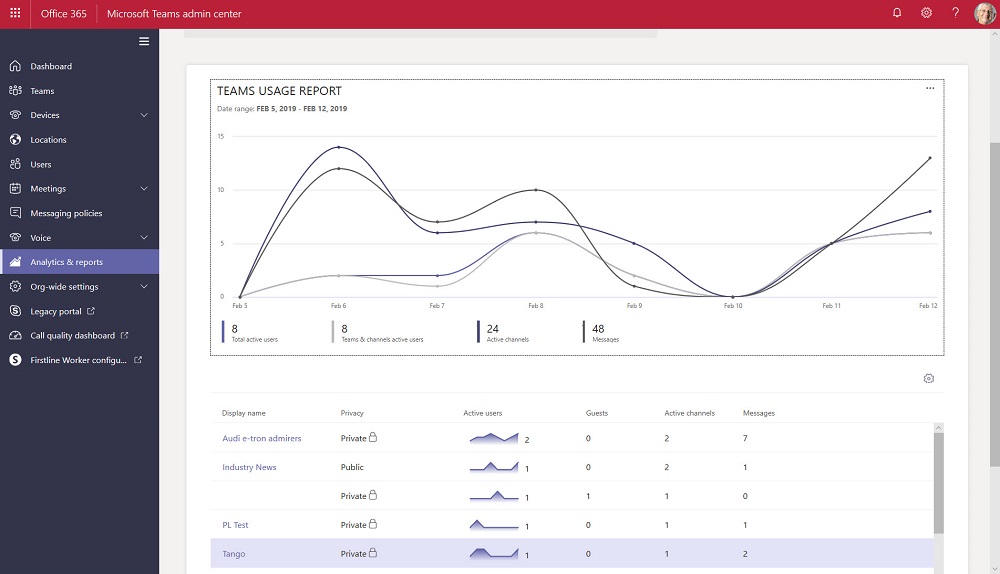
The Teams Admin Center has been renamed to remove any reference to Skype for Business Online. The console now includes a set of new Teams usage reports. The reports differ from what’s available in the Office 365 Admin Center and aren’t quite as powerful, but we can expect Microsoft to improve and refine these reports over time.
The January 24-25 Azure Active Directory outage demonstrated once again how important AAD is to Office 365. Microsoft’s Post Incident Report tells us what happened to deprive 1% of the users in Europe of service. That doesn’t sound a lot, but you’d be mad if you were affected.
The Search-Mailbox cmdlet is a very powerful weapon for Exchange administrators. It has some quirks, but the Invoke-Command cmdlet helps us get around one, which is how to use a different search query for each mailbox processed in a set of mailboxes.
Teams users can now set their own status message to inform co-workers about what they’re up to for the next few hours, days, or on an ongoing basis. It’s a small but useful feature that seems to have crept into Teams without much publicity!
After a brief hiatus, the recording for episode 13 of the Office 365 Exposed podcast is now available. We think it includes some interesting topics and the arguments aren’t too heated. See what you think and let us know in the comments.
Microsoft revealed that Teams now supports a membership limit of 25,000 members per team (March 2021). The new maximum will help large organizations like Accenture (the largest user of Teams). Even with the increased limit, Teams might not be the best choice for organization-wide communications for the largest companies. Yammer is still the Microsoft collaboration scalability champ.
Some backup vendors think that corruption can lead to data loss within Office 365. The possibility exists, but the page patching mechanism for databases incorporated into Exchange Online DAGs makes corruption a lot less likely, especially when mailboxes are protected by four database copies and Exchange applies many other techniques to ensure the consistency of the databases.
The new version of OWA (sometimes called Outlook on the Web, or Outlook Web Access) is now generally available to all Office 365 tenants. Although the new OWA has some nice features, you might want to turn off the user choice (toggle) to move the new UI until you’ve had time to prepare the help desk, documentation, and that sort of thing.
Security alerts from Office 365 Cloud App Security now flow into the Office 365 Audit Log, which means that you can run the Search-UnifiedAuditLog to find the alerts. Unhappily, more work than should be needed is necessary to extract the interesting information from the alert records.
Microsoft has released details of an Exchange Online transport rule to encrypt outbound email containing sensitive data types like credit card numbers. The rule works (after fixing the PowerShell), but needs to be reviewed and possibly adjusted to meet the needs of Office 365 tenants.
A new report commissioned by Microsoft explains how Exchange Online and the Security and Compliance Center meet the electronic records requirements of regulatory bodies like the SEC and FINRA. Within the report, there’s some news about changes to the way that Office 365 handles Teams compliance records stored in Exchange Online. And after all that, we consider how some backup vendors treat Teams compliance records as equivalent to the data stored in the Teams Azure services.
According to Microsoft’s FY19 Q2 results released on January 30, Teams is now used by 420,000 organizations. That’s a strong growth rate over the 329,000 number given at Ignite 2018. And with Office 365 still growing, there’s plenty of room for Teams to expand.
The internet makes it easy to find material to read about technical topics. Unfortunately, a lot of content is rubbish. In this post, we compare two recent technical articles and explain why we think one marketing post is good and the other isn’t up to scratch.
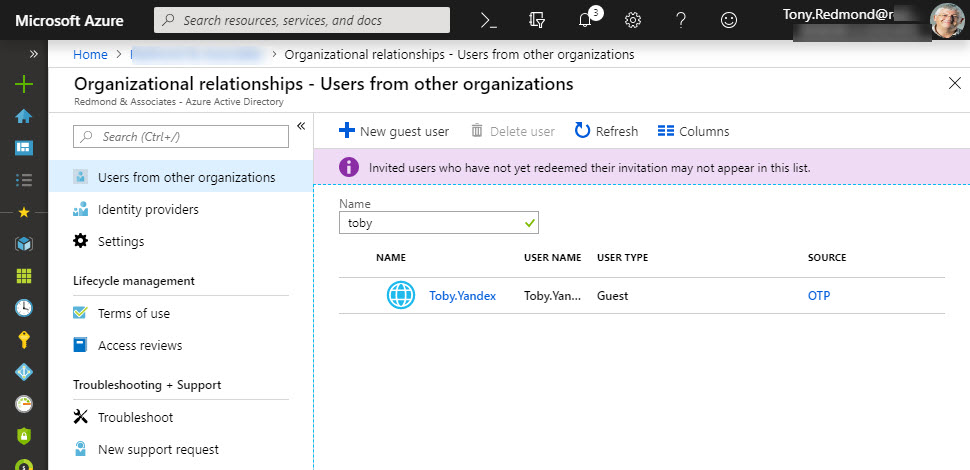
Microsoft has launched email one-time passcodes (OTP) into preview for Azure Active Directory guest accounts. It’s all to do with better collaboration. OTP doesn’t support Teams, Planner, or Office 365 Groups yet, but it can be used to share documents from SharePoint Online or OneDrive for Business.
A recent article prompted a check to see whether a PowerShell recommendation made sense and delivered better performance when executing a command to extract the membership of Office 365 Groups performance. As it turns out, the recommendation is valid, but whether you notice any difference is arguable.
Delve has options to export user information that seem to have been added to help Office 365 tenants comply with Article 15 of GDPR. Unhappily, the export is rudimentary and the JSON information will be impenetrable to normal human beings.
It’s easy to be fearful when companies move work to the cloud. But the simple fact is that there’s more work than ever before to do to master all of Office 365. Just go looking!
The new version of OWA is maturing and new features are turning up on a weekly basis. You can now schedule a Teams meeting from OWA and the prospect of joyful animations hang in the air. But only for Office 365 users as there’s no sign that the new OWA will come to Exchange on-premises servers.
Updated Files Office 365 for IT Pros Now Available The Office 365 for IT Pros writing team is thrilled to release the 10th update for the 2019 edition. Dated January 21, 2019, the updated files are now online and available on Gumroad.com (for subscribers who bought the EPUB and PDF versions) and Amazon (for those …
Read More “Office 365 for IT Pros January 2019 Update Released”
Microsoft’s new Network Performance Tool is a proof of concept for Office 365 tenants to check network connections to Microsoft’s network and Office 365. The tool might help you understand more about your connection into Microsoft, but it won’t fix any last mile problems.
A collection of news snippets loosely connected to different bits of Office 365 that really don’t justify a separate article. But the factoids are interesting all the same…
We’re confused because people continue to buy the Kindle version of the older edition of the Office 365 for IT Pros eBook for $50 more than the current book. The only reason we can think this happens is the reviews the older book has.
The Shifts app is now available to Office 365 tenants worldwide. Hosted as a Teams app, the idea is that managers can build out and publish schedules for hourly-paid frontline workers, who can then view their hours and request changes.
It’s easy to create a webhook connector to post information to a team channel or an Microsoft 365 group. What might not be quite so easy is formatting the JSON payload. Here’s how to use a template card to simplify the process.
We all make mistakes – it’s part of life. But it’s sad that so many web sites and blogs pick up and repeat mistakes found in press releases and other material. Life would be better if we had more time to consider what we publish, but the speed of the cloud sometimes makes time hard to find.
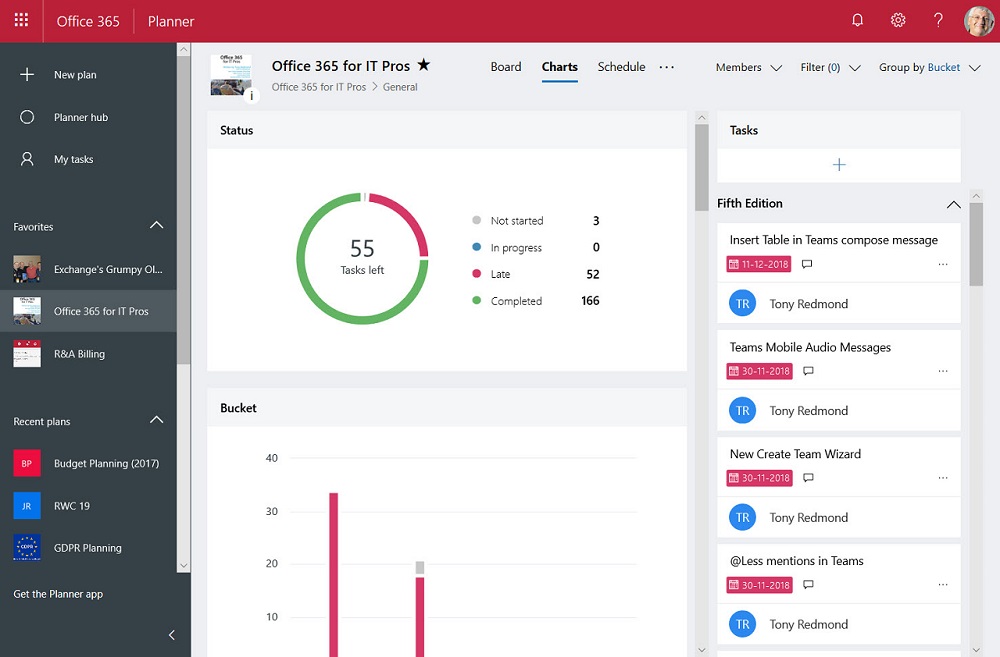
The Office 365 Planner app is now available for U.S. Government Cloud tenants. Only it’s not the full Planner because some bits still have to be tested to make sure that they meet government standards.
A change made to fix a problem in Exchange Online introduced another problem in that service domains started to show up as prefixes in the data returned by PowerShell cmdlets. Microsoft has reversed the change, but the way things happened creates some questions.
Office 365 tenants can use Exchange transport rules to apply autosignatures to outbound email, including messages protected with encryption. You can even include some properties of the sender extracted from Azure Active Directory, and you can add an exception so that the autosignature isn’t applied to replies.
Exchange Online now captures session identifiers in its mailbox and admin audit records that are ingested in the Office 365 audit log. That’s interesting and useful, but how do you access and interpret this information on a practical level?
Exchange Online will soon capture audit records for any access to a message in a mailbox. Initially, the audit records will not be ingested into the Office 365 audit log, but that will happen in the future.
Microsoft’s announcement that MyAnalytics is available to many more Office 365 users is welcome. The technology interest in the announcement is the spread of coverage to include SharePoint Online, OneDrive for Business, and Teams.
A recent update means that you can now apply column formatting for SharePoint Online lists and document libraries without the need to write JSON code.
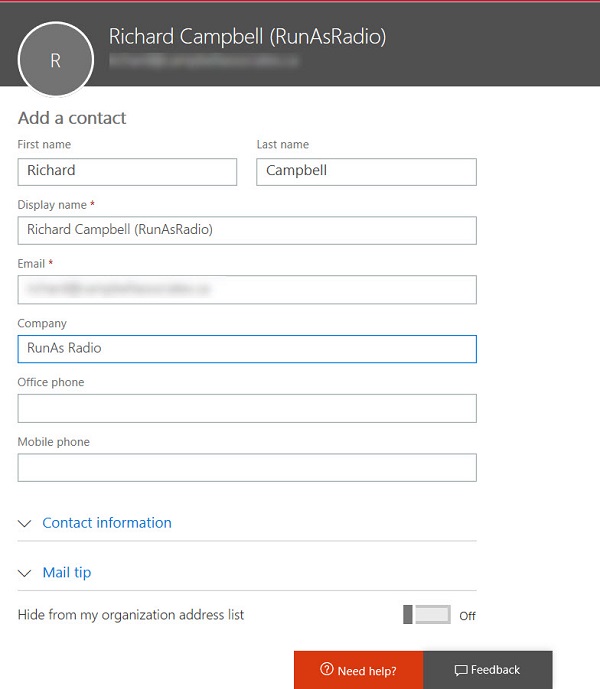
You can use a public folder to store and share global email contacts, but a better approach is to use Exchange mail contacts. These objects show up in the Exchange GAL and OAB and are available to all Outlook clients (and some third-party clients too).
The Save for Later feature gives SharePoint Online users a way to mark documents and news items so that they can easily follow up and read the full content of those items.
After being accused of bias against Yammer, I thought about whether this is true. But it’s not bias – it is frustration that Yammer remains so detached from the rest of Office 365 six and a half years after Microsoft bought the technology.