Exchange Online transport (mail flow) rules are a powerful way to manipulate messages as they pass through the transport system. In this example, we look at how to BCC messages sent by some employees for management review. I’m not sure that this is a good idea (for many reasons), but the need does exist to copy messages automatically, so we explore the use of transport rules as a solution.
Every Exchange Online tenant has four mailbox plans. Exchange uses the plans to populate some important mailbox settings based on the license assigned to the mailbox owner. This article explains the four mailbox plans, how to update the plan settings, and some of the things you can’t do with mailbox plans. We also include some PowerShell to report the mailbox plans assigned to users in your Office 365 tenant.
Microsoft plans to surface recommendations to use communications compliance policies as part of its DLP workflow. That sounds acceptable, but it’s the second example of how Microsoft pushes high-priced premium features to Office 365 tenants through DLP. Apart from the undesirability of pushing features to customers through software, communications compliance is not something that you implement on a whim, so why does Microsoft think this is a good idea?
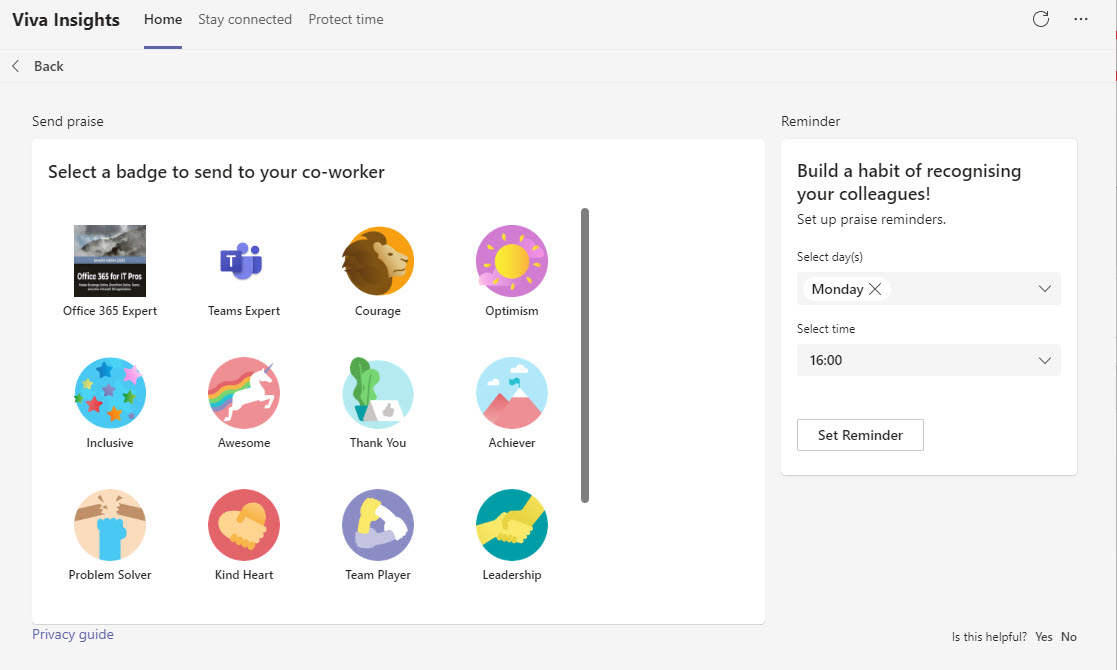
The Viva Insights app will soon have the ability to display the last six months’ data about praises users receive and send. This stunning engineering achievement will bring joy to the folks who like to send praise around. It leaves me cold. I’m probably not the target audience interested in praise history.
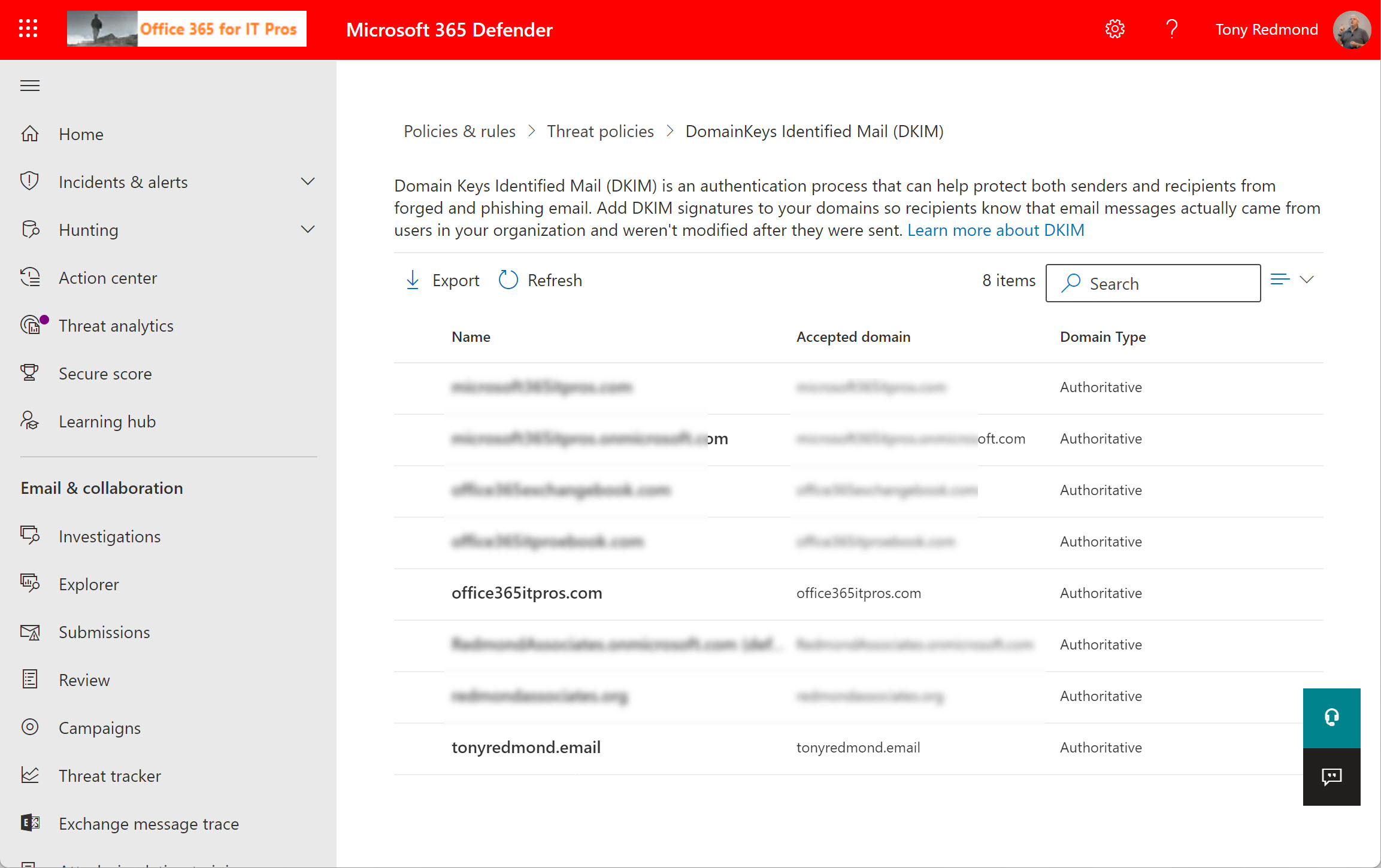
A new Microsoft 365 DKIM management page is a good prompt to check that all domains used to send email in n Office 365 tenant are configured properly for DKIM. The process of enabling DKIM and key rotation is easily done through the GUI or PowerShell once the correct CNAME records are in DNS.
After upgrading to Windows 11, you have Chat in the taskbar. This is really a Teams personal client, meaning that you end up with two Teams clients on the PC. To make life even more confusing, if you search Windows 11 for Teams, you see the personal version suggested first. Some pruning of clients is needed.
Most Microsoft 365 tenants will have to manage the mailboxes of ex-employees. Retention policies are an excellent method to achieve this goal, if you remember to add mailboxes to a suitable retention policy before deleting their Azure AD account. In this article, we consider Microsoft’s recommendation to use a specific retention policy for inactive mailboxes and how to go about using such a policy.
The road to modern authentication for Exchange Online is littered with things to do. One action item is to check Apple iOS and iPad devices using Exchange ActiveSync to connect to mailboxes. If these devices were configured to connect to Exchange Online before iOS 12, they’re likely using basic authentication. Right now, the only way to move them to modern authentication is to remove Exchange from the mail app and add Exchange again. It’s a bump on the way to modern authentication in October 2022.
Every Teams deployment has some defunct or obsolete channels. In this article, we explore how to mark unwanted channels as defunct before their eventual removal. It’s a manual but very easy technique that’s very effective when explained to users. As long as everyone remembers to recover any required information from channel conversations before its deletion, everything goes swimmingly
Users attempting to delete SharePoint Online files assigned Microsoft 365 retention labels are blocked. That is, until a change arrives in November to make SharePoint Online and OneDrive for Business behave in the same manner. It’s a good change because it avoid the scenario where users remove retention labels to delete files, which undermines the organization’s compliance strategy. Now, deleted items go into the preservation hold library and stay there until their retention period expires. My only complaint is that the control over the mechanism is not as simple as it should be, but that’s a small and relatively unimportant flaw in the overall scheme of things.
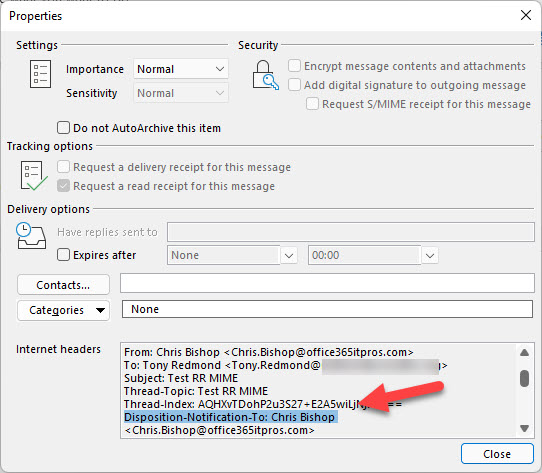
A reader request asked how to force users to send read receipts. This is a client-side feature so the settings involved differ from client to client. We explore how to control them in OWA and Outlook for Windows. A mixture of PowerShell and system registry settings help create a solution. We’re leaving figuring out how to manage other clients to our readers.
A new Teams search results page (in preview) makes better use of space, presents results in a clearer manner, and is more accurate. Even after stripping away the normal Microsoft hyperbole and grand statements about artificial intelligence powering everything, there’s lots to like about the change, which should show up to all tenants in mid-November.
A Microsoft October 5 announcement gives a clear signal that Exchange Web Services is on a short runway to oblivion. The first step is the removal of 25 APIs on March 31, 2022. It’s all part of the master plan to get Office 365 tenants and ISVs to move to the Microsoft Graph APIs. This is a perfectly laudable ambition but it’s complicated because of the lack of suitable Graph APIs to handle the volume of Exchange data involved in scenarios like backup/restore and migration. Teams has a new Graph Export API, but it introduces consumption metering and charging. Is a new Exchange API coming and will it use the same charging mechanism? We live in interesting times…
A recent update to OWA adds the option to allow users to choose which proxy addresses assigned to a mailbox they would like to send messages from. It’s a small change which completes the client support for the earlier server-side update to allow users to send using mailbox proxies, and it makes using proxy addresses more approachable and useful. OWA also includes a drop-down list in the compose message screen to allow users to select an address to send from, and makes sure that message headers are updated correctly so that messages go back to the right address.
The preservation hold library is an important component of SharePoint Online retention processing. A change coming in November should simplify file handling and reduce the amount of storage taken up by retained files in the library. Basically, instead of storing multiple versions of a file, SharePoint Online will hold a single file containing all the updates. It seems like a good change to make. We’ll know more when it rolls out.
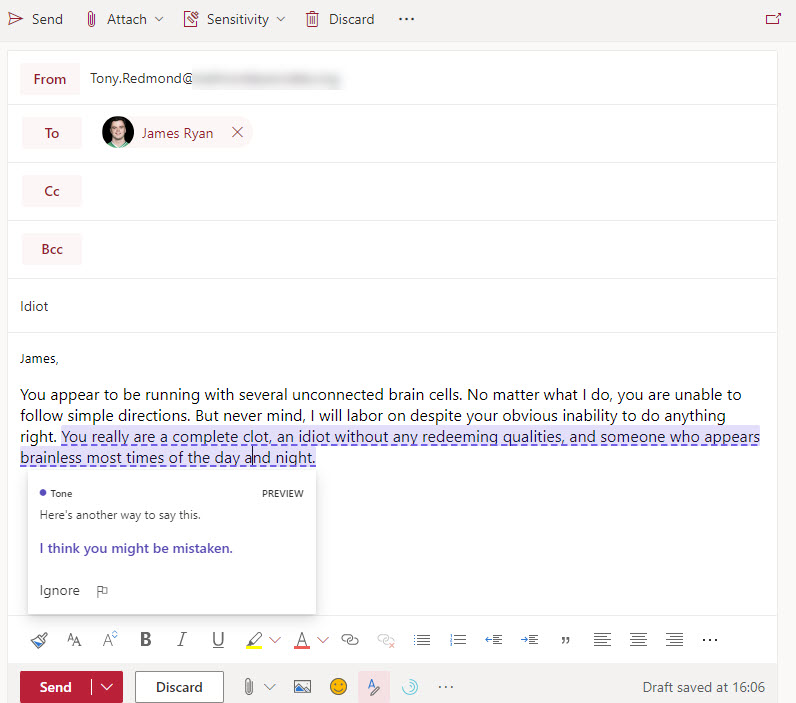
A new Microsoft Editor feature aims to make OWA messages more polite through “tone detection.” Currently only available for U.S. English, Editor scans for impolite text and comes up with suggested replacement text. The results vary from very good to not so good, but this might be because it takes time for a learning model to accumulate enough information about a user’s writing style to be able to detect impolite text accurately. We’ll know over time.
A change rolling out in mid-October will remove storage pressure on the Recoverable Items structure in Exchange Online mailboxes by offloading some data to archive mailboxes. The idea is a good one because it means that the storage allocated to Recoverable Items won’t fill up and require intervention so often. Users won’t know anything about what’s happening under the covers as it’s all hidden from view.
A 1.5 TB limit applies to Exchange Online archive mailboxes from November 1, 2021. In this article, we use PowerShell to report how close expandable archives are to the new limit. In reality, not many archive mailboxes will approach the new limit, but it’s nice to know things like the daily growth rate for an archive and how many days it will take for an archive to reach 1.5 TB. All whimsical stuff calculated with PowerShell!
The October 2021 update is available for download by Office 365 for IT Pros subscribers. There’s a huge amount of change in the ecosystem right now and the book is completely refreshed. We’d appreciate if subscribers would download and use the updated files as a lot of work goes into their production.
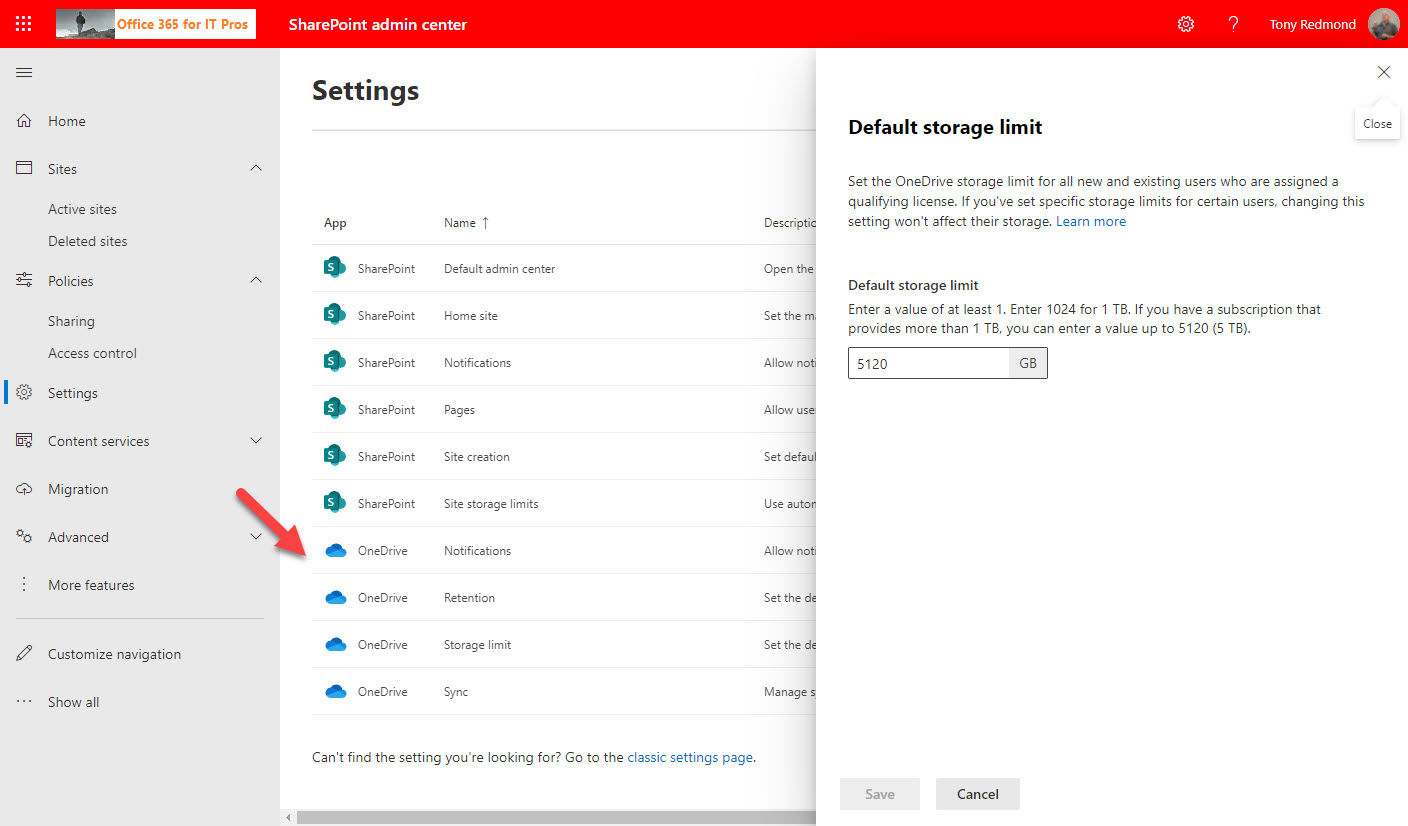
Microsoft has simplified Microsoft 365 administration by moving controls from the OneDrive for Business admin center into the SharePoint Online admin center. It’s a good step because the two workloads are really two sides of the same file and document management function within Microsoft 365. With many apps moving storage of their data to OneDrive for Business, its role is becoming increasingly important. Even so, OneDrive doesn’t deserve a dedicated management portal.
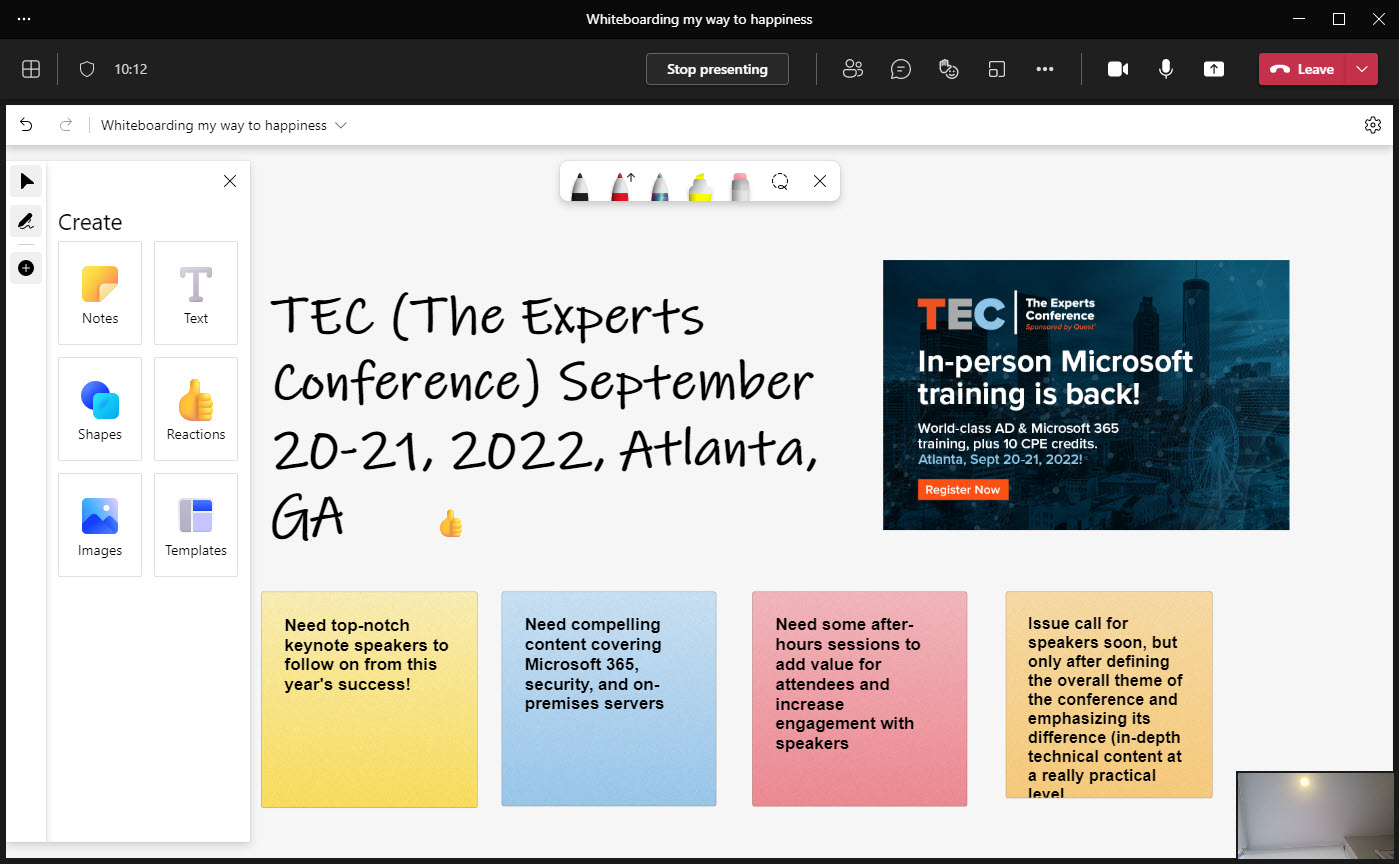
Microsoft has delivered a massive refresh for the Whiteboard app. Now available in Teams, browser, and Android clients (Windows native and iOS updates are coming), the update delivers many new features including reactions, importing graphics into whiteboards, and object alignment. A bunch of out-of-the-box templates can help people use Whiteboard in different scenarios, and if you’re looking for some digital smarts, there’s ink shape recognition to play with.
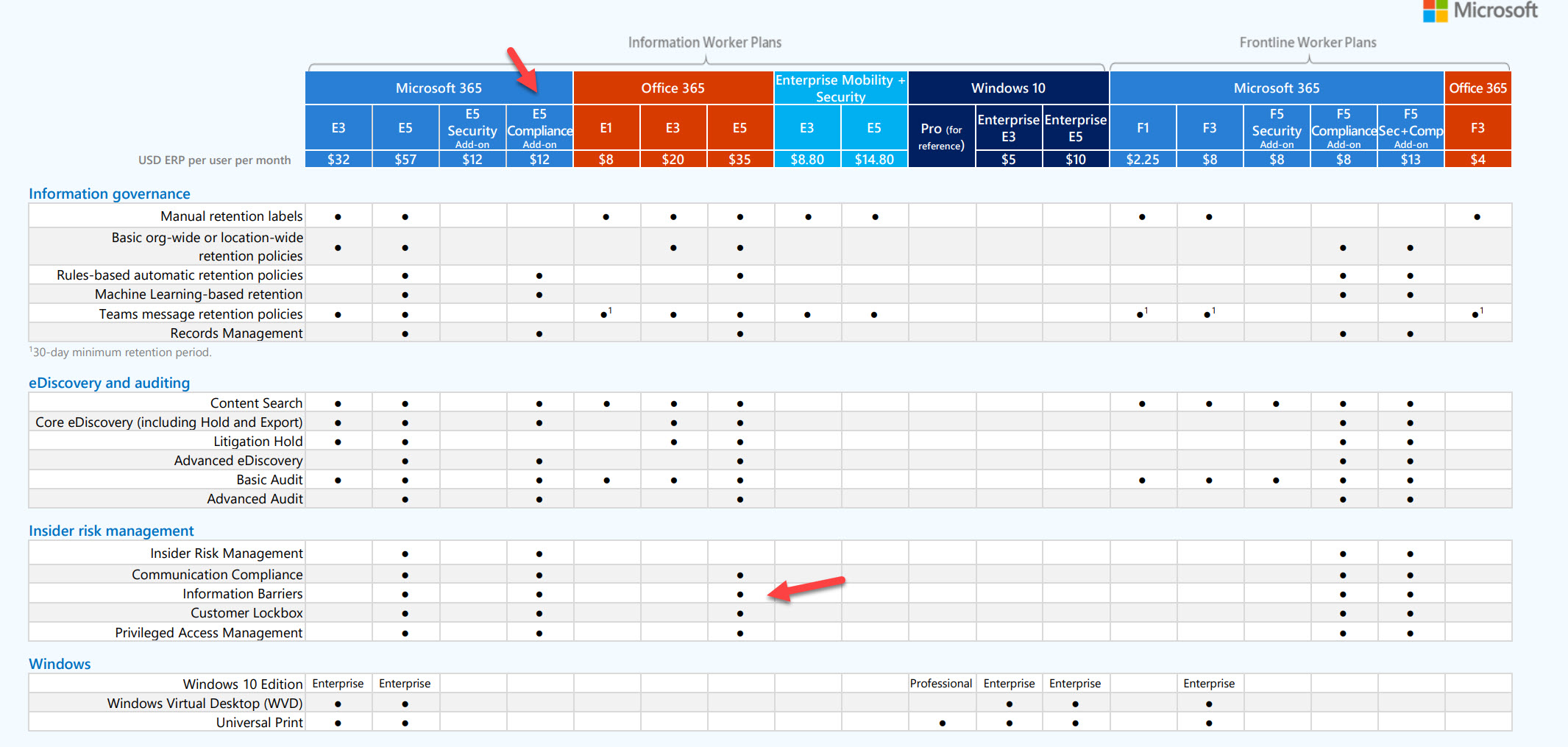
Microsoft is making a free 90-day trial of Microsoft 365 E5 Compliance licenses available to tenants who don’t yet have compliance licenses. The purpose is to allow organizations to test the advanced compliance functionality which requires Office 365 E5 or Microsoft 365 E5 licenses. Microsoft obviously hopes that organizations will be so delighted at the functionality that they sign up for E5 licenses in the long run. If you don’t want to run a test in your production tenant, you can achieve much the same effect by getting an E5 trial tenant and testing there.
Last week’s announcement that Exchange Online will block basic authentication for multiple protocols on October 1, 2022, got some attention. Now the hard choices of what to do with clients and applications need to be made. To smoothen the path to remove basic authentication, Microsoft is making an exception for SMTP AUTH. Your scripts and multi-function devices will keep working after October 2022, but the writing is on the wall and eventually even SMTP AUTH will stop working.
October 1, 2022 will be a big day for Exchange Online tenants because that’s when Microsoft starts to disable basic authentication for connectivity protocols whether or not tenants want this to happen. This is a huge and fundamental change that’s being driven by the need to increase the overall security of Exchange Online and individual tenants, while also blocking common attacks seeking to compromise user accounts. With only a year to go, it’s time to start work on preparing everything that needs to be in place for the great October 1 switchoff.
Inactive mailboxes have been available in Exchange Online since 2015. A new inactive mailboxes listing is available in the Microsoft 365 compliance center. The GUI isn’t very functional, but perhaps it’s a starting point for some enhanced management capabilities for inactive mailboxes. We’ve only been waiting six years…
A new Teams preview feature introduces Top Hits in the set of suggestions it makes for a search term. Teams also highlights the search term in its suggestions to provide context. Neither feature will make much different to end users in the overall scheme of things, but both are useful in a kind of fit-and-finish way.
By default, Exchange Online allows other users in your tenant to see limited details of your availability when scheduling meetings. More information can be displayed by updating the calendar permissions for mailboxes. This is easy to do with PowerShell, but needs to be done on an ongoing basis because Exchange Online doesn’t have an organization or mailbox plan setting to assign the value to new mailboxes.
Teams clients can use quoted replies in group, 1:1, and meeting chats. A quoted reply is where Teams inserts a snippet from a previous message to create a new message. It’s a tremendously useful feature which allows users to add context to something discussed in a chat. (quoted replies are not supported in channel conversations). The only question is why it’s taken Microsoft so long to add this feature to Teams?
Understanding how to create effective queries using the Microsoft Graph APIs takes some work, especially with some of the more complex filters used to refine the data returned by the Graph. In this article, we look at how filters using lambda qualifiers work and explore some examples of these qualifiers in use.
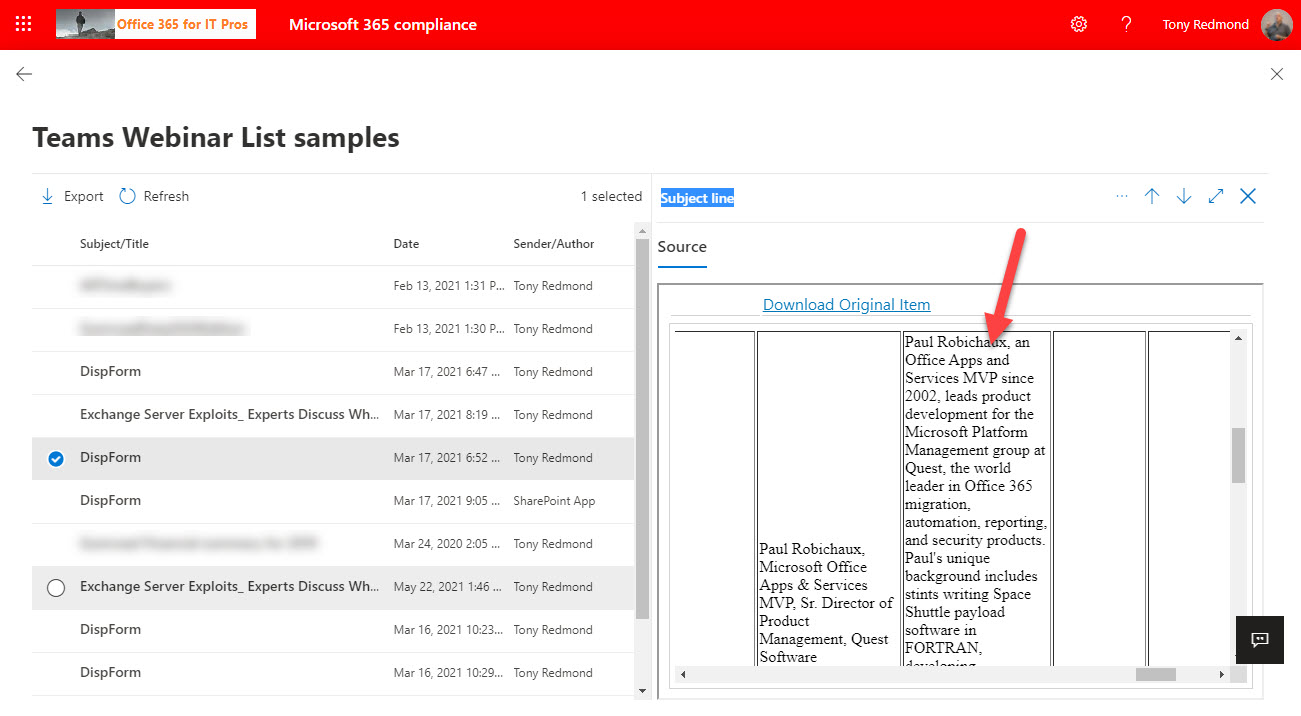
Teams-based webinars are a popular way of hosting events like product briefings or announcements. Behind the scenes, the Microsoft 365 substrate stores information about webinar speakers, attendance, and event details as lists in the meeting organizer’s OneDrive for Business account. The information stored in OneDrive is indexed and available for eDiscovery. It’s a great example of the Microsoft 365 ecosystem in action.
Microsoft wants to eliminate the Search-Mailbox cmdlet, but it’s still very valuable when the time comes to remove mailbox items because of a spam attack or similar reasons. The suggested replacement is Core eDiscovery searches and associated content search purge actions, but these are slower and less effective than Search-Mailbox. To prove the point, we’ve put together a demonstration script to show how to compose a search query and run it against a set of mailboxes.
Microsoft has released support for background effects for Teams browser clients. It seems like only Microsoft-curated background images (including blur) works and that you can’t use organization images or custom uploaded images. This might just be a timing issue and Microsoft will enable this functionality in the future. For those who like using the Teams browser client to join meetings, this is a nice solution.
The latest innovation in the Teams client is the display of a P marker to the upper right of the user profile photo (avatar). This means that the client runs public preview software and the marker is intended to allow users and support personal understand when clients run public preview rather than the generally available software. Of course, users only know this when they’re told about the magic P.
Due in late September, users with a Teams Phone system license will be able to record and transcribe 1:1 calls made to PSTN and VOIP numbers, assuming that the Teams calling policy assigned to their accounts allows these features. The new capabilities close an important gap in the Teams Phone system for anyone who needs to be sure of the details of customer contacts and other interactions.
The usage reports available in the Microsoft 365 admin center, Teams admin center, and other places now include anonymized user information by default. The new default became active on September 1, 2021 and the organization setting applies to any usage data generated by the Microsoft Graph usage reports API, which means that some scripts might create reports less interesting and useful than before. It’s a good change for privacy, but will organizations persist with the new default?
Adding the ability to search for spoken text in Teams meeting recordings is just one of the new features added after Microsoft moved storage for meeting recordings to OneDrive for Business. A new video viewer and support for 27 additional languages (some different variants of a base language) are also important developments. In this article, we explore how Exchange Online captures the text spoken in Teams meetings, how OneDrive for Business links the text with the video, and how Search can find spoken text from the transcripts.
Microsoft is applying their Viva brand to the features currently known as MyAnalytics. Viva Insights will span a monthly email digest, the Outlook insights add-on, and the Insights dashboard. If you don’t want users to access these features, you can disable the features individually or remove the service plan from user licenses. The rebranding is happening now and due to complete in November.
You can now access videos and slides for sessions given at The Experts Conference 2021. The sessions cover a wide range of technology from Azure AD to Microsoft 365 to infrastructure modernization. And you can now register for TEC 2022, which will run as an in-person event in Atlanta on September 20-21, 2022. It should be great fun!
Microsoft has replaced the controls which disabled document insights in Delve with new Graph-based settings. However, you might still have a bunch of users with the Delve settings who need to migrate to the Graph settings. In this article, we explore how the settings work and how to query the Graph to find the set of users who disabled the setting in Delve. We can then use PowerShell to add those accounts to the group of disabled insights users for the Graph-based settings.
The longstanding problem where the renaming of a Teams channel did not rename the folder in the SharePoint document library is being fixed. First flagged as an issue in 2016, this is one of the oldest bugs in Teams and it’s taken far too long for Microsoft to squash. The good news is that the fix will deploy in mid-September to close off the problem once and for all.