Microsoft Forms is a great way to build questionaires and other forms for Office 365 (and other) users to answer. Now you can insert media into questions by adding images or videos. When used effectively, the media delivers additional information to help respondents understand the full context of questions before they answer.
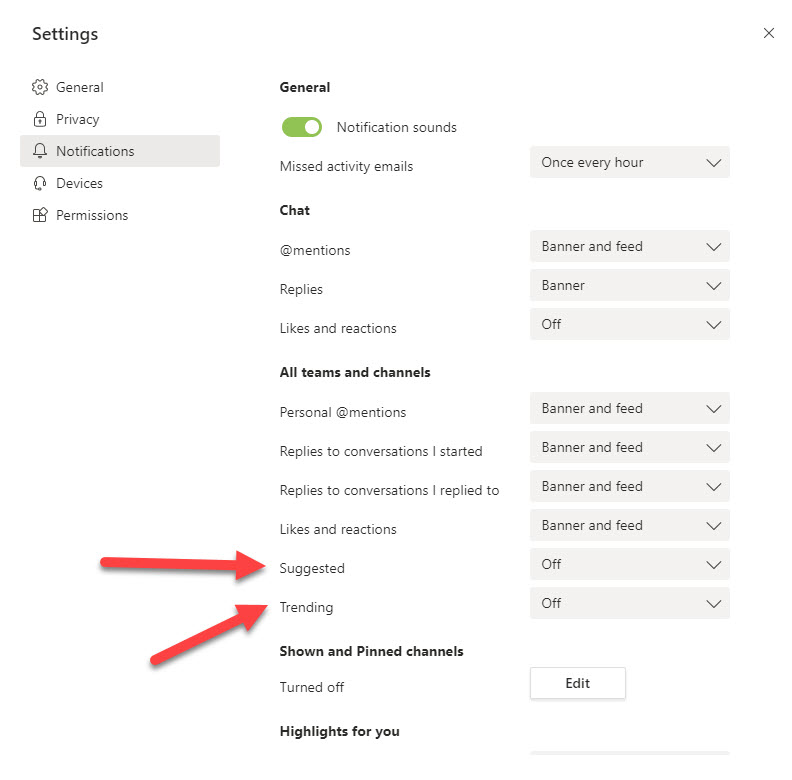
If you look at your Teams activity feed, you might notice some notifications automatically generated because “you might be interested.” The suggested and trending notifications are intended to drive user engagement, which is nice, but experienced users who already have a busy activity feed might want to disable these notifications.
Exchange Online mailboxes support SendAs, Send on Behalf Of, and FullAccess permissions. A previous script focused on the FullAccess permission. This version covers all three. It’s also a good example of how you need to pay attention to property sets when writing PowerShell code to use the new Exchange Online REST-based cmdlets.
SharePoint Online comes with a reasonable amount of free storage, but it’s surprising how quickly that storage can be consumed, especially if you use Office 365 retention policies. With that thought in mind, it’s a good idea to check what sites are consuming your SharePoint storage. This post covers how to write a PowerShell script to report SharePoint Online site storage, complete with a couple of bells and whistles.
In addition to mailbox permissions, Exchange Online supports folder-level delegated permissions. Users can create folder delegations through Outlook desktop. Like mailbox permissions, it’s a good idea for tenants to check folder-level delegations to ensure that people don’t keep permissions for longer than they should. We explain how to create a PowerShell script to generate such a report.
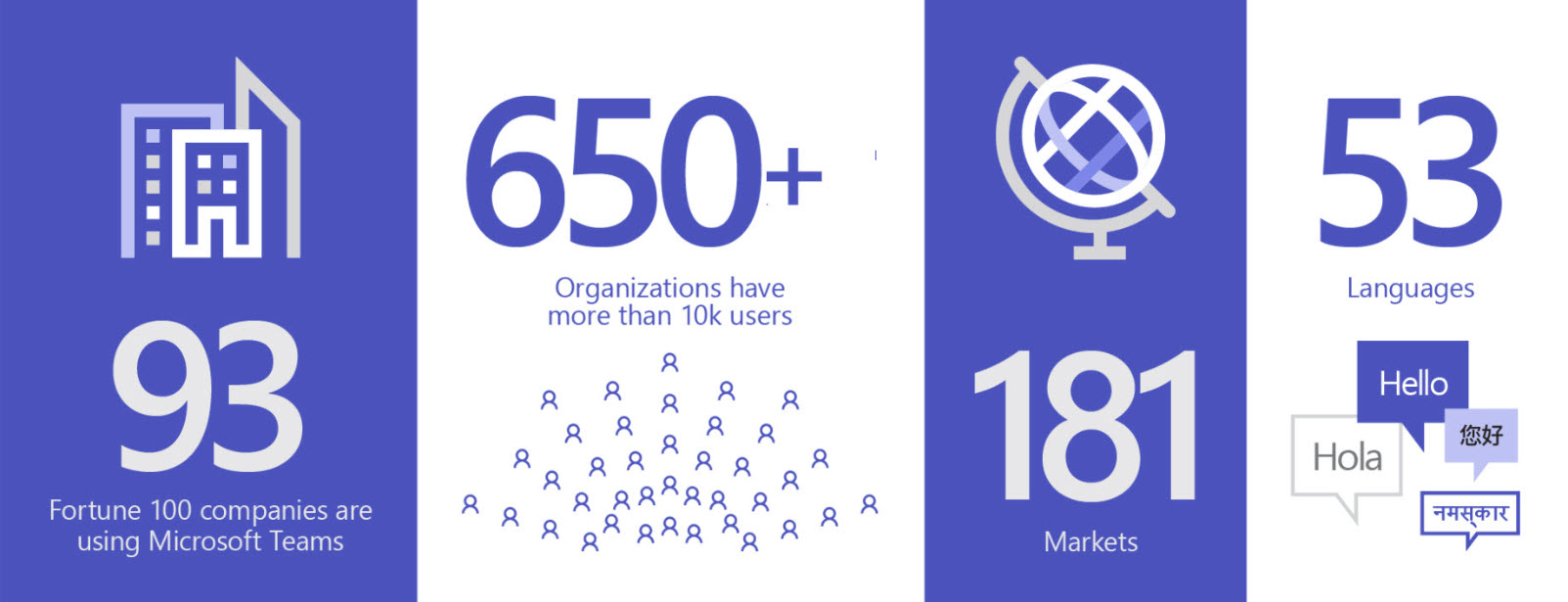
Microsoft says that the number of Teams daily active users is now 44 million, with 12 million of that growth coming in the last week due to the rush to work from home. Perhaps even more impressive is the growth in large deployments, with 650 companies now having 10,000 Teams users and 20 with more than 100,000.
Due to the impact of the Covid-19 virus, there’s been a huge upsurge of interest in using Microsoft Teams to work from home, especially for online meetings. Here’s a collection of practical tips about setting your company and personal network up for Office 365 and how to use Teams to run effective meetings collected from a March 18 gathering to discuss best practice about working from home with Teams.
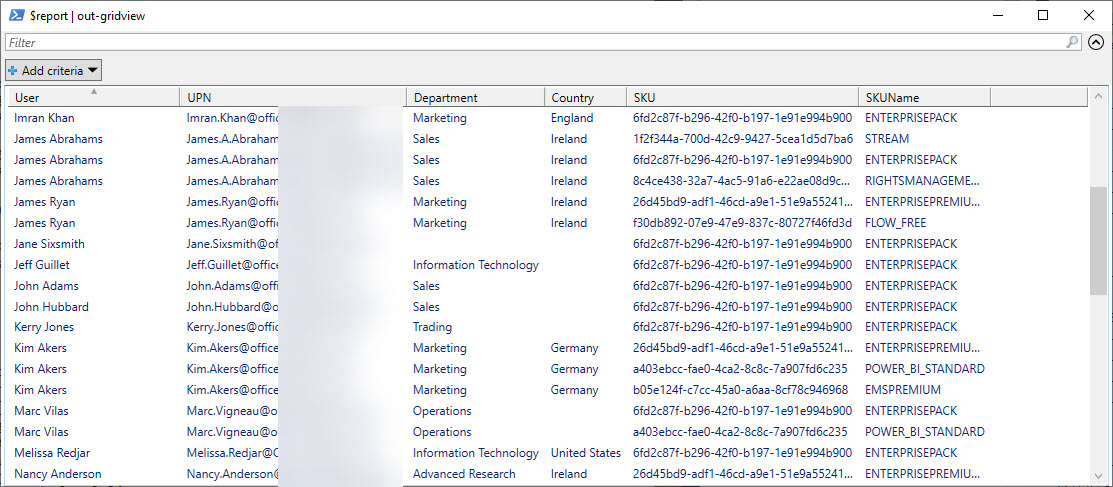
Office 365 licenses can seem complex, especially when you descend to the level of multi-product license plans. PowerShell makes it easy to generate a quick and simple report of who’s been assigned which license. And best of all, because the code is PowerShell, you can amend it to your heart’s content.
You might consider Stream to be a kind of corporate video portal, but the ability of Stream mobile clients to record, edit, and upload videos makes the application much more useful. People can file video reports from trips, do product reviews, and share all sorts of interesting information with co-workers by using their mobile device as a production platform.
Exchange Online makes it easy to assign delegated permissions for user and shared mailboxes. But permissions assigned to people might not be still necessary, so it’s good to do a periodic check. In this post, we describe a script to scan for permissions on Exchange Online user and shared mailboxes and highlight non-standard permissions in a report generated as a CSV file.
Exchange Online enables mailbox auditing by default, which should mean that audit events get to the Office 365 audit log for all E3 and E5 mailboxes. Well, that’s what you might thing but that’s not what happens. Mailbox events for E5 mailboxes arrive just fine, but you must reenable E3 mailboxes for auditing before their events flow. It’s a bizarre situation.
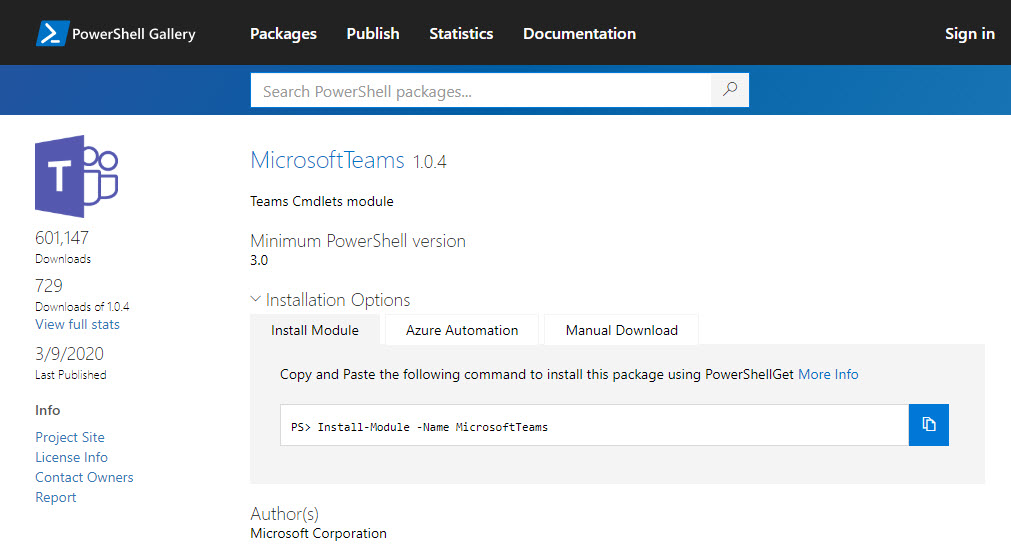
Microsoft released Version 1.0.4 of the Teams PowerShell module on March 9. The new module comes with some useful updates and is recommended for anyone working with Teams through PowerShell. And if cmdlets don’t do the job for you, there’s always the Microsoft Graph as you can combine PowerShell and the Graph to solve even more problems.
Teams and Skype consumer users can now chat together if the Office 365 tenant configuration allows. Text-only chats and VOIP calls are supported. Teams users have the opportunity to see what Skype consumers have to say before they accept a connection. It’s all part of making sure that Skype for Business Online users can move to Teams without losing connections.
Microsoft has announced the retirement of the Twitter connector for Teams. The news is disappointing because the Power Automate alternative doesn’t do as good a job at injecting tweets into Teams. It’s a mystery why Microsoft is retiring a working component that does a good job, but no doubt a good reason is known to some and they’re saying nothing.
Microsoft has released information about high-value Office 365 audit events and audit event retention policies. Both are part of a Microsoft 365 Advanced Audit offering. The MailItemsAccessed event is the first high-value audit event (we can expect more) and the retention policies are used to purge unneeded events from the Office 365 audit log.
Large Office 365 tenants with more than 10,000 seats can now use the SharePoint Online site swap feature to replace an old root site with a new communications site. The site swap must be done with PowerShell and needs a new version of the Invoke-SPOSiteSwap cmdlet. Once you prepare your new site for swapping, everything goes smoothly.
Azure Active DIrectory is getting a slimmed-down background image to help with bandwidth-constrained locations. Office 365 tenants with custom backgrounds won’t see the change. Customizing the appearance of the sign-in screen is easy if you prepare. And to finish up, we have pointers to a set of videos about how Azure Active Directory authentication works.
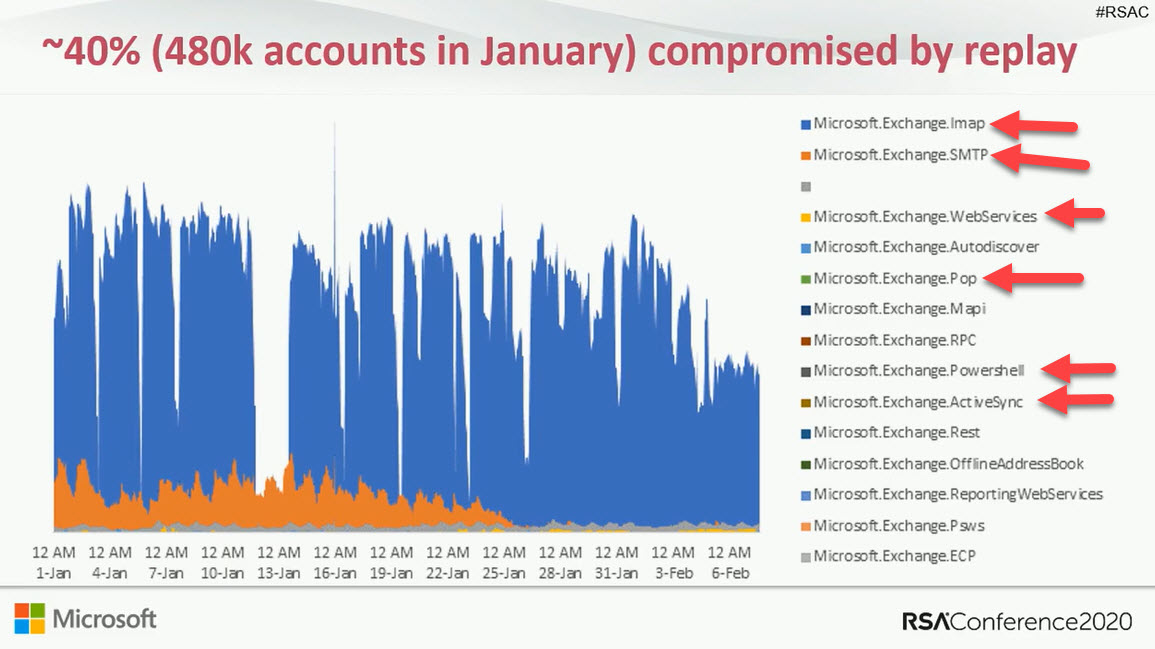
Some doubt that Exchange Online will disable basic authentication for five email connection protocols in October 2020. The refrain is that it will be too hard for customers. Well, it might be hard to prepare to eliminate basic authentication, but if you don’t, your Office 365 tenant will be increasingly threatened by attacks that exploit known weaknesses.
Microsoft has announced their intention to create an org-wide team for new small to medium tenants with under 5,000 users. This might help Teams, but it’s a horrible idea on many levels. Microsoft has no idea whether a new tenant wants to use Teams at all, so stuffing Teams down their throat doesn’t seem wise.
You can now add your personal Outlook.com or Gmail calendars to your work OWA calendar. The integration allows for only one personal calendar, and OWA synchronizes events from the personal calendar to make sure that people don’t schedule work events when you have personal commitments. TeamSnap calendars are also supported (real-only), but this feature is likely to not be used outside the U.S.
Microsoft plans to disable basic authentication for five Exchange Online connection protocols on October 13, 2020. They’ve been clear on this point for several months and are now moving to deliver tools and provide guidance about what people should do about clients that use basic auth connections with Exchange Web Services, Exchange ActiveSync, IMAP4, POP3, and Remote PowerShell. Work is needed to make sure that clients are prepared for the switchover to modern authentication.
A new version of the Exchange Online management PowerShell module is available. The update includes a number of bug fixes (including some security upgrades) and new features. You should upgrade to the new version as soon as possible and keep an eye out for more changes in the future.
Outlook Mobile now supports delegate access to Exchange Online mailboxes. By granting fuil access to a delegate, they can open and work with a mailbox, and send messages using the SendAS or SendOnBehalfOf permissions. The new feature underscores the advantage Outlook mobile enjoys over other mobile Office 365 email clients.
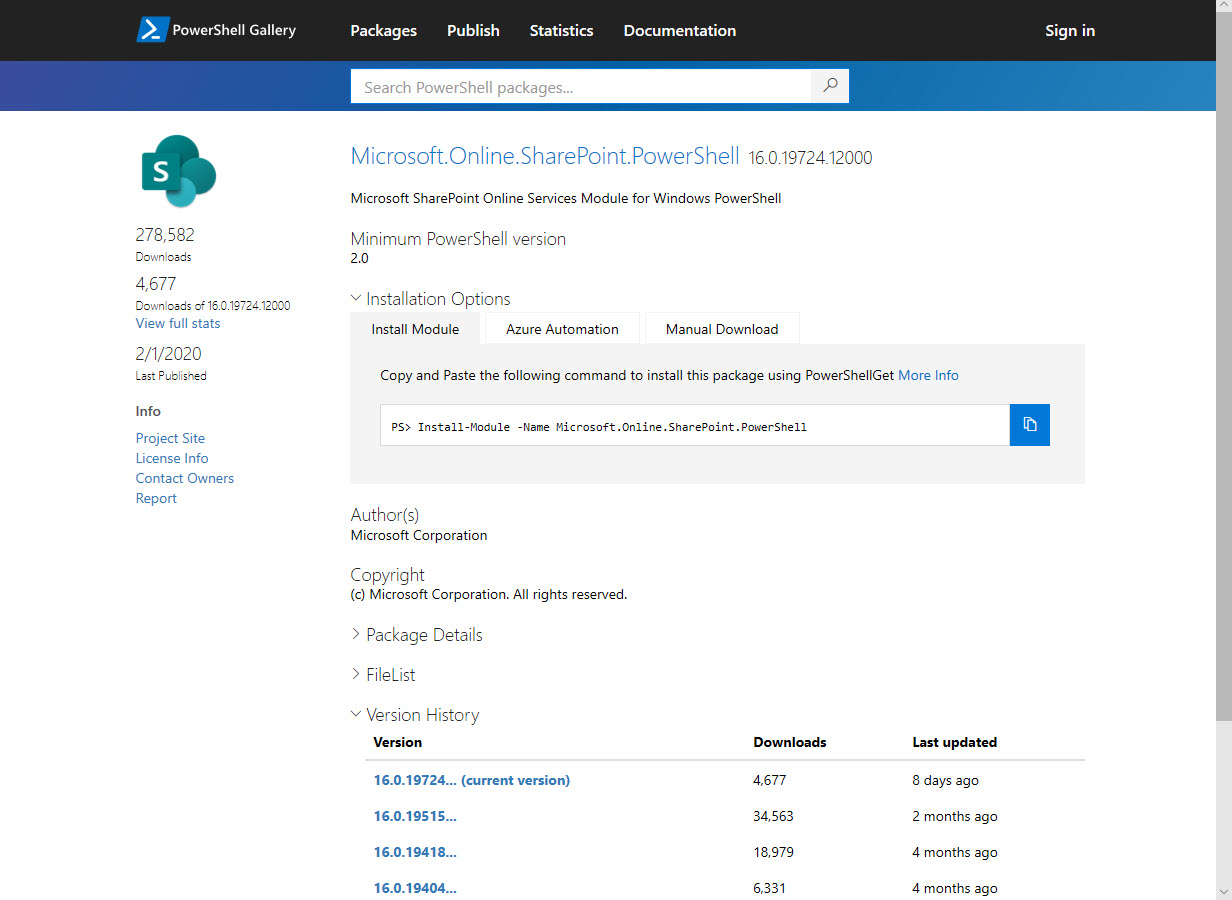
Like many other parts of Microsoft 365, you can manage SharePoint Online with PowerShell. At least, you can manage some aspects of SharePoint Online with PowerShell. Microsoft has made it easier to keep up to date with the latest SharePoint Online module and the PnP module, so there’s lots of cmdlets to help Administrators do a better job of automating different aspects of SharePoint Online.
OWA stores user signatures in mailboxes, which makes it a lot easier for Office 365 admins to update signatures centrally with just a few lines of PowerShell and some HTML magic. OK, maybe more than a few lines… but it’s a lot less complicated than it is to mess around with the system registry and points the way to how Microsoft might introduce cloud signatures for all Outlook clients.
Microsoft is working on cloud signatures for Outlook, but how can you update signatures for the current versions of Outlook click to run. Here’s our best attempt with PowerShell. The code works, but it could do with some error handing and various improvements before it could go anywhere near production. Think of it as a working example of why cloud signatures will be so much better,.
Writing code to illustrate a point sometimes falls into the trap that things don’t work so well when you scale things up. Take Graph calls for instance. Code that works well with 100 teams isn’t so good with 4,000. The solution is to keep on telling the Graph to fetch data until it’s all in the safe hands of PowerShell, and then process it.
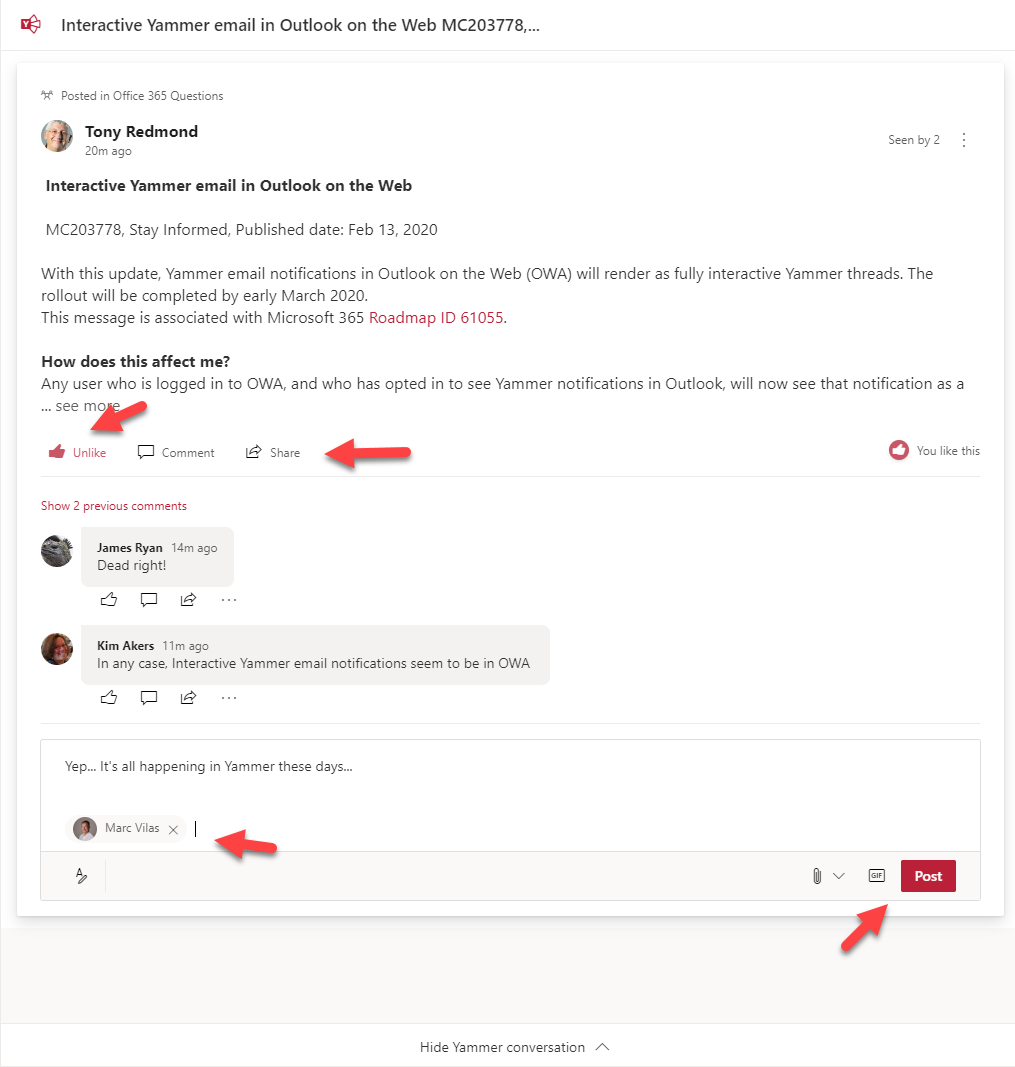
If you receive a notification about Yammer conversations in OWA, you might notice that you can now do all sorts of new things to interact with Yammer while remaining in OWA. It’s part of Microsoft’s effort to make Yammer more relevant and accessible to people who prefer to communicate through email. And the nice thing is that the approach works well.
Exchange Online reads inbound email to know when messages contain events that should end up in user calendars. OWA is the only client that exposes the settings to control what events are processed, but all clients can display the events Exchange creates. Some new cmdlets are available to support controlling the settings centrally.
Exchange transport rules are a powerful way to apply different conditions to messages as they pass through the transport service. In this case, we add a disclaimer to calendar meeting requests with a pretty simple rule that works on the basis that it detects a special x-header in meeting requests and applies the disclaimer when the x-header exists.
A question asked what the best way is to add a mailbox to multiple distribution lists. The admin UIs do the job for a few lists, but PowerShell is the way to go when you have lots of lists to process. Two approaches are discussed here: one uses an array as the input, the other uses a CSV file.
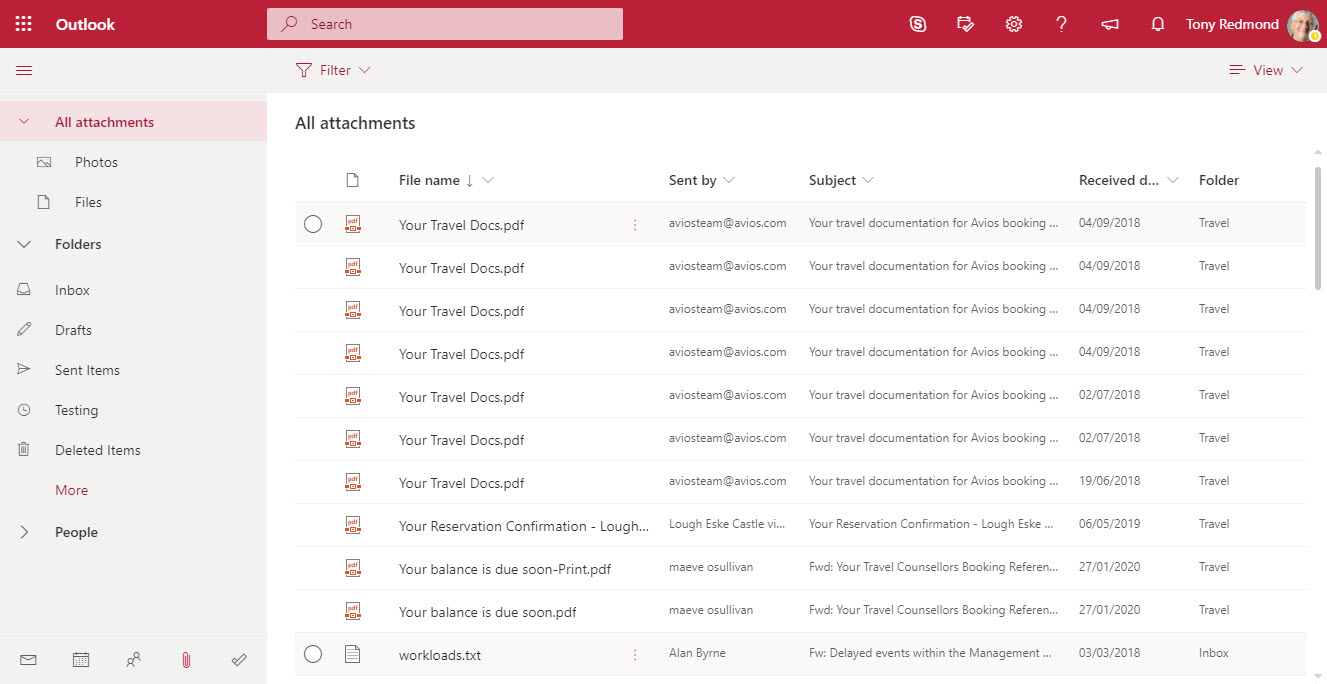
OWA now includes Files in its “module switcher”). The new module allows fast access to attachments stored in any folder in an Exchange Online mailbox. It’s a neat feature that will please many people simply because it makes finding often-elusive attachments just that bit easier.
The email addresses for Teams channels are interesting objects. Messages sent to channels start conversations in the target channel and are also captured in SharePoint. Any team member can enable or disable the ability of a channel to receive email by creating or removing email addresses and no admin control exists to stop this happening. Events captured in the Office 365 audit log reveal when email addresses are created or removed, meaning that you can at least know what’s going on.
The Office 365 compliance framework can now to place holds on Teams compliance records created for conversations in private channels. You simply have to place holds on the mailboxes of members of the private channels and hope that no one removes the members from the tenant. If they do, the hold lapses, which seems like a pity.
Teams App Security policies now include an Allow user pinning setting, which controls the ability ot users to pin apps to the left-hand navigation rail. The setting is enabled by default and probably can stay that way in most circumstances. Guest users don’t get to pin anything because their accounts are not policy-controlled.
Subscribers to the Office 365 for IT Pros eBook can download the February update now. This release updates 18 of the 24 content chapters, so it’s a pretty big update overall. No other eBook (or printed book) attempts to update as often as we do, which means that our content is the most up-to-date available to read about Office 365 and associated technologies. That’s a nice position to be in.
Microsoft reported another good quarter in their FY20 Q2 results. Among the highlights was more growth for Office 365 in revenues and users. Microsoft’s cloud juggernaut keeps on moving and there’s no sign when things might slow.
Office 365 Groups (and their underlying teams and sites) can be removed by user action or automatically through the Groups expiration policy. By examining records in the Office 365 audit log, we can track exactly when groups are soft-deleted followed by permanent removal 30 days later. All done with a few lines of PowerShell and some parsing of the audit data held in the records.
A question asked how to be notified when people delete Teams. The answer lies in the Office 365 audit log, and once we’ve found out when Teams are deleted are who deleted them, we can notifications to administrators via email or by posting to a Teams channel. The administrators can then decide if they should restore the deleted team or let it expire and be permanently deleted after 30 days.
Not many Office 365 users choose OWA as their mobile client, but those who do will soon be forced to use the new OWA because Microsoft is removing the toggle to allow people to switch between the old and new versions in February, just like they did for workstation versions last July. The new OWA is a fine client, but its usefulness on mobile browsers is not as good as the functionality offered in Mobile Outlook, which continues to be our choice as the best mobile Office 365 email client.