A new setting in Teams meeting policies allows administrators to control the languages used to generate Teams meeting invitations. The policy setting takes precedence over the language used by the user who creates a new Teams meeting. You can select up to two languages.
Message center notification MC392289 highlights the need to keep the .NET Framework and the Edge WebView2 components updated to make sure that the Teams meeting add-in works with “degradation.” No further information is offered as to why Microsoft needs to sound this warning several years after introducing the Teams meeting add-in.
It’s easy to create a Teams meeting from Outlook, but it’s also easy to create a Teams meeting in the wrong calendar. This can lead to the “message of doom” when you try to connect to the meeting and end up in the Teams meeting lobby with nowhere to go. Apart from being careful about which calendar a meeting is created in, it’s a good idea to add an organization logo to Teams meeting invites so that if you create the meeting when signed into the wrong organization, you’ll get a visual clue.
Microsoft Teams users can use the chat with self feature to create a special chat designed to take notes and capture other information someone might want. It’s similar to features that exist in other messaging platforms, so it’s likely that the Teams chat with self capability will be well-accepted by users, especially those with secrets to share with themselves.
Despite the advent of shared channels in Teams and the wonders of Azure AD Direct Connect, the chances are that Azure AD B2B Collaboration (Azure AD guest accounts) will remain the predominant method for external collaboration for the immediate future. That’s not so bad, as long as you maintain good guest hygiene!
Microsoft will soon make an update available for Purview Premium eDiscovery to reveal Teams reactions to chats and channel conversations when investigators review the results of searches. The information comes from Teams rather than the compliance records stored in Exchange Online. The new feature isn’t coming to Standard eDiscovery.
The Microsoft 365 substrate captures Teams compliance records for chats and channel conversations and stores them in Exchange Online. How many do you have? Although you might not care, sometimes it’s good to know (like a tenant to tenant migration), so we explain how to count Teams compliance records for chats and channel conversations.
The Teams platform is an attractive target for developers, especially now that Microsoft supports monetization opportunities for Teams apps. In other words, ISVs can make money by selling licenses for their apps or through in-app purchases. That’s a good thing from an ISV perspective, but it’s yet another factor for administrators to factor in when deciding to unblock apps for users.
A new feature allows Teams users to request access to Teams Store apps that are currently blocked. Administrators review requests and decide to release or continue blocking the app. Microsoft says that seamless communication happens between users and administrators. That’s not what I experienced…
Two new features are available to Teams users. The Teams Owners automatic grouping (tag) allows users to address channel messages to the owners of a team (but not in private or shared channels),. Teams desktop clients catch up with their mobile counterparts by supporting suggested replies in 1:1 chats. Neither are particularly earthshattering features, but both are useful in their own way.
Microsoft Loop components are available now in Teams chats and will soon become available in OWA. Loop components are a new way of collaborative working that some will find very attractive. However, under the covers, some compliance issues can block organizations from allowing the use of Loop components. This post explains the issues involved in eDiscovery and export of items containing Loop components.
Outlook users have been able to see LinkedIn profile information for several years. Now Teams chat has the same kind of LinkedIn connection to expose profile information of people you chat with. Because Teams is more internally-focused than email is, the integration might be less useful than it is in Outlook. Then again, you might need to find out some information about people you work with!
On the surface, the Admin-Microsoft 365 Teams app seems to offer a lot of promise. However, its functionality is disappointing and anyway, do you really want administrators performing tenant management through Teams when they’re signed into their personal accounts? Some will like the app, but I’m not a fan.
A new capability for Teams meetings allows streaming of content using RTMP to platforms like YouTube. To Microsoft’s credit, they’ve built a feature that even video novices can use. The possibilities to live stream in scenarios like webinars and product announcements are endless.
It’s a good idea for administrators to know when people archive or restore teams, just in case users lose access to private or shared channels. This article explains how to search the audit log to find records for these actions, extract the relevant data, find information about channels belonging to the teams, and create a report.
When a team owner or administrator archives a team, any shared or private channels in the team along with their SharePoint Online sites are archived and become read-only. This is fine if the team owner realizes the effect on these channels and their users, but problems might happen when team owners aren’t members of the channels and therefore don’t know of their existence. Unless of course they take the time to check using the Teams Admin Center or PowerShell, which is exactly what happens when archival occurs – or is it?
Sharing information generated by a PowerShell script running in Azure Automation can be a challenge. Some time ago, I wrote about creating an output file in a SharePoint Online document library. Here I explore how to do the job by posting to a Teams channel using two different methods.
Two new filters available for Teams video meetings promise to help participants look their very best. The brightness filter projects a soft light onto the face of participants while the soft-focus (aka Botox) filter reduces the effect of facial wrinkles and cease lines. Although no miracles are promised, the new filters should help everyone look a little better the next time they turn on video during a Teams call.
A new Microsoft Graph query makes it easy to fetch per-team activity data for reporting. You can also fetch the data with the Microsoft Graph PowerShell SDK. The data goes back a maximum of 90 days and is at least two days old when you fetch it. Those facts are easy to live with. What’s not so good is that the activity data focuses exclusively on channel activity and avoids everything else which happens in Teams.
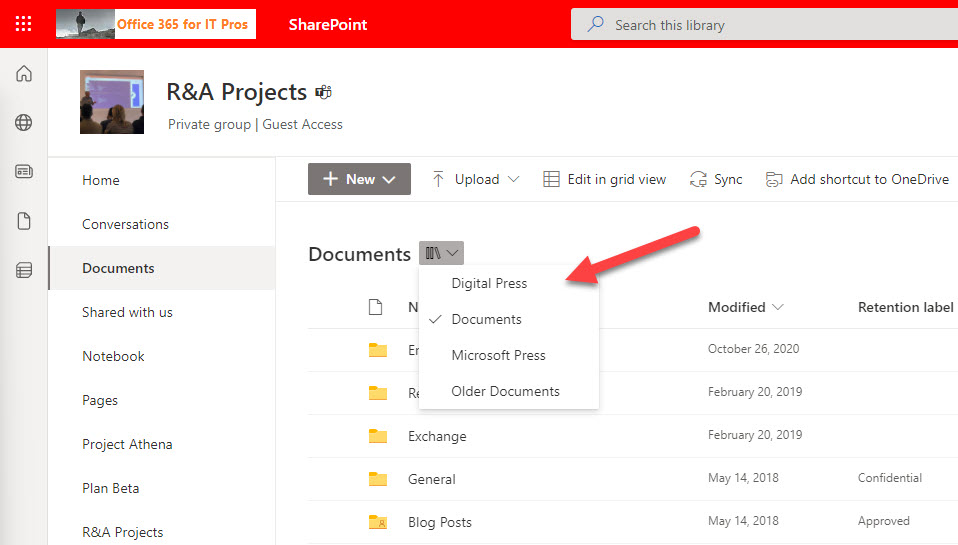
Sometimes useful features show up in a Microsoft 365 app long after they should have been there. This is the case of SharePoint Online’s document library dropdown menu, which is very helpful in navigating sites with multiple libraries. Unfortunately, not too many sites have multiple libraries because most are Teams-enabled and have a single library. Teams is another app where features show up after they should. The listing of the teams a user belongs to in the Teams admin center is a good example.
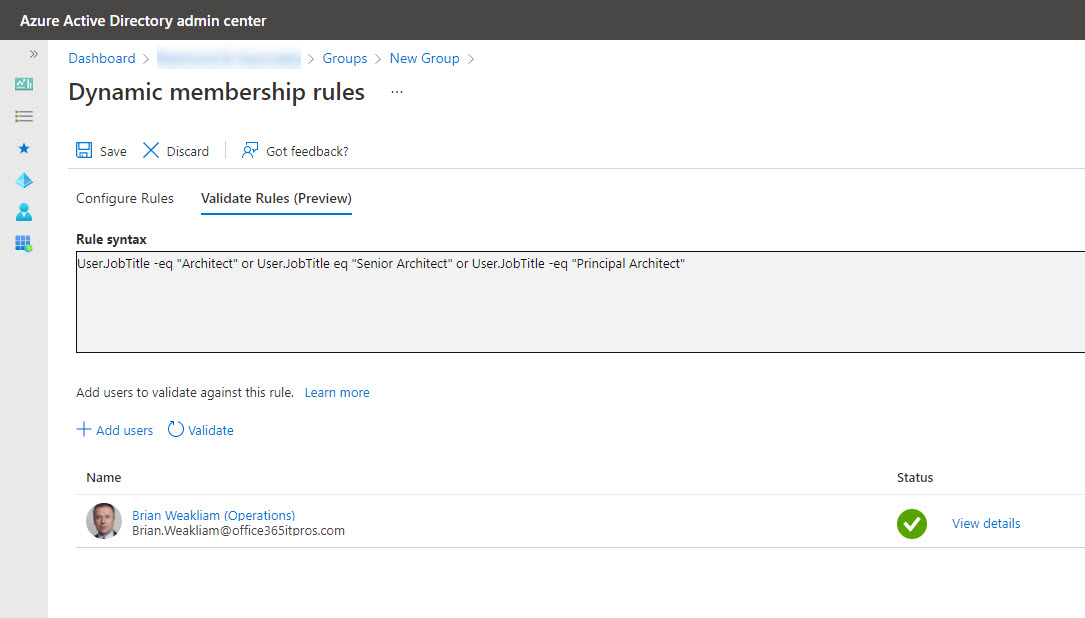
It seems like it should be possible to transfer a membership rule from an Exchange dynamic distribution list to a dynamic Microsoft 365 group/team, but it’s not. Different directories, schemas, properties. and syntax conspire to stop easy conversion. It’s a pity, but that’s the way life and technology sometimes go…
Teams tags appeared in early 2020 as a method to address subsets of a team membership in channel conversations. Microsoft doesn’t provide a method to report what teams use tags and what those tags are, but we can find out using the Graph APIs. In this article, we show how to use the Microsoft Graph PowerShell SDK to create a report of all teams which use tags, the names of the tags, and the team members assigned the tags.
This article explains how to create a new Microsoft 365 group and team using the membership and properties of an Exchange Online dynamic distribution list. The process is reasonably straightforward, but as always with PowerShell, there are some interesting turns and twists that must be navigated en route.
The Microsoft 365 Groups and Teams Activity report is a PowerShell script which tries to work out if groups and teams are inactive by checking various usage indicators. Because it’s written in PowerShell, tenants can change the script as they like, perhaps even adding some extra turbocharging to the ideas we’ve incorporated into the code.
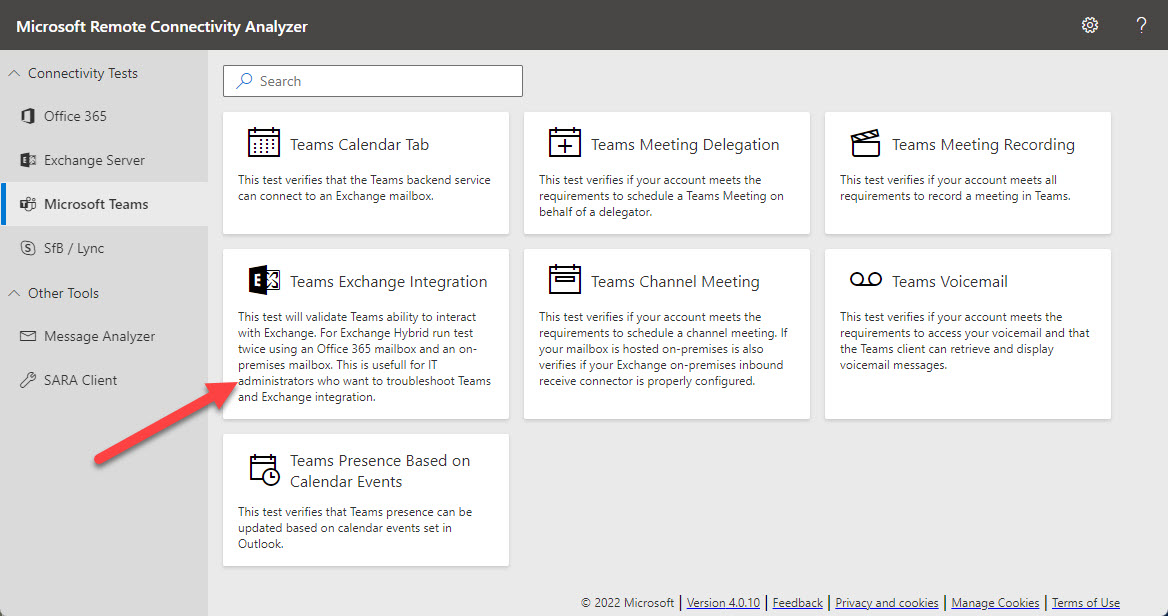
Microsoft’s Remote Connectivity Analyzer (MRCA) utility is now able to run diagnostics to check connectivity between Teams and an Exchange hybrid organization. MRCA was in the doldrums for several years because no one inside Microsoft had any interest in providing funding for its development and support. Now the utility is roaring back with a set of new tests covering different aspects of Microsoft 365. Recommended!
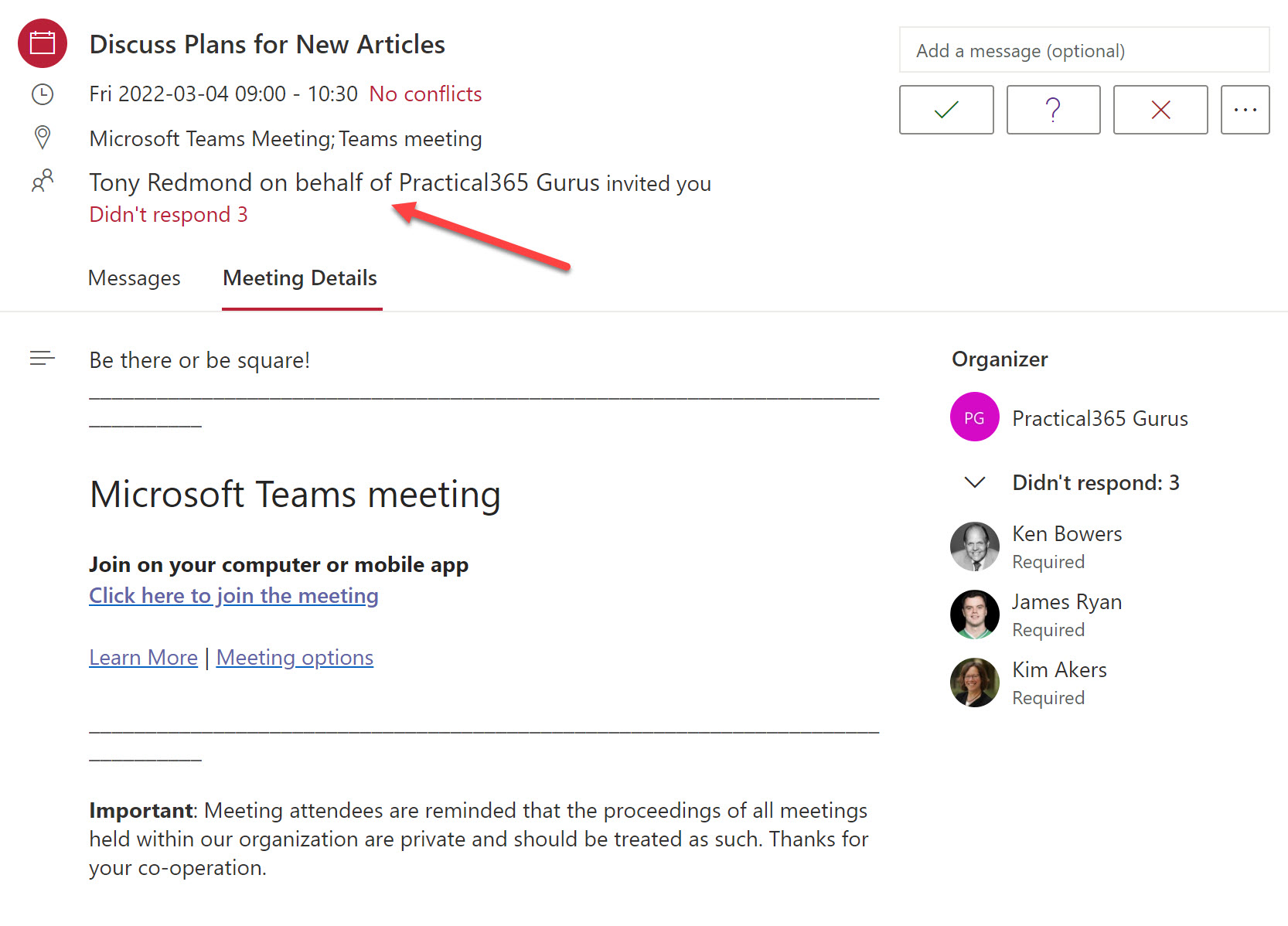
The Teams meeting co-organizer role helps to run smooth meetings, but co-organizers can’t do everything an organizer can. How to get around the limitations? Well, one way is to use an old technique to schedule important meetings using a special account. There might be others, but that’s the one described here.
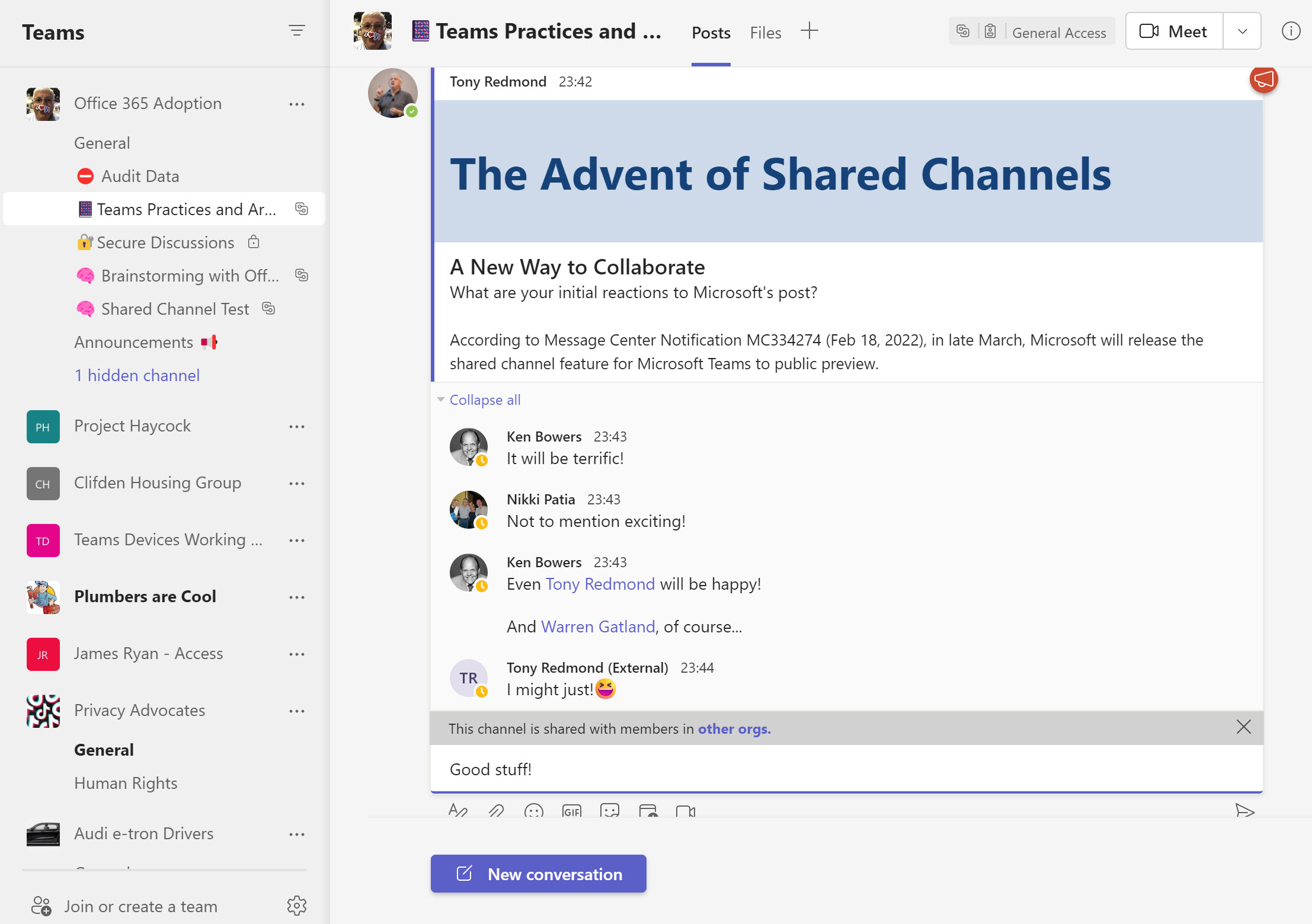
Teams Shared Channels will be available in public preview in March. Exciting as it is to get new functionality, shared channels come with their own challenges. For example, how do organizations deal with the fact that compliance processing occurs on the tenant which owns a shared channel? Backup is another challenge. Teams has always been complex to backup, but how will backup vendors handle the new channels?
A new Microsoft Teams feature means that local time zone information appears on user profile cards. While it seem simple, the feature is very useful when arranging meetings because you know up-front about the working hours of your colleagues. It’s a detail that makes sense!
Microsoft has released a new set of over 1,800 fluent Teams emojis for use in chats and channel conversations. Soon you’ll be able to use Teams emojis as reactions in chats. Teams emojis are different from Windows emojis, but you can use the Windows emojis in channel names to highlight and emphasize the reason why the channel exists. All in all, the new emojis are a good thing and will be popular with many users.
An update to Microsoft Search means that search results available in SharePoint Online and Office.com now include Outlook and Teams messages. Microsoft has also updated Microsoft Search in Bing to include Outlook messages. All in all, these changes make Microsoft Search the go-to location when you need to find mailbox and Teams messages.
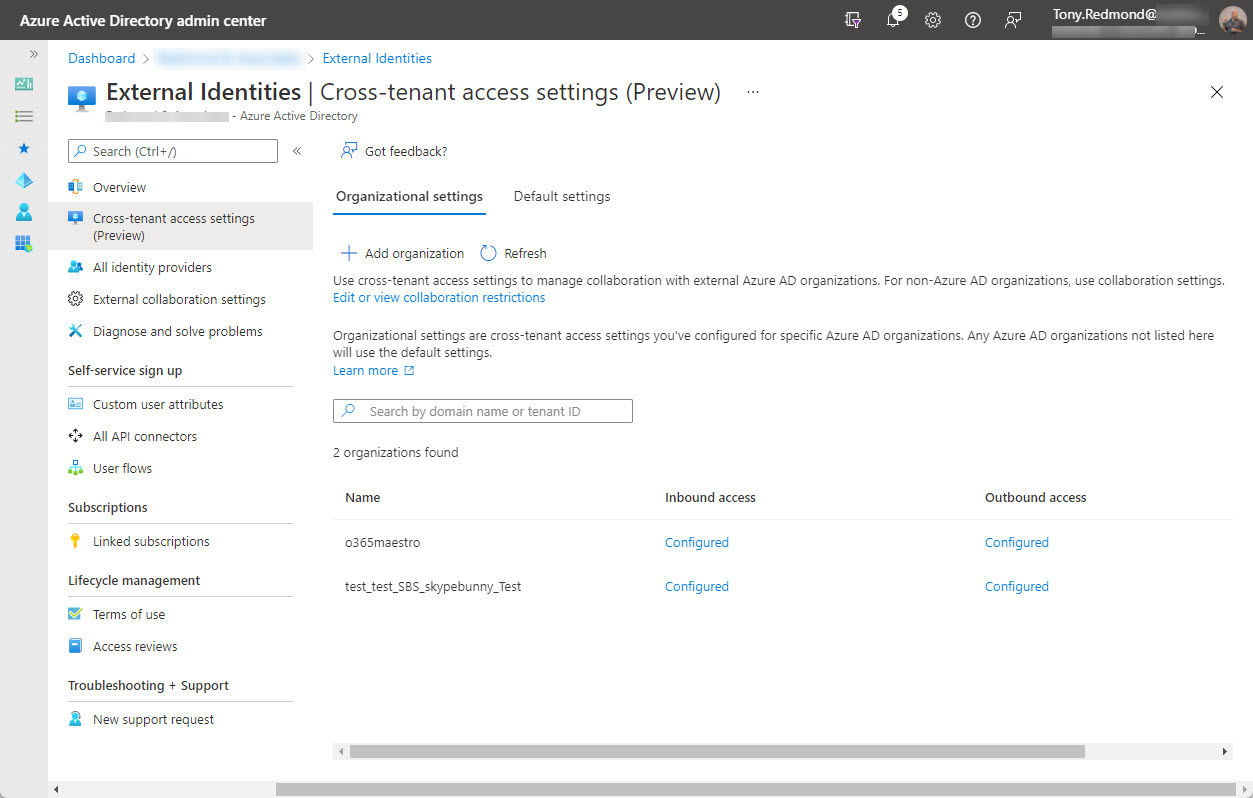
On February 7, Microsoft announced the preview of Azure AD cross-tenant access, a new capability to allow users obtain credentials in their home tenant and use these credentials to access resources in other Microsoft 365 organizations. Microsoft Teams Connect (aka shared channels) is likely the first app to use cross-tenant access, with public preview of that feature expected in March 2022.
Users can configure Teams chat to use a comfy (default) or compact spacing. The new density setting works on desktop and browser clients. The idea is to help users make better use of screen space. I quite like the compact setting. For now, the new setting is available to preview users and will no doubt reach general availability in a matter of weeks.
Microsoft Cloud revenues hit $22.1 billion in Microsoft’s FY22 Q2 results announced January 25. Office 365 user numbers grew 16% year over year, but there’s no detail given about active users. Teams reached 270 million users, but we don’t know what segments these users fall into. We do know that Microsoft Viva has 1,000 paying customers, which could be deemed a disappointing outcome for a much-hyped solution.
Outlook desktop couldn’t display actionable messages generated by Teams and Yammer properly while OWA and Outlook mobile could. It’s a small issue in the context of Microsoft 365, but it irritated me. I fixed the problem but don’t know how except that the Actionable Messages Debugger for Outlook might have been involved. Another day in the life of a Microsoft 365 tenant administrator…
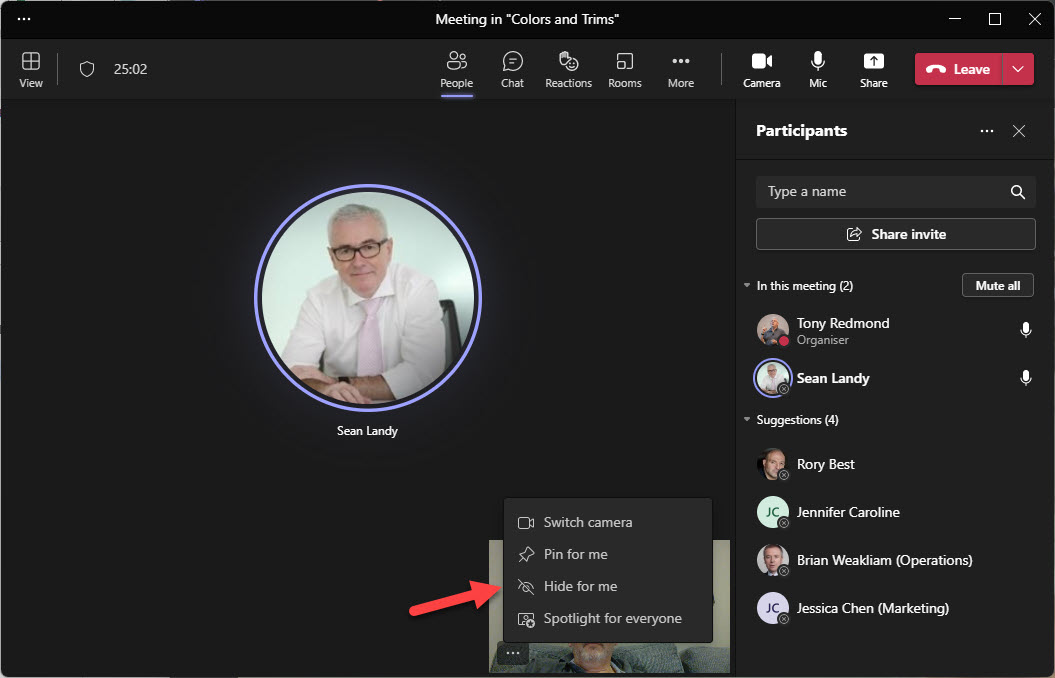
Two new features will help users enjoy Microsoft Teams meetings better. Or at least, improve the “user experience” by removing some irritations people currently have during meetings. The first allows users to suppress notifications arriving during meetings. The second hides a user’s video feed from their view to remove what seems to be a distraction for many. I’ve already disabled notifications for meetings. Maybe you should do the same?
A new List Teams API is available in the beta version of the Microsoft Graph. In time, the new API might replace the existing methods used to fetch sets of teams for processing. For now, there’s no need to update any code as we wait for Microsoft to fully bake the new API. Maybe it will be more performant and functional in the future!
Microsoft Teams posts system messages to a team’s information pane to let people know about membership changes. You can’t stop Teams doing this because Microsoft doesn’t provide control over the system messages at the tenant or team level. You can obscure the names of new members by changing their display name, but maybe the best idea is not to add new members until the time is right.
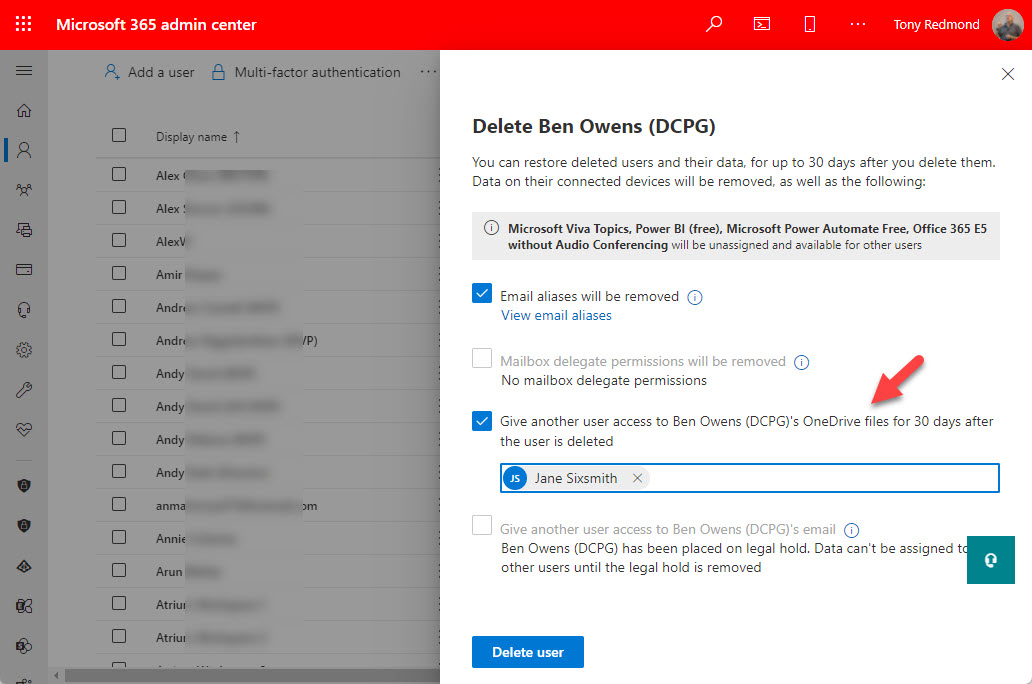
Whiteboard is the latest Teams-enabled app to use OneDrive for Business for its storage. It’s unsurprising and it’s a trend likely to continue, and it creates an administrative challenge in terms of how to handle deleted Microsoft 365 user accounts. The suggested approach of having a designated user review the information and retrieve what’s important is OK for documents but doesn’t work for app-linked content. Retention policies are a better option.
Among the changes Microsoft postponed to January is the introduction of a new unmute keyboard shortcut for meetings. While I lik shortcuts generally, this one doesn’t seem to make much sense, especially because an existing keyboard shortcut is available to toggle mute on and off during meetings. In any case, if you don’t want to use the shortcut, you can disable it in Teams settings. To each their own…
Some changes in the Microsoft Teams desktop and browser clients will allow users to decline guest invitations from other organizations, leave organizations, and hide organizations from Teams. Although leaving another organization has been a well-trodden path for several years, it’s required knowledge to find the right place to go. Having these options in Teams makes it much easier to manage a cluttered set of organizations.