Teams meeting organizers will soon be able to configure an option to start recording when the meeting starts. The option must be set for each meeting and there doesn’t seem to be an available method to preconfigure recordings for all meetings through a policy or programmatically. The new option is useful, if you remember to set it.
Teams meeting recordings are now accumulating as MP4 files in OneDrive for Business and SharePoint Online. If you have Office 365 E5 licenses, you can use an auto-label policy to remove recordings after a set period. If you don’t have those licenses and need to remove recordings, you’ll have to come up with another plan, maybe after tracking the creation of recordings through the Office 365 audit log.
Microsoft is changing the SharePoint document library UI for sites used by Teams private channels to make sensitivity labels read-only and move a link into the command bar. That doesn’t sound so important, but it’s part of the preparation for the introduction of Teams Connect, aka Shared channels. It’s just a pity that the text of message center notification MC261534 was so confusing when it first appeared.
Chat bubbles in Teams meetings are another way to surface information. Using chat bubbles is a personal choice and it doesn’t replace the regular chat window. Microsoft says that chat bubbles make chat more central to a conversation, but it really depends on the type of meeting, the topic being discussed, and the number of participants. In any case, chat bubbles are there to be used if you want to.
A preview Teams feature allows organizations to upload approved corporate images for people to use during Teams meetings. When generally available, this feature will need a Teams advanced communications license. An organization can distribute up to 50 images, which users see ahead of Microsoft curated images and their own custom images (if they’re allowed to upload these images). However, there’s no way for an organization to force people to select one of the corporate images.
A new feature allows Teams users to create tasks from personal chats and channel conversations. Tasks from chats are personal while those created from channel conversations can be personal or go into a Planner plan. Although you might like the tasks to be populated more fully, the overall implementation is a nice addition to the Microsoft 365 tasks system.
Now rolling out to Office 365 tenants, Teams meeting organizers can review the attendance data for meetings and webinars in a new dashboard. The same data can be downloaded to a CSV file for analysis. Teams stores the attendance report data in the Exchange Online mailbox of the meeting organizer. It’s a good example of the Microsoft 365 substrate in use.
Sometimes it’s wise to give PowerShell scripts a turbo boost. This is certainly true for the Groups and Teams Activity report script, where a large amount of PowerShell processing has been replaced with speedy Microsoft Graph API calls. The result is much faster processing, which means that the script is more useful in large tenants. I still wouldn’t try to run it against 100,000 groups, but anything smaller should be OK. I think!
A new control allows organizers of Teams meetings to disable videos for attendees before or during calls. Organizers and presenters can also selectively enable video for specific attendees. It’s probable that this feature will be most interesting to those who want to run webinars through Teams meetings, but other use cases exist too… like when someone turns up with an objectionable background image!
Teams mobile clients can translate messages into the preferred language of the device owner by sending text to the Microsoft Translator service. This is the same capability that the desktop and browser clients have had for nearly three years. The implementation works well and is very useful when people want to share their thoughts with others in a channel and need to write in their own language.
The value of the Teams Approvals app is much improved when organizations create their own approval templates to meet business needs. It’s easy and quick to do, with the only challenge being the limited set of field types available to build the form. Even so, you can get creative and build some nice approvals templates for use everywhere in an Office 365 tenant, limited to just some users, or in a specific team.
A new feature allows Teams meeting organizers to lock a meeting and stop attendees joining. This isn’t a feature for “normal” meetings. Instead, it’s there to protect the privacy of confidential meetings and is the online meeting equivalent of locking the doors to a conference room. Get everyone you want into the meeting and then set up a barrier to joining. Who wouldn’t like that!
Office 365 tenants can connect eSignature applications to Teams approval requests. It’s a good way of combining cloud services to get the best of both worlds. Teams makes it easy for users to create and send approval requests for eSignature while the eSignature provider takes care of the processing. This article covers how to use Adobe Sign with Teams approvals.
Blocking domains through the Azure AD B2B collaboration policy stops group owners adding new guest accounts from certain domains. It does nothing about existing guests from those domains. Fortunately, it’s relatively easy to check the guest membership of Groups and Teams to find guests from the blocked domains. And once you know those problem guests, you can decide what to do up to and including removing guest accounts from the tenant.
A report saying that Teams would record every meeting automatically caused some concern, but it’s untrue. Instead, ISV solutions are available to allow companies which need to record meetings to create compliance policies to assign to specific users so that their meetings are recorded to meet legal or regulatory requirements. It would be nice to be able to update meeting options so that organizers could opt for automatic recording of certain meetings. Maybe that’s what Microsoft meant when they responded to a User Voice request. No doubt, time will tell.
This page describes the latest version of the Microsoft Teams (MicrosoftTeams) PowerShell module. If we know about problems with versions of the module, we note them here.
The current version of the Teams PowerShell module is V7.7.
Microsoft Teams Connect now allows external (federated) people to join group chats. Federated participants come from other Microsoft 365 tenants. Previously, federated chats were only supported for 1:1 conversations, but as part of the effort to prepare for the introduction of shared channels (also based on federation), multiple external participants can join a group chat.
Teams meeting organizers can control which participants can bypass the meeting lobby to join automatically, Microsoft has increased the set of available lobby options to handle a range of conditions from all-comers calls to those to discuss sensitive and confidential information. Here’s a quick review of the available options and what each does.
Organizers of Teams meetings can create polls to use during their event. The polls now boast some AI capabilities to help organizers choose the right questions. Organizers can also create and launch polls using the Teams mobile client. This seems to be taking mobility a little further than you might want to use it, but I guess some people run meetings from large iPad devices.
In their FY21 Q3 results, Microsoft announced that Teams now boasts 145 million daily active users. That’s a growth of 30 million over the last six months. Office 365 now has nearly 300 million paid seats. A paid seat is different to an active user, but Microsoft loves to mix up its data so that people believe what Microsoft wants them to think. In any case, the numbers are impressive.
The Teams developers are very proud that the new emoji picker expands the set of available emojis from 85 to over 800. No doubt some will welcome the increase. It will leave others cold as they wonder why Microsoft uses development resources to fill what seems to be an unimportant gap. In any case, the new emoji picker comes to Teams near you sometime soon. Enjoy!
SharePoint site owners can teamify (team-enable) their site, which is nice, Now you can create channel tabs based on site resources during the team enablement process. It’s a nice new feature but you must remember that a new team only has a General channel, so site resources will end up in a place where they might necessarily not end up in the long run.
Teams supports several methods to import email. Outlook for Windows can drag and drop messages into Teams conversations. It’s a quick and easy way to move the focus of a conversation, but there are some downsides to be aware of.
The Teams usage data reported in the Microsoft 365 admin center can now be obfuscated. Teams is the last workload to support this facility. It’s all very well to anonymize, deidentify, or obfuscate user data to protect individual privacy and it’s appropriate to do so in the Microsoft 365 admin center where people with several roles can access the data, but having a single on/off switch for data obfuscation for the Microsoft Graph Reports API is a real pain.
Office 365 administrators can update Azure AD guest accounts with photos. Guests can do the job themselves using three PowerShell commands. Other approaches work too, but this is the easiest and quickest method to do the job, especially if you have guest accounts in multiple tenants.
Organizations can choose to control updates of user photos by policy in their Microsoft 365 tenants or allow users to go ahead and use any image they like. In this article, we explore the value of having a user photo for every Office 365 account (and Teams and Groups too) and the choices organizations must make when they decide whether to control user-driven updates.
Users of the Teams mobile clients can now choose background images for their meetings, including custom backgrounds from their device’s camera roll. The implementation works well as long as the image you want is in your camera roll. Not being able to browse other repositories is a small gripe about a feature that many users will welcome.
Teams meetings include a neat Private Preview feature to allow users to see what their video feed will look like if they enable their camera. All good, except that a strange blog post feels that user privacy might be compromised. In my opinion, that view is a load of rubbish. Private Preview is a very worthwhile feature and a little training can make sure that no one is ever surprised by their video geed appearing unexpectedly in a Teams meeting.
Teams Live Events now support anonymous external presenters, defined as people who don’t have Azure AD or MSA accounts. It’s a useful change because many large public meetings (the natural ground for Live Events) involve external presenters brought in because of their expertise in the meeting topic. The update is rolling out in April 2021.
Teams breakout rooms are a popular method to split meetings into smaller discussion groups. Microsoft has improved how breakout rooms work, notably by adding a countdown timer. The settings for breakout rooms and the assignment of users across rooms now persist across sessions. These small but important improvements reduce the friction of running meetings with breakouts.
Microsoft has refreshed the Send to Teams option in Outlook for Windows, OWA, and Outlook for Mac. You might not notice the change, but it’s a little faster and works better. Software engineering changes like this happen all the time in the cloud to speed up performance and improve reliability. We keep an eye on stuff like this to make sure that we understand what’s happening across Microsoft 365. It’s just what we do…
Microsoft plans to push ads for Teams for personal life into the activity feed of Teams mobile clients used by enterprise accounts. It’s a daft idea. Unsolicited communication is never welcome. This is a bad example of a company abusing its position to advance its own interests without asking whether their paying customers want this kind of communication.
Microsoft 365 organizations which use Teams but don’t have a Teams DLP policy will see a Compliance Center widget recommending the creation of a DLP policy. Sounds good, and the policy covers the most common sensitive data types that people worry about. The downside is that Teams demands Office 365 E5 licenses for DLP policies. You might not know that, but you will if you accept the recommendation.
A new Microsoft 365 admin center feature allows tenants to create an auto-claim policy to assign licenses when users sign into Teams for the first time. It seems like a good idea, but it’s limited by the fact that only Teams supports the auto-claim policy. No scoping exists either, which will disappoint those who like to manage licenses on a granular level. There’s some work to do before these policies will be right for everyone.
A new preview feature allows the resources available to an Azure AD guest account to be reassigned to another email address. It’s a nice feature, but Teams has some problems with it at present. On the upside, everything works great with SharePoint Online and Planner, and we’re sure that Microsoft will fix the problem with Teams soon.
Microsoft has released the public preview of the ability to set the Exchange out of office (OOF) auto-reply from the Teams desktop and browser clients. OOFs set in Teams are synchronized back to Exchange using EWS so that the new auto-reply configuration is picked up by clients like Outlook and OWA. It’s a small but useful update.
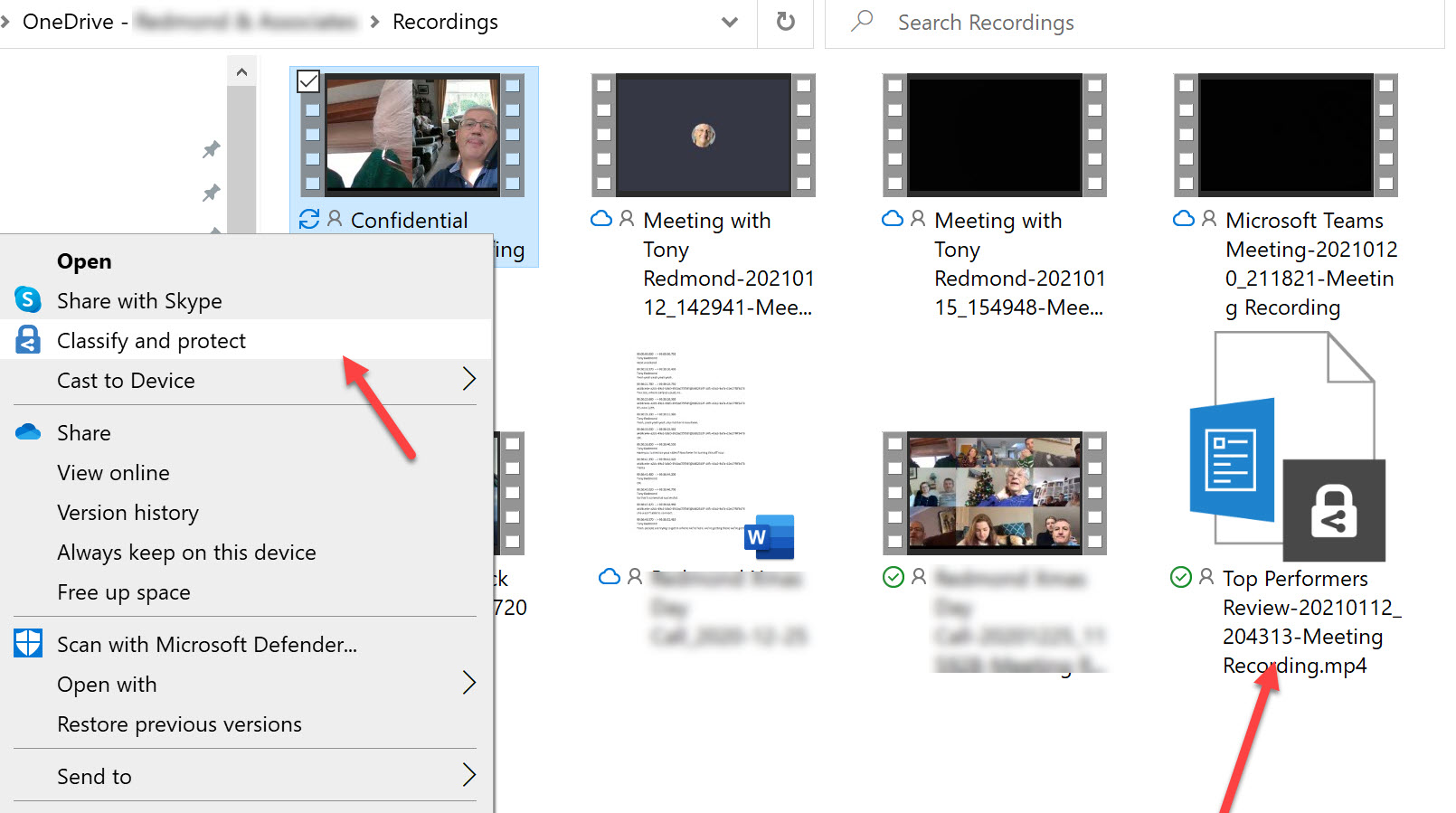
OneDrive for Business now stores Teams meeting recordings. You can protect files with sensitivity labels, but does this have any side effects for Teams? As it turns out, it does because the protective wrapper which encrypts the recording breaks the link to Teams. This might not be important if you need to protect a confidential recording and restrict access to a known set of users, but it’s something to consider before applying any labels.
The Teams mobile clients (iOS and Android) benefit from a reduced data usage mode during video calls. The new mode can cut the amount of cellular data consumed significantly. We ran a simple test of a ten-minute meeting involving a shared PowerPoint slideshow and saw data usage reduce by 71%. That’s not a bad outcome!
Microsoft has released V2.0 of the Teams PowerShell module. It brings some welcome improvements, notably the inclusion of all the management cmdlets, but has a downside too. The new cmdlets for managing teams templates are not easy to use and some authentication issues affect the Connect-MicrosoftTeams cmdlet after a change in authentication libraries. Microsoft has some work to do to improve this version of the module.
Microsoft plans to make the Dynamic View feature available for Teams meetings in mid-March. The signs are that the enhanced presentation of meeting content will make attending meetings a tad more engaging. Not much can be done with visual tweaks to rescue boring meetings where presenters drone on about stuff they should cover in a few minutes, but maybe the changes made by Dynamic View will brighten attendee spirits, We can but hope.