Outlook for Windows (ProPlus or click to run) now boasts settings to allow users to schedule meetings and appointments to end some minutes earlier than expected. Brian Reid is very excited by the prospect, but we’re not sure if this qualifies as one of Ståle Hansen’s famous lifehacks. In any case, ending meetings early won’t solve the problem of badly-organized or managed meetings or how people behave during meetings, but it might give you a quiet feeling of satisfaction to have a neater calendar.
Microsoft has released the GA version of the Azure Information Protection client, which reads information about Office 365 sensitivity labels and policies from the Security and Compliance Center. It’s one more step along the path to making it easy for Office 365 tenants to protect their data. Work still has to be done, but at least we can see light at the end of the encryption tunnel.
Microsoft announced a new migration experience from Google G Suite yesterday, which is nice. Under the covers, the venerable Mailbox Migration Service (MRS) does the work to extract mailbox data from Gmail using IMAP4 and moves it to Exchange Online. But after the move is done, there’s still lots of work to do to help users make the cultural change to their new mailbox in the cloud.
The ThirdPartyFileProvidersEnabled setting in OWA mailbox policies controls if Exchange Online mailboxes can access services like Drop and Dropbox for attachments. Office 365 tenants need to decide if they want to allow this kind of access. There’s both good and bad in the feature, but it’s easily turned off if you feel the need.
It’s hard for a program that’s been around for 22 years to surprise, but Outlook has done it by introducing background moves. The implementation is good and it closes a gap that’s existed in Outlook for a very long time. So long that most Outlook users probably assumed that the program would never mend its ways. But then again, because people don’t move items between folders like they used to, perhaps no one cared.
Announced in January, paused in March – that’s the fate of the MailItemsAccessed audit record generated by Exchange Online for the Office 365 audit log. Microsoft found some problems that they are fixing, which is good (because you want audit data to be reliable). And when the fixes are available, the deployment of the new audit record will restart.
MailTips are a pretty useful way of drawing the attention of users to potential issues with email. Exchange Online supports several MailTips, but Outlook clients insist on supporting MailTips in different ways. It’s a small but irritating part of Exchange Online that could be done better.
Office 365 content searches now support a hard-delete (permanent deletion) option for the purge action, but only for mailbox items. You can purge up to 10 items at a go. If you have more to purge, you just have to keep on purging until everything is gone. Or use the Search-Mailbox cmdlet, which keeps on proving its usefulness to administrators who need to remove lots of mailbox items quickly.
Helping Exchange Protect Users from Bad Email Given the amount of spam floating around today, it comes as no surprise that many organizations deploy an Exchange transport rule to mark inbound external email with a suitable warning. This is a straightforward rule to configure and it can help stop users being fooled by bad messages …
Read More “Marking External Email with an Exchange Transport Rule”
Microsoft announced that the Office 365 E3 and E5 plans will receive new Information Protection licenses. They’re preparing for the introduction of sensitivity labels and the increased use of encryption to protect access to content in Office 365 apps like SharePoint Online, Exchange Online, OneDrive for Business, and Teams. You don’t have to do anything to prepare for the new licenses, but it’s nice to know what they are and how the licenses are used.
Microsoft will deliver a set of five seminars about Outlook Mobile starting on March 14. It’s always good to gain some knowledge about an important technology. Outlook Mobile is important to Office 365 because it is the most functional email client available. If you don’t believe me, attend some of the seminars and make your own mind up.
Phishing attacks through email happen all the time. A new relatively crude one arrived today. It’s easy for the trained eye to detect phishing, but do your Office 365 admins know how to use the tools available in Exchange Online Protection to suppress malware, and do your users know the signs of bad email? In this case, it’s an invitation to click to get to a PDF document to bring you to digitaloceanspaces.com. Some interesting things might happen afterwards, but I really don’t want to find out what occurs when I click the link.
Office 365 changes all the time, which is good because it keeps the Office 365 for IT Pros writing team busy and happy. Discussions this week included Microsoft’s response to a Dutch DPIA, the effect large Teams have on Yammer, how Exchange Online validated a fix to a security problem, and graphics to help understand the components of the Microsoft 365 E3 and E5 plans.
The January 24-25 Azure Active Directory outage demonstrated once again how important AAD is to Office 365. Microsoft’s Post Incident Report tells us what happened to deprive 1% of the users in Europe of service. That doesn’t sound a lot, but you’d be mad if you were affected.
Some backup vendors think that corruption can lead to data loss within Office 365. The possibility exists, but the page patching mechanism for databases incorporated into Exchange Online DAGs makes corruption a lot less likely, especially when mailboxes are protected by four database copies and Exchange applies many other techniques to ensure the consistency of the databases.
The new version of OWA (sometimes called Outlook on the Web, or Outlook Web Access) is now generally available to all Office 365 tenants. Although the new OWA has some nice features, you might want to turn off the user choice (toggle) to move the new UI until you’ve had time to prepare the help desk, documentation, and that sort of thing.
Microsoft has released details of an Exchange Online transport rule to encrypt outbound email containing sensitive data types like credit card numbers. The rule works (after fixing the PowerShell), but needs to be reviewed and possibly adjusted to meet the needs of Office 365 tenants.
A new report commissioned by Microsoft explains how Exchange Online and the Security and Compliance Center meet the electronic records requirements of regulatory bodies like the SEC and FINRA. Within the report, there’s some news about changes to the way that Office 365 handles Teams compliance records stored in Exchange Online. And after all that, we consider how some backup vendors treat Teams compliance records as equivalent to the data stored in the Teams Azure services.
The internet makes it easy to find material to read about technical topics. Unfortunately, a lot of content is rubbish. In this post, we compare two recent technical articles and explain why we think one marketing post is good and the other isn’t up to scratch.
The new version of OWA is maturing and new features are turning up on a weekly basis. You can now schedule a Teams meeting from OWA and the prospect of joyful animations hang in the air. But only for Office 365 users as there’s no sign that the new OWA will come to Exchange on-premises servers.
A change made to fix a problem in Exchange Online introduced another problem in that service domains started to show up as prefixes in the data returned by PowerShell cmdlets. Microsoft has reversed the change, but the way things happened creates some questions.
Office 365 tenants can use Exchange transport rules to apply autosignatures to outbound email, including messages protected with encryption. You can even include some properties of the sender extracted from Azure Active Directory, and you can add an exception so that the autosignature isn’t applied to replies.
Exchange Online now captures session identifiers in its mailbox and admin audit records that are ingested in the Office 365 audit log. That’s interesting and useful, but how do you access and interpret this information on a practical level?
Exchange Online will soon capture audit records for any access to a message in a mailbox. Initially, the audit records will not be ingested into the Office 365 audit log, but that will happen in the future.
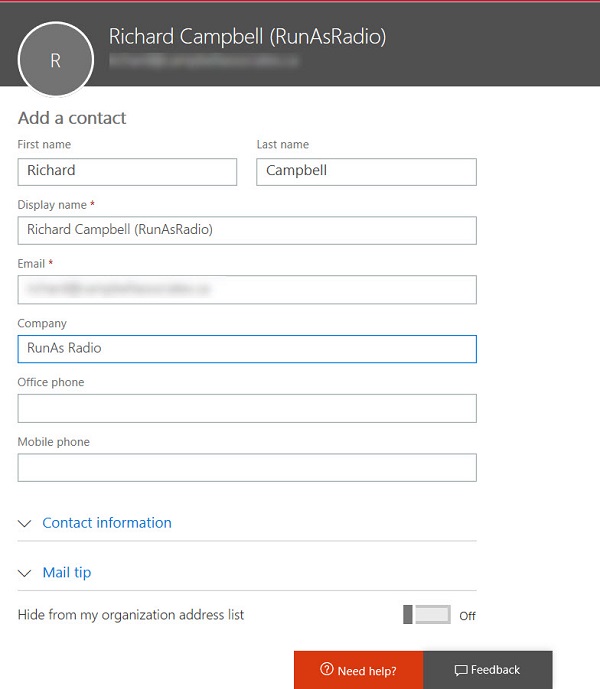
You can use a public folder to store and share global email contacts, but a better approach is to use Exchange mail contacts. These objects show up in the Exchange GAL and OAB and are available to all Outlook clients (and some third-party clients too).
You can use the Send-MailMessage cmdlet in a PowerShell script to send mail messages via Exchange Online. And sometimes your IP address might be listed as a spammer, which is bad. All in all, authenticated client submission seems best.
Encrypted email is becoming more common within Office 365. Things usually flow smoothly when sending protected messages to email recipients, but other Office 365 recipient types like Teams and Yammer might not be able to handle protected email.
Making it easy to protect Office 365 content with encryption is great, but it has some downsides too. One of the obvious problems that we have is that encrypted documents in SharePoint and OneDrive for Business libraries can’t be found unless their metadata holds the search phrase.
The Exchange Online Managed Folder Assistant (MFA) runs in the background on a workcycle basis to make sure that mailboxes are processed at least once a week. Most of the processing involves mailbox and Office 365 retention policies and runs smoothly, but how do you know what MFA has done?
The Office 365 Security and Compliance Center includes a report to detail encrypted email. The report is in preview. It’s a nice insight into user activity, even if it has some glitches that need to be sorted out before it becomes generally available.
Including a company’s logo when listing or displaying email is another way to give users confidence that the email is in fact from that company. Business Indicators for Message Identification is a draft standard that might become generally used by all email clients. But for now. Microsoft has their own business profile “brand card” program, and that’s where OWA gets its logos.
Microsoft has refreshed the Outlook Mobile architecture (now called “Microsoft Sync Technology”). They suggest that you run some PowerShell to report clients connecting via the old and new architectures. Their code works, but we think ours is better.
Now that we know all about the different email addresses used by Microsoft 365 Groups and Teams, the question arises of how to include a team channel as a member of a distribution group. As it turns out, there’s a simple way and a more complicated way.
Some recent questions in the Microsoft Technical Community show confusion about the email addresses used by Office 365 Groups and Teams. Here’s our attempt to clarify.
The latest version of the Azure Information Protection (AIP) client supports the ability to associate S/MIME protection with an AIP label. Although interesting, it’s a feature unlikely to be of much practical use to the majority of Office 365 tenants.
Another day, another phishing attempt, this time trying to make unwary Office 365 administrators click on a link to “Retrieve Pending Messages” for their domain. I’m surprised this one got through! Some other examples from November 2019 are included for your review. Make sure that you report these bad boys when they arrive into user mailboxes
A very exciting message arrived in my mailbox. So exciting that it was too good to be true. Some basic checks made me more suspicious and then Outlook’s Message Header Analyzer gave more evidence to think the message was bad.
Rights management and encryption are likely to be a much more common Office 365 feature in the future. Sensitivity labels makes protection easy for users to apply through Office apps. The downside is that protection makes content harder to access for some Office 365 and ISV functionality.
Exchange Online distribution lists can be used to populate the membership of Office 365 Groups or Teams by applying a little PowerShell magic. Here’s how.
A question asks how to remove a bunch of emails from a shared mailbox. You can use OWA to do the job, especially with its Cleanup Mailbox option, but perhaps some administrative action is needed.