The new version of OWA (sometimes called Outlook on the Web, or Outlook Web Access) is now generally available to all Office 365 tenants. Although the new OWA has some nice features, you might want to turn off the user choice (toggle) to move the new UI until you’ve had time to prepare the help desk, documentation, and that sort of thing.
Microsoft has released details of an Exchange Online transport rule to encrypt outbound email containing sensitive data types like credit card numbers. The rule works (after fixing the PowerShell), but needs to be reviewed and possibly adjusted to meet the needs of Office 365 tenants.
A new report commissioned by Microsoft explains how Exchange Online and the Security and Compliance Center meet the electronic records requirements of regulatory bodies like the SEC and FINRA. Within the report, there’s some news about changes to the way that Office 365 handles Teams compliance records stored in Exchange Online. And after all that, we consider how some backup vendors treat Teams compliance records as equivalent to the data stored in the Teams Azure services.
The internet makes it easy to find material to read about technical topics. Unfortunately, a lot of content is rubbish. In this post, we compare two recent technical articles and explain why we think one marketing post is good and the other isn’t up to scratch.
The new version of OWA is maturing and new features are turning up on a weekly basis. You can now schedule a Teams meeting from OWA and the prospect of joyful animations hang in the air. But only for Office 365 users as there’s no sign that the new OWA will come to Exchange on-premises servers.
A change made to fix a problem in Exchange Online introduced another problem in that service domains started to show up as prefixes in the data returned by PowerShell cmdlets. Microsoft has reversed the change, but the way things happened creates some questions.
Office 365 tenants can use Exchange transport rules to apply autosignatures to outbound email, including messages protected with encryption. You can even include some properties of the sender extracted from Azure Active Directory, and you can add an exception so that the autosignature isn’t applied to replies.
Exchange Online now captures session identifiers in its mailbox and admin audit records that are ingested in the Office 365 audit log. That’s interesting and useful, but how do you access and interpret this information on a practical level?
Exchange Online will soon capture audit records for any access to a message in a mailbox. Initially, the audit records will not be ingested into the Office 365 audit log, but that will happen in the future.
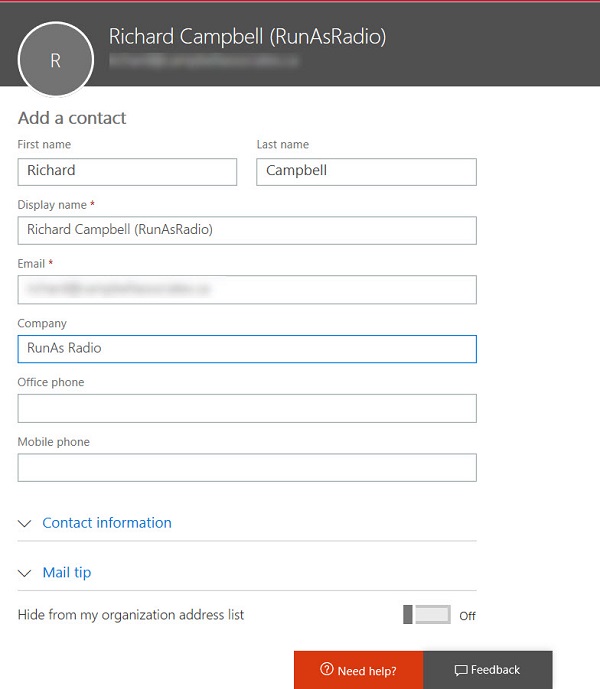
You can use a public folder to store and share global email contacts, but a better approach is to use Exchange mail contacts. These objects show up in the Exchange GAL and OAB and are available to all Outlook clients (and some third-party clients too).
You can use the Send-MailMessage cmdlet in a PowerShell script to send mail messages via Exchange Online. And sometimes your IP address might be listed as a spammer, which is bad. All in all, authenticated client submission seems best.
Encrypted email is becoming more common within Office 365. Things usually flow smoothly when sending protected messages to email recipients, but other Office 365 recipient types like Teams and Yammer might not be able to handle protected email.
Making it easy to protect Office 365 content with encryption is great, but it has some downsides too. One of the obvious problems that we have is that encrypted documents in SharePoint and OneDrive for Business libraries can’t be found unless their metadata holds the search phrase.
The Exchange Online Managed Folder Assistant (MFA) runs in the background on a workcycle basis to make sure that mailboxes are processed at least once a week. Most of the processing involves mailbox and Office 365 retention policies and runs smoothly, but how do you know what MFA has done?
The Office 365 Security and Compliance Center includes a report to detail encrypted email. The report is in preview. It’s a nice insight into user activity, even if it has some glitches that need to be sorted out before it becomes generally available.
Including a company’s logo when listing or displaying email is another way to give users confidence that the email is in fact from that company. Business Indicators for Message Identification is a draft standard that might become generally used by all email clients. But for now. Microsoft has their own business profile “brand card” program, and that’s where OWA gets its logos.
Microsoft has refreshed the Outlook Mobile architecture (now called “Microsoft Sync Technology”). They suggest that you run some PowerShell to report clients connecting via the old and new architectures. Their code works, but we think ours is better.
Now that we know all about the different email addresses used by Microsoft 365 Groups and Teams, the question arises of how to include a team channel as a member of a distribution group. As it turns out, there’s a simple way and a more complicated way.
Some recent questions in the Microsoft Technical Community show confusion about the email addresses used by Office 365 Groups and Teams. Here’s our attempt to clarify.
The latest version of the Azure Information Protection (AIP) client supports the ability to associate S/MIME protection with an AIP label. Although interesting, it’s a feature unlikely to be of much practical use to the majority of Office 365 tenants.
Another day, another phishing attempt, this time trying to make unwary Office 365 administrators click on a link to “Retrieve Pending Messages” for their domain. I’m surprised this one got through! Some other examples from November 2019 are included for your review. Make sure that you report these bad boys when they arrive into user mailboxes
A very exciting message arrived in my mailbox. So exciting that it was too good to be true. Some basic checks made me more suspicious and then Outlook’s Message Header Analyzer gave more evidence to think the message was bad.
Rights management and encryption are likely to be a much more common Office 365 feature in the future. Sensitivity labels makes protection easy for users to apply through Office apps. The downside is that protection makes content harder to access for some Office 365 and ISV functionality.
Exchange Online distribution lists can be used to populate the membership of Office 365 Groups or Teams by applying a little PowerShell magic. Here’s how.
A question asks how to remove a bunch of emails from a shared mailbox. You can use OWA to do the job, especially with its Cleanup Mailbox option, but perhaps some administrative action is needed.
A recent correspondent asked how to find inactive distribution lists in Exchange Online. We didn’t have a good answer in the book, so here’s some PowerShell code to do the trick.
Microsoft is working on tools to move email, calendar, and contacts from G Suite to Exchange Online with availability in Q2 2019. It’s hardly a surprise.
Microsoft has launched Privileged Access Management (PAM) for Office 365. The name’s incorrect because PAM only works for Exchange Online right now. PAM is based on RBAC, which is good, but is the implementation too Exchange-centric?
Exchange administrators are accustomed to looking through mailbox audit logs to find details of events. Those same events are in the Office 365 audit log, so that’s the place to go look for information, like when you want to find out who sent a message from a shared mailbox using the SendAs permission.
Backup vendors say you should definitely use their products to protect your valuable Microsoft 365 data. Backup products can do a good job, but the nature of Microsoft 365 creates many challenges at a technical level. A lack of APIs is the most fundamental issue, but the connected nature of Microsoft 365 apps is another.
Office 365 offers different ways to apply encryption to important messages. When those messages hold sensitive data known to Office 365, like credit cards or passport numbers, we can define a transport rule or DLP policy to protect outbound email automatically. And while you can define rules and policies through the GUI, PowerShell is available too.
If you run a hybrid Exchange deployment, you probably have some on-premises distribution lists that you’d like to move to the cloud. Office 365 offers no way to do this, so it’s up to PowerShell. Instead of starting from scratch, you can use a script created by Tim McMichael of Microsoft and amend it to meet your needs. PowerShell is just great.
Microsoft has released a preview of the cmdlet set to allow tenants to create and manage protocol authentication policies for Exchange Online. It’s a great chance to disable basic authentication and reduce the attack surface for password spraying.
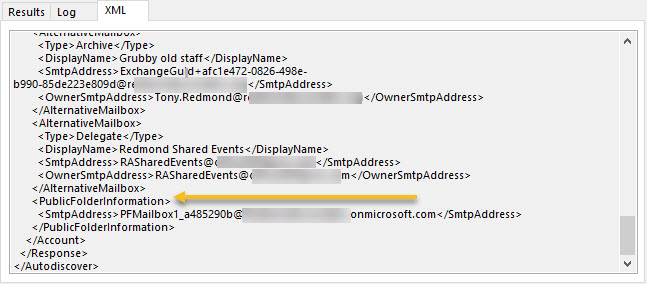
A recent update for Exchange Online gives extra control over who can access public folders. The change is intended to help with scalability, but it can be used to turn public folders off for any mailbox for which you care to disable access.
Microsoft issued Message Center update MC151582 to tell Exchange Online administrators about a new default value for automatic processing of events sent to room mailboxes. Unfortunately, the PowerShell code in the update contains an error, so here’s some fixed code to check existing values and to set them to the new default, if you want to do that.
Microsoft has confirmed that they will not release a free hybrid license for Exchange 2019. That’s OK, because if you want to use Exchange 2019 as the HCW host, you simply assign the server one of your licenses. After all, the server won’t simply be running hybrid connectivity, will it?
Microsoft has a new OWA user interface in targeted release. So far it all looks good even if some features are still missing, Expect to see the new UI generally available in late 2018 or early 2019.
You can now connect Office 365 accounts to LinkedIn accounts (or block the connection at a tenant level). It’s a nice way to keep tabs on your LinkedIn contacts and find out what they’re doing with a simple click in an Office 365 people card.
Exchange Online sends its mailbox audit records to the Office 365 audit log. You can search the log to discover who deleted messages from mailboxes, normally only an issue when delegates are involved.
A little known fact is that you can use graphic symbols and characters in Office 365 labels. It might bring a splash of color to your compliance and retention efforts, especially in a world where emojis are everywhere. After all, the symbols are just character codes that computers can process and Office 365 is designed to be multilingual and cope with different character sets (like the way Teams deals with Hebrew and Arabic).