Microsoft has confirmed that disconnected Exchange Online mailboxes are not included in the sources scanned by Office 365 content searches, thus clearing up some misunderstandings that might have existed in the field. The bottom line is that if you want to search mailboxes that don’t belong to accounts, you should use inactive mailboxes.
If you want to include SharePoint Online and OneDrive for Business locations in an Office 365 content search, you need to know the URLs of the target sites. Finding the URLs can be problematic, but here’s some easy ways to do the job. PowerShell, as usual, comes up trumps…
Exchange Online allows users to add personal retention tags to their maiboxes through OWA settings. Some organizations don’t like this, so they can deploy user role assignment policies to block the feature. It;s something that you could consider doing if you’re preparing to switchover to Office 365 retention policies to impose the same retention regime across multiple workloads.
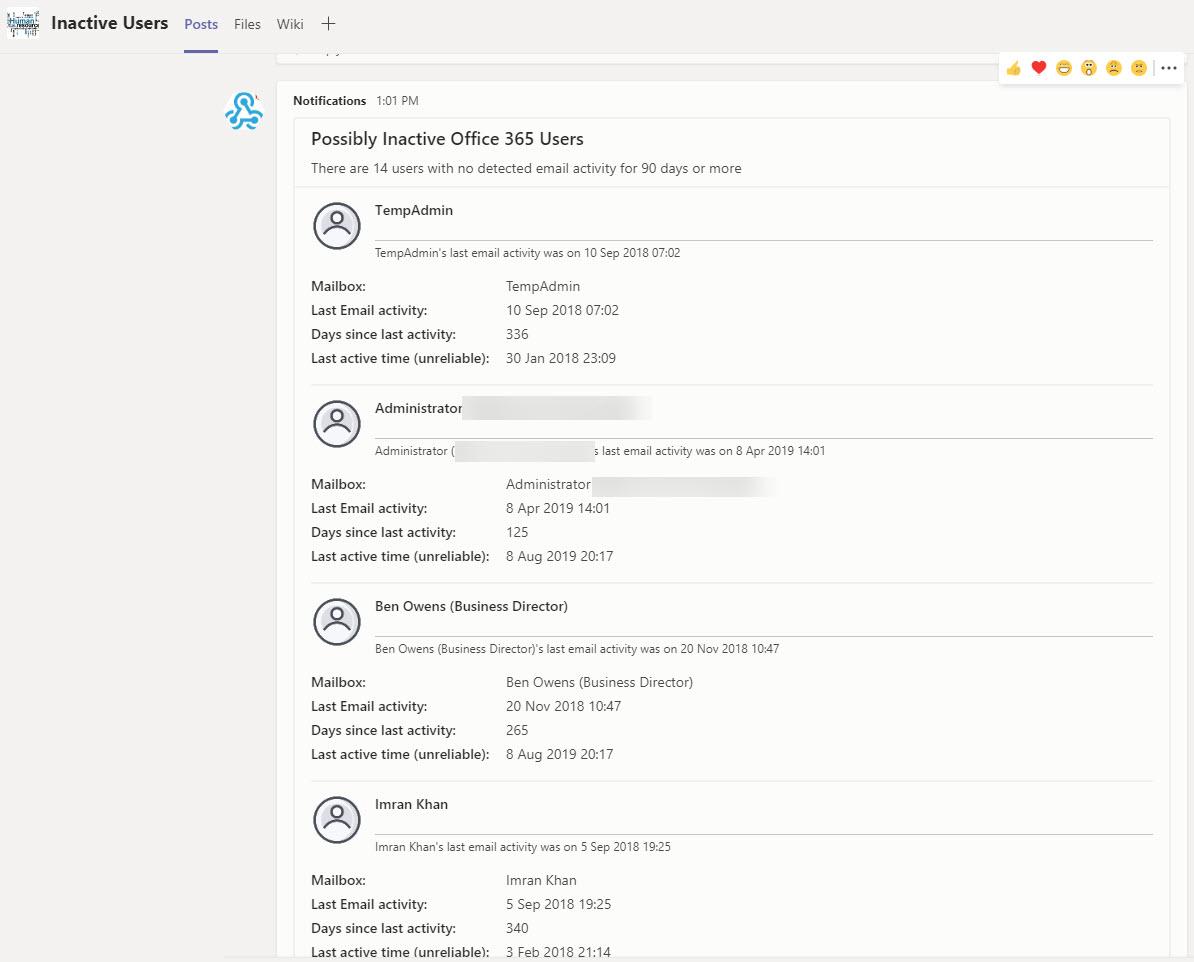
Being able to generate a report of mailbox activity is nice, but being able to filter the report to find potentially inactive mailboxes and post that information to Teams is even better. A recent Petri.com article explains how to generate the report; in this post we explain how to extract information from the report to and post updates about inactive users to Teams.
Office 365 tenant administrators often make extensive use of PowerShell. It’s a great tool to get work done across all the Office 365 workloads. However, hackers like PowerShell too, and it could be used to attack your tenant. If that happens, having PowerShell logs will allow you to find out exactly what the attacker did and where. With this in mind, shouldn’t you enable PowerShell logging?
A couple of weeks ago, I had the enjoyable experience of going to Charleston SC to present at the relaunched The Experts Conference (TEC). Niche Office 365 conferences seem to be quite the current trend and TEC is an excellent example of how small focused conferences are good to attend. You should consider it in 2021, which is the next time that TEC comes around.
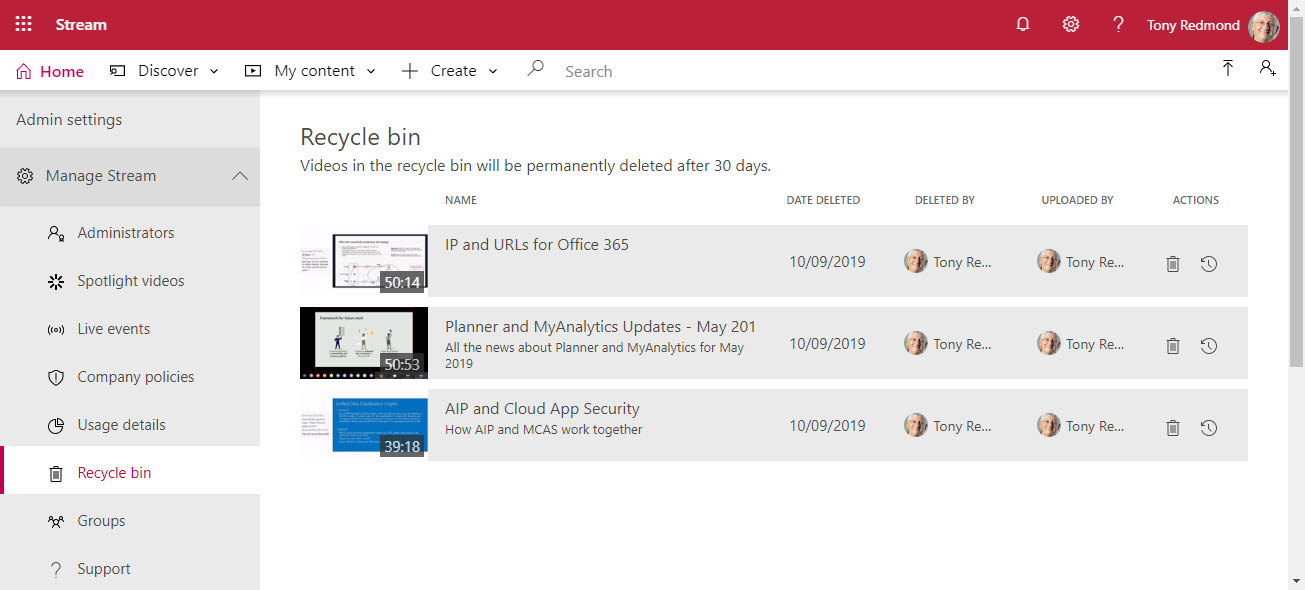
The Stream video service now boasts a recycle bin to allow Office 365 users 30 days to restore deleted videos. Stream administrators can access and restore videos deleted by anyone in a tenant. And, if necessary, users can permanently remove deleted videos before the 30-day retention period expires.
Planner, the task management app built into Office 365, has been upgraded to support a priority field for tasks. By itself, that’s not very exciting, but the new Group by Priority view is pretty good and makes it easy to move tasks within priorities in a plan. It just goes to prove that how a new feature is implemented is equally important to the existence of the new feature.
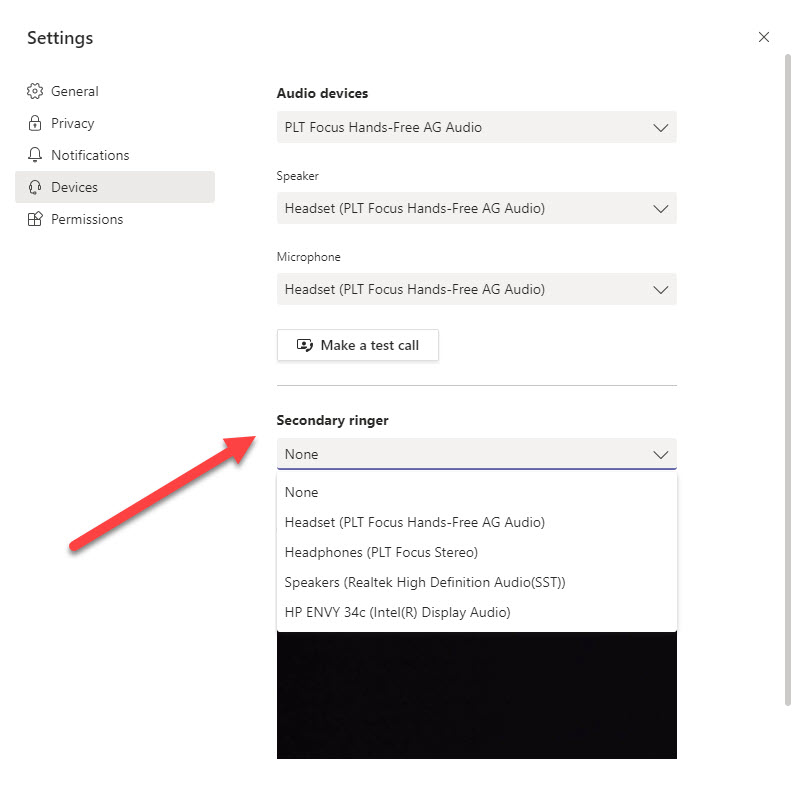
Microsoft is rolling out the ability for Teams clients to define a secondary ringer for inbound voice calls. The new feature will start appearing in Office 365 tenants from mid-September and the roll-out will complete in mid-October. Having the ability to signal inbound calls on multiple devices is a big thing for some organizations; in others, people don’t know about secondary ringers and the new feature will pass by without any notice.
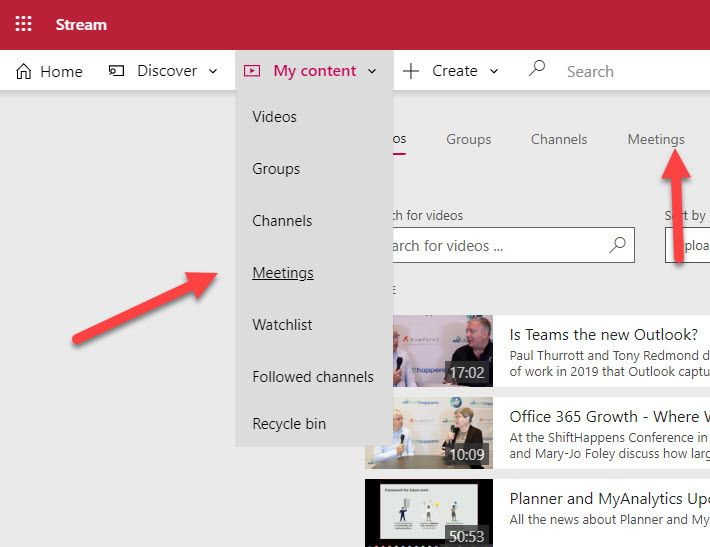
Stream now boasts fast access to the video files captured for recordings of Teams meetings. This is a good step because it can be hard to find a specific recording among a mass of other videos. At least, it can be if you manage many videos, which perhaps isn’t the case for the average Office 365 user.
The new Teams Calendar app gets a new feature called Meet Now to create on-demand or ad-hoc meetings that don’t need to be scheduled in anyone’s calendar. There doesn’t seem to be any reason not to allow users to use Meet Now, but if you need to block the feature, you can edit a Teams meeting policy and assign it to the unfortunate users.
The September 2019 update for the Office 365 for IT Pros eBook is now available for subscribers to download from Gumroad.com (PDF and EPUB) and Amazon (Kindle). We updated 17 of the 24 content chapters in this release. There are many small updates dotted across the book. Office 365 keeps on changing!
Deploying new features to a massive 100-million plus user community takes a lot of planning and careful management. Outlook Mobile caters for both consumer and commercial users, and different methods are used to deliver new features to the two groups. Sometimes this means that different users in the same tenant can’t access a new feature even if they have the right software.
The Outlook Places service is used by Outlook clients to present metadata about meeting locations to users. Currently, OWA is the only client that consumes the service. You can update location metadata with details to make it easier for users to select the right location for their meeting, including geocoordinates that can be used to display map directions to the location.
Teams is now included in Office ProPlus installations for Office 365 users. However, not everyone wants or needs to use Teams. Here’s how to stop Teams being installed or starting automatically each time a PC boots. You don’t need this information if you’re one of the 19 million people who use Teams, but you might just not be in that category…
Users of the Office ProPlus semi-annual channel will soon see that save to cloud locations is now the default. Microsoft hopes that this will result in more files being saved in SharePoint Online and OneDrive for Business. Whether the change will make any difference to a user depends on how they use Office and where they save files. In general, it’s just another step forwards to move everything to the cloud.
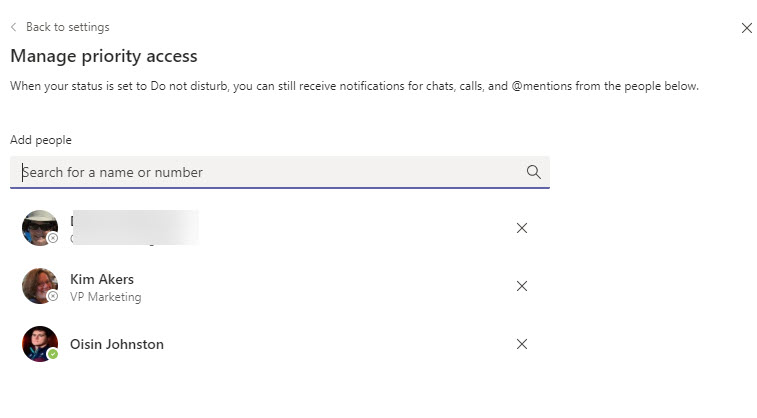
No one likes to be disturbed when they’re concentrating on something important, which is why Teams has a Do Not Disturb presence. But we all have people who are important to us, and that’s why the priority access list exists. Even when you’ve set Do Not Disturb, notifications from people on the priority access list get through. The notifications might break your concentration, but they might also tell you about something important (or not, as the case might be).
Outlook people favorites give Exchange Online users fast access to their most important email correspondents. OWA has the best implementation but the feature is also available in Outlook mobile. As usual, Outlook desktop lags. It’s a small feature that could turn out to be very important to some users. Office 365 is full of such examples.
Outlook for Office 365 (the click to run version) now supports the Office Black theme. Preferring to use dark Outlook is very much a personal choice. I’m not convinced that I like it, even if you can force the message reading pane to be in light mode.
The topic of Teams tenant-to-tenant migration generated a lot of reaction after an article published last week. This lead to a chat with AvePoint, who have a product similar to BitTitan. What was interesting is that AvePoint use the same API to backup Teams. Although the backup isn’t as functional as you want and definitely not designed for backups, you do end up with data backed up that can be restored. The solution is imperfect, but it is available now.
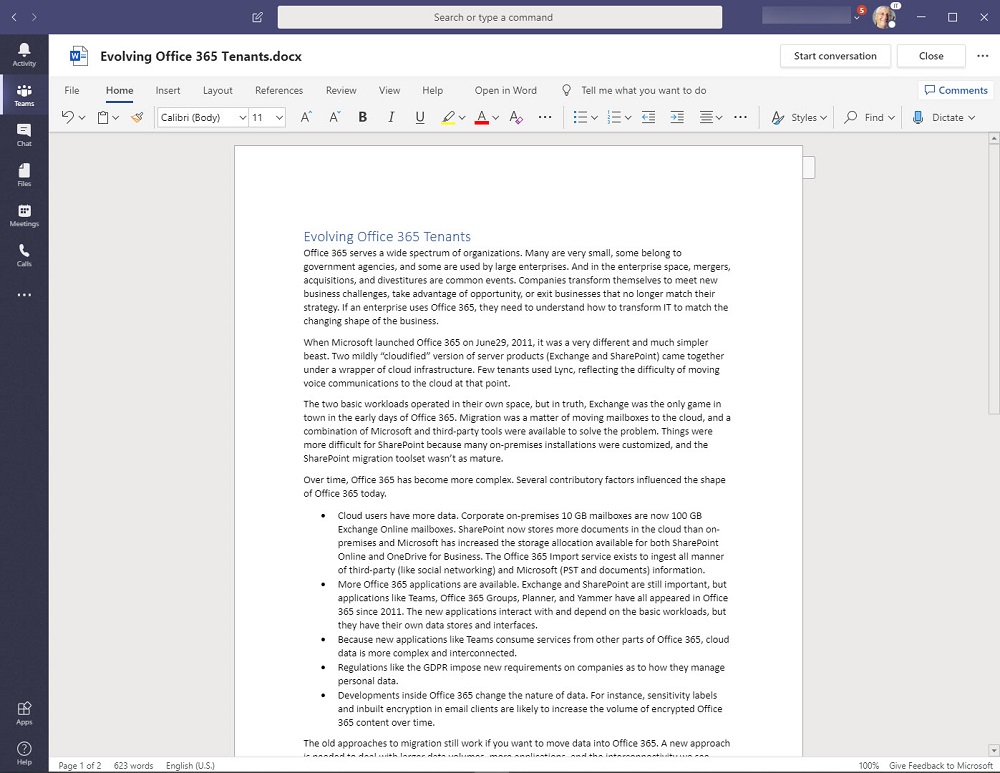
Microsoft has released new OneDrive file viewers that are turning up in Teams clients. The new viewers are more intelligent and make it easier to work with files, especially Office documents. However, even intelligent viewers can only function when a solid network connection is available and often a local synchronized copy of Teams files is the way to work.
Outlook 2013 introduced the concept of hybrid mode (sometimes called Exchange Fast Access) to allow clients configured in cached Exchange mode to fetch data direct from the server when possible. The mode works well, except when you’re connected on a poor network as the attempts to fetch data from the server might cause Outlook to hang. A registry setting gives a way to force Outlook to operate in classic cached mode and use the OST exclusively when it needs data.
Microsoft Cloud App Security (MCAS) can integrate with Azure Information Protection to allow automated policy-driven application of Office 365 sensitivity labels to Office documents and PDFs. You can depend on users to apply labels manually as they create documents, but it’s easy for humans to forget to add protection where a computer won’t. You’ll pay extra for MCAS, but it could be worthwhile.
Teams App Permissions policies allow Office 365 tenants to exert a fine degree of control over the apps users are allowed to install. You can amend the default policy or create new policies and assign the policies to user accounts through the Teams Admin Center or with PowerShell.
If you run a WordPress site, you might like to install the Share to Microsoft Teams plugin, an extension written by MVP Joao Ferreira to post content from the site to a targeted channel in a team. You must be logged into Teams before the post succeeds, but if you are, it’s a really easy way to share great content with team members.
Microsoft has announced the deprecation of the PowerShell module for the Azure Active Directory Rights Management service (AADRM). But don’t worry; it’s replaced by the Azure Information Protection (AIPService) module. Deprecation happens in July 2020, so you’ve lots of time to revise any scripts that use AADRM cmdlets.
Microsoft announced the roll-out of the Site Swap feature for SharePoint Online. You can only do this with PowerShell, but the process is quick and easy and works well (assuming your new site is ready to go). Who doesn’t like one-line PowerShell commands that do a lot of work with minimum effort!
The process of introducing Office 365 sensitivity labels to a tenant can be long and complicated because of the need to plan how to manage encrypted content. As you go through the process, don’t delete labels if they’ve already been used to protect content. Instead, remove them from the label policies used to publish information to clients. The labels will then remain intact in documents and other files.
Microsoft has announced that the AdditionalStorageProvidersAvailable setting in OWA mailbox policies will now control access to both first-party and third-party storage providers. The new setting is now available and becomes active in August. Before then, you might want to adjust some of your OWA mailbox policies.
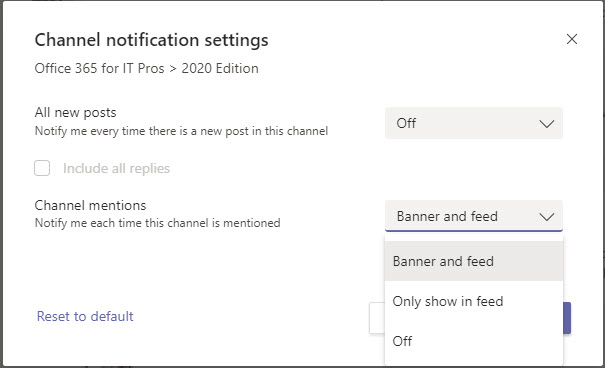
Teams allows users to decide how they receive notifications about new messages posted in a channel. You can opt for notifications to appear in the activity feed or as a “banner” pop-up. And for busy channels, you might decide not to have any notifications at all.
The August updates for Office 365 for IT Pros (2020 Edition) are now available for download from Gumroad.com and Amazon.com. It’s been a big month for change and we updated 21 of the 24 content chapters. Printed books could never cope with this level of change – or any level of change when you think about it.
On July 30, Microsoft announced the retirement of Skype for Business Online with effect from July 31, 2021. Two years seems like a long time to prepare, but it’s amazing how time passes when you’ve got lots to do. Microsoft, ISVs, third-party consultants, and customers all have lots of work to do to prepare for the transition.
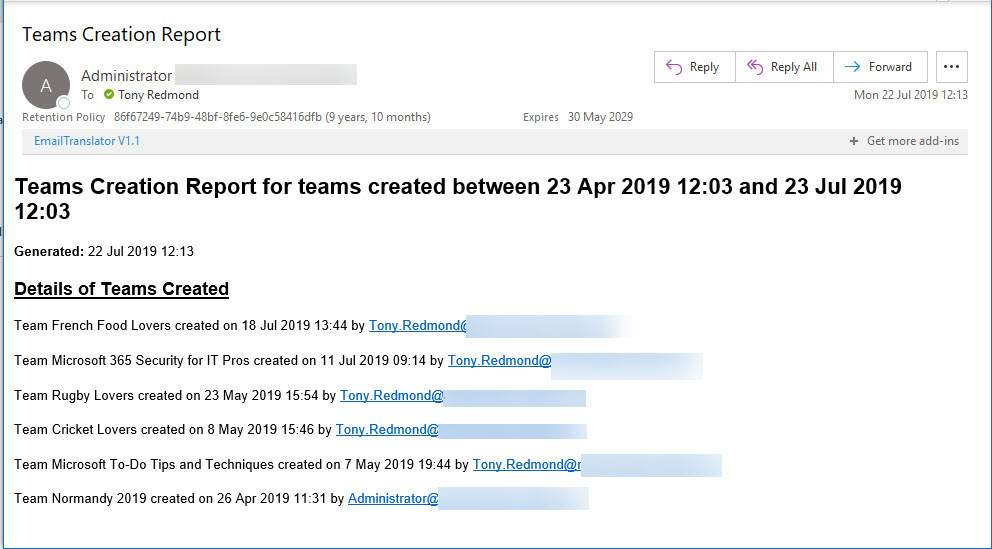
Office 365 Activity Alerts don’t seem to be working too well these days. At least, that’s what we found when we tried to create an alert for Teams creation events. Never mind, PowerShell will do the job as we can quickly whip up a PowerShell script to find audit records for team creations and put them into an email.
A question about how best to set auto-replies for Exchange Online shared mailboxes to respond to messages arriving during a public holiday gives another chance for PowerShell to show how useful it is. You could do the work with Flow, but PowerShell is more flexible and capable when dealing with multiple shared mailboxes.
On July 25. Microsoft South Africa announced the commencement of Office 365 services from datacenters in Johannesburg and Cape Town. South Africa is the sixteenth Office 365 region. Core services like Exchange Online and SharePoint Online are now being delivered to South African tenants.
Following a configuration change, the Exchange Online Focused Inbox ran into a problem on July 24 and delivered all messages to the “Other” view. This caused problems for users who didn’t receive notifications of new mail. Software can have bugs, but configuration changes should be tested before getting to production.
Exchange Online writes audit records into the Office 365 audit log when messages are deleted by delegates and administrative action. We can analyze the audit records to find out who deleted a specific message. Some challenges exist to interpret the audit records for admin-generated deletions (for example, when you run Search-Mailbox), but it’s easy enough to code the necessary checks in PowerShell.
SharePoint Online and OneDrive for Business support the ability to protected Anyone links with passwords. The idea is good and the feature works well, but some Office 365 tenants have problems with the idea of using Anyone links because, as the name implies, anyone who has the link can use it to open a document.
Microsoft says that they’re bringing Fluent Design to the OneDrive for iOS mobile app. Designers might be excited by the prospect of the new graphic elements, but being able to markup PDFs is easily my favorite feature. That’s supposed to be even better in the update and that, more than even the revamped camera settings, is what I am looking forward to.
The Teams Test Call feature calls up a bot to test your audio and camera settings in exactly the way that they’re heard and seen during a real meeting. It’s a very useful feature that emulates the Check Call Quality feature in Skype for Business Online. It won’t improve your looks, but Test Call will at least prove that you can be heard.