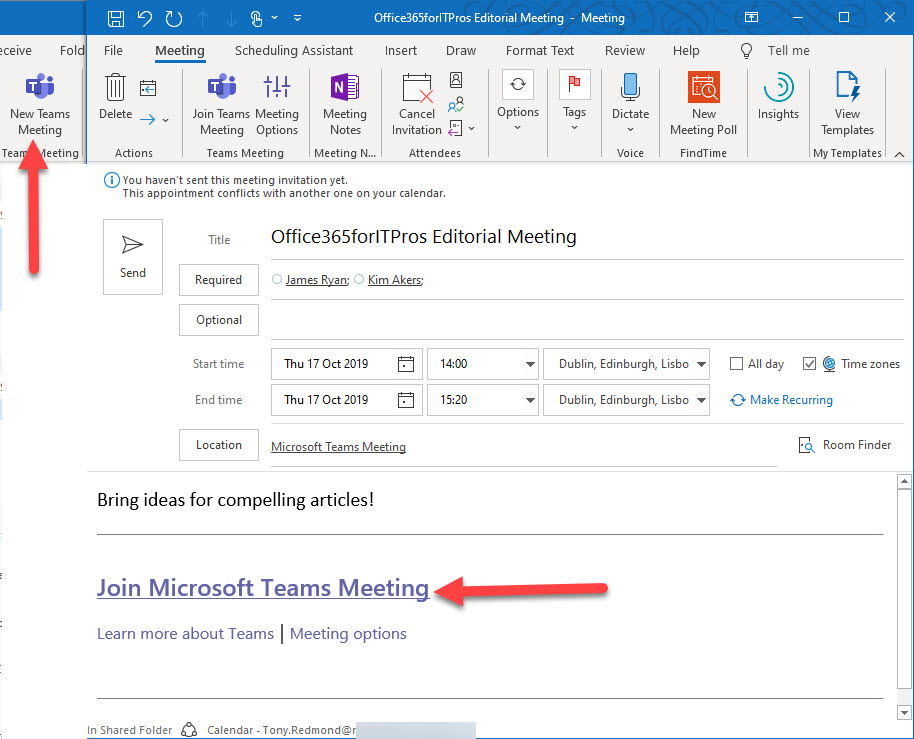
Outlook can schedule online Teams or Skype for Business Online meetings. But what marks an online meeting as different to a regular Outlook meeting? The magic lies in a set of MAPI properties populated by Outlook to help meeting participants connect to the right online meeting. A little poking behind the scenes with MFCMAPI reveals more.
Microsoft annoyed many Office 365 tenant administrators when they announced plans to allow self-service purchases for the Power Platform apps. A curious note in the FAQ might reveal how tenants can block this feature. If self-services purchases depend on accessing your tenant directory, maybe you can disable the service principal that holds the role enabling that access.
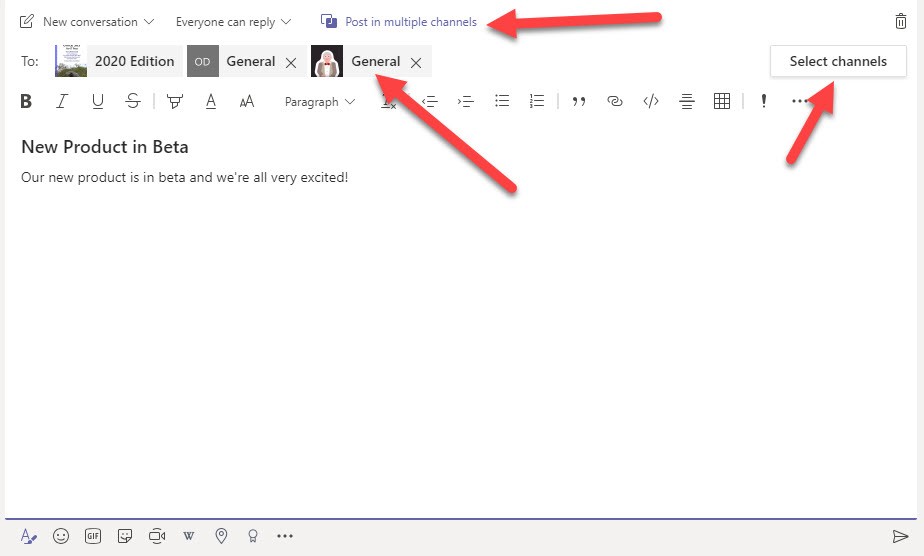
Microsoft Teams now supports the ability to post a topic to up to 50 channels at one time. It’s a feature that no doubt some will welcome with open arms, but it does come with a downside. For one thing, multi-channel posts might lead to a form of the email reply-all storm. Another potential issue is that there’s no good way to see the replies to all the messages posted in the target channels.
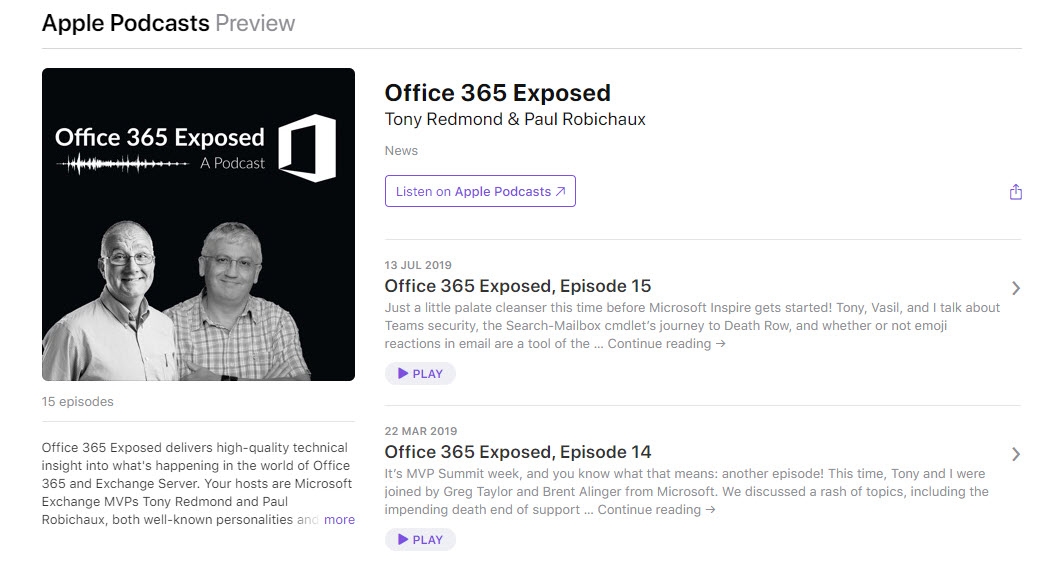
Paul Robichaux and Tony Redmond recorded episode 17 of their Office 365 Exposed podcast on October 23. It covers recent Office 365 news and an interview with Anna Chu of Microsoft. Anna is deeply involved in the organization of the Microsoft Ignite conference and we chatted about how sessions are selected and other topics.
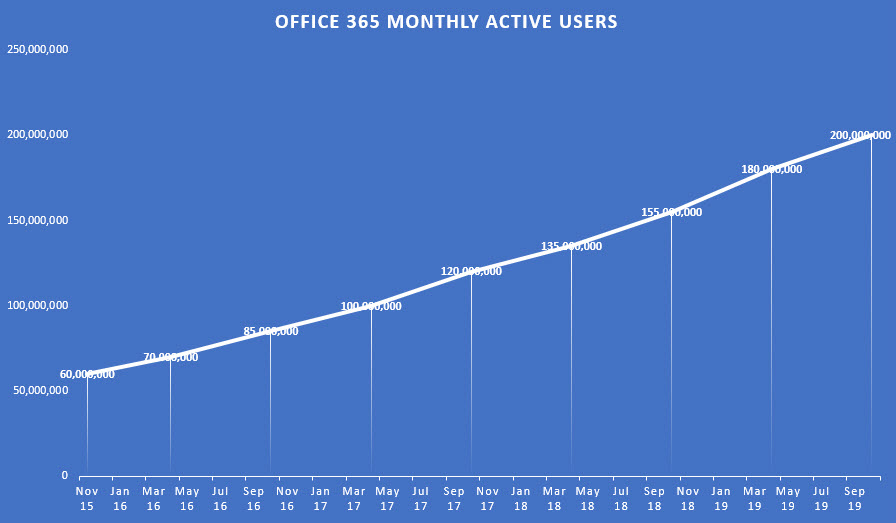
According to Microsoft’s FY20 Q1 results, Office 365 now has 200 million monthly active users. The interesting thing is that the growth has remained constant at about 3 million users per month since November 2015. Moving from 60 million users to 200 million over 4 years is impressive, but growth is probably going to become harder as the number of on-premises Microsoft customers decline.
Outlook for iOS and Android now support marking and encryption of email with Office 365 Sensitivity Labels. Sensitivity labels can now be applied through Office ProPlus, OWA, and Outlook mobile. All that really remains to achieve full coverage for sensitivity labels across Office 365 are the Office Online and SharePoint/OneDrive browser interfaces. In other news, Outlook Mobile also supports S/MIME.
OneDrive for Business now allows users to generate an external sharing report. The report is designed to help people understand what files are shared in their account. The report generates a CSV file that has lots of data, but you need to understand how to make sense of the data.
Azure Active Directory now features the public preview of the My Sign-Ins feature, which allows users to see where their sign-ins originate and what applications are used to sign-in. It’s a nice idea but Office 365 users are unlikely to find the page. We can help by creating a custom tile with a link to the My Sign-Ins page. The tile appears in the Office 365 apps menu and makes it easy for people to access their sign-in data.
The Office 365 for IT Pros author team is busy packing for the Microsoft Ignite 2019 conference in November. We’ll deliver sessions, tape podcasts, and staff booths, and come back with a ton of new information that we will incorporate into the December update for the Office 365 for IT Pros eBook.
Teams is all about open communication, but sometimes you just want to make a statement and not have a conversation. You can do this by restricting replies to a topic, in which case only the original author and channel moderators can reply. And if moderation isn’t used for a channel, team owners take that role.
Office 365 Informatiom Barriers allow tenants to erect communication firewalls between different groups. Teams supports Information Barriers, but currently has a problem adding new guest accounts to team memberships. An easy workaround exists, but debugging what’s going on is difficult because of the lack of clues.
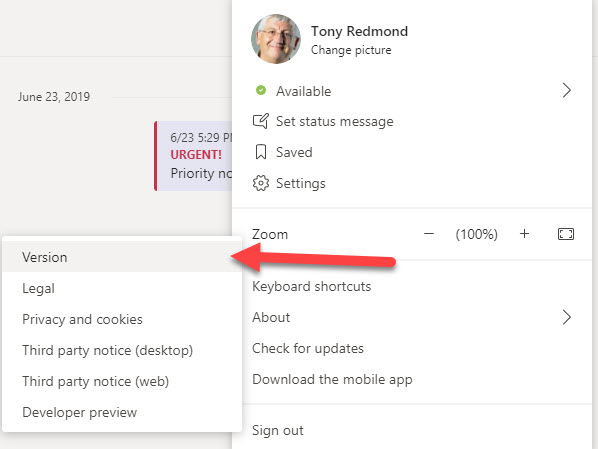
In an Office 365 notification to tenants, Microsoft says that the Modern Lifecycle Policy means that users must keep the Teams desktop up-to-date. The result is that users must make sure that their desktop client is no more than three months behind the latest software. If it is, they won’t be able to use the desktop client until it is updated.
Microsoft 365 applications create many Entra ID guest accounts. Here’s how to find old accounts and check their membership of Microsoft 365 groups. If you know the accounts that are old and stale and aren’t members of any Microsoft 365 group, you can consider removing them from your tenant.
The Office 365 Admin Center includes reports of licenses assigned to users. The same information can be extracted with PowerShell, which means that you can analyze license assignments anyway you wish. The script is quick and easy, mostly because its error handling is non-existent, but it’s enough to get going.
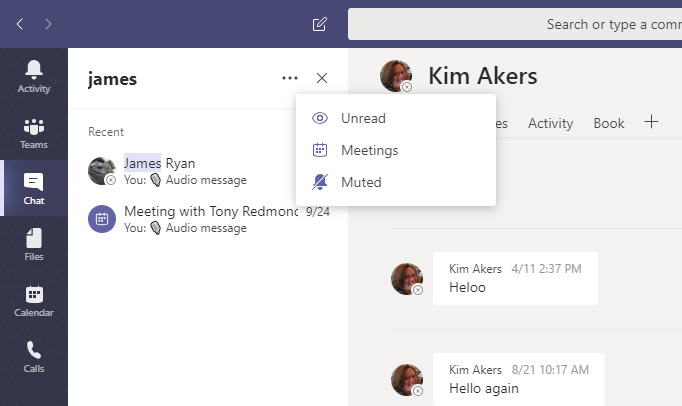
The Teams desktop and browser clients now offer the ability to filter personal chats and channels. Filtering is a useful feature, but it does draw the attention to the lack of precision in the Teams search function that really needs a revamp if Teams is to be taken seriously as a “hub for teamwork.”
It used to be more difficult to generate a report about the storage used by OneDrive for Business sites in an Office 365 tenant. Now it takes just a few lines of PowerShell. Here’s an example of a simple but powerful script to do the job.
The Teams desktop and browser clients now boasts the ability to report per-team and cross-team analytics. The information is interesting (at least the first time you look at it), but some doubts remain about its accuracy when the different methods of reporting are checked against each other. I’m sure it’s nothing more than timing, synchronization, or something else getting in the way.
The fight against spam and malware goes on unabated. ZAP, or zero-hour auto purge, is an Exchange Online Protection (EOP) feature that’s getting some extra features to deal better with spam and phish malware. New policy controls are available to control the feature.
Teams now supports live captions for meetings, but only for the English language. If you speak slowly and clearly into a high-quality microphone, you have a good chance that your words will be correctly interpreted. On the other hand, if you mumble or turn away from the microphone, be prepared for some interesting results. Overall, a nice enhancement that will be appreciated for those who need the captions.
OWA now supports Office 365 Sensitivity Labels, which means that users can apply labels to mark and/or protect messages with encryption just like they can with Outlook. The update adds to the ways that sensitivity labels can be applied to Office 365 content, with the next step being to achieve the same support for the other online Office apps.
The Microsoft Graph gives programmers a RESTful interface to Office 365 data. Flow allows even non-programmers to automate tasks by combining building blocks of Office 365 data and actions. Put the two together and you can generate some impressive results. In this example, we combine Graph and Flow to create some nagging emails to admins to encourage them to improve the tenant’s Secure Score.
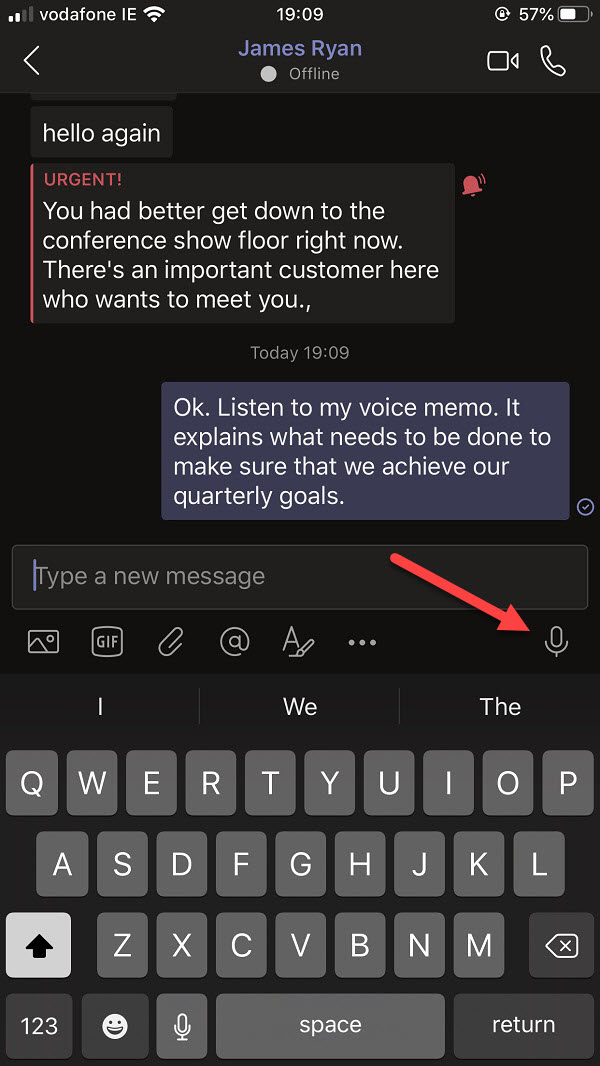
The Teams mobile clients allow users to record and send voice memos in personal and group chats. It’s nice functionality, but from a compliance standpoint some glaring weaknesses exist in the way that Office 365 captures compliance records for these memos. No voice recognition, no metadata, nothing to search for. It’s a compliance mess that Microsoft needs to clean up.
The October 2019 updates are now available for the Office 365 for IT Pros eBook.19 out of the 24 content chapters were updated in this cycle, proving once again that ePublishing is the only way to cover ever-changing cloud services like Office 365. Add in Azure Active Directory and other Azure services and it’s easy to see why we all swim in a sea of cloud-charged changes. Subscribers can download updated book files from Gumroad.com or Amazon, depending on the format they bought.
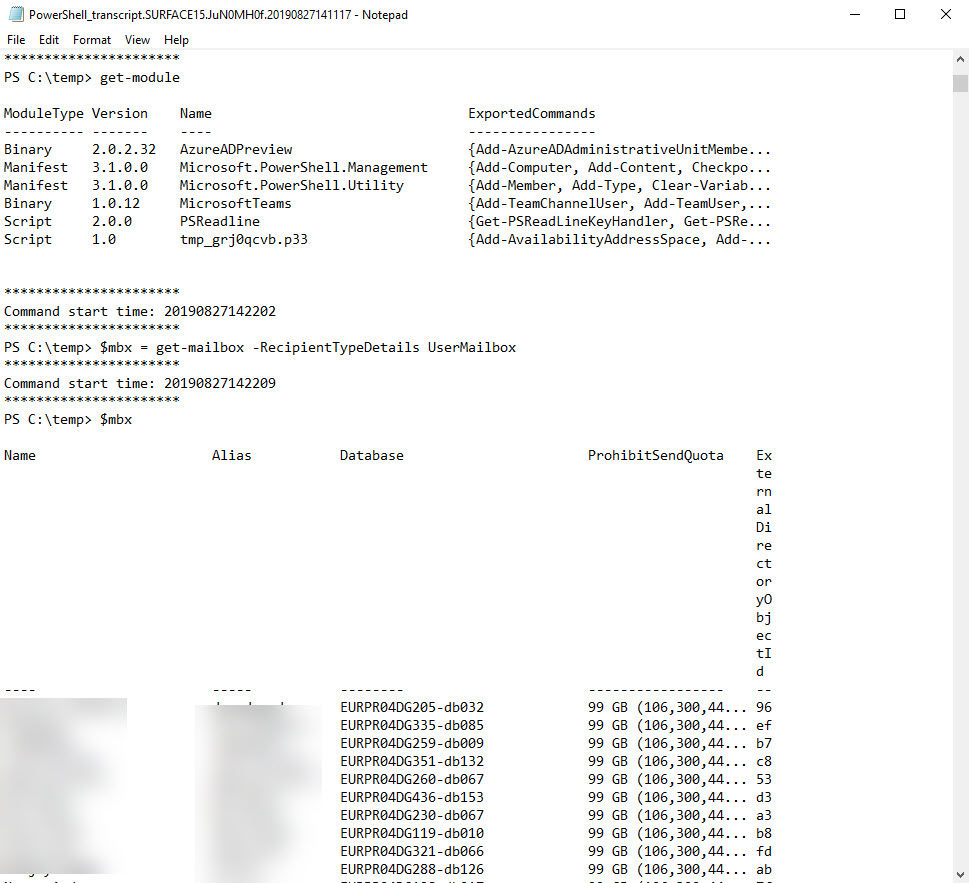
Some Exchange Online mailboxes are quite small (2 GB for frontline users). Tenant administrators might want to monitor mailbox usage to make sure that quotas aren’t unexpectedly exhausted. This post explains how to use a PowerShell script to calculate the percentage of mailbox quota used and highlight the problem if a threshold is passed.
The ability for a Teams user to contriol the notifications they see for channel conversations is being expanded with a new option to mute specific conversations. This is useful when you’ve contributed to a conversation that becomes very chatty and floods your activity feed with updates. Direct @mentions and reactions to your replies still get notified even when a conversation is muted.
You can configure Send As and Send on Behalf of permissions to allow Exchange Online users to send messages for an Office 365 Group. All is well if the messages arrive, but if they don’t, the NDRs might not get to where you think they should go, such as a folder in the Recoverable Items structure. That’s OK if the sender was told that a problem exists with a message, but they don’t know anything happened.
Office 365 makes extensive use of Azure Active Directory guest accounts. Implementing a risky sign-in policy is a good idea, but it can have the unfortunate side-effect of suddenly blocking guest accounts that could previously access tenant resources. If blocks happen, they can only be lifted through administrative intervention in the guest account’s home tenant.
The Office 365 E5 plan includes Advanced Threat Protection (ATP), which builds on the anti-malware capabilities of Exchange Online Protection. ATP the includes Safe Attachments and Safe Links features, both of which can delay email delivery. I don’t notice the delay but others do. In any case, the more protection you have against malware, the better.
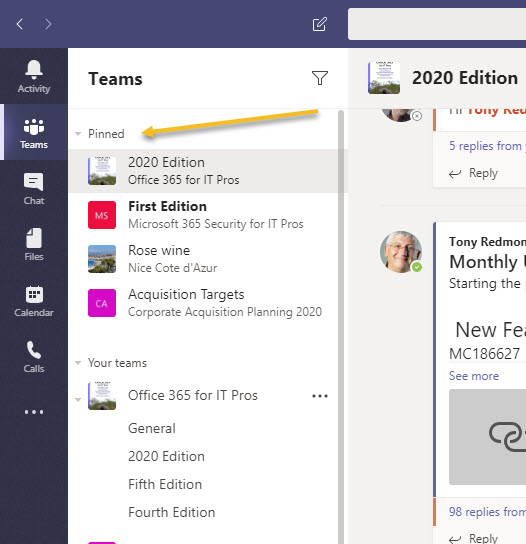
Microsoft Teams now supports the ability for users to pin their most important channels to the top of the teams list in the desktop and browser clients. Pinning channels is a good way of tracking what’s happening in critical channels, especially when you belong to some chatty channels whose conversations might swamp your activity feed.
Microsoft has announced that basic authentication for multiple email connection protocols won’t be supported after October 13, 2020. You won’t be able to connect with EWS, EAS, IMAP4, POP3, or Remote PowerShell unless you use modern authentication. There’s just over a year to prepare, but there’s some work to be done.
Microsoft is now rolling out MyAnalytics access to Office 365 accounts with an Exchange Online license.The first sign that anyone gets is when they receive one of MyAnalytics’s well-intended messages to help them organize their work life smarter. Funnily enough, some people don’t like the idea of Office 365 analyzing and reporting their work habits, which is why you might need to disable MyAnalytics for some mailboxes.
Microsoft has confirmed that disconnected Exchange Online mailboxes are not included in the sources scanned by Office 365 content searches, thus clearing up some misunderstandings that might have existed in the field. The bottom line is that if you want to search mailboxes that don’t belong to accounts, you should use inactive mailboxes.
If you want to include SharePoint Online and OneDrive for Business locations in an Office 365 content search, you need to know the URLs of the target sites. Finding the URLs can be problematic, but here’s some easy ways to do the job. PowerShell, as usual, comes up trumps…
Exchange Online allows users to add personal retention tags to their maiboxes through OWA settings. Some organizations don’t like this, so they can deploy user role assignment policies to block the feature. It;s something that you could consider doing if you’re preparing to switchover to Office 365 retention policies to impose the same retention regime across multiple workloads.
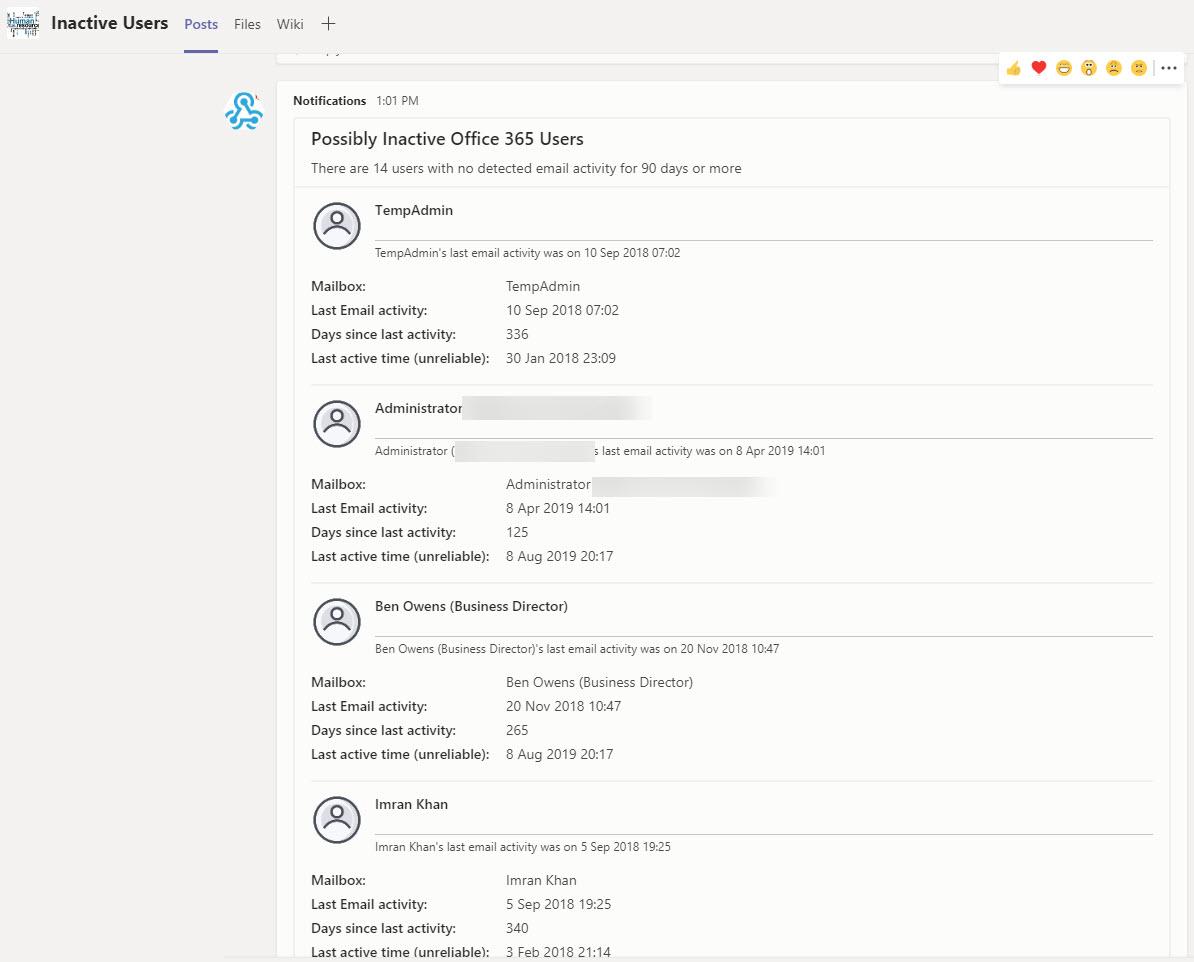
Being able to generate a report of mailbox activity is nice, but being able to filter the report to find potentially inactive mailboxes and post that information to Teams is even better. A recent Petri.com article explains how to generate the report; in this post we explain how to extract information from the report to and post updates about inactive users to Teams.
Office 365 tenant administrators often make extensive use of PowerShell. It’s a great tool to get work done across all the Office 365 workloads. However, hackers like PowerShell too, and it could be used to attack your tenant. If that happens, having PowerShell logs will allow you to find out exactly what the attacker did and where. With this in mind, shouldn’t you enable PowerShell logging?
A couple of weeks ago, I had the enjoyable experience of going to Charleston SC to present at the relaunched The Experts Conference (TEC). Niche Office 365 conferences seem to be quite the current trend and TEC is an excellent example of how small focused conferences are good to attend. You should consider it in 2021, which is the next time that TEC comes around.
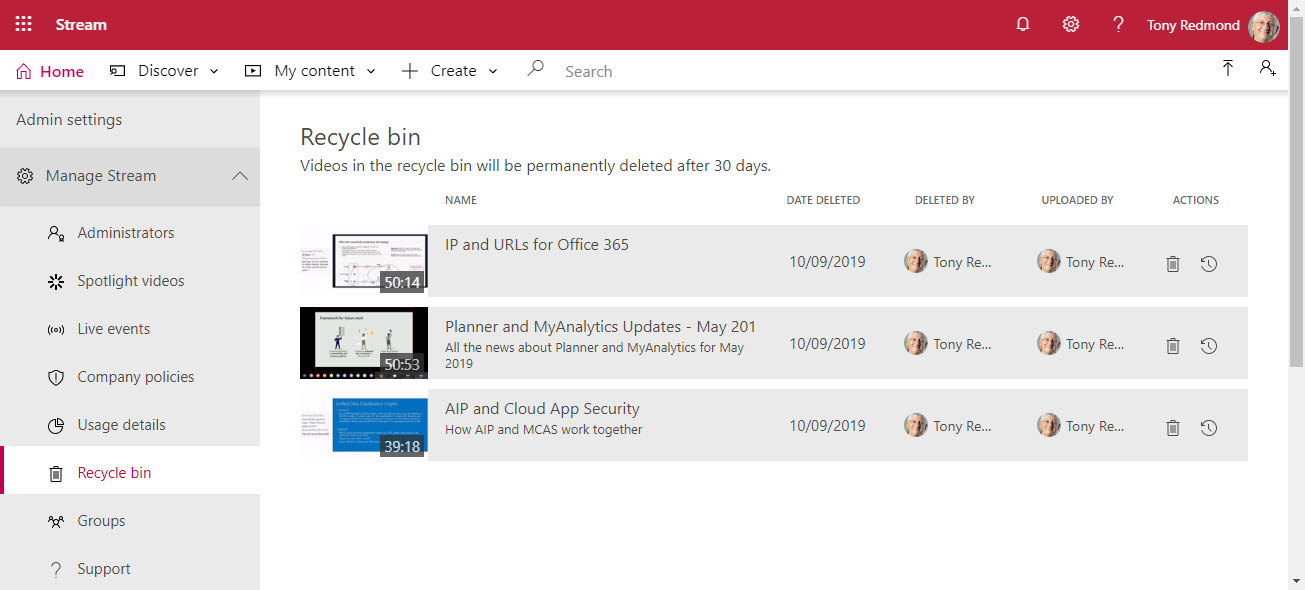
The Stream video service now boasts a recycle bin to allow Office 365 users 30 days to restore deleted videos. Stream administrators can access and restore videos deleted by anyone in a tenant. And, if necessary, users can permanently remove deleted videos before the 30-day retention period expires.
Planner, the task management app built into Office 365, has been upgraded to support a priority field for tasks. By itself, that’s not very exciting, but the new Group by Priority view is pretty good and makes it easy to move tasks within priorities in a plan. It just goes to prove that how a new feature is implemented is equally important to the existence of the new feature.
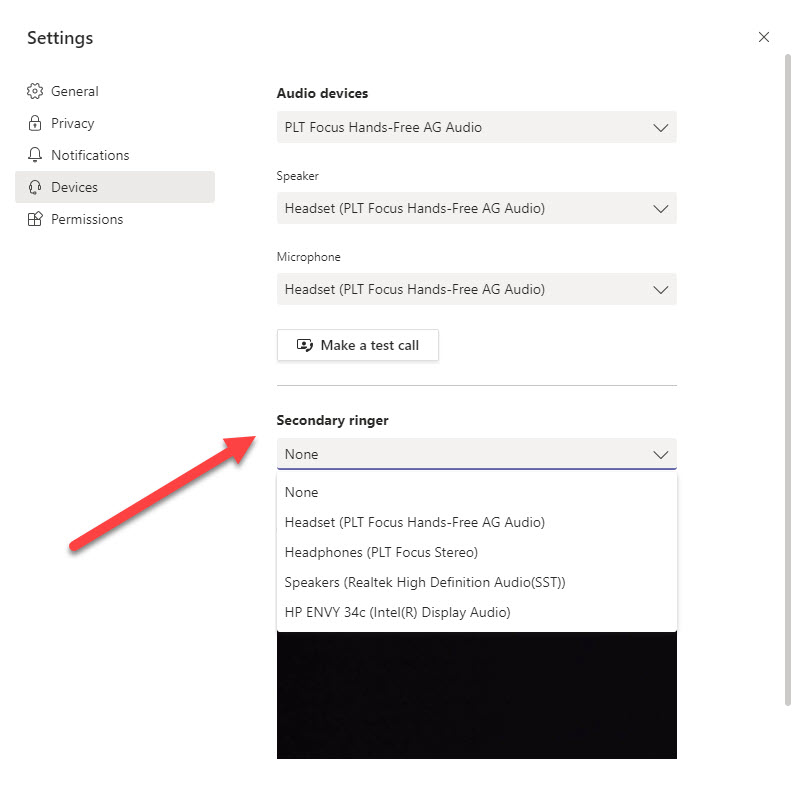
Microsoft is rolling out the ability for Teams clients to define a secondary ringer for inbound voice calls. The new feature will start appearing in Office 365 tenants from mid-September and the roll-out will complete in mid-October. Having the ability to signal inbound calls on multiple devices is a big thing for some organizations; in others, people don’t know about secondary ringers and the new feature will pass by without any notice.