Teams App Permissions policies allow Office 365 tenants to exert a fine degree of control over the apps users are allowed to install. You can amend the default policy or create new policies and assign the policies to user accounts through the Teams Admin Center or with PowerShell.
If you run a WordPress site, you might like to install the Share to Microsoft Teams plugin, an extension written by MVP Joao Ferreira to post content from the site to a targeted channel in a team. You must be logged into Teams before the post succeeds, but if you are, it’s a really easy way to share great content with team members.
Microsoft has announced the deprecation of the PowerShell module for the Azure Active Directory Rights Management service (AADRM). But don’t worry; it’s replaced by the Azure Information Protection (AIPService) module. Deprecation happens in July 2020, so you’ve lots of time to revise any scripts that use AADRM cmdlets.
Microsoft announced the roll-out of the Site Swap feature for SharePoint Online. You can only do this with PowerShell, but the process is quick and easy and works well (assuming your new site is ready to go). Who doesn’t like one-line PowerShell commands that do a lot of work with minimum effort!
The process of introducing Office 365 sensitivity labels to a tenant can be long and complicated because of the need to plan how to manage encrypted content. As you go through the process, don’t delete labels if they’ve already been used to protect content. Instead, remove them from the label policies used to publish information to clients. The labels will then remain intact in documents and other files.
Microsoft has announced that the AdditionalStorageProvidersAvailable setting in OWA mailbox policies will now control access to both first-party and third-party storage providers. The new setting is now available and becomes active in August. Before then, you might want to adjust some of your OWA mailbox policies.
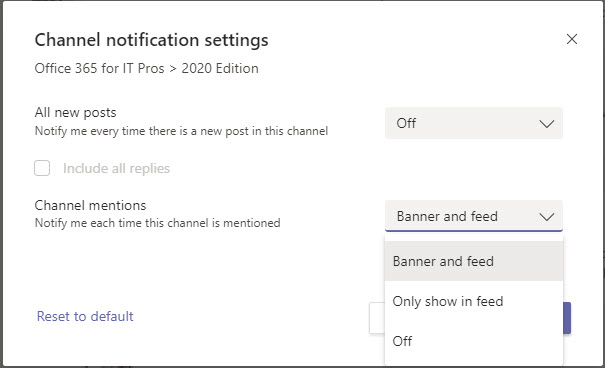
Teams allows users to decide how they receive notifications about new messages posted in a channel. You can opt for notifications to appear in the activity feed or as a “banner” pop-up. And for busy channels, you might decide not to have any notifications at all.
Microsoft is rolling out a change to make presence changes within Teams happen in “real-time.” The update will come as a relief to users who have been exasperated at the slowness of some presence changes today, especially if they’ve come from Skype for Business Online where presence updates happen promptly.
The August updates for Office 365 for IT Pros (2020 Edition) are now available for download from Gumroad.com and Amazon.com. It’s been a big month for change and we updated 21 of the 24 content chapters. Printed books could never cope with this level of change – or any level of change when you think about it.
On July 30, Microsoft announced the retirement of Skype for Business Online with effect from July 31, 2021. Two years seems like a long time to prepare, but it’s amazing how time passes when you’ve got lots to do. Microsoft, ISVs, third-party consultants, and customers all have lots of work to do to prepare for the transition.
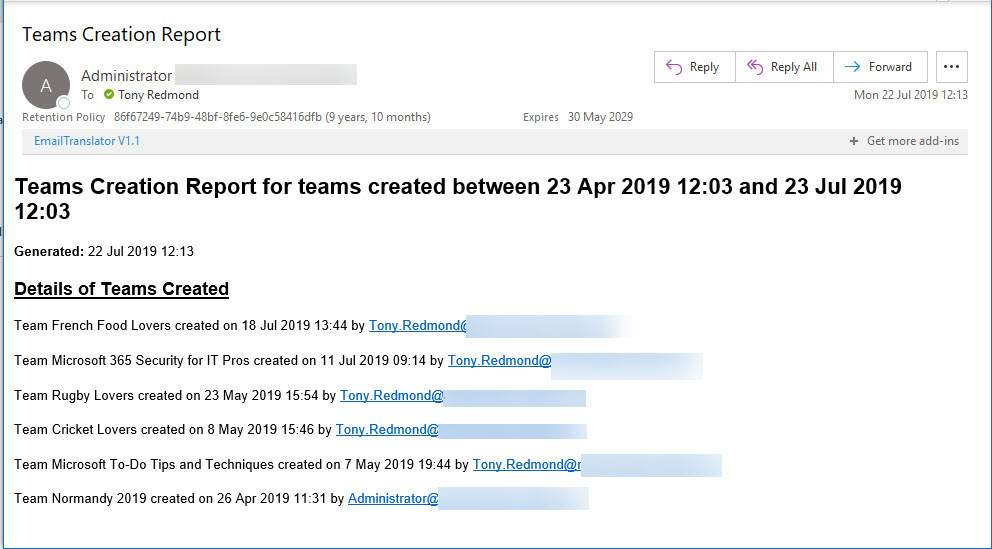
Office 365 Activity Alerts don’t seem to be working too well these days. At least, that’s what we found when we tried to create an alert for Teams creation events. Never mind, PowerShell will do the job as we can quickly whip up a PowerShell script to find audit records for team creations and put them into an email.
A question about how best to set auto-replies for Exchange Online shared mailboxes to respond to messages arriving during a public holiday gives another chance for PowerShell to show how useful it is. You could do the work with Flow, but PowerShell is more flexible and capable when dealing with multiple shared mailboxes.
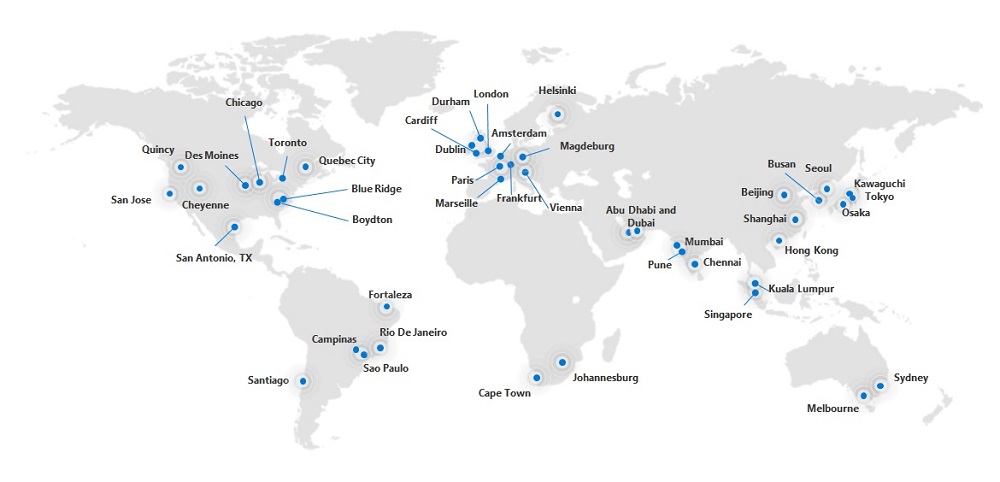
On July 25. Microsoft South Africa announced the commencement of Office 365 services from datacenters in Johannesburg and Cape Town. South Africa is the sixteenth Office 365 region. Core services like Exchange Online and SharePoint Online are now being delivered to South African tenants.
Following a configuration change, the Exchange Online Focused Inbox ran into a problem on July 24 and delivered all messages to the “Other” view. This caused problems for users who didn’t receive notifications of new mail. Software can have bugs, but configuration changes should be tested before getting to production.
Exchange Online writes audit records into the Office 365 audit log when messages are deleted by delegates and administrative action. We can analyze the audit records to find out who deleted a specific message. Some challenges exist to interpret the audit records for admin-generated deletions (for example, when you run Search-Mailbox), but it’s easy enough to code the necessary checks in PowerShell.
SharePoint Online and OneDrive for Business support the ability to protected Anyone links with passwords. The idea is good and the feature works well, but some Office 365 tenants have problems with the idea of using Anyone links because, as the name implies, anyone who has the link can use it to open a document.
Teams has added the ability for moderation of channel conversations. If you moderate a channel, only team owners can post new conversations and you can restrict things even further by stopping members, bots, and connectors posting. It’s a feature that helps to control communication in channels intended to publish and share information.
Microsoft dropped support for the ExMerge tool in Exchange 2007. An ISV has taken the initiative to create a modern version of the tool, called Super ExMerge. The utility supports both Exchange on-premises and Exchange Online.
Microsoft says that they’re bringing Fluent Design to the OneDrive for iOS mobile app. Designers might be excited by the prospect of the new graphic elements, but being able to markup PDFs is easily my favorite feature. That’s supposed to be even better in the update and that, more than even the revamped camera settings, is what I am looking forward to.
The Teams Test Call feature calls up a bot to test your audio and camera settings in exactly the way that they’re heard and seen during a real meeting. It’s a very useful feature that emulates the Check Call Quality feature in Skype for Business Online. It won’t improve your looks, but Test Call will at least prove that you can be heard.
No one likes getting spam. Although EOP generally does a good job, Office 365 users can help themselves and help others by reporting spam that gets through to their mailboxes using Outlook’s Report Message add-in. And if they’d like someone else to report bad mesages, admins can do so through the Security and Compliance Center.
Office 365 Exposed is a not-very-regular podcast covering topics loosely related to Office 365 that we think should be talked about. In episode 15, we discuss the Office 365 for IT Pros book, the MVP program, the deprecation of Search-Mailbox, and the nature of likes in Teams and email among other topics.
Microsoft makes a strong case that all Azure Active Directory accounts should be protected with multi-factor authentication (MFA). That’s a great aspiration, but the immediate priority is to check accounts holding administrative roles. This post explains how to use PowerShell to find and report those accounts.
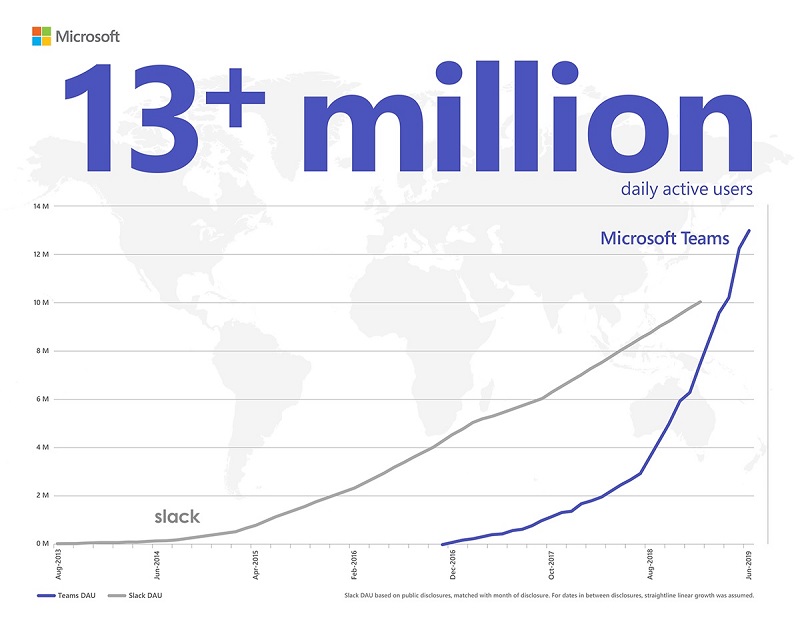
A July 11 Microsoft post brings the news that Teams has 13 million daily active users. That number surpasses the equivalent for Slack, so there’s much joy in the Teams camp. However, the number is lower than we expected based on the total number of organizations Microsoft reports to use Teams. It might just be the difference between active users and licensed users.
Teams now supports @-less mentions, meaning that the clients are intelligent enough to monitor user input for names of team members. If a name is found, Teams suggests making it a mention. The only thing you’ve got to remember is to capitalize the first letter of a name as otherwise Teams regards a name as just another word.
Sometimes it is difficult to understand exactly who has access to a document in a SharePoint Online site. The Manage Access option helps you understand who has access through group membership and sharing links. And if you need to adjust a sharing link, you can do it quickly and easily.
To drive interaction with viewers of Stream videos, you can add one or more Microsoft forms and have the forms appear at different times during the video playback. It’s a nice example of how Microsoft combines different bits of Office 365 to add more value to applications.
Microsoft has introduced a new Roles page in the Office 365 Admin Center. The new page lists all the roles available in an Office 365 tenant and allows admins to quickly see who holds each role, and add or remove accounts from roles as needed. It’s a small but important change that is welcome because it makes it easier for tenants to manage permissions.
Microsoft has announced that the switchover to the new OWA interface will start on July 22 when Office 365 tenants in targeted release will lose the chance to toggle back and forth between the two interfaces. By the end of September, everyone will use the new OWA. Let’s hope that Microsoft has fixed all the functionality gaps by then.
The ability to see the PowerShell commands executed by Exchange administrative centers has existed since Exchange 2007. Now something has changed in Exchange Online and the command log is blank. It’s sad because many administrators learned to use PowerShell by examining how Microsoft used it to manage Exchange. Let’s hope that Microsoft fixes this bug soon.
Teams does a good job of storing compliance records in Exchange Online mailboxes so that the data is available for Office 365 eDiscovery. But the number of records can impact the mailbox quotas of frontline workers, especially if they send graphics in personal and group chats. Here’s some PowerShell to help discover how much mailbox quota is being absorbed by compliance records.
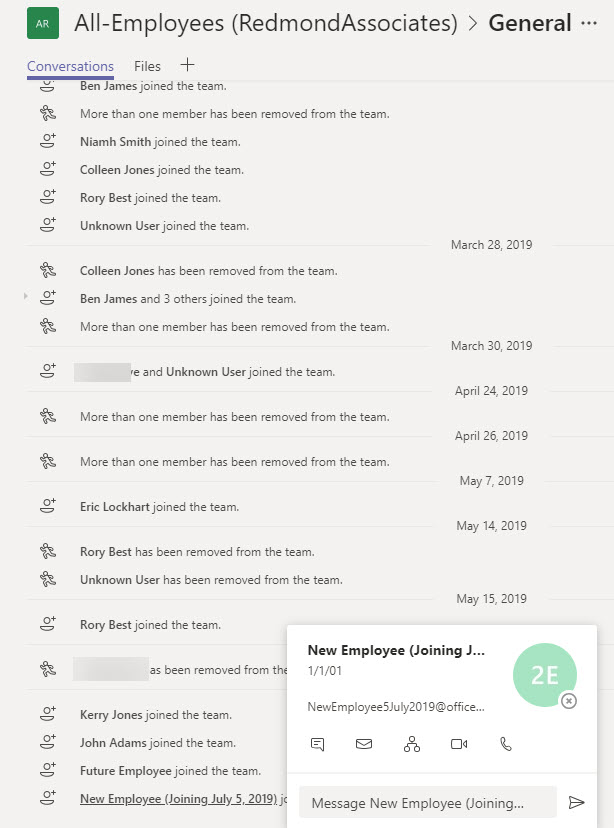
Do people read the notifications posted by Teams to the General channel of a team when someone joins or leaves the membership? Maybe they don’t take much notice, but these messages can tell you that someone has joined or left the company. If you think that Teams should have a setting to suppress “add member” messages for a team, consider supporting the User Voice suggestion on the topic.
Office 365 for IT Pros (2020 Edition) is now available in PDF/EPUB and Kindle formats. This is the sixth edition of the only eBook that is continually updated to match developments in Office 365. Existing subscribers will get a very attractive offer to renew their subscription for the new edition. Those of you who have never bought Office 365 for IT Pros should do so immediately because it’s packed full of practical information.
Microsoft launched the MailItemsAccessed audit event (to capture when email is opened) in January, reversed the roll-out in April, and now might restart sometime in Q3. It’s an odd situation that isn’t really explained by a statement from Microsoft. Are they going to charge extra for this audit event? Will they be analyzing the events? Or does Office 365 capture too many mail items accessed events daily?
A reader asks if it’s possible to create a dynamic Office 365 group for global administrators. Well, it is and it isn’t. Azure Active Directory doesn’t give us the ability to execute the right kind of query to find global administrators, but with some out-of-the-box thinking, we can find a way to accomplish the task.
A reader reports that the Teams Files channel tab is only able to display 300 items from a large SharePoint folder. Three hundred seemed like an arbitrary limit, but as it turns out, the new Files channel tab fixes the problem and all will be well once Office 365 completes the deployment to get the new Files Channel tab to all tenants.
Have you ever wondered how Microsoft secures SharePoint Online and OneDrive for Business data? Well, a recent article explains it all, and it is fascinating reading. Chunks and keys and blobs and encryption. A must-read article for anyone interested in SharePoint security.
Office 365 is now generally available from datacenters in Dubai and Abu Dhabi to serve Arabian Gulf and Middle East customers. Microsoft hasn’t said what services are being delivered from the new datacenters, but it’s likely that they will begin with Exchange Online and SharePoint Online.
Org-wide teams are great because they feature automatic membership management. But sometimes you don’t want new Office 365 accounts showing up in org-wide teams. The solution is to create the account with some dummy details to mask the identity of the real person and update the account after they join the company.
Microsoft is changing how the removal of an Office 365 retention policy affects the data held in the SharePoint Online Preservation Hold Library. Instead of an immediate purge, data will be kept for a period to allow administrators to recover it. Sounds like a good idea and it should help people rescue a situation when someone removes a retention policy in error. That is, if they notice that the policy is no longer in effect for a site.