Office 365 Message Center update MC176548 says that Teams has started to roll out “Praise” a way of sending another user a graphical reminder of how much you appreciate their work. Undoubtedly, praising people in Teams will make the world a happier place.
Teams supports federated chat with other users in Office 365 tenants using a feature called external access. It’s similar to the way that Skype for Business federated chat works, except that you can’t use emojis. Generally things work very well, which is nice when you want to reach out and communicate with someone externally.
At the Enterprise Connect conference, Microsoft announced that Teams is now used by 500,000 organizations. That’s a jump of 80,000 since the last data given in January. They also said that 150 organizations have more than 10,000 users and that Teams is used by 91 of the Fortune 100. All in all, some impressive numbers.
Microsoft announced that the era of favorites and following is over for Teams. The new way is to show or hide teams and configure notifications for channels. Apparently, people found the old terminology confusing. Hopefully the new world of Show/Hide and Channel notifications will be more reassuring.
New data about the number of Slack and Workplace usage gives the chance to compare how Microsoft is doing with Teams. And the answer is that things seem to be going well, largely because Teams is growing off the huge Office 365 base. With 155 million users (the last figure) and 3 million more added monthly, Teams has a lot more to go after in the Office 365 installed base.
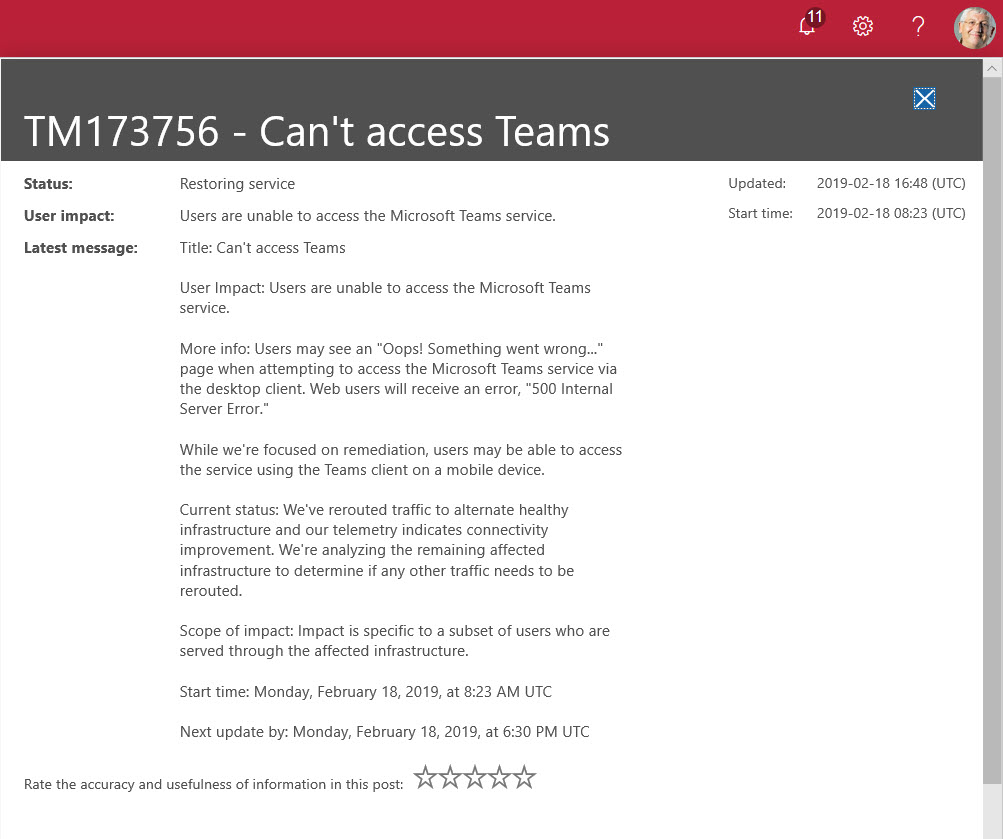
Microsoft Teams suffered its first major worldwide outage on 18 February 2019. Users reported a failure to connect because Teams couldn’t authenticate them. The Post-Incident report for TM173756 revealed an issue with the Azure Key Vault. What’s more interesting is that the issue affected users in multiple Office 365 datacenter regions, which is not good.
Office 365 changes all the time, which is good because it keeps the Office 365 for IT Pros writing team busy and happy. Discussions this week included Microsoft’s response to a Dutch DPIA, the effect large Teams have on Yammer, how Exchange Online validated a fix to a security problem, and graphics to help understand the components of the Microsoft 365 E3 and E5 plans.
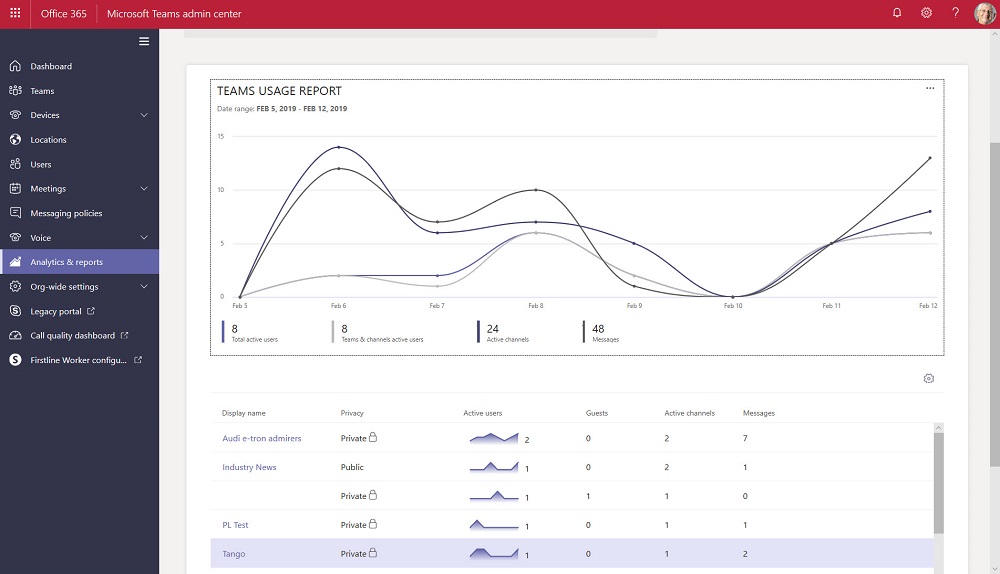
The Teams Admin Center has been renamed to remove any reference to Skype for Business Online. The console now includes a set of new Teams usage reports. The reports differ from what’s available in the Office 365 Admin Center and aren’t quite as powerful, but we can expect Microsoft to improve and refine these reports over time.
Teams users can now set their own status message to inform co-workers about what they’re up to for the next few hours, days, or on an ongoing basis. It’s a small but useful feature that seems to have crept into Teams without much publicity!
Microsoft revealed that Teams now supports a membership limit of 25,000 members per team (March 2021). The new maximum will help large organizations like Accenture (the largest user of Teams). Even with the increased limit, Teams might not be the best choice for organization-wide communications for the largest companies. Yammer is still the Microsoft collaboration scalability champ.
A new report commissioned by Microsoft explains how Exchange Online and the Security and Compliance Center meet the electronic records requirements of regulatory bodies like the SEC and FINRA. Within the report, there’s some news about changes to the way that Office 365 handles Teams compliance records stored in Exchange Online. And after all that, we consider how some backup vendors treat Teams compliance records as equivalent to the data stored in the Teams Azure services.
According to Microsoft’s FY19 Q2 results released on January 30, Teams is now used by 420,000 organizations. That’s a strong growth rate over the 329,000 number given at Ignite 2018. And with Office 365 still growing, there’s plenty of room for Teams to expand.
The new version of OWA is maturing and new features are turning up on a weekly basis. You can now schedule a Teams meeting from OWA and the prospect of joyful animations hang in the air. But only for Office 365 users as there’s no sign that the new OWA will come to Exchange on-premises servers.
A collection of news snippets loosely connected to different bits of Office 365 that really don’t justify a separate article. But the factoids are interesting all the same…
The Shifts app is now available to Office 365 tenants worldwide. Hosted as a Teams app, the idea is that managers can build out and publish schedules for hourly-paid frontline workers, who can then view their hours and request changes.
Microsoft’s announcement that MyAnalytics is available to many more Office 365 users is welcome. The technology interest in the announcement is the spread of coverage to include SharePoint Online, OneDrive for Business, and Teams.
Microsoft’s CMO says that the largest customer deployment of Teams (Accenture) has reached 170,000 users. Numbers like this underline the success of Office 365’s fastest growing application.
Encrypted email is becoming more common within Office 365. Things usually flow smoothly when sending protected messages to email recipients, but other Office 365 recipient types like Teams and Yammer might not be able to handle protected email.
A survey found that Teams is now the second most popular chat application in large businesses and has put Slack into third position. But anyone who has tracked the numbers isn’t surprised because Teams has been growing strongly for some time.
Some recent questions in the Microsoft Technical Community show confusion about the email addresses used by Office 365 Groups and Teams. Here’s our attempt to clarify.
Teams has released version 0.9.6 of its PowerShell module. You should upgrade to the new module because it fixes some bugs and allows administrators to manage any team, even when they’re not a team owner.
Exchange Online distribution lists can be used to populate the membership of Office 365 Groups or Teams by applying a little PowerShell magic. Here’s how.
Teams offers a number of ways to create new teams, which is good. However, if you create a new team with PowerShell, make sure that you add the team owners to the members list as otherwise they won’t be able to access Planner.
The latest version of the Teams desktop and browser clients support the creation of dynamic teams based on dynamic Office 365 Groups. The functionality is welcome, as long as you can pay for it as every member who comes within the scope of a query used for a dynamic team needs an Azure AD P1 license.
Office 365 doesn’t include a way to export a list of Teams in a form that can be imported by Power BI, but PowerShell makes it an easy task to accomplish. Here’s a script to help solve the problem.
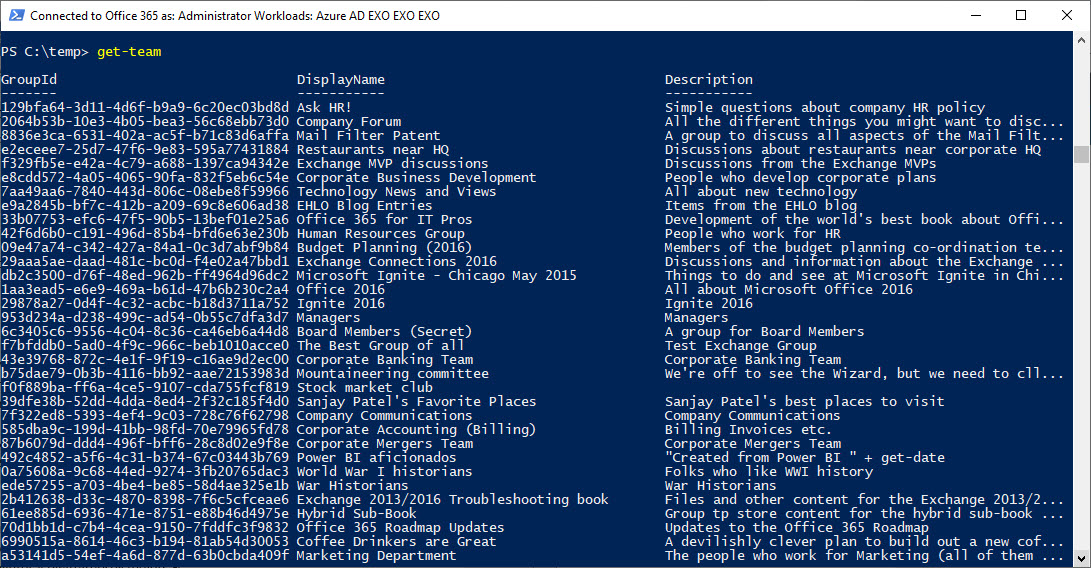
The new version of the Teams PowerShell module (0.9.5) supports a Get-Team that’s actually useful because it can return a full list of teams in the tenant. But there’s still some work to do…
By default, the Groups policy for an Office 365 tenant allows group owners to add guest users to group membership. You can block this access if necessary, but it’s probably not what you want to do as blocking brings guest access to a complete halt across the tenant.
Microsoft will retire the Windows S client for Teams on November 29, 2018. The decision to double-down on the Electron-based client is probably due to the fact that not many people use Windows S.
Do you need to remove some offensive or otherwise doubtful material from Teams? If the original author won’t do the right thing, the team owner or an Office 365 administrator might have to step in to do the right thing.
When you impose a block on certain domains, you’d like to think that applications like Teams will respect that block. As it turns out, if you have some lingering guests in your Azure Active Directory, the B2B collaboration policy might not be as effective as you’d hope.
Tony spoke about “Can Teams Replace Email” at the Modern Workplace Conference in Paris on October 17. Here’s a sketch note about what he said and a copy of the slides.
The Teams T-Bot is no more and has been replaced by a snazzy new help “experience.” No doubt this is good news for those who consult help on a regular basis, but it won’t help Office 365 tenant admins much.
How many guest users does your Office 365 tenant have? And how many of those accounts are actually used? Given that many Office 365 applications now generate guest user accounts to facilitate external access to content, managing these accounts is a growing concern.
The prospect of having to pay for many Azure AD Premium P1 licenses just because you use an org-wide team is horrible to contemplate. But don’t worry. You don’t have to because the Teams developers look after membership updates for you.
Org-Wide Teams are a nice feature, but calculating their membership can be puzzling, as in the case of some perfectly valid accounts that were not added to a team. As it turns out, the error lies in Azure Active Directory.
Teams supports the ability to create org-wide teams, but only if your tenant has fewer than 10,000 accounts. It’s a neat idea, if you can use it, but if your organization spans more than 10,000 accounts, there are other ways to foster company-wide communications.
A quirky side of the New-Team cmdlet is that it creates some interesting values for the properties of the underlying Office 365 group that you might like to control better. As it turns out, the Alias parameter is what you need to set.