Teams App Permissions policies allow Office 365 tenants to exert a fine degree of control over the apps users are allowed to install. You can amend the default policy or create new policies and assign the policies to user accounts through the Teams Admin Center or with PowerShell.
Microsoft has announced that the AdditionalStorageProvidersAvailable setting in OWA mailbox policies will now control access to both first-party and third-party storage providers. The new setting is now available and becomes active in August. Before then, you might want to adjust some of your OWA mailbox policies.
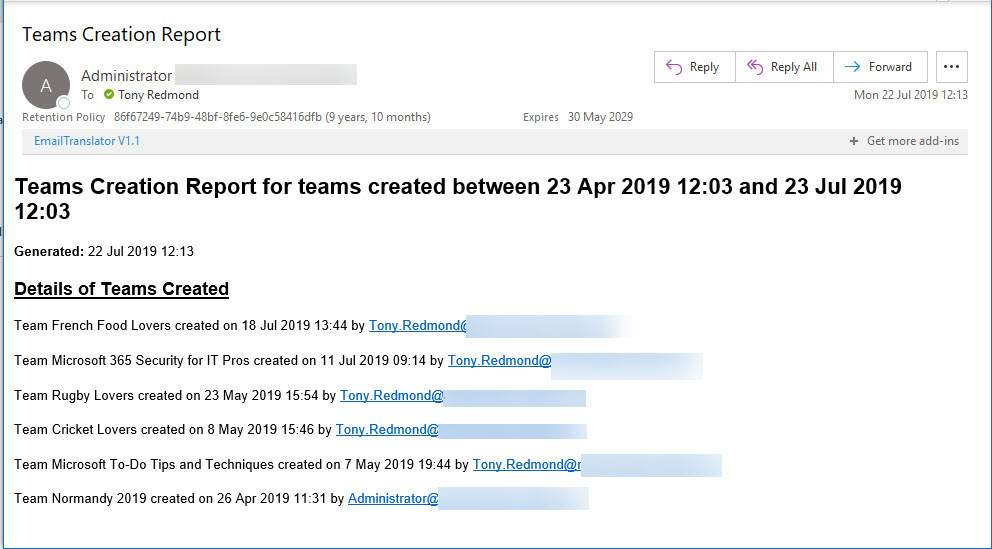
Office 365 Activity Alerts don’t seem to be working too well these days. At least, that’s what we found when we tried to create an alert for Teams creation events. Never mind, PowerShell will do the job as we can quickly whip up a PowerShell script to find audit records for team creations and put them into an email.
Exchange Online writes audit records into the Office 365 audit log when messages are deleted by delegates and administrative action. We can analyze the audit records to find out who deleted a specific message. Some challenges exist to interpret the audit records for admin-generated deletions (for example, when you run Search-Mailbox), but it’s easy enough to code the necessary checks in PowerShell.
Microsoft dropped support for the ExMerge tool in Exchange 2007. An ISV has taken the initiative to create a modern version of the tool, called Super ExMerge. The utility supports both Exchange on-premises and Exchange Online.
No one likes getting spam. Although EOP generally does a good job, Office 365 users can help themselves and help others by reporting spam that gets through to their mailboxes using Outlook’s Report Message add-in. And if they’d like someone else to report bad mesages, admins can do so through the Security and Compliance Center.
Microsoft makes a strong case that all Azure Active Directory accounts should be protected with multi-factor authentication (MFA). That’s a great aspiration, but the immediate priority is to check accounts holding administrative roles. This post explains how to use PowerShell to find and report those accounts.
Microsoft has introduced a new Roles page in the Office 365 Admin Center. The new page lists all the roles available in an Office 365 tenant and allows admins to quickly see who holds each role, and add or remove accounts from roles as needed. It’s a small but important change that is welcome because it makes it easier for tenants to manage permissions.
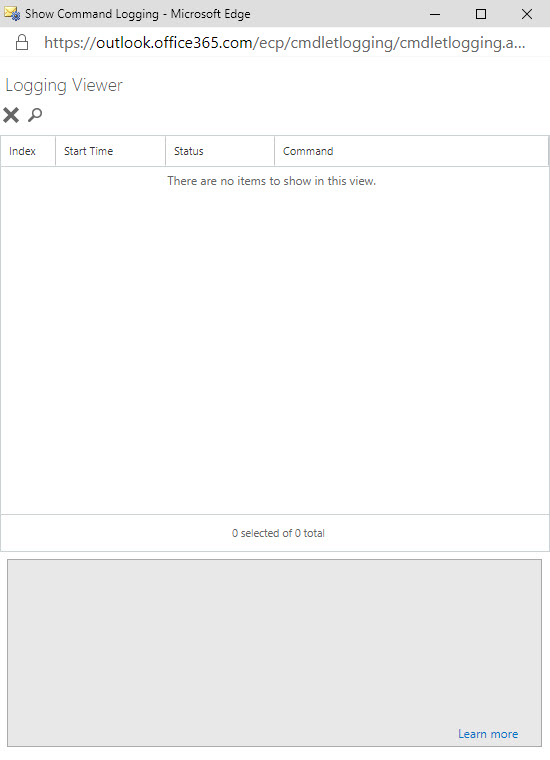
The ability to see the PowerShell commands executed by Exchange administrative centers has existed since Exchange 2007. Now something has changed in Exchange Online and the command log is blank. It’s sad because many administrators learned to use PowerShell by examining how Microsoft used it to manage Exchange. Let’s hope that Microsoft fixes this bug soon.
Teams does a good job of storing compliance records in Exchange Online mailboxes so that the data is available for Office 365 eDiscovery. But the number of records can impact the mailbox quotas of frontline workers, especially if they send graphics in personal and group chats. Here’s some PowerShell to help discover how much mailbox quota is being absorbed by compliance records.
Do people read the notifications posted by Teams to the General channel of a team when someone joins or leaves the membership? Maybe they don’t take much notice, but these messages can tell you that someone has joined or left the company. If you think that Teams should have a setting to suppress “add member” messages for a team, consider supporting the User Voice suggestion on the topic.
Microsoft launched the MailItemsAccessed audit event (to capture when email is opened) in January, reversed the roll-out in April, and now might restart sometime in Q3. It’s an odd situation that isn’t really explained by a statement from Microsoft. Are they going to charge extra for this audit event? Will they be analyzing the events? Or does Office 365 capture too many mail items accessed events daily?
Have you ever wondered how Microsoft secures SharePoint Online and OneDrive for Business data? Well, a recent article explains it all, and it is fascinating reading. Chunks and keys and blobs and encryption. A must-read article for anyone interested in SharePoint security.
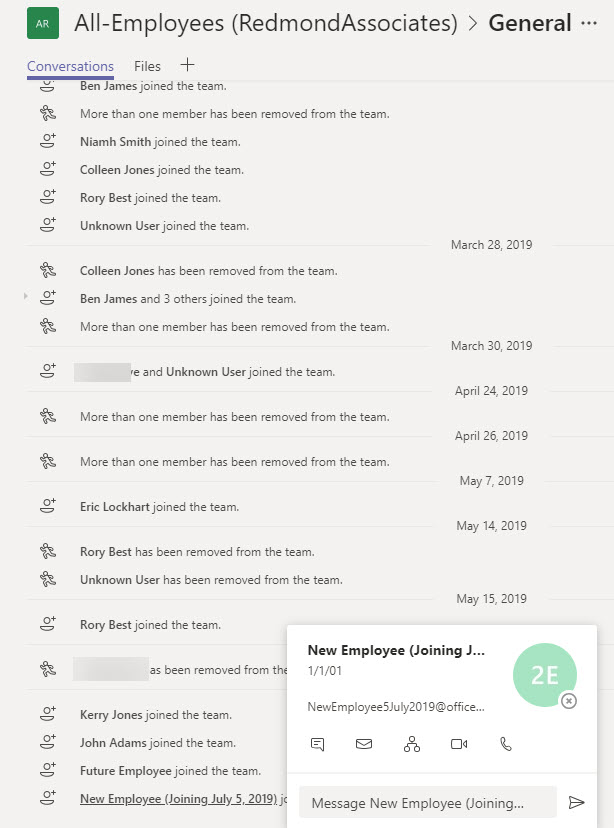
Org-wide teams are great because they feature automatic membership management. But sometimes you don’t want new Office 365 accounts showing up in org-wide teams. The solution is to create the account with some dummy details to mask the identity of the real person and update the account after they join the company.
Microsoft is changing how the removal of an Office 365 retention policy affects the data held in the SharePoint Online Preservation Hold Library. Instead of an immediate purge, data will be kept for a period to allow administrators to recover it. Sounds like a good idea and it should help people rescue a situation when someone removes a retention policy in error. That is, if they notice that the policy is no longer in effect for a site.
Removing Office 365 accounts is easily done through the Admin Center. You can also restore deleted accounts within 30 days, but what if you want to remove accounts in such a way that they can’t be restored? The answer is that it can be done using a two-stage process. And if the mailboxes belonging to those accounts are on hold, they are kept as inactive mailboxes.
Much to our surprise, this blog is covering the availability of three new Office 365 browser themes. We’re only doing this so that we can avoid including it in the Office 365 for IT Pros eBook. We know this will upset some people, especially fans of the unicorn theme, but we really have to draw the line somewhere when deciding what should be in the book.
Exchange Online supports inactive mailboxes as a way to keep mailbox data online after Office 365 accounts are removed. Inactive mailboxes are available as long as a hold exists on them. You can update mailbox properties to exclude all or some org-wide holds. If you exclude holds from a mailbox, you run the risk that Exchange will permanently remove the mailbox. If that’s what you want, all is well, but if it’s not, then you might not be so happy.
The CISA report titled “Microsoft Office 365 Security Observations” makes five recommendations to improve security of an Office 365 tenant. The recommendations are valid, but competent administrators won’t take long to implement them. In fact, the worst thing is that consultants brought in to help organizations didn’t seem to have much expertise in securing Office 365.
On May 7, Microsoft eventually fixed a truncation bug that affected group events (creation, add member, etc.) ingested into the Office 365 audit log. The fix took far too long coming and the overall response is certainly not Microsoft’s finest hour. Audit events, after all, are pretty important in compliance scenarios and it’s not good when those events are incomplete.
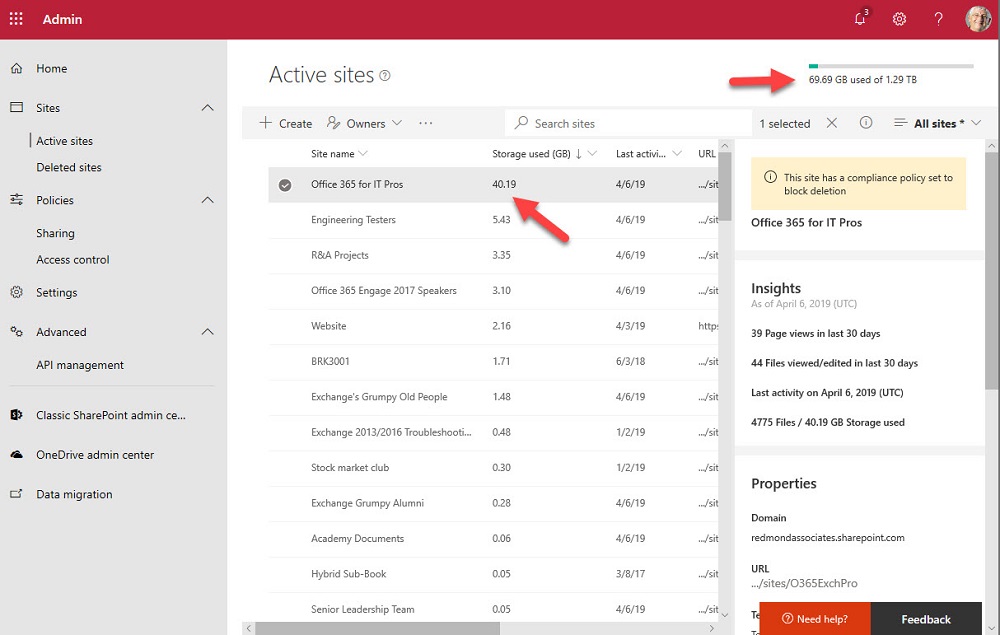
One of the great things about Teams is the way that it orchestrates Office 365 resources like SharePoint Online sites. The downside is that a tenant’s valuable SharePoint storage quota might be absorbed by a profusion of Teams. To offset the problem, you can apply lower limits to sites belonging to Teams and the best approach is to use PowerShell for the job.
Depending on your tenant’s configuration and the applications in use, the prospect of a tenant-to-tenant (T2T) migration might be appealing or a horror story. Applications like Quadrotech’s Cloud Commander are designed to help move data between tenants. In this video, Tony Redmond and Mike Weaver discuss some of the complexities involved in T2T projects. The program is 15 minutes long.
No one can say that the role of an Office 365 admin is static. In fact, it changes all the time as new technologies appear or Microsoft changes existing applications. This video featuring MVPs Paul Robichaux and Tony Redmond explores the changing role of Office 365 Admins, and sometimes it even makes sense.
Microsoft has released the GA version of the Azure Information Protection client, which reads information about Office 365 sensitivity labels and policies from the Security and Compliance Center. It’s one more step along the path to making it easy for Office 365 tenants to protect their data. Work still has to be done, but at least we can see light at the end of the encryption tunnel.
Microsoft announced a new migration experience from Google G Suite yesterday, which is nice. Under the covers, the venerable Mailbox Migration Service (MRS) does the work to extract mailbox data from Gmail using IMAP4 and moves it to Exchange Online. But after the move is done, there’s still lots of work to do to help users make the cultural change to their new mailbox in the cloud.
The ThirdPartyFileProvidersEnabled setting in OWA mailbox policies controls if Exchange Online mailboxes can access services like Drop and Dropbox for attachments. Office 365 tenants need to decide if they want to allow this kind of access. There’s both good and bad in the feature, but it’s easily turned off if you feel the need.
Announced in January, paused in March – that’s the fate of the MailItemsAccessed audit record generated by Exchange Online for the Office 365 audit log. Microsoft found some problems that they are fixing, which is good (because you want audit data to be reliable). And when the fixes are available, the deployment of the new audit record will restart.
The Microsoft 365 Security and Microsoft 365 Compliance Centers are now generally available. The new consoles will eventually replace the Office 365 Security and Compliance Center (SCC) but some work is needed to fill out their functionality and make the switchover possible. In the meantime, the Office 365 for IT Pros eBook writing team will stay focused on the SCC. And when the time’s right, we’ll switchover.
The Office 365 Admin Center offers the option to bulk-create user accounts. Loading up a CSV file with details and having it processed is simple enough, but the resulting accounts need some work before they are fit for purpose and ready for people to use. Here’s how the bulk creation process works and why we think it has some flaws.
Helping Exchange Protect Users from Bad Email Given the amount of spam floating around today, it comes as no surprise that many organizations deploy an Exchange transport rule to mark inbound external email with a suitable warning. This is a straightforward rule to configure and it can help stop users being fooled by bad messages …
Read More “Marking External Email with an Exchange Transport Rule”
In a sign of how automation based on signals gathered by Office 365 will emerge to help administrators do a better job, the preview of the new Admin Center offered to create a DLP policy to protect some sensitive information that I had clearly overlooked. Well-intended as the portal was, its efforts to create the new policy failed. That’s not really important – it’s the glimpse into the future which is.
If you work with Office 365 through PowerShell, you probably have your own script to connect to the various services. If you don’t want to write your own script, you can download one from GitHub or the TechNet Gallery. This article covers two that you might like to try, including one with a GUI to choose which Office 365 services it should connect to.
PowerShell is hugely useful when the time comes to automate Office 365 processes. Other tools exist that can help, including Flow. Maybe it’s the right time to consider Flow, especially when it is highly capable of knitting together different Office 365 components to get work done.
In one of those interesting (but possibly worthless) facts discovered about Office 365, we find that audit records are captured for Teams compliance records written into Exchange Online group mailboxes. The Search-UnifiedAuditLog cmdlet reveals details that we can interpret using some techniques explained in Chapter 21 of the Office 365 for IT Pros eBook.
Security alerts from Office 365 Cloud App Security now flow into the Office 365 Audit Log, which means that you can run the Search-UnifiedAuditLog to find the alerts. Unhappily, more work than should be needed is necessary to extract the interesting information from the alert records.
Microsoft’s new Network Performance Tool is a proof of concept for Office 365 tenants to check network connections to Microsoft’s network and Office 365. The tool might help you understand more about your connection into Microsoft, but it won’t fix any last mile problems.
Rights management and encryption are likely to be a much more common Office 365 feature in the future. Sensitivity labels makes protection easy for users to apply through Office apps. The downside is that protection makes content harder to access for some Office 365 and ISV functionality.
Teams offers a number of ways to create new teams, which is good. However, if you create a new team with PowerShell, make sure that you add the team owners to the members list as otherwise they won’t be able to access Planner.
Following a Dutch report saying that Office 365 might violate GDPR, some thoughts about how to restrict some of the flows of information from an Office 365 tenant to Microsoft.
Microsoft has launched Privileged Access Management (PAM) for Office 365. The name’s incorrect because PAM only works for Exchange Online right now. PAM is based on RBAC, which is good, but is the implementation too Exchange-centric?