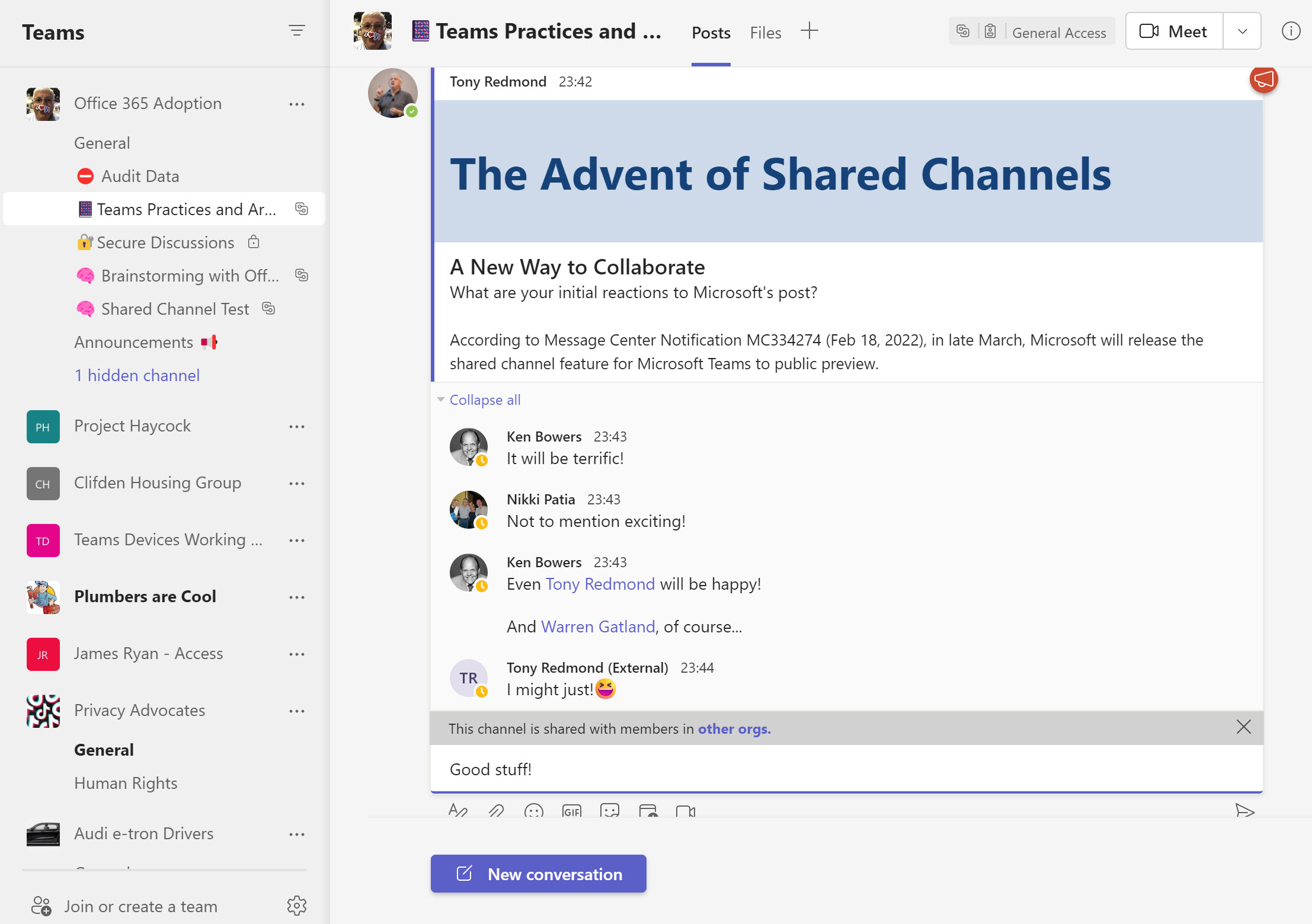
Teams shared channels are now in public preview, meaning that many organizations are trying them out to see how effective a means of collaboration these channels are. One of the administrative challenges of implementing shared channels for cross-tenant collaboration is knowing who uses the channels. An answer can be found in the Azure AD sign-in logs, but only after you go looking.
Assigning Azure AD roles to user accounts is the way users receive permissions to perform certain administrative actions. You can automate these assignments using cmdlets from the Microsoft Graph PowerShell SDK. That is, until the time comes to remove assignments.
With the demise of the AzureAD and MSOL PowerShell modules on the horizon, it’s time to figure out how to upgrade scripts to use cmdlets from the Microsoft Graph PowerShell SDK. This article books at basic account management and shows how to update, delete, restore, and find Entra ID user accounts using SDK cmdlets.
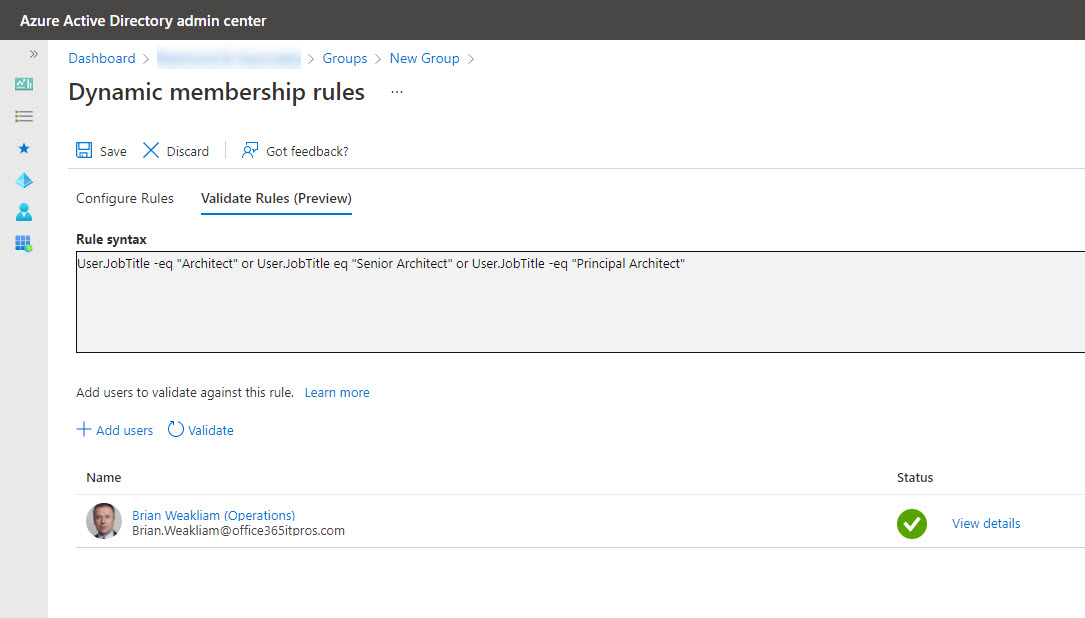
It seems like it should be possible to transfer a membership rule from an Exchange dynamic distribution list to a dynamic Microsoft 365 group/team, but it’s not. Different directories, schemas, properties. and syntax conspire to stop easy conversion. It’s a pity, but that’s the way life and technology sometimes go…
Lots of news has emerged from Microsoft recently regarding the deprecation of the Azure AD PowerShell module and the older MSOL module. Although dates have slipped from the original June 30, 2022 deadline, the signs are that Microsoft will retire the modules in early 2023. However, the Azure AD and MSOL license management cmdlets will stop working on August 26, 2022, so that’s the immediate priority for script upgrades.
Teams tags appeared in early 2020 as a method to address subsets of a team membership in channel conversations. Microsoft doesn’t provide a method to report what teams use tags and what those tags are, but we can find out using the Graph APIs. In this article, we show how to use the Microsoft Graph PowerShell SDK to create a report of all teams which use tags, the names of the tags, and the team members assigned the tags.
The Microsoft 365 Groups and Teams Activity report is a PowerShell script which tries to work out if groups and teams are inactive by checking various usage indicators. Because it’s written in PowerShell, tenants can change the script as they like, perhaps even adding some extra turbocharging to the ideas we’ve incorporated into the code.
The transition of Whiteboard storage from Azure to OneDrive for Business is approaching its end. A set of updated clients delivered at the end of March 2022 should do the trick. However, storing newly-created boards in OneDrive is one thing. Migrating old boards and updating components like the Whiteboard Admin PowerShell app are another. We don’t know what’s happening there and Microsoft hasn’t published any guidance.
With the upcoming deprecation of the Azure AD and Microsoft Online Services (MSOL) PowerShell modules, it’s time to upgrade scripts which depend on the cmdlets from these modules. In this example, we use the Microsoft Graph SDK for PowerShell to create a report for Azure AD accounts showing the authentication methods each account uses. The idea is to highlight accounts not protected by strong authentication so that administrators can help users to upgrade their protection against attack.
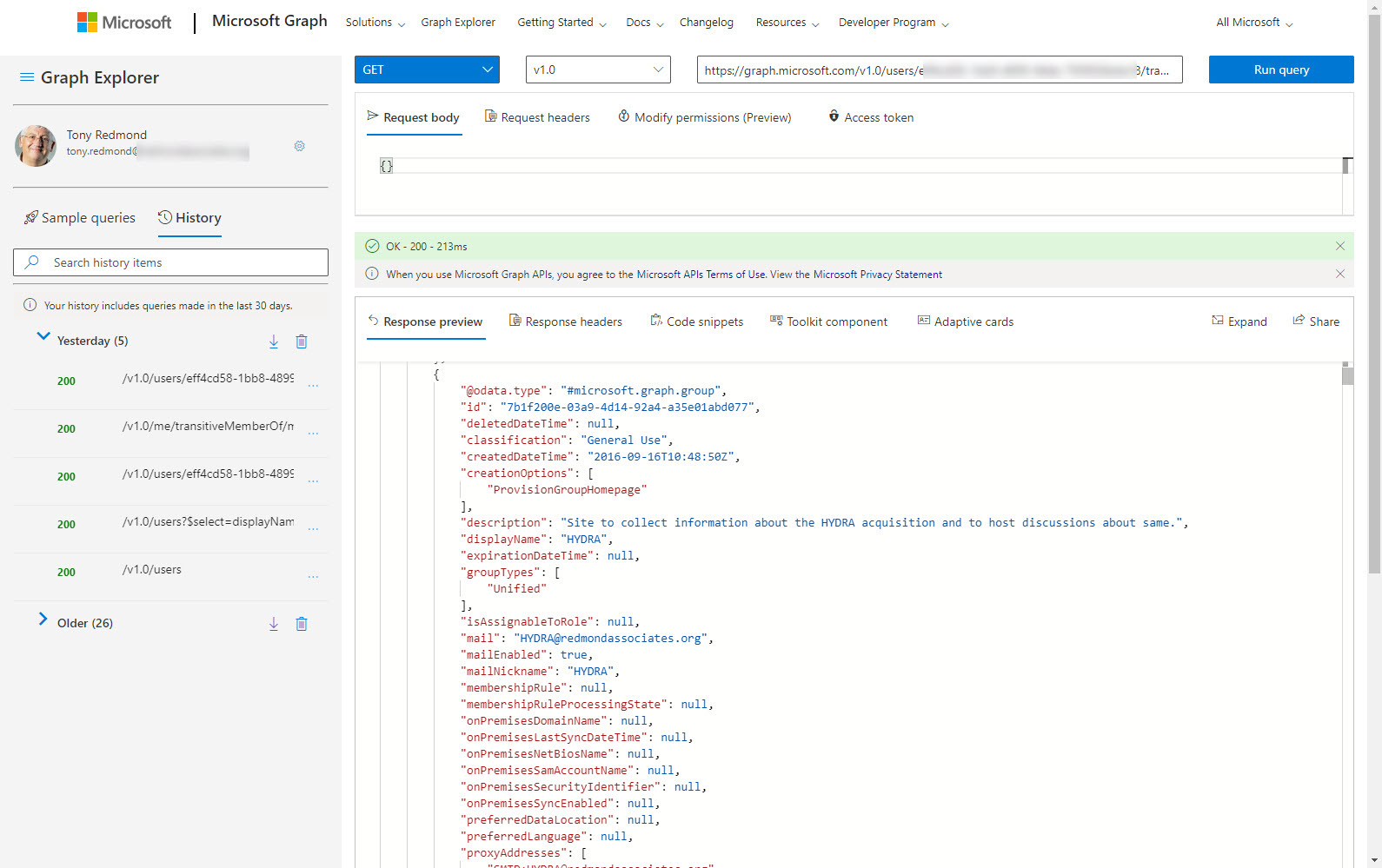
Access tokens are an important part of accessing data using modern authentication through APIs like the Microsoft Graph. But what’s in an access token and how is the information in the access token used by PowerShell when the time comes to run some Graph queries in a script? In this article, we look behind the scenes to find out what’s in the JSON-structured web tokens issued by Entra ID.
The Microsoft 365 Groups expiration policy can remove inactive groups after a set period. This helps to clean up Entra ID, but the removal of a group might come as a surprise. To help remind administrators when groups will expire, we can use the Microsoft Graph PowerShell SDK to create a report of groups within the scope of the expiration policy and their next renewal dates.
A new List Teams API is available in the beta version of the Microsoft Graph. In time, the new API might replace the existing methods used to fetch sets of teams for processing. For now, there’s no need to update any code as we wait for Microsoft to fully bake the new API. Maybe it will be more performant and functional in the future!
The Microsoft 365 audit log holds all kinds of useful data, including events logged for SharePoint Online and OneDrive for Business file deletions. It’s easy to use PowerShell to search the audit log to find and interpret the events and create a report. Large tenants might need to export the audit data on a regular basis to an external repository to allow for long-term retention and analysis. We explain the principles of the process in this article.
It might seem like a small thing, but some users are upset when they don’t receive copies of their messages sent to Outlook Groups in their Inbox. A new setting allows users and administrators to control if they receive copies of messages from groups, but only when the user is a subscriber to groups (Follow in Inbox is turned on). In this article, we explore how to set the EchoGroupMessageBackToSubscribedSender control via OWA options and PowerShell, and how to sign up to be a group subscriber by yourself or with a little help from an Exchange administrator.
When SharePoint users share information, Office 365 captures events in its audit log. By analyzing the events, we can build a picture of how people share information. The sad thing is that the audit events logged when someone extends the validity of a sharing link doesn’t contain as much information as you might like. Even so, we can still analyze the sharing events to build a picture of what happens in an Office 365 tenant.
Microsoft is removing TLS 1.0 and 1.1 from Microsoft 365. This has been well flagged, but tenants might not understand the impact on PowerShell scripts which send email using the Send-MailMessage cmdlet and SMTP AUTH. In a nutshell, unless you force PowerShell to use TLS 1.2, attempts to send messages via Exchange Online will fail. It’s time to check those scripts and ,consider how to move away from SMTP AUTH and Send-MailMessage.
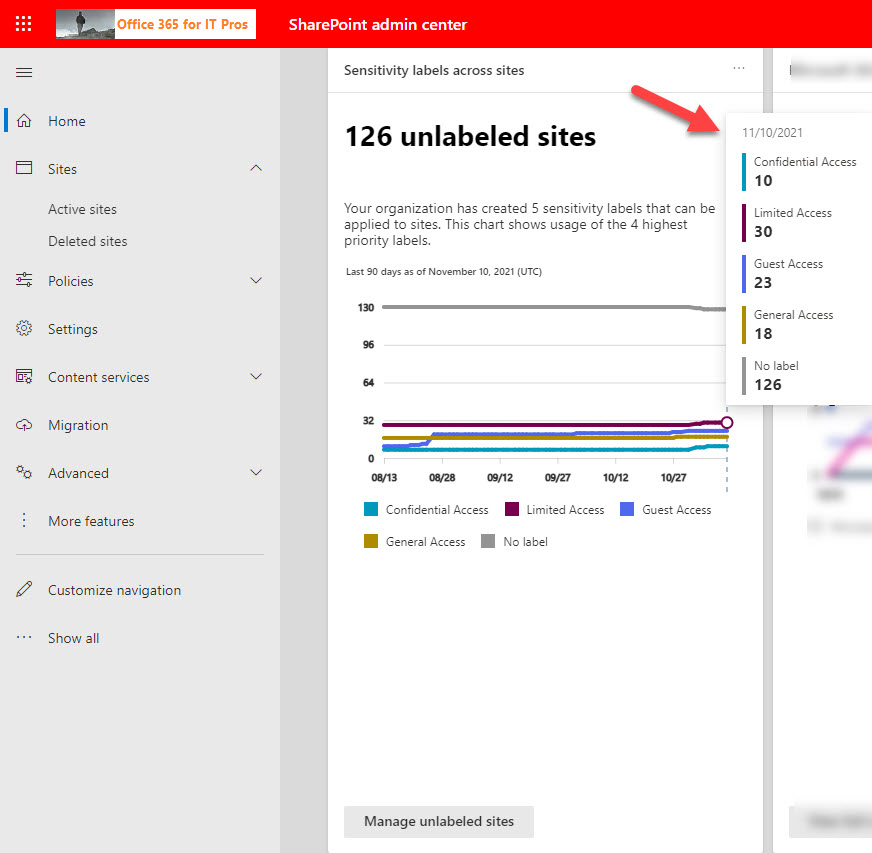
The SharePoint Online admin center displays an insight card for the number of unlabeled sites in the tenant. For some reason, many of the labels assigned to Microsoft 365 Groups and Teams had not reached SharePoint. Some PowerShell does the job to fetch the sensitivity label information from Exchange Online and update sites with the missing label information.
A reader asked how to find when Azure AD accounts received certain licenses. As it turns out, this isn’t as simple as it seems. PowerShell can tell use when user accounts are enabled with service plans, but to get dates for licenses (products or SKUs), we need to go to the Graph API, and those dates aren’t quite there yet. In any case, it’s an interesting question which deserves some exploration to see if we can find an answer.
A 1.5 TB limit applies to Exchange Online archive mailboxes from November 1, 2021. In this article, we use PowerShell to report how close expandable archives are to the new limit. In reality, not many archive mailboxes will approach the new limit, but it’s nice to know things like the daily growth rate for an archive and how many days it will take for an archive to reach 1.5 TB. All whimsical stuff calculated with PowerShell!
Understanding how to create effective queries using the Microsoft Graph APIs takes some work, especially with some of the more complex filters used to refine the data returned by the Graph. In this article, we look at how filters using lambda qualifiers work and explore some examples of these qualifiers in use.
Microsoft wants to eliminate the Search-Mailbox cmdlet, but it’s still very valuable when the time comes to remove mailbox items because of a spam attack or similar reasons. The suggested replacement is Core eDiscovery searches and associated content search purge actions, but these are slower and less effective than Search-Mailbox. To prove the point, we’ve put together a demonstration script to show how to compose a search query and run it against a set of mailboxes.
Microsoft is preparing to enable lightweight plans soon. The new plans are managed via the Planner app and should turn up in Teams meetings as a fluid component to allow meeting participants to capture tasks assigned during calls. It’s a neat way to use a plan that isn’t associated with a Microsoft 365 group. We’ll see what happens in September/October when the functionality lands. Also, a new cmdlet is available to export Planner data for a user. You never know where this might be useful.
In this post, we describe how to use PowerShell to remove a single service plan from Microsoft 365 licenses using PowerShell. The script can remove any service plan from any SKU (license) in a tenant. You might want to do this to disable access to an obsolete feature (like Sway) or to prevent access to a new feature until the organization is ready to support user activity.
In this post, we explore how to use PowerShell to create a report about distribution lists and their owners. The script is quick and dirty, but it works, and the code will run on both Exchange Online and Exchange Server and generates both HTML and CSV outputs. We also look at whether it’s possible to speed things up by using Microsoft Graph API calls. As it turns out, because we’re interested in owner information, it’s no faster to retrieve distribution lists using the Graph. However, as shown in a second script, the Graph is great at retrieving membership information.
Controlling the creation of Microsoft 365 Groups might seem complex, but it’s not as complicated as it might seem. Make sure Azure AD allows group creation, and then you can either allow everyone to create new groups or restrict the right to a limited set of accounts (a capability requiring Azure AD Premium licenses). And don’t forget OWA, because it’s got its own mailbox policy with a group creation setting. All good, clean, honest fun.
The message center in the Microsoft 365 admin center will soon use a new data privacy tag to highlight specific service updates to tenant administrators. No messages with the new tag have yet appeared, so it’s hard to know how Microsoft plans to use the new tag or what kind of attachments it will make available to administrators to help understand the sensitive data involved in data privacy. While we’re waiting, we took at look at the tags in use today and wrote some PowerShell to report which tag is most popular.
Many PowerShell scripts which access Office 365 data could do with a speed boost. Replacing cmdlets with Microsoft Graph API calls is one way to get extra speed. In this article, we take a PowerShell script to report the memberships users have of Microsoft 365 groups and replace some important cmdlets with Graph API calls. The result is a big speed increase.
Office 365 tenants users will soon be able to execute self-service purchase Windows 365 licenses. That is, unless you stop them by running some PowerShell commands to disable the capability. In this article, we explain the Windows 365 options available for self-service purchase and the PowerShell commands necessary to disable the option, if you think it’s a bad idea (as some do).
The latest version of the SharePoint Online PowerShell module reveals some new site properties to inform administrators if sites are connected to teams or even team channels (both private and shared). There’s also some changes coming to the SharePoint Online admin center, all of which are very useful in terms of tracking the sites used by Teams.
The thoughts of using Microsoft Graph API calls with PowerShell might seem to be too much trouble, but used correctly, Graph API calls help scripts speed up and get to some data that is not reachable through a cmdlet. I have a simple four-step approach that I use to figure out if I need to include some Graph API calls. The routine works for me. Feel free to disagree.
New teams created using Teams clients are hidden from Exchange Online, but those created using administrative interfaces are not. The result is potential confusion. in this post, we describe a PowerShell script to find any team-enabled Microsoft 365 Groups which are visible to Exchange and hide them. It’s easy scripting, but you need to run the script periodically to update the settings for new teams.
How do you create a report of all the Teams in a tenant and their SharePoint Online sites? As it turns out, a two-line script does the job. We make the script slightly prettier, but it’s still simple. And because it’s PowerShell, anyone can change the code to make it work the way they want it to.
Auto-label policies are a good way to assign retention labels to important files stored in SharePoint Online and OneDrive for Business. The big problem is tracking the progress of auto-labeling. In this article, we explore how to use events logged in the Office 365 audit log to figure out what files are labeled and how long it takes the auto-label policies to process the files. The example explored here is an auto-label policy for Teams meeting recordings.
Sometimes it’s wise to give PowerShell scripts a turbo boost. This is certainly true for the Groups and Teams Activity report script, where a large amount of PowerShell processing has been replaced with speedy Microsoft Graph API calls. The result is much faster processing, which means that the script is more useful in large tenants. I still wouldn’t try to run it against 100,000 groups, but anything smaller should be OK. I think!
New PowerShell commands for sensitivity labels can configure default sharing link settings for SharePoint Online sites. Any site assigned a label configured for default sharing links inherits those settings within 24 hours. Also available is the ability to apply default sharing link settings at a per-document basis.
Finding out which Entra ID accounts have licenses (service plans) for different applications isn’t difficult. You can do it with either PowerShell or the Microsoft Graph API. This article explains how to use PowerShell (and the equivalent Graph API call) to find accounts which have a certain license (service plan) enabled or disabled. Once you know how to navigate license data in user accounts, you can take the code and adapt it for different purposes.
Anyone writing PowerShell code against Azure Active Directory probably uses the Azure AD module. In June 2022, Microsoft will deprecate the API underpinning the Azure AD module. Tenants who want to use PowerShell to create scripts to automate administrative processes will need to move to Graph API calls or use the Microsoft Graph PowerShell SDK. Either way, there’s a bunch of work to do to upgrade scripts.
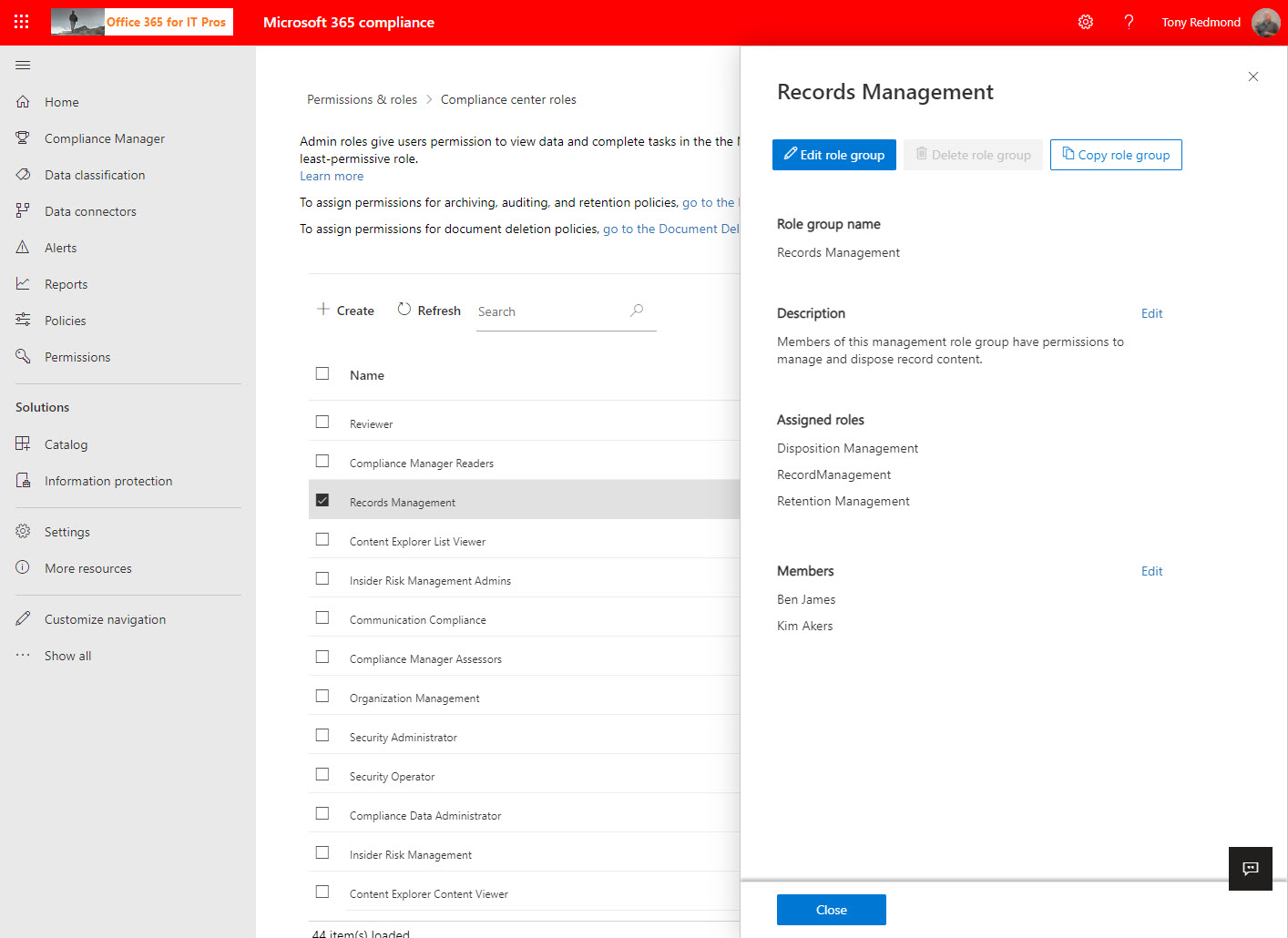
Compliance role groups control access to Microsoft 365 compliance functionality. A new permissions page makes it easier to manage these groups in the Microsoft 365 compliance center, where you can also manage the Entra ID roles used by Microsoft 365 compliance. If you want to generate a report about who holds what role, you’ve got to use PowerShell. The code is easy once you know which roles you want to report.
Blocking domains through the Azure AD B2B collaboration policy stops group owners adding new guest accounts from certain domains. It does nothing about existing guests from those domains. Fortunately, it’s relatively easy to check the guest membership of Groups and Teams to find guests from the blocked domains. And once you know those problem guests, you can decide what to do up to and including removing guest accounts from the tenant.
This page describes the latest version of the Microsoft Teams (MicrosoftTeams) PowerShell module. If we know about problems with versions of the module, we note them here.
The current version of the Teams PowerShell module is V7.7.