The Microsoft-Adobe initiative to support Azure Information Protection for PDF files has reached general availability. Things look good and the issues encountered in the preview are removed. You can store protected PDFs inside Office 365, but be prepared to download the files to be able to view them.
The Exchange Online Managed Folder Assistant (MFA) runs in the background on a workcycle basis to make sure that mailboxes are processed at least once a week. Most of the processing involves mailbox and Office 365 retention policies and runs smoothly, but how do you know what MFA has done?
The Office 365 Security and Compliance Center includes a report to detail encrypted email. The report is in preview. It’s a nice insight into user activity, even if it has some glitches that need to be sorted out before it becomes generally available.
Knowing how retention policies process Office 365 data can be hard to understand, especially if multiple policies are involved. Office 365 doesn’t give a global view of how retention policies affect workloads, but here’s how to use PowerShell to find out what policies process the sites in a tenant.
Including a company’s logo when listing or displaying email is another way to give users confidence that the email is in fact from that company. Business Indicators for Message Identification is a draft standard that might become generally used by all email clients. But for now. Microsoft has their own business profile “brand card” program, and that’s where OWA gets its logos.
Microsoft has refreshed the Outlook Mobile architecture (now called “Microsoft Sync Technology”). They suggest that you run some PowerShell to report clients connecting via the old and new architectures. Their code works, but we think ours is better.
Now that we know all about the different email addresses used by Microsoft 365 Groups and Teams, the question arises of how to include a team channel as a member of a distribution group. As it turns out, there’s a simple way and a more complicated way.
Some recent questions in the Microsoft Technical Community show confusion about the email addresses used by Office 365 Groups and Teams. Here’s our attempt to clarify.
The latest version of the Azure Information Protection (AIP) client supports the ability to associate S/MIME protection with an AIP label. Although interesting, it’s a feature unlikely to be of much practical use to the majority of Office 365 tenants.
Teams has released version 0.9.6 of its PowerShell module. You should upgrade to the new module because it fixes some bugs and allows administrators to manage any team, even when they’re not a team owner.
Another day, another phishing attempt, this time trying to make unwary Office 365 administrators click on a link to “Retrieve Pending Messages” for their domain. I’m surprised this one got through! Some other examples from November 2019 are included for your review. Make sure that you report these bad boys when they arrive into user mailboxes
A very exciting message arrived in my mailbox. So exciting that it was too good to be true. Some basic checks made me more suspicious and then Outlook’s Message Header Analyzer gave more evidence to think the message was bad.
Embedding external content in modern SharePoint Online (SPO) pages is a really easy task using Microsoft’s out of the box Embed webpart. In the WebPart settings panel we can add the external content URL (such as a YouTube video) or by using the standard <iFrame> HTML tag: In the event we want to add a …
Read More “How to Embed External Content in Modern SharePoint Online Pages”
Rights management and encryption are likely to be a much more common Office 365 feature in the future. Sensitivity labels makes protection easy for users to apply through Office apps. The downside is that protection makes content harder to access for some Office 365 and ISV functionality.
Exchange Online distribution lists can be used to populate the membership of Office 365 Groups or Teams by applying a little PowerShell magic. Here’s how.
A question asks how to remove a bunch of emails from a shared mailbox. You can use OWA to do the job, especially with its Cleanup Mailbox option, but perhaps some administrative action is needed.
A reader asked if it is possible to add an administrator account to every Office 365 Group. This feature doesn’t exists OOTB, but it’s an easy task to script with PowerShell.
Microsoft is now rolling out the “Recent” view in OneDrive for Business to expose the set of recently-accessed documents for a user.
Teams offers a number of ways to create new teams, which is good. However, if you create a new team with PowerShell, make sure that you add the team owners to the members list as otherwise they won’t be able to access Planner.
On Wednesday, November 28, Tony’s speaking about Office 365 Data Governance at the European SharePoint Conference in Copenhagen, Denmark. The topic is interesting, if only because its source material changes all the time.
When a problem arises, it’s good to know what user accounts are affected. In the case of the recent MFA outage, the need existed to report the list of accounts that were MFA-enabled. Here’s how to do the job with PowerShell.
Microsoft’s Azure-based multi-factor authentication (MFA) service experienced a service outage on November 19. Does this mean that we should disable MFA for accounts?
The availability of Azure Information Protection and Office 365 sensitivity labels allow tenants to protect important and confidential files. That’s nice, but it’s even better when you know what files are protected. Here’s how to use PowerShell to create a report about those files.
Not everyone likes writing JSON files, so when the time comes to customize a site design or site script for SharePoint Online, it’s a relief to find that a visual tool is available for the job.
Microsoft has updated the Forms application with the ability for a form owner to move a a form from their personal space to an Office 365 Group. It’s a small but good improvement.
Roughly a month after our last update, we’ve issued update #8 for Office 365 for IT Pros (2019 Edition). It’s a big update with changes for 14 chapters. Please download the updated content soon!
A recent correspondent asked how to find inactive distribution lists in Exchange Online. We didn’t have a good answer in the book, so here’s some PowerShell code to do the trick.
Following a Dutch report saying that Office 365 might violate GDPR, some thoughts about how to restrict some of the flows of information from an Office 365 tenant to Microsoft.
The latest version of the Teams desktop and browser clients support the creation of dynamic teams based on dynamic Office 365 Groups. The functionality is welcome, as long as you can pay for it as every member who comes within the scope of a query used for a dynamic team needs an Azure AD P1 license.
Microsoft is working on tools to move email, calendar, and contacts from G Suite to Exchange Online with availability in Q2 2019. It’s hardly a surprise.
Office 365 doesn’t include a way to export a list of Teams in a form that can be imported by Power BI, but PowerShell makes it an easy task to accomplish. Here’s a script to help solve the problem.
Team owners can set the picture for their teams, but can tenant administrators do the same thing? As it turns out, no. But there’s a reason why.
Microsoft has made the intelligent features of Stream available to all Office 365 commercial customers, meaning that you can now luxuriate in closed captions, automatic transcripts and deep search, and face recognition.
Microsoft has launched Privileged Access Management (PAM) for Office 365. The name’s incorrect because PAM only works for Exchange Online right now. PAM is based on RBAC, which is good, but is the implementation too Exchange-centric?
Microsoft’s grand plan to send helpful emails to Office 365 users hit a roadblock when customers said “No thanks” to the idea. Microsoft has now taken the plan back for mature reflection. Does this kind of initiative reflect a certain arrogance on the part of Microsoft?
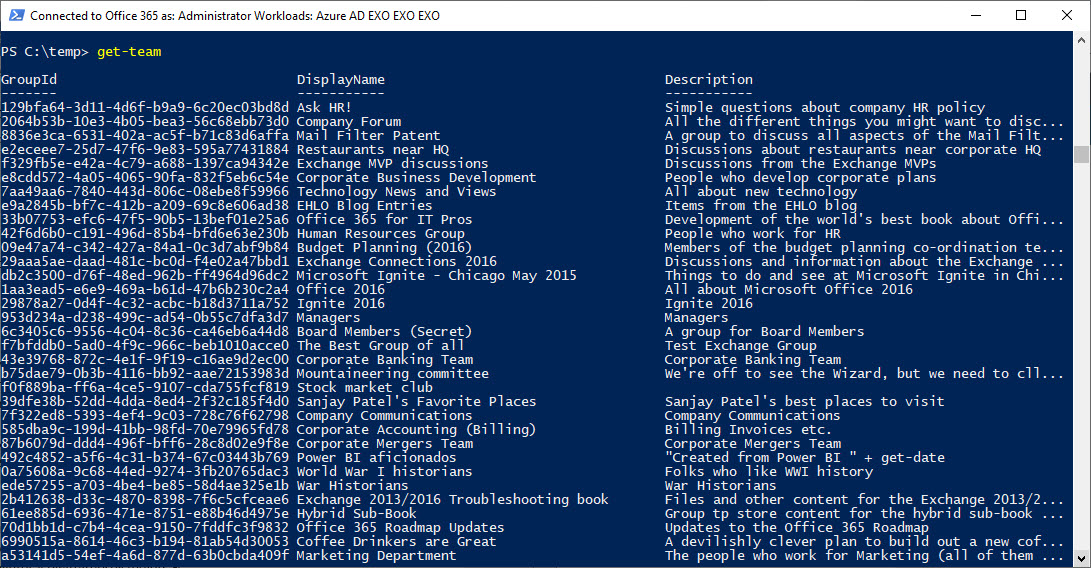
The new version of the Teams PowerShell module (0.9.5) supports a Get-Team that’s actually useful because it can return a full list of teams in the tenant. But there’s still some work to do…
The Microsoft Graph developers and some other folks inside Microsoft have launched a new series of short blog posts to help people become acquainted with the Graph. It’s a nice idea, and one that’s worthwhile to read.
By default, the Groups policy for an Office 365 tenant allows group owners to add guest users to group membership. You can block this access if necessary, but it’s probably not what you want to do as blocking brings guest access to a complete halt across the tenant.
Exchange administrators are accustomed to looking through mailbox audit logs to find details of events. Those same events are in the Office 365 audit log, so that’s the place to go look for information, like when you want to find out who sent a message from a shared mailbox using the SendAs permission.
Azure Information Protection rights management templates now support the Any Authenticated Users permission to allow Office 365 users to share email and documents with anyone who can authenticate with Azure Active Directory or has an MSA account or uses a federated service.